
9 Best AI Content Repurposing Tools (2026)

Key facts9 tools compared: Opus Clip, Castmagic, Repurpose.io, Descript, Vidyo.ai (quso.ai), Pictory…
- 9 tools compared: Opus Clip, Castmagic, Repurpose.io, Descript, Vidyo.ai (quso.ai), Pictory, Munch AI, Lumen5, Taja AI
- Opus Clip (best for: Long video into viral shorts): Free, paid from $15/mo
- Castmagic (best for: Audio into written content): From $39/mo
- Repurpose.io (best for: Auto cross-posting): From $35/mo
- Descript (best for: Edit by editing text): Free, paid from $24/mo
You record a 45-minute podcast, a webinar, or a YouTube video. Then it sits there. One asset, one channel, one shot at an audience. Meanwhile the people who win on social media in 2026 are squeezing 20 posts out of every recording they make.
That is the whole game with content repurposing: stop making new things constantly, and start mining what you already have. The catch is that doing it by hand is brutal. Clipping highlights, writing captions, reframing to vertical, drafting the LinkedIn post, the newsletter blurb, the thread. It eats a day per recording. AI tools collapse that day into about ten minutes, and most of them are genuinely good now.
I compared the main ones on pricing, features, and public user reviews. My short answer: if you start with video, Opus Clip is the fastest way to get publishable clips, and if you start with audio or want written derivatives, Castmagic is the one I kept coming back to. But the right pick depends heavily on what raw material you have and where you publish. Here is the full breakdown.
Quick comparison
| Tool | Best for | Price | Standout |
|---|---|---|---|
| Opus Clip | Long video into viral shorts | Free, paid from $15/mo | Virality Score on clips |
| Castmagic | Audio into written content | From $39/mo | Podcast to blog + newsletter |
| Repurpose.io | Auto cross-posting | From $35/mo | Hands-off distribution |
| Descript | Edit by editing text | Free, paid from $24/mo | Transcript-based editing |
| Vidyo.ai (quso.ai) | Budget video clipping | Free, paid from $29/mo | Cheap, scheduling built in |
| Pictory | Text or video into branded clips | From $25/mo | Strong template library |
| Munch AI | High-volume agency clipping | From $23/mo | Output quality |
| Lumen5 | Blog posts into video | Free tier | Brand-locked templates |
| Taja AI | YouTube creators, one workflow | Paid | SEO titles + descriptions |

Opus Clip: the default for turning video into shorts
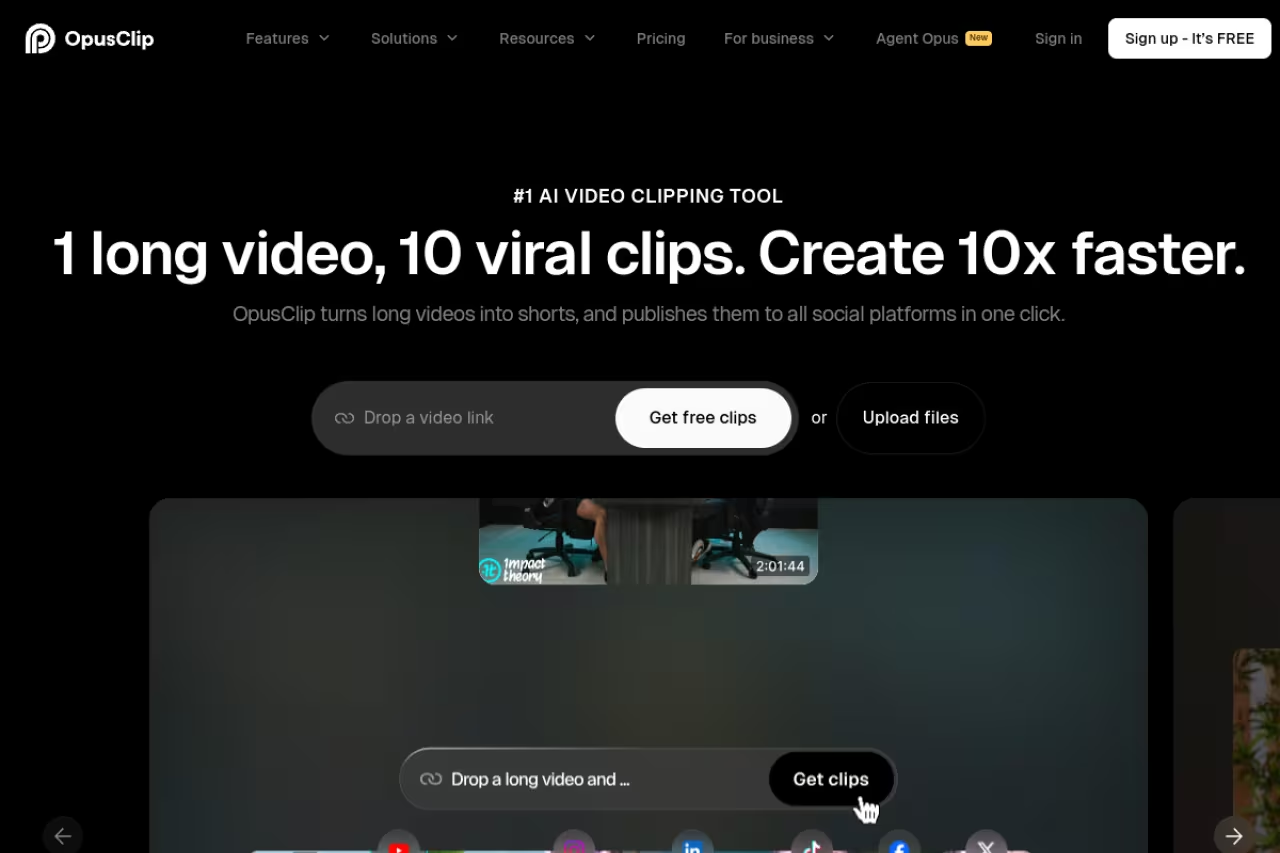
Opus Clip is the tool most creators try first, and for good reason. You drop in a long video or paste a YouTube link, and it pulls out the moments most likely to perform as standalone shorts. With more than 12 million users it is the market leader in AI clipping, and the experience shows that maturity.
The thing that sets it apart is the Virality Score. Every clip gets a number based on speech patterns, emotional peaks, and how complete the idea is. It is not gospel, but after a few uploads I trusted it to triage which clips deserved my attention first. Captions, auto-reframing to vertical, and B-roll suggestions all come baked in.
Who it is best for: anyone with a backlog of long-form video who wants short clips for TikTok, Reels, and YouTube Shorts without learning an editor.
The default for anyone with a backlog of long-form video who wants shorts without learning an editor, with a Virality Score to triage clips. The meter measures source minutes uploaded, so the free 60 minutes vanish fast and costs rise quicker than the headline price suggests.
Pricing is honest. The free plan gives you 60 processing minutes a month, but exports carry a watermark and your media expires after 3 days. The Starter plan at $15/month removes the watermark, adds advanced clipping, and lets you post straight to YouTube Shorts, TikTok, and Instagram. Pro at $29/month unlocks the full AI editing suite and custom reframing.
The catch: "processing minutes" measure source footage you upload, not clips you get out. Sixty minutes vanishes fast if you run several episodes. Heavy users complain the meter gets expensive quicker than the headline price suggests.

Castmagic: the best way to turn one recording into written everything
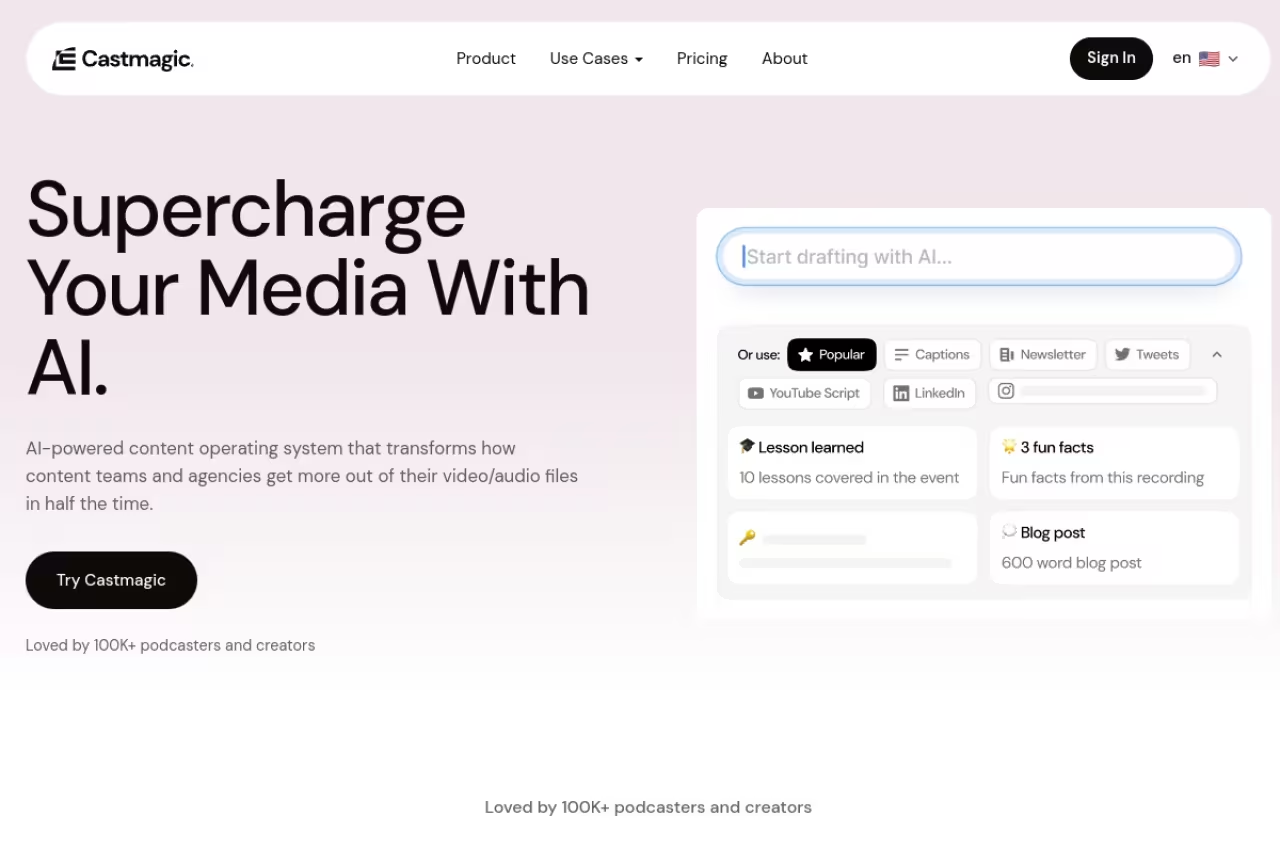
Castmagic flips the usual model. Instead of clips, it turns a single audio or video recording into a pile of written assets: transcript, show notes, summary, blog draft, newsletter, social posts, even timestamped chapters. If your raw material is a podcast or a long conversation, this is the one.
I fed it an hour-long interview and got back a usable blog draft, three LinkedIn posts, and a newsletter section in about four minutes. The output needed editing, all of it does, but it cleared the blank-page problem entirely. For podcasters and consultants who think out loud and want the words written down in shippable shape, nothing else matched it.
Who it is best for: podcasters, course creators, and anyone whose best content lives in their talking, not their typing.
Turns one recording into a pile of written assets, ideal for podcasters, course creators and anyone whose best content is spoken. Minute caps bite if you publish weekly long-form, and its video clipping is basic, so pair it with Opus Clip.
Pricing runs on minutes. The Hobby plan is $39/month for 300 minutes, Starter is $59/month for 800 minutes, and the Rising Star team plan is $299/month for 2,500 minutes across five seats. Annual billing roughly halves those numbers. Extra minutes are à la carte, from $0.20 down to $0.10 depending on tier.
Where it falls short: the minute caps bite if you publish weekly long-form. And its video clipping is basic next to a dedicated clipper, so pair it with Opus Clip if you want both.

Repurpose.io: set it once, let it post forever

Repurpose.io solves a different problem. It is not about creating clips, it is about moving content between platforms automatically. You wire up a rule like "every new YouTube video posts to TikTok, Reels, and Facebook," and it handles format conversion, aspect ratio, and scheduling without you touching anything.
This is the tool for people whose bottleneck is distribution, not creation. If you already make good clips but forget to cross-post them everywhere, Repurpose.io closes that gap and runs in the background.
Who it is best for: creators and small teams publishing the same content across five or six channels who hate doing it manually.
The Content Marketer plan is $35/month and supports up to five accounts per channel. The Agency plan jumps to $149/month with up to 20 accounts per channel. Both include unlimited published videos. Annual billing saves roughly 17%.
The catch: it automates moving content, not improving it. There is no virality scoring or smart highlight detection here. If you want AI to find the good moments, you still need a clipper upstream.
Choose Repurpose.io if your bottleneck is distribution, not creation, since it automatically cross-posts content to five or six channels. It moves content but never improves it, so you still need a clipper upstream.

Descript: edit video by editing the transcript
Descript earns its place because of one feature that still feels like magic: it transcribes your recording, then lets you edit the video or audio by editing the text. Delete a sentence from the transcript and that footage disappears. Remove filler words across an entire episode with one click.
For repurposing, this matters because trimming a 40-minute recording into a tight 3-minute clip becomes a copy-paste job instead of a timeline-scrubbing chore. It is one of the most approachable serious editors on this list, and the AI voice cloning (Overdub) means you can fix a flubbed line by typing. If editing is your main job, our roundup of the best AI for video editing goes deeper on that side.
Who it is best for: people who think in words and find video timelines intimidating.
Free gets you 1 hour of transcription. The Hobbyist plan is $24/month (monthly billing) with 10 hours, Creator is $35/month with 30 hours, and Business is $65/month with 40 hours.
Where it falls short: a September 2025 overhaul swapped transcription hours for "media minutes" and introduced metered AI credit top-ups, so some AI features now nibble extra credits. Watch the new model, because costs can creep if you lean on AI actions heavily.
Ideal for people who think in words and find timelines intimidating, because you edit video by editing the transcript. The September 2025 overhaul to media minutes and metered AI credits means costs can creep if you lean on AI actions.
Vidyo.ai (now quso.ai): the budget clipper
Vidyo.ai, now rebranded as quso.ai, does much of what Opus Clip does for less money. It auto-clips long videos, adds captions, reframes to vertical, and includes scheduling so you can publish without a second tool.
I would not call its highlight detection as sharp as Opus Clip's, but for the price it is close enough that most creators would never notice the difference. The built-in scheduler is a real bonus when you are trying to keep the whole workflow in one tab.
Who it is best for: solo creators and early-stage founders who want decent clips without paying premium clipper prices.
The free tier exists but caps you at 720p with a watermark. Lite at $29/month removes both. Essential at $39/month gives you about 300 credits, enough for 10 to 15 full podcast episodes worth of clips, and Growth at $49/month scales to daily publishing.
The catch: the free plan's 720p ceiling and watermark make it a trial more than a real option. You are upgrading on day two.
The budget clipper for solo creators and early-stage founders, with captions, reframing and a built-in scheduler for less than Opus Clip. Highlight detection is not quite as sharp, and the free tier's 720p cap and watermark make it a trial.
If you are still mapping out which tools belong in your stack, our roundup of the best AI tools for marketing covers the distribution and analytics side that pairs with everything here. And Dupple X keeps you current on the tools worth your attention without the daily research grind.

Pictory: text and video into branded clips
Pictory is strong at two jobs: turning a blog post or script into a video, and turning a long video into short captioned clips. Its template library and brand kits make it a favorite for teams that care about staying on-brand across every asset.
I liked it most for the text-to-video path. Paste an article, and it builds a narrated video with stock footage and captions in minutes. The output looks clean, if a little templated, which is fine for social where speed beats polish.
Who it is best for: marketing teams repurposing written content into video, or anyone who wants brand consistency enforced automatically.
The Starter plan is $25/month for 200 video minutes, Professional is $35/month for 600 minutes with voice cloning and custom avatars, and Team is $119/month for 1,800 minutes. A 14-day free trial lets you test before paying.
Where it falls short: the stock-footage look gets repetitive, and the AI is less inventive than newer tools. It is a workhorse, not a showpiece.
A workhorse for marketing teams turning blog posts into narrated videos or long videos into captioned clips, with brand kits that keep things consistent. The output looks templated and the stock-footage look gets repetitive.

Munch AI: output quality for high-volume teams
Munch AI (GetMunch) sits in the same lane as Opus Clip but aims at agencies and brands pushing serious volume. It identifies viral moments, generates captions, and crops to platform-specific ratios, and several reviewers rate its raw output quality among the best in the clipping category.
Who it is best for: agencies and media teams clipping for multiple clients who need quality at scale.
Aimed at agencies and media teams clipping for multiple clients, with raw output quality that several reviewers rate among the best in the category. Lower tiers run out of minutes fast, so solo creators will find better value elsewhere.
Pricing is render-minute based. The Candy Bar plan is $23/month for 100 minutes, Pro is $49/month for 250 minutes, Elite is $116/month for 500 minutes, and Ultimate is $220/month for 1,000 minutes. Annual billing trims roughly 15 to 20%.
The catch: the lower tiers run out of minutes fast for any team doing this full-time, so the real cost lands at Elite or above. Solo creators will find better value elsewhere.

Lumen5: blog posts into video, brand-locked
Lumen5 is one of the oldest names in text-to-video, and it shows in the polish of its template system. Drop in a blog post and it storyboards a video, matching scenes to sentences. Custom templates, brand colors, and locked fonts make it the pick for teams with strict brand guidelines.
Who it is best for: brand and content teams converting written posts into social video at a steady clip.
It offers a free entry-level tier, which is rare in this category, so you can test the workflow at no cost before committing.
Where it falls short: it is less AI-driven than Pictory. You are doing more manual scene assembly, and the highlight intelligence newer tools offer is mostly absent here. Good template engine, modest brain.
The pick for brand and content teams with strict guidelines, thanks to custom templates, brand colors and locked fonts, plus a free tier. It is less AI-driven than Pictory, with more manual scene assembly and little highlight intelligence.
Taja AI: built for YouTube creators
Taja AI compresses repurposing, optimization, asset generation, and scheduling into one flow aimed squarely at YouTube creators. Beyond clipping, it drafts SEO-friendly titles and descriptions and pulls social posts from your video, so the channel-growth work and the repurposing work happen in the same place.
Who it is best for: YouTubers who want clips plus the metadata and social assets that help a video rank and spread. If YouTube is your main channel, our guide on how to make AI YouTube videos pairs well with this.
The catch: it is newer and narrower than the all-rounders here. If you do not live on YouTube, the YouTube-first design is overkill. Verify current pricing on their site, since plans shift often for younger tools.
A YouTube-first option for creators who want clips plus SEO-friendly titles, descriptions and social posts in one flow. It is newer and narrower than the all-rounders, so it is overkill if you don't live on YouTube.
How to choose
Forget the feature lists for a second. The decision comes down to your raw material and your bottleneck.
Start with what you produce. If your source is video, you want a clipper: Opus Clip if budget allows, Vidyo.ai or Munch if it does not. If your source is audio or talking (podcasts, interviews, calls), Castmagic turns it into written assets better than anything. If your source is written (blogs, scripts), Pictory or Lumen5 turn words into video.
Then find your bottleneck. If you already make clips but never post them everywhere, your problem is distribution, so Repurpose.io is the answer, not another clipper. If editing is the wall you hit, Descript makes trimming painless.
Most serious creators end up running two tools, not one: a creator (Opus Clip or Castmagic) plus a distributor (Repurpose.io). That combination covers the full path from raw recording to published-everywhere, and it is what I would set up if I were starting today. For the broader creative side, our guide to generative AI for content creation maps the tools that feed this pipeline.
FAQ
What is the best AI content repurposing tool in 2026?
For most people it is Opus Clip if you start with video, or Castmagic if you start with audio. Opus Clip leads the clipping category with 12 million-plus users and a free 60-minute tier, while Castmagic is unmatched at turning a single recording into written assets like blogs and newsletters. The genuinely best tool depends on whether your raw material is video, audio, or text.
Can AI repurpose a podcast into a blog post automatically?
Yes, and this is one of the most reliable AI repurposing jobs right now. Castmagic and Descript both transcribe a recording and draft a structured blog post from it in minutes. The draft will need editing for voice and accuracy, but it removes the blank-page problem entirely. Expect to spend 15 to 30 minutes polishing rather than hours writing from scratch.
How much do content repurposing tools cost?
Entry plans run roughly $15 to $39 per month. Opus Clip starts at $15, Pictory and Repurpose.io around $25 to $35, and Castmagic at $39. Most offer free tiers, though those usually add watermarks, cap quality at 720p, or expire your files after a few days. Agency and high-volume plans climb to $119 to $299 per month. Watch usage meters: minute and credit caps often cost more than the headline price suggests.
Are free AI repurposing tools good enough?
For testing, yes. For real publishing, usually not. Free plans from Opus Clip, Vidyo.ai, and Descript let you learn the workflow, but watermarks, 720p ceilings, and file expiration push you to upgrade fast. Lumen5 and Descript have the most usable free tiers if you only repurpose occasionally. If you publish weekly, a paid plan pays for itself in saved hours within the first month.
Should I use one tool or several for content repurposing?
Most serious creators use two: one to create assets and one to distribute them. A clipper like Opus Clip or a written-content tool like Castmagic handles the creation, while Repurpose.io handles automatic cross-posting. Trying to force one tool to do everything usually means compromising on the part that matters most to your channel mix.
Repurposing is the highest-return move in content right now because the work is already done. The recording exists. These tools just stop it from dying after one post. Pick based on your raw material, accept that you will likely run two of them, and you will get more reach from less effort than any amount of new content could buy you. To keep your stack sharp as these tools evolve, Dupple X tracks what is actually worth using.
Related guides
Some offers on this page may be paid placements or contain affiliate links.
Across our whole catalogue the median is $24 a month and 33% of tools advertise a free tier. Figures are the lowest recurring monthly price quoted in our own review of each tool, read on 2026-08-19. Full method and every category.
