
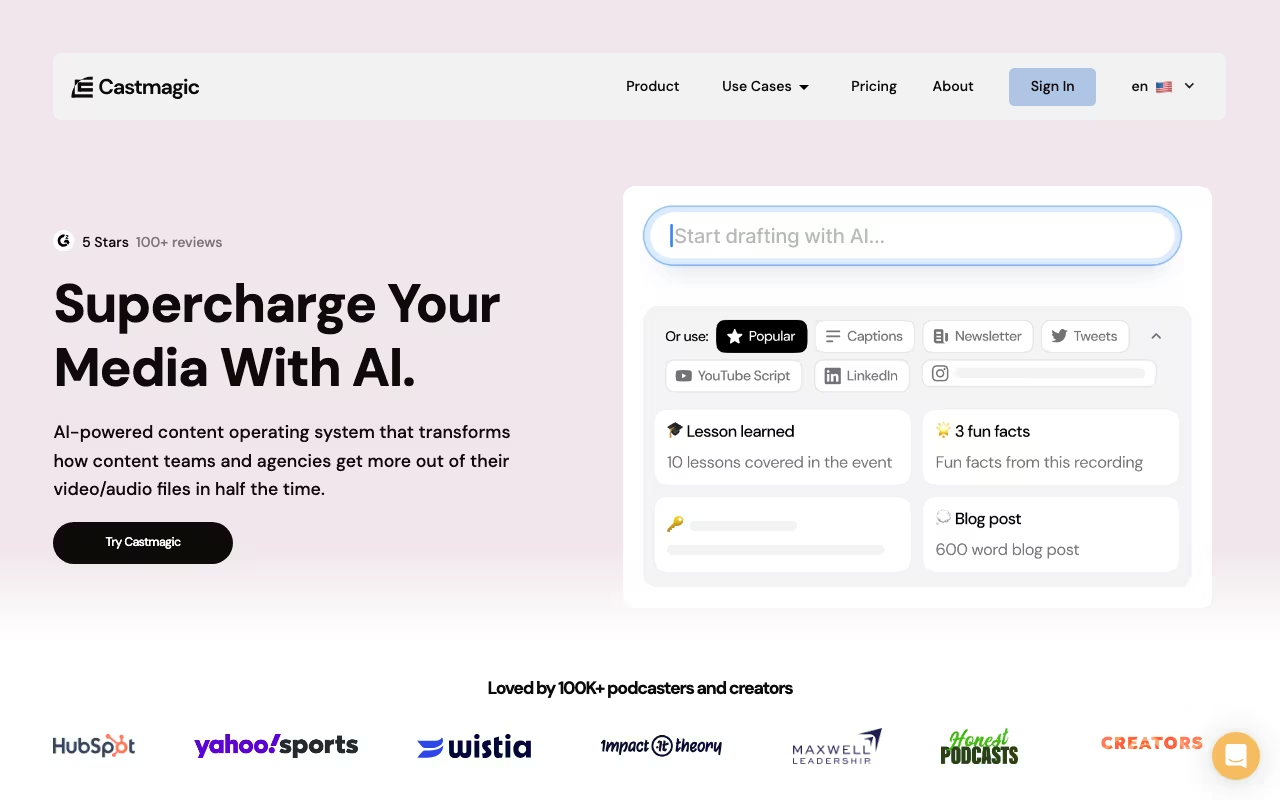
You record a 45-minute podcast episode. Now you need show notes, a blog post, five social media posts, an email newsletter, timestamps, and pull quotes. That post-production takes 3-5 hours if you do it manually. Castmagic does it in under 20 minutes.
Upload audio or video, and the AI generates transcripts, summaries, blog posts, social content, newsletters, timestamps, and quotes. Over 75,000 users have processed more than 10 million minutes of content on the platform. The output is not publish-ready (you will always need to edit), but as a first-draft machine, Castmagic is among the best content repurposing tools on this list.
Try Castmagic Free Get started →How It Works
Feed Castmagic a recording and it runs through three steps: transcribe, analyze, generate. Transcription is accurate (95%+ for clear English audio) with automatic speaker detection and filler word removal. It supports 60+ languages.
Input options are flexible: upload files directly (MP3, MP4, M4A), paste a YouTube URL, connect a podcast RSS feed, or import from Zoom, Google Drive, Instagram, or TikTok. RSS feed integration is the killer feature for podcasters. Connect your feed once and new episodes process automatically as they publish.
After transcription, Castmagic generates whatever content types you have configured: show notes, blog posts, social posts, email newsletters, timestamps, quotes, Q&A extractions, video scripts. Each output type can be customized with your own prompts and brand voice so the AI writes in your style, not generic marketing speak.
Magic Chat and Custom Prompts
Magic Chat lets you "talk to" your content. Ask "What did the guest say about pricing strategy?" or "Write a 3-paragraph LinkedIn post about the main takeaway." It is like having a research assistant who watched every episode for you.
Custom prompts go further. If your show notes always follow a specific format, or your newsletter has a particular structure, set it up once and Castmagic applies it to every new upload. This consistency is what separates it from using ChatGPT manually on a transcript.
Start Your Castmagic Free Trial Get started →What You Pay
Pricing is based on transcription hours, not minutes:
- Hobby: $29/month ($21/month annual). 5 hours/month, 5 seats, 10 GB storage.
- Starter: $99/month ($79/month annual). 20 hours/month, 10 seats, 100 GB storage, custom prompts.
- Business: $999/month ($790/month annual). 80 hours/month, 20 seats, 1 TB storage, priority processing.
- Enterprise: Custom pricing for studios and publishing houses.
There is a free trial with approximately 30 minutes of transcription per week. Annual billing saves about 20-30%. No permanent free plan.
For a weekly podcaster producing 1-hour episodes, the Hobby plan covers roughly 5 episodes per month. That is enough for most solo creators. Agencies managing multiple shows will need Starter or Business.
Where Castmagic Delivers
- Massive time savings: 3-5 hours of post-production per episode drops to 15-20 minutes of review and editing. The ROI is immediate for weekly publishers.
- Brand voice consistency: Custom prompts mean every episode gets outputs in your exact style. This matters when you are building a recognizable brand.
- RSS automation: Connect your podcast feed and new episodes process automatically. No manual uploads, no forgotten episodes.
- 60+ languages: Multilingual transcription and content generation opens international strategies without hiring translators.
- Clean interface: Upload, generate, edit, export. Minimal learning curve.
- Media clipping: Create unlimited audiograms and clips for social promotion.
Where It Falls Short
- AI output needs editing: Plan on 10-15 minutes of review per output. Blog posts especially need human polish. This is an 80% first-draft tool, not a finished-content tool.
- Non-English quality varies: English transcription is solid. Other languages (especially RTL languages) have lower accuracy, missing timestamps, and segmentation issues.
- YouTube imports are unreliable: YouTube policy changes have made direct URL imports flaky. You may need to download the file and upload manually.
- No mobile app: Web-only. Cannot upload or review from your phone.
- Performance with long files: Files over 2 hours can be slow to process, and some users report needing multiple retries for video imports.
- No audio editing: Castmagic generates content from recordings. It does not edit, trim, or enhance audio. You still need Descript or Audacity for production.
The Bottom Line
If you publish weekly audio or video content and struggle to keep up with show notes, blog posts, social media, and newsletters, Castmagic pays for itself in the first week. The combination of accurate transcription, customizable AI outputs, and RSS automation creates a content workflow that is genuinely faster than anything else available. The output quality is an 80% first draft (always edit before publishing), but that still saves hours per episode. At $21-$79/month for most creators, the math works. Start with the free trial, upload a recent episode, and compare the outputs to what you currently produce manually.
Get Started with Castmagic Get started →How Castmagic works
Castmagic takes one audio or video recording and generates a batch of derivative assets from it: timestamped transcripts with speaker identification, summaries and takeaways, show notes, blog posts and long-form articles, newsletters and email sequences, LinkedIn posts, tweets, Instagram captions, social carousels, YouTube descriptions and scripts, quote cards, lead magnets and short video clips. It markets itself as a content operating system and claims a 97% reduction in content creation time. Podcasters, marketing teams and agencies are the core users.
Media comes in from 12+ import sources: YouTube, Spotify, Apple Podcasts, TikTok, Instagram Reels, X, Vimeo, Twitch, Loom, Wistia, Reddit, Google Drive and RSS feeds. You can also upload files directly (MP3, WAV, M4A, MP4, up to 1GB). Zoom, Google Meet and Zapier are listed as sync platforms, and there is an iOS app for recording on the go.
Configuration is mostly about controlling the output. You train a brand voice with tone sliders (casual to formal, playful to serious, concise to detailed), add custom vocabulary, and save editable templates for asset types you produce repeatedly. Content is organised into workspaces, called spaces, for multiple brands or clients, with Admin, Editor and Viewer permissions plus folders, commenting, tasking and custom approval workflows. There is semantic search across your recordings, a chat interface over your content, a campaign builder that turns one recording into six assets, and a Pages feature that assembles 3,000+ word pieces from multiple recordings. Transcription covers 60+ languages. API access exists but only on Starter and above.
Where Castmagic wins
- Ingestion is unusually broad. 12+ named import sources including social video and podcast platforms means you rarely have to download media from one place and re-upload it to another.
- Outputs are configurable, not fixed prompts. Brand voice training plus saved templates is the difference between drafts you can actually publish and generic AI text you rewrite anyway.
- There is real team plumbing for agencies. Multi-brand spaces, role permissions, folders, commenting, tasking and approval workflows, rather than a single-user generator with a share button.
- AI content generation is unlimited on every tier. Only transcription hours, storage and spaces are metered, so the volume of assets per recording is not what you are rationing.
- The input side is wider than English desktop workflows. 60+ language transcription and an iOS capture app cover recordings made outside the studio.
Where it falls short
- No free plan and no free trial is listed anywhere on the site, including the pricing, features and tools pages. The cheapest way in is $19/month billed annually ($239/yr).
- API access is gated to Starter ($48/mo) and Team ($139/mo). The Hobby tier cannot automate anything programmatically.
- Transcription hours are the real ceiling and they are tight for video-heavy teams: 30 hours on Hobby, 100 on Starter, 400 on Team. Seats are capped too (3, 5 and 5 included respectively, with extra Team seats at $19/mo each).
- The pricing gap above Team is large. Business & Scale jumps to $699/month, leaving nothing between $139 and near-enterprise pricing.
- Uploads cap at 1GB per file, which long uncompressed video recordings can exceed.
Who should use Castmagic
Castmagic makes most sense for podcast teams, agencies and content marketers who publish on a regular schedule and need one recording turned into a week of assets across several channels. The economics improve the more you publish, and the multi-workspace, permission and approval features only pay off if you genuinely have multiple brands or clients and people who review work before it ships.
Skip it if you produce occasionally, because the absence of a free tier makes casual use expensive per episode. Skip it if all you need is a transcript, since cheaper dedicated transcription tools exist. And skip it if you need API automation on a small budget, because that starts at the $48/month Starter tier rather than the entry plan.