
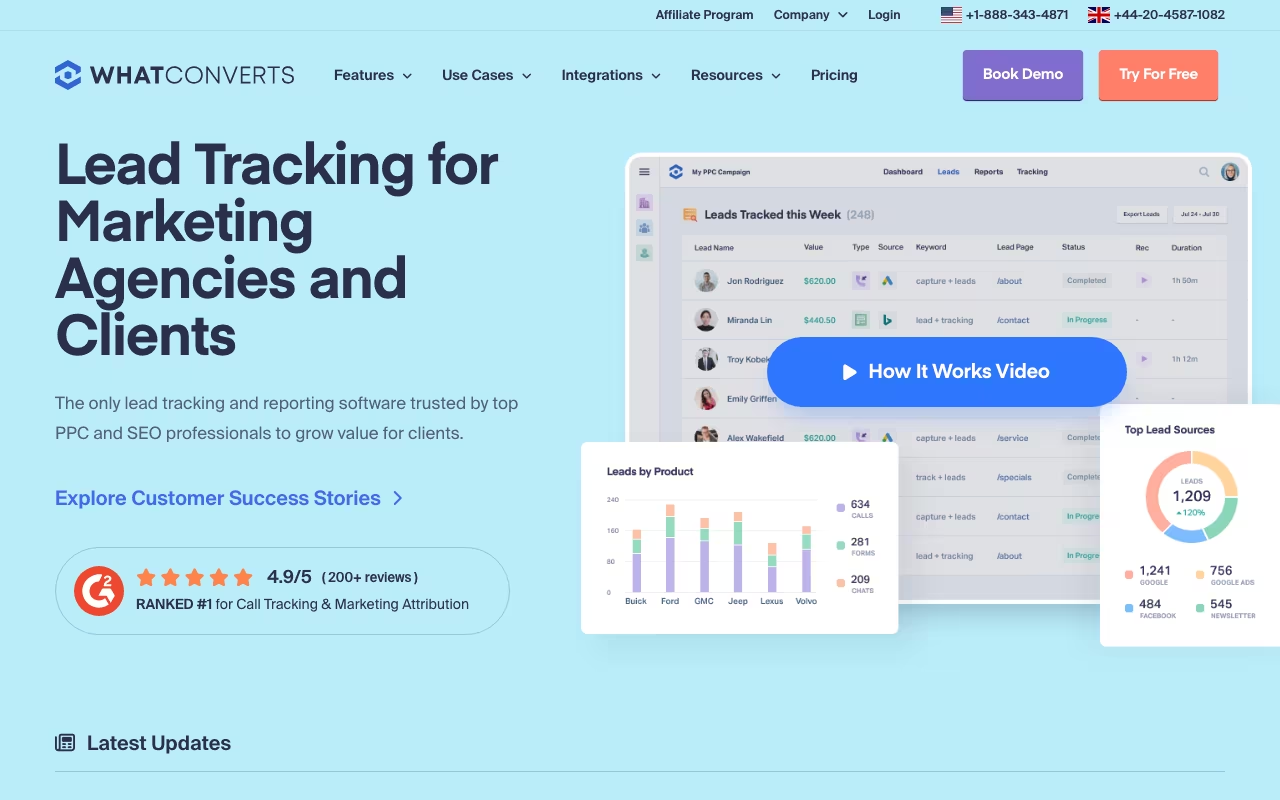
WhatConverts tracks every lead your marketing generates: phone calls, form submissions, live chats, and ecommerce transactions. All in one dashboard, all attributed to the specific campaign, keyword, or landing page that produced them. If you run marketing for a business or agency where leads come through multiple channels and you need to prove which campaigns actually drive revenue, this is the tool that closes the attribution gap.
Beyond Call Tracking
Most people discover WhatConverts through call tracking, and the call tracking is excellent. Dynamic number insertion swaps phone numbers on your website based on the traffic source, so you know exactly which Google Ads campaign, organic landing page, or social media post drove each call. Calls are recorded automatically at no extra cost, with optional transcription at $0.02/minute. AI Lead Analysis (call summaries, keywords and sentiment) is included on every plan; transcription is billed at that $0.02/minute rate. Local, toll-free, and international tracking numbers are available.
But limiting WhatConverts to "call tracking software" misses the bigger picture. The real value is unified lead tracking across every channel. Every form submission on your site gets captured with full marketing attribution, regardless of which form plugin or builder you use. Same for live chat conversations and ecommerce transactions. One dashboard shows every lead from every channel, all mapped back to the campaign and keyword that generated it.
You can then qualify leads (marking them as "quotable," "not qualified," or custom statuses), assign dollar values based on the actual revenue they represent, and feed that qualified lead data back into Google Ads, Meta, and Microsoft Ads. This lets your ad platforms optimize for actual revenue rather than just clicks or form completions, which is a meaningful difference in campaign performance over time.
The Elite plan at $160/month adds full customer journey tracking with multi-touch attribution models. You see every touchpoint a customer had before converting: the initial Google search, the blog post they read two weeks later, the retargeting ad they clicked, the email they opened, and the form they finally submitted. First-click, last-click, and multi-touch models are all available. That level of visibility is what separates marketing teams that can prove ROI from those just reporting on click metrics.
Pricing
Four individual plans, each with a base monthly fee plus a $30 usage credit for phone minutes, tracking numbers, and per-lead charges. Call Tracking at $30/month covers calls only. Plus at $60/month adds form, chat, and ecommerce tracking with platform integrations. Pro at $100/month unlocks Call Flows for advanced routing, Report Builder for custom reports, and scheduled reporting. Elite at $160/month gives you Lead Intelligence, the full customer journey, multi-click marketing attribution, and AskAI. API access and AI Lead Analysis are included on all plans.
Agency plans start at $500/month with $250-400 in usage credits and unlimited client accounts under one master dashboard. Additional leads beyond the included credit cost $0.10 each for forms, chats, and transactions. Call transcription is $0.02/minute and PCI redaction (removing credit card or SSN data from recordings) is $0.01/minute. There is no pay-as-you-go option outside a plan: extra tracking numbers (from $2.50 a month for a local number) are added to an existing plan. WhatConverts publishes a pricing calculator at whatconverts.com/pricing to estimate the total for your call and lead volume.
14-day free trial with $30 in free usage credit, no credit card required. Book a free onboarding call and they will extend it to 30 days.
Start WhatConverts Free Trial Get started →Prices checked on the WhatConverts pricing page in September 2026. Plans and limits change, so confirm before you buy.
What Users Think
G2: 4.9/5 from 286 reviews. Capterra: 4.9/5 from 50 reviews with a perfect 5.0 on value for money. Those are among the highest scores I have seen for any marketing tool. G2 ranked WhatConverts number one for Results in Call Tracking, Attribution, and Marketing Analytics in both Spring and Summer 2025, which is notable for a company competing against much larger players like CallRail and Invoca.
The consistent praise centers on the unified multi-channel tracking, intuitive interface that does not require technical setup for basic use, fast implementation, and responsive customer support. The most common criticism is that usage-based costs can be unpredictable for high-volume operations since phone minutes and leads are billed on top of the base plan. A few Trustpilot reviews (only 5 total) mention tracking accuracy concerns, but the sample is too small to be meaningful.
Versus CallRail
CallRail is the most common comparison point. WhatConverts tracks calls, forms, chats, and ecommerce in one unified dashboard with built-in lead qualification and value assignment. CallRail tracks calls and forms but in separate dashboards, and requires HubSpot integration for thorough ROI calculations. WhatConverts has native multi-touch attribution on the Elite plan. CallRail relies on third-party tools for end-to-end customer journey visibility.
If you only need basic call tracking, either tool works and CallRail has stronger brand recognition. If you need full multi-channel lead attribution with revenue data flowing back to ad platforms for optimization, WhatConverts has a clear structural advantage in how it unifies that data.
Try WhatConverts Free for 14 Days Get started →WhatConverts is purpose-built for one job: proving which marketing efforts actually generate revenue. The G2 and Capterra scores suggest it does that job exceptionally well. HIPAA compliance makes it suitable for healthcare marketing, and the WordPress plugin adds in-dashboard reporting for agencies managing client sites. If marketing attribution is your bottleneck, this is the tool to evaluate first.
Visit WhatConverts Get started →How WhatConverts works
WhatConverts is a lead tracking and marketing attribution platform. It captures leads from phone calls, web forms, chats and eCommerce transactions, attaches the marketing source (channel, campaign, keyword) to each one, and reports which marketing produced revenue rather than which produced traffic. Call tracking is the engine: dynamic number insertion, recordings, transcriptions and routing. On top sits a leads dashboard where you qualify each lead and assign it a value, so the reports show ROI per source instead of raw counts.
Setup is four published steps: create an account on the 14-day trial, add a tracking script to your site, choose which web forms to track, and provision tracking phone numbers mapped to marketing sources. Dynamic Number Insertion swaps the displayed number per visitor so calls carry attribution, dynamic number pools let you go live immediately, and existing numbers can be ported in. Tracking uses first-party cookies. Call handling is a genuine telephony layer you configure in-product: IVR menus, business-hours scheduling, geo-routing, simultaneous dial, custom greetings and automated spam blocking.
Attribution ranges from dynamic and targeted call attribution up to multi-click customer journey attribution on the top tier. Reporting includes a custom report builder, quick reports, and scheduled or real-time delivery. There are 1,000+ integrations (Google Ads, Bing Ads, Facebook Ads, Pipedrive, Calendly, Intercom, Formstack, Formsite, Landingi, VWO, AgencyAnalytics, SimpleTexting) plus a developer API exposing all account data, included on every plan. Agencies get white label: custom domain, logo, branded emails, reports and invoices, and client-level lead qualification.
Where WhatConverts wins
- Pricing and inclusions are published in full, down to per-unit overage rates, which is rare here: local numbers $2.50, local minutes 4.5¢, toll-free $3.50 and 6.5¢, transcription 2¢ a minute, SMS 3¢.
- Agency plans are unlimited accounts at a flat rate ($500, $800 or $1,250 a month), so a growing client roster does not multiply the bill, and per-unit overage rates are lower than single-business rates.
- Real telephony, not just a number swap. IVR, scheduler, geo-routing, simultaneous dialing, custom greetings and automated spam blocking are all configurable inside the product.
- Attribution goes past last-click on Elite, with multi-click attribution, a click-to-call-to-sale customer journey view, and AskAI. AI Lead Analysis (call summaries, keywords, sentiment) is on every plan, with call transcription at $0.02 a minute.
- Compliance is addressed: HIPAA on Pro and above, plus GDPR, SOC 2, user roles and permissions, and first-party cookie tracking.
- Full white label at $50 a month covers domain, logo, emails, reports and invoices, so agencies can resell it under their own brand.
Where it falls short
- The $30 entry plan tracks calls only. Call Tracking includes no form or chat tracking; those submissions bill at 10¢ each on that tier, which makes the headline price misleading for anyone who wants more than phone calls.
- The features you probably came for are top-tier. Multi-click attribution, customer journey and lead intelligence need Elite at $160 a month single-business; custom reports, call flows and HIPAA need Pro at $100.
- Included volumes are modest and metered. Single-business plans include roughly 148 calls and 300 form or chat submissions a month. Past that you pay per number, per minute, per transcription minute and per text, so cost scales with success and is hard to forecast.
- White label is a $50 a month add-on, not included even in the $1,250 a month agency Elite plan.
- The features page does not say which tier owns which capability, so you have to cross-reference the pricing page to work out what you actually get.
- No free tier. A 14-day trial is the only way in, which is short for an attribution tool where meaningful data needs a full campaign cycle.
Who should use WhatConverts
The best fit is marketing agencies and service businesses where the phone is a primary conversion path (home services, legal, medical, auto) and someone has to prove which channel produced billable customers rather than clicks. The unlimited-account agency plans make it strongest for agencies carrying many clients, since the flat rate holds as the roster grows and the white label lets you present it as your own reporting.
Skip it if all your leads arrive through web forms with no call volume, because you would be paying for a call tracking engine you never touch. Skip it too if you need multi-touch attribution but cannot justify the Elite tier, since last-click is what the lower plans give you.