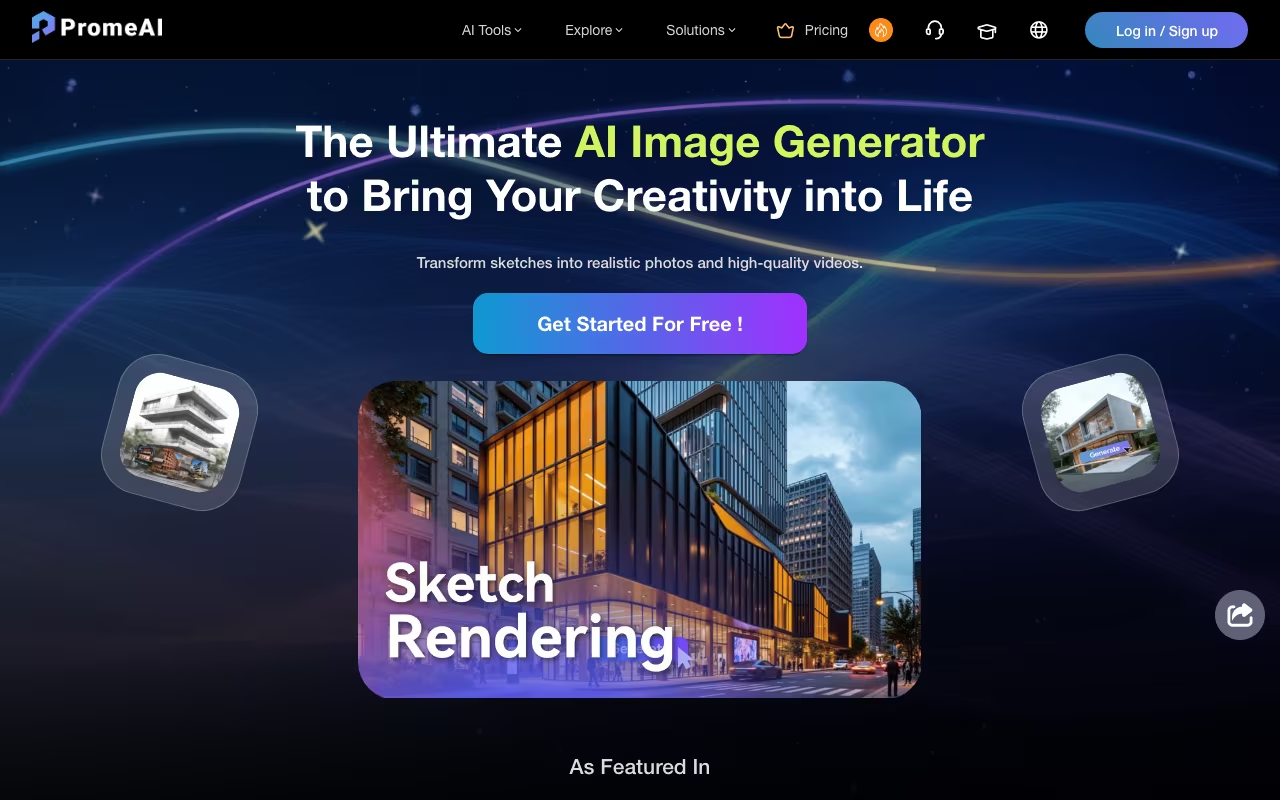
PromeAI looks at first glance like another generic AI image generator, but it turns out to be a surprisingly focused tool built specifically for designers who need to turn rough sketches into polished renders. If you work in architecture, interior design, or product development, this hits differently than Midjourney or DALL-E.
From Sketch to Render in Seconds
PromeAI's core trick is sketch rendering. You upload a hand-drawn floor plan, a rough product sketch, or even a basic line drawing, and it transforms it into a photorealistic image. I drew a quick living room layout on paper, photographed it, and had a fully rendered interior scene in about 10 seconds. The AI understood spatial relationships, lighting, and material textures without me specifying much beyond a style preset.
Beyond sketch rendering, the platform packs in over a dozen tools: text-to-image generation, Creative Fusion (blending sketches with artistic styles), image variation for generating design alternatives, background replacement, an AI Supermodel feature for fashion mockups, outpainting to extend images, and even image-to-video conversion. It is a lot for one platform, and some tools work better than others.
Try PromeAI Get started →Where It Actually Shines
Architecture and interior design workflows are where PromeAI earns its keep. Architects can feed in SketchUp wireframes or hand sketches and get client-ready renders without touching V-Ray or Lumion. Interior designers can test color schemes, furniture layouts, and material choices in minutes instead of hours. The variety of rendering styles (modern, Scandinavian, industrial, Japanese, etc.) covers most residential and commercial aesthetics.
Product designers get value too, though the results are less consistent. Simple product sketches render well. Complex mechanical designs with specific tolerances? Not so much. PromeAI is a concept visualization tool, not a replacement for CAD rendering.
The HD Upscaler deserves mention. It genuinely improves image quality and resolution, which is useful when you need to present AI-generated renders at print quality. The Erase & Replace tool lets you swap specific elements (change a sofa, replace flooring material) without regenerating the entire scene.
The Credit System and Pricing
PromeAI runs on a coin-based credit system. Each generation costs a certain number of coins depending on the tool and output quality. Here is how the plans break down:
- Base ($19/month, $16/month annual): 500 coins/month, fast speed, video generation, HD downloads
- Standard ($39/month, $29/month annual): 2,000 coins/month, commercial rights, 24-hour support
- Pro ($79/month, $59/month annual): 6,000 coins/month, priority support, cheapest extra coin packs ($10 for 400 coins vs 200 on Base)
- Ultimate ($138/month, $103.50/month annual): both unlimited image and unlimited video benefits included
Unused coins roll over as long as your subscription stays active. That is a nice touch compared to platforms where credits expire monthly. No free plan is listed on the pricing page, so the cheapest way to test it is Base at $19/month.
Compare PromeAI Plans See plans →Prices checked on the PromeAI pricing page in September 2026. Plans and limits change, so confirm before you buy.
Rough Edges Worth Knowing About
PromeAI is not without issues. Users on G2 and Product Hunt report that output quality can be inconsistent, particularly with human faces and body proportions. The content filter sometimes blocks legitimate design work, which is frustrating when you are on a deadline. Some users also report that rendering quality has degraded recently compared to earlier versions, with blurrier results and occasional artifacts.
The interface is beginner-friendly but can feel cluttered once you dive into the advanced tools. Finding the right combination of style presets, reference images, and prompt text takes experimentation. And while 8-10 seconds per generation sounds fast, expect longer waits during peak hours when servers are under heavy load.
Compared to competitors: Midjourney produces higher-quality general-purpose images. Vizcom is stronger for product design specifically. ArchiVinci competes directly on architectural rendering. But none of them offer PromeAI's breadth: sketch rendering, image editing, video generation, and fashion mockups in one platform. You trade some depth for versatility.
Who Should Use PromeAI
PromeAI makes the most sense for architects and interior designers who need fast concept visualization without investing in traditional rendering software. It is also useful for product designers in early ideation stages, fashion designers creating virtual lookbooks, and marketing teams needing quick visual assets. If your workflow involves going from rough ideas to visual presentations regularly, the Standard plan at $29/month annual is reasonable value.
The video generation features (image-to-video and text-to-video) are newer additions. Results are functional but not yet competitive with dedicated video AI tools like Runway or Pika. They work for quick concept animations and social media content, but do not expect cinematic quality. PromeAI updates features regularly though, and the video capabilities have improved noticeably over the past year. If you need pixel-perfect, final-output quality renders, stick with dedicated software like V-Ray or KeyShot. PromeAI is a concept tool that accelerates the early stages of design, and it does that well. For architects and designers who currently spend hours on initial concept presentations, it can compress that process down to minutes.
Test PromeAI on Your Next Design Get started →How PromeAI works
PromeAI (promeai.pro) is a browser-based AI image and video generation suite aimed at visual design work rather than general prompting. Its signature capability is Sketch Rendering: upload a hand sketch, line drawing, photo or 3D viewport screenshot and get a photorealistic render back, positioned for architecture, interior, landscape, commercial space, fashion and product work. Around that sit roughly forty tools across five categories (Image Rendering, Image Generation, Image Editing, Video and Workflows), plus a chat-driven "Canvas" agent, a persistent "Workspace," a community gallery, design templates and a challenges section.
Each tool is a form, not a prompt box. In Sketch Rendering you choose the render source, upload a primary image plus an optional reference image, pick a model version and a Style and Scene preset, set a Mode, and drag a Creativity slider (default 40). Advanced controls add a negative prompt, an Artistry value, and Perspective, Lighting and Detailed toggles, with a Fast Mode and a batch size (3 images per run by default). Siblings target specific control problems: Consistency Rendering, TextureLock Rendering (hold materials fixed) and Region Rendering (constrain edits to a masked area). Editing covers Magic Editor, Erase & Replace, HD Upscaler, Outpainting and Mockup Generator. Video covers Image to Video, Text to Video, Video Enhancer and AI Video Effects. Vertical generators include AI Architecture Generator, Exterior Renovator, Interior Remodel, Scenario Changer, Panorama Generator, Virtual Try-On, AI Supermodel, Relight, AI Headshot, Vector Converter and AI 3D Model Generator.
Billing runs on monthly coins: Base 500 coins at $16/mo billed yearly ($192, versus $19 monthly), Standard 2,000 coins at $29/mo billed yearly ($348, versus $39), Pro 6,000 coins at $59/mo billed yearly ($708, versus $79). Coins map to published per-generation costs: GPT Image 2 at 1K costs 8 coins, Nano Banana 2 at 2K costs 10, Seedream 4.5 costs 6, and video runs 10 to 200 coins per 5 seconds depending on model and resolution. Members get unlimited generation on three video models (Seedance 1.5 Pro, Seedance 1.0 Pro Fast, LTX 2.3) within 10 seconds without fast mode, 50% off coins on the newer Seedance 2.0 and Happy Horse models, permanent history, commercial rights and 6 concurrent image generations. There is also an education licensing application and a code-redemption path.
Where PromeAI wins
- Sketch-to-render is a real, controllable workflow rather than a prompt trick: reference image, style and scene presets, creativity slider, negative prompt, perspective and lighting toggles all sit on one panel.
- Purpose-built controls for the failure modes designers actually hit: TextureLock Rendering to hold materials, Consistency Rendering for series coherence, Region Rendering for masked local edits.
- Cost transparency is better than most credit-based tools. The pricing page publishes a per-model coin table (Seedance 2.0 at 720p costs 200 coins per 5 seconds, for example) and translates each plan into estimated monthly generations.
- Multi-vendor model access under one subscription: GPT Image 2, Nano Banana 2 and Pro, Seedream 4.5, Seedance 1.5 and 2.0, LTX 2.3 and Happy Horse, so you are not locked to a single provider's model.
- The Pro tier's unlimited generation benefit (images or videos, you choose one; the Ultimate tier at $138/mo includes both) materially changes economics compared with paying per generation.
- Commercial rights and permanently retained member history are stated plan benefits, and benefits apply across the whole workspace.
- Vertical depth beyond generic generation: AI Lab, Floorplan Walkthrough, Architecture Vaults, a Home Design Pros section and an architecture-focused community gallery.
Where it falls short
- No free plan appears on the pricing page, only Base, Standard, Pro, Ultimate and a Team option. Any trial allowance sits behind account creation, so you cannot assess cost-per-output before paying.
- Coin budgets collapse fast on video. 500 coins on Base buys just 2 clips of Seedance 2.0 at 720p/5s, and even Pro's 6,000 coins buys 60. Serious video work forces the Pro tier or coin top-ups.
- The site is visibly mid-migration and partly broken: the localized paths /en and /en/pricing both return "Page unavailable," and the product runs behind a "New Version" / "Original Version" toggle with two parallel homepages.
- Cloudflare bot protection blocks plain HTTP access to every page, so the site cannot be read or scripted without a real browser session.
- No public API, plugin or desktop integration is listed anywhere in the navigation. Note that the /blender URL is the Sketch Rendering tool, not a Blender plug-in, so 3D work means exporting a viewport screenshot and uploading it, with no round-trip back to your CAD or 3D tool.
- Web-only: no macOS, Windows or mobile app is offered, and nearly every tool requires sign-in before it will generate.
- Pro's "unlimited" video is bounded. It applies only to three older models, only up to 10 seconds, and only without fast mode. The newest models (Seedance 2.0, Happy Horse) stay on paid coins at 50% off.
Who should use PromeAI
PromeAI is built for architects, interior designers, and industrial and fashion designers who already produce sketches or 3D viewport captures and want fast photoreal variations with material and region control. If your bottleneck is turning a line drawing or a Rhino screenshot into a client-presentable render, the form-based controls (style and scene presets, TextureLock, Region Rendering, perspective and lighting toggles) give you more steering than a generic prompt box. It also works for content teams who want image and video models from several vendors on one bill, with commercial rights included in the plan.
Skip it if you need an API, or a plugin that round-trips into Blender, SketchUp or Rhino, since neither exists and 3D work is a manual screenshot-and-upload loop. Skip it if you want a desktop or mobile app, or a free tier to evaluate on before committing. And if you plan high-volume video at 720p and above, budget for the top plan or expect to buy coin top-ups, because the entry allowances do not stretch far at 200 coins per 5-second clip.