
Best 3D Design Software in 2026

Key facts8 tools compared: Blender, Autodesk Fusion, SolidWorks, Rhino 8, Cinema 4D, SketchUp, Shapr3D…
- 8 tools compared: Blender, Autodesk Fusion, SolidWorks, Rhino 8, Cinema 4D, SketchUp, Shapr3D, Onshape
- Blender (best for: All-purpose creative 3D): Free
- Autodesk Fusion (best for: Product design + manufacturing): Free personal / $680 yr
- SolidWorks (best for: Serious mechanical engineering): $48 yr (Makers) / $4k+ pro
- Rhino 8 (best for: NURBS precision + industrial design): ~$995 perpetual
"3D design software" is a phrase that hides a trap. The tool a product engineer needs to model a watertight enclosure for a CNC machine has almost nothing in common with the tool a motion designer needs to animate a glowing logo. Buy the wrong one and you spend a month fighting the interface, then quietly switch.
I've followed these programs for years, from parts modeling for fabrication to scene building for render. Over the past few weeks I went back through the current versions of the serious contenders to see what actually changed in 2026, what the pricing really is now, and where each one falls apart. Some prices moved. Some free tiers got better. One tool that used to cost four figures still does.
If you want the short answer: most people should start with Blender, because it's free, it's now at version 5.1, and it covers modeling, sculpting, animation and rendering in one download. But if you're designing physical products that have to be manufactured, Blender is the wrong tool and you want Autodesk Fusion instead. Here's the full breakdown for founders, designers, engineers and anyone who needs to make things in three dimensions.
Quick comparison
| Tool | Best for | Price | Standout |
|---|---|---|---|
| Blender | All-purpose creative 3D | Free | Modeling to render in one app |
| Autodesk Fusion | Product design + manufacturing | Free personal / $680 yr | CAD, CAM and simulation together |
| SolidWorks | Serious mechanical engineering | $48 yr (Makers) / $4k+ pro | Large-assembly parametric standard |
| Rhino 8 | NURBS precision + industrial design | ~$995 perpetual | Freeform surfaces, no subscription |
| Cinema 4D | Motion graphics + mograph | $59.91/mo annual | MoGraph toolset, easy learning curve |
| SketchUp | Architecture + quick concepts | Free / $399 yr Pro | Fastest push-pull modeling |
| Shapr3D | CAD on iPad and touch | Free / $299 yr | Real parametric CAD with a pencil |
| Onshape | Cloud + team collaboration | Free non-commercial / $1,500 yr | Git-style version control, browser-based |

Blender: the free tool that beats four-figure software
Blender is the answer to "what should I learn first," and for a growing number of studios it's also the answer to "what do we ship with." It's free, open source, and the current stable release is Blender 5.1, which shipped in March 2026. One download gives you polygon modeling, sculpting, UV unwrapping, two production renderers (Cycles and Eevee), animation, simulation and a video editor.
The default starting point for most artists, and a serious production tool for studios too. Blender is free and covers modeling, sculpting, rendering and animation, but it is not parametric CAD, so skip it for parts that must be machined to tolerance.
free. Genuinely free, with no asterisk. Development runs on the Blender Development Fund, backed by over 7,300 individuals and dozens of companies including some that compete with it.
The standout: the modifier stack. You build non-destructively, stacking live Booleans, subdivision surfaces and array operations that you can reorder or delete at any point. Geometry Nodes, the procedural system, has matured to the point where you can build an entire parametric asset that updates from a few sliders.
The catch: Blender is not parametric CAD. There are no dimensional constraints, no real assembly mate system, and exports to STEP or IGES are clumsy at best. If your model has to be machined to a tolerance, this is the wrong tool. The interface also overwhelms beginners, though it's friendlier than it was five years ago.
Autodesk Fusion: the product designer's default
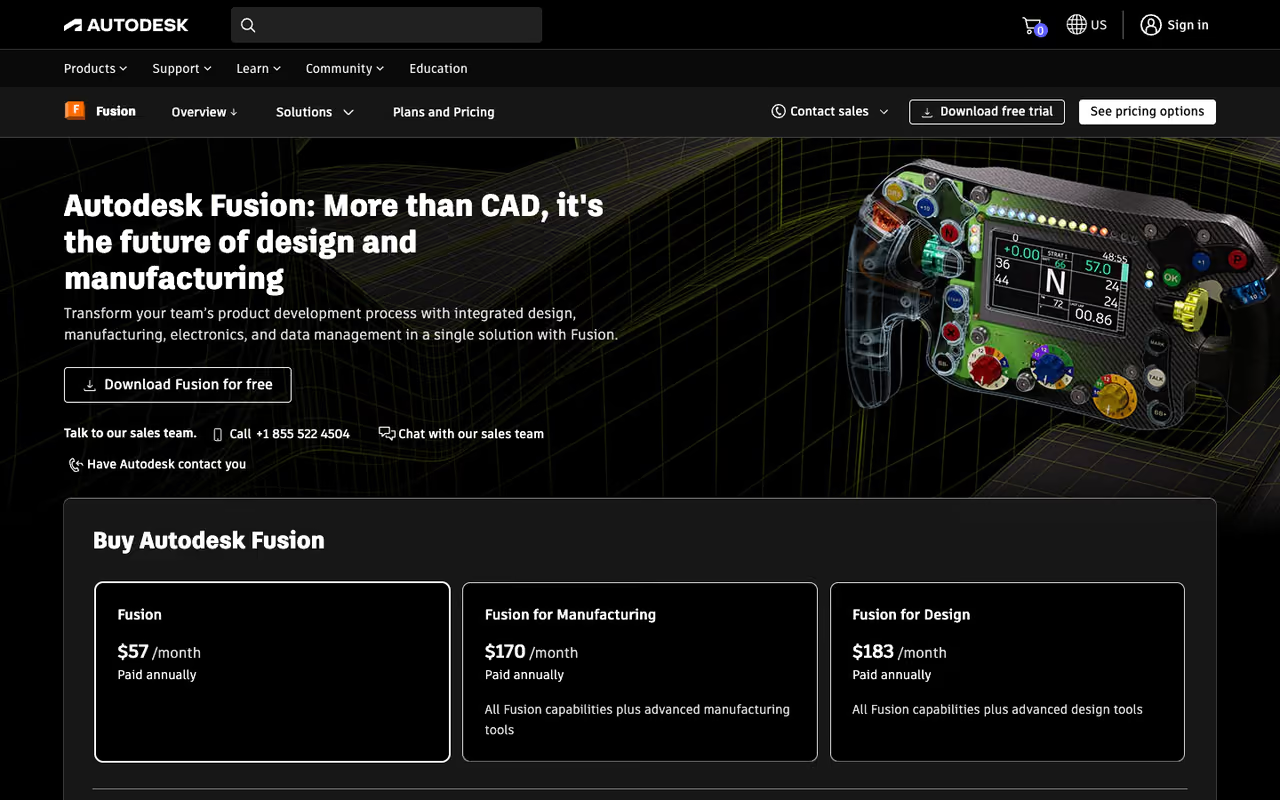
If Blender is for things that get rendered, Autodesk Fusion (still widely called Fusion 360) is for things that get manufactured. It pulls parametric modeling, direct modeling, CAM toolpaths, simulation and even basic PCB work into one program, which is why it took over the maker and small-product-team market.
Go with Fusion if your model has to become a physical part. Parametric modeling and CAM live in one file, though the app is cloud-tethered, the free personal tier has lost features over time, and paid extensions keep growing.
$85/month, $680/year, or $2,040 for three years per the Autodesk pricing pages reported across resellers. There's a free personal-use tier for hobbyists earning under $1,000/year from their projects, and it's free for students and educators.
The standout: the parametric timeline tied to manufacturing. Change a dimension at step three and every downstream feature, including the CAM toolpaths, updates. You design the part and program the machine that cuts it in the same file.
Where it falls short: it's cloud-tethered, so your data lives on Autodesk's servers and the app wants to be online. The free personal tier has quietly lost features over the years (locked exports, limited active documents), and Autodesk keeps moving capabilities behind paid extensions.

SolidWorks: the engineering standard, now with a cheap door in
SolidWorks is what a huge slice of the mechanical engineering world runs on, and "we use SolidWorks" is still a line in a lot of job descriptions. It's the heavyweight for complex assemblies, detailed engineering drawings, and parts that thousands of people depend on being right.
The engineering standard for complex assemblies and detailed drawings, and the $48/year Makers plan is a bargain for hobbyists. Commercial licensing is expensive, Windows-only and dated, and it is overkill for small desktop projects.
this is the split that surprises people. A commercial SolidWorks Standard license still runs around $3,995 up front plus roughly $1,295/year in maintenance, with Professional higher. But SolidWorks for Makers costs $48/year (or $15/month) for non-commercial users earning under $2,000/year. That's the same core CAD engine for the price of a couple of lunches.
The standout: large-assembly handling and drawings. When your design has hundreds of components with real mates and constraints, SolidWorks stays stable where lighter tools choke, and its 2D drawing output is still the benchmark engineers trust.
The catch: the full commercial price is genuinely high, and the perpetual-plus-maintenance model feels dated next to cloud rivals. It's Windows-only, the interface looks its age, and it's overkill if you're modeling a phone stand for your desk. The Makers tier is a great deal but legally off-limits the moment you start selling what you design.
Rhino 8: freeform precision without a subscription
Rhino, or Rhinoceros, is the NURBS specialist, and it owns a corner that the parametric CAD tools handle badly: smooth, sculptural, mathematically precise surfaces. Jewelry, footwear, marine hulls, architectural facades and industrial design concepts all tend to flow through Rhino.
Pick Rhino if your shapes are curved and organic but still need to be exact. You buy it once for about $995 and Grasshopper adds generative design, but history-based edits are weaker and the default rendering is poor.
a perpetual commercial license runs about $995 (roughly €995 on the official store), with educational licenses around $195. You buy it once and own it, with no maintenance fees and free service updates within the version. That alone makes it stand out in a subscription-everything market.
The standout: NURBS surfacing plus Grasshopper, the visual programming plugin that turned Rhino into a computational design powerhouse. Designers who can't write code build parametric, generative geometry by wiring nodes together.
Where it falls short: Rhino isn't fully parametric in the history-based CAD sense, so editing a feature after the fact can mean rebuilding geometry. The interface is dated, and the default rendering is weak enough that most people export to another tool to make things look good.
Cinema 4D: the friendliest path into motion graphics
Cinema 4D from Maxon is the tool motion designers reach for, and its reputation rests on one thing: it's the most approachable high-end 3D app for animation and mograph. If you've seen a slick animated logo or abstract product render in an ad, there's a strong chance it came out of C4D.
The most approachable high-end tool for motion graphics, with MoGraph letting beginners animate hundreds of objects in days. It is expensive if you only need static modeling, and precision CAD work lags behind engineering software.
the standalone Cinema 4D subscription is $59.91/month billed annually or $109/month month-to-month. The current release is Cinema 4D 2026. The fuller Maxon One bundle, which adds ZBrush, Redshift and Red Giant, runs around $129/month.
The standout: the MoGraph toolset. Cloners, effectors and fields let you animate hundreds of objects with a few controls, and it's so well designed that beginners get usable motion work in days, not months. Tight integration with Adobe After Effects seals it for video teams.
The catch: it's expensive if you only need static modeling, and its CAD-style precision tools lag behind dedicated engineering software. Heavy simulation work still belongs in Houdini. You're paying for the animation polish, so if you're not animating, look elsewhere.
If you're a marketer or operator who wants AI to handle the heavy creative lifting instead, our roundup of the best AI tools to grow with, bundled in Dupple X, is a faster route than learning C4D from scratch.

SketchUp: the fastest way from idea to model
SketchUp earned its following in architecture and interior design by being genuinely fast to learn. The push-pull workflow, where you draw a shape and pull it into 3D, is so intuitive that people model their first building in an afternoon.
A fast way to get from idea to model, ideal for architects, interior designers and woodworkers who want to communicate space quickly. The surface-based geometry gets messy on complex curves, and serious rendering needs a paid plugin.
SketchUp Go is $129/year, Pro is $399/year, and Studio is $819/year per user, all including iPad access. There's still a free web version for personal, non-commercial projects.
The standout: speed and the 3D Warehouse. The enormous library of free pre-made models (furniture, fixtures, vehicles) means you populate a scene in minutes instead of modeling every chair yourself.
Where it falls short: SketchUp's geometry is surface-based, not solid, which makes precise mechanical or organic modeling awkward. Complex curved forms get messy fast, and serious rendering means a paid plugin like V-Ray or Enscape. It's a concept and architecture tool, not an engineering or character one.
Shapr3D: real CAD that works with a pencil
Shapr3D cracked a problem everyone else ignored: proper parametric CAD on an iPad. It runs on iPadOS, macOS and Windows from a single subscription, and on the iPad with an Apple Pencil it feels closer to sketching than wrestling a mouse through menus.
Choose Shapr3D if you want real solid CAD on an iPad with a pencil. The Parasolid kernel gives clean STEP exports at $299/year, but it handles large assemblies worse than Fusion or SolidWorks and has no CAM.
there's a free Basic tier, and Shapr3D Pro is $299/year per seat covering all three platforms. The free version limits projects and exports, but it's enough to learn on.
The standout: the touch-first interface over a real CAD kernel (Siemens Parasolid, the same engine behind serious industrial software). You get genuine solid modeling, history-based edits and clean STEP exports, not a toy.
The catch: it's less powerful than Fusion or SolidWorks for large assemblies and advanced simulation, and there's no built-in CAM, so you can't program a CNC machine from it. The annual price is fair, but you're paying a premium for the mobile experience compared to Fusion's deeper free tier.

Onshape: CAD that lives in the browser
Onshape is the cloud-native outlier. Built by some of the original SolidWorks team, it runs entirely in a web browser with nothing to install, and it brings real version control and live multi-user editing to CAD, the way Google Docs did to documents.
The browser-native pick for teams that want several engineers in one model, with branching, merging and a full edit history. The free plan makes documents public, so serious use means a steep per-seat subscription and a stable connection.
the free plan is non-commercial only and makes all your documents public, with paid Standard around $1,500/user/year and Professional around $2,500. The free tier caps private documents, which is the real cost of "free."
The standout: branching and merging. You can branch a design, try a change, and merge it back, with a full edit history of who changed what. For a team, that audit trail and the zero-install setup are hard to beat.
Where it falls short: the free plan's public-by-default documents are a non-starter for anything proprietary, and serious use means a steep per-seat subscription. Being browser-only also means you're dependent on a stable internet connection and Onshape's uptime.
How to choose
Skip the feature-checklist paralysis. Answer one question first: does your design end as pixels or as a physical object?
If it ends as pixels (renders, animation, game assets, motion graphics), you want a creative tool. Start with Blender because it's free and covers everything. Move to Cinema 4D only if you're doing serious motion graphics and the MoGraph workflow pays for itself.
If it ends as a physical object, you want CAD, and the next question is budget and assembly size. Hobbyist or small product? Autodesk Fusion (free personal tier) or SolidWorks for Makers at $48/year. Big, complex mechanical assemblies for a real company? SolidWorks commercial. Curved, sculptural, industrial-design forms? Rhino. Need to model on an iPad? Shapr3D. A distributed team that needs version control? Onshape.
One more filter: your team. The best software is the one the people around you already know, because that's who answers your questions when you're stuck. A tool with a huge community (Blender, Fusion, SolidWorks) will always beat a marginally better tool nobody you know uses.
For the wider stack of tools modern teams run alongside their design work, browse our directory of top tools, and if AI-assisted modeling is where you're headed, see our guides to the best AI 3D modeling tools and the best AI tools for animation. To stay current on which design and creative tools are worth your time, Dupple X tracks the ones that actually ship.
FAQ
What is the best free 3D design software?
For creative work, Blender is the clear winner: it's free, open source, and covers modeling, sculpting, animation and rendering. For engineering and product design, Autodesk Fusion has a free personal-use tier and SolidWorks for Makers costs just $48/year, both giving you professional-grade CAD without the commercial price tag. Onshape also has a free non-commercial plan, though it makes your documents public.
Which 3D software is best for product design and 3D printing?
Autodesk Fusion is the most popular choice because it combines parametric modeling, simulation and manufacturing toolpaths in one program, and exports clean files for 3D printing. SolidWorks is the heavier engineering option for complex assemblies, and Shapr3D is excellent if you want to model on an iPad. Avoid Blender for printing parts that need exact tolerances.
Is Blender good enough for professional work?
Yes. Blender is used in commercial studios for animation, visual effects, product visualization and game assets, and version 5.1 holds its own against software costing thousands. Its one real weakness is precision CAD: it lacks dimensional constraints and clean STEP export, so for manufactured parts you still want Fusion, SolidWorks or Rhino.
How much does professional 3D design software cost in 2026?
It ranges widely. Blender is free. Autodesk Fusion is $680/year. Cinema 4D is around $59.91/month billed annually. Rhino 8 is a one-time purchase near $995. SolidWorks commercial licenses run $3,995 and up, though its Makers tier is $48/year for non-commercial use. Onshape's paid plans start around $1,500/user/year.
What's the difference between CAD and 3D modeling software?
CAD (Autodesk Fusion, SolidWorks, Rhino, Onshape) is built for precision: dimensional constraints, parametric history, and engineering output for manufacturing. General 3D modeling software (Blender, Cinema 4D, SketchUp) prioritizes visual form, animation and rendering over exact measurements. Pick CAD when something gets manufactured, and a modeling tool when something gets rendered or animated.
Which 3D software has the easiest learning curve?
SketchUp is the fastest to pick up for spatial and architectural work thanks to its push-pull modeling. For animation, Cinema 4D is the gentlest of the high-end tools. Shapr3D is unusually approachable for CAD because of its touch interface. Blender is more powerful but takes longer to learn, though its community of free tutorials shortens that curve considerably.
Ready to build the rest of your stack? Dupple X bundles the AI tools that pair well with whatever 3D software you land on.
Related guides
Some offers on this page may be paid placements or contain affiliate links.
