
What Is Help Scout?
Help Scout is the shared inbox and help desk platform built for customer support teams that want clean UX over enterprise feature bloat. Founded in 2011 in Boston, Help Scout serves over 12,000 businesses worldwide, including Reddit, Trello, and Buffer.
The pitch is "Zendesk without the noise." Help Scout looks like email rather than a ticketing system. Conversations show as threaded emails, not tickets with statuses. Customers receive replies from agent email addresses, not "[email protected]" no-reply addresses. The experience feels personal rather than transactional.
The product targets support teams of 5-100 agents serving consumer or B2B customers. SMB companies prioritizing customer experience over ticketing scale fit well. Enterprise call centers with complex workflows may prefer Zendesk or Freshdesk.
Try Help Scout Free Get started →How Help Scout Works
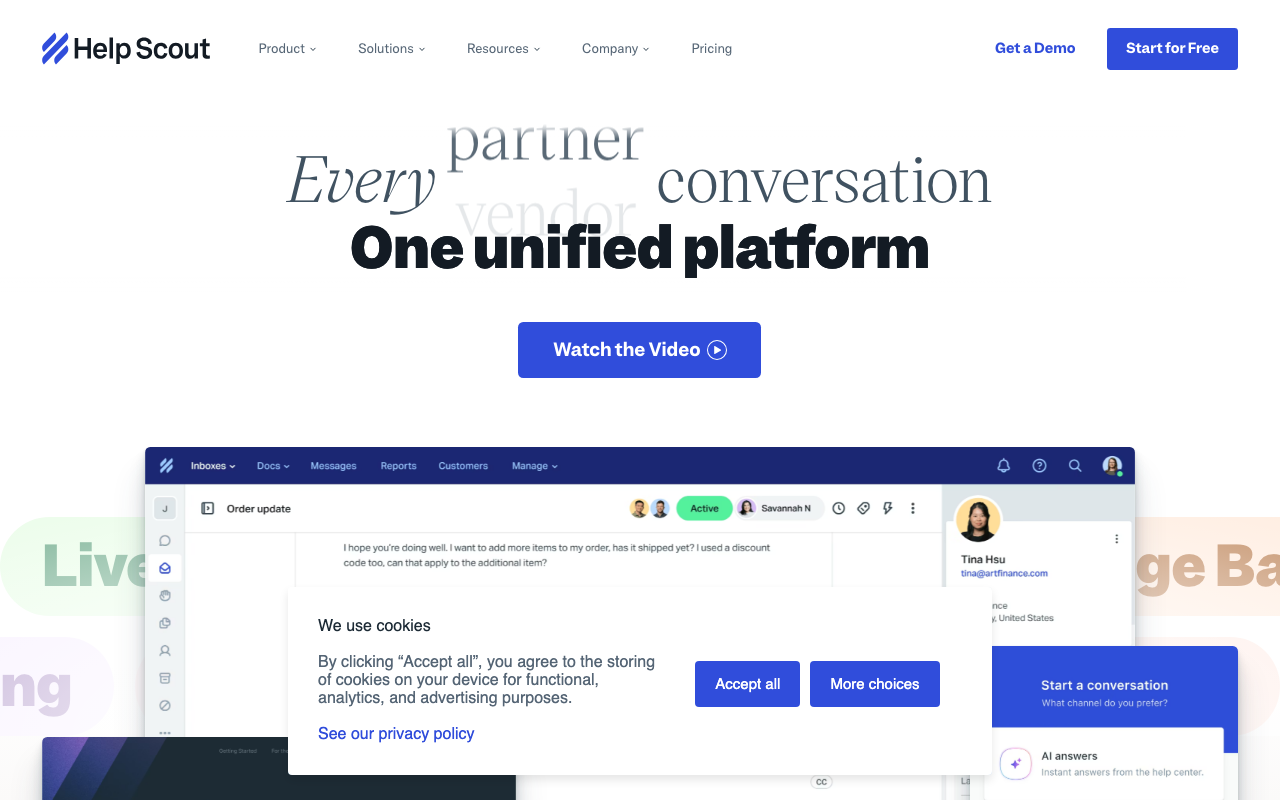
Connect inboxes ([email protected], sales@, billing@). Help Scout consolidates email, chat, and other channels into mailboxes. Multiple agents see the same conversations; assignments and notes coordinate handoffs without customers seeing internal coordination.
Conversations look like emails, not tickets. Customers receive replies from agent addresses with no "Ticket #12345" subject lines. The thread feels like normal email correspondence; only internally is it tracked as a conversation in a shared inbox.
Knowledge base, called Docs, hosts self-service articles. Customers find answers without filing tickets. Beacon (the chat widget) suggests articles based on questions before connecting to agents. Reduces ticket volume by deflecting common questions.
AI Assist drafts replies, summarizes long threads, and improves writing tone. Agents accept, edit, or rewrite suggestions. Available across paid plans.
Workflows automate routine tasks: routing by topic, tag, or priority; closing stale tickets; sending follow-up surveys; escalating SLA breaches. Visual workflow builder requires no developer skills.
Integrations cover Slack, HubSpot, Salesforce, Shopify, Jira, GitHub, and 100+ apps. API supports custom integrations.
Help Scout Pricing in 2026
Standard: $25/user/month annually. 2 mailboxes, 1 Docs site, basic AI.
Plus: $50/user/month annually. Unlimited mailboxes and Docs, advanced reporting, integrations.
Pro: $65/user/month annually (50+ user minimum). HIPAA compliance, advanced security, dedicated CSM.
15-day free trial. No permanent free plan.
See Help Scout Plans See plans →Where Help Scout Wins
- Customer experience: replies look like real emails, not ticket robots.
- Clean agent UX: less cognitive overhead than Zendesk.
- Docs and Beacon integration: self-service deflection works seamlessly.
- Strong reporting: customer happiness scores, conversation metrics, team performance.
- Founder-led, B-Corp certified: aligned values resonate with mission-driven companies.
Where It Falls Short
- Less feature depth than Zendesk: fewer customization options.
- Phone support requires integration: no native dialer.
- Multi-language support limited: works but less complete than Freshdesk.
- Enterprise-scale workflows can hit limits: best for small to mid-sized teams.
Help Scout vs Zendesk vs Freshdesk vs Intercom
Named alternatives, published pricing
| Tool | Pricing | Model |
|---|---|---|
| Help Scout | $25/mo (lowest published recurring price) | Subscription |
| Zendesk | $19/agent/mo (Support Team), $55/agent/mo (Suite Team) | Subscription |
| Freshdesk | Free, $15/agent/mo (Growth), $49/agent/mo (Pro) | Freemium |
Zendesk is the enterprise default. More features, less elegant UX.
Freshdesk is the Zendesk alternative with multichannel from day one.
Intercom targets product-led B2B with in-app messaging focus.
Front is the closest competitor in shared-inbox category.
Who Should Use Help Scout
SMB customer support teams (5-50 agents): clean UX and customer experience focus.
Consumer brands: email-feel replies improve customer perception.
Subscription businesses: relationship-focused support fits.
SaaS startups: scales from 5 to 100 agents without retooling.
Skip it if: you need enterprise call center features (use Zendesk), require multilingual support depth (use Freshdesk), or want native phone dialer (use Aircall + Front).
How Help Scout works
Help Scout is customer service software built around a shared inbox. Email, live chat, Instagram, Messenger, WhatsApp and Shopify conversations land in one queue that a team works together, without the ticket-number formality customers see from traditional helpdesks. Alongside the inbox you get Docs (a knowledge base), Beacon (an embeddable widget combining self-service search with chat), and proactive in-app Messages for onboarding prompts and NPS surveys. AI sits on top: an AI agent Help Scout claims resolves 73% of interactions on average, plus AI drafts, summarization and translation inside the inbox.
Setup starts by connecting a support email address and creating one or more Inboxes, typically one per brand or department. From there you build workflows, which are rule-based automations that route, tag, assign and trigger follow-ups. Saved replies handle repeat questions, SLA policies flag breaches, and round-robin assignment distributes load on higher plans. Docs articles feed both the public help center and the Beacon widget's AI answers, which means the knowledge base is what makes the AI agent useful: thin docs produce weak deflection. Reporting breaks volume and response time down by channel and by agent.
Integration runs through 100+ marketplace apps (Salesforce, Jira and HubSpot are gated to Plus and above) plus a documented API and developer portal, and mobile apps cover the inbox away from a desk. Pricing is per user: Free (5 users, 1 inbox, 100 contacts per month), Standard at $25, Plus at $45, Pro at $75. AI Answers is billed separately at $0.75 per resolution, with monthly spend caps and a three-month free trial.
Where Help Scout wins
- A genuine free plan. Five users, one inbox, one Docs site and 100 contacts per month is enough for a small team to actually run support, not just kick the tires.
- Fast to stand up. There is no ticket taxonomy to design first, and the vendor's own claim is a first reply within an hour of signing up. Email, chat, Instagram, Messenger and WhatsApp are all on the entry $25 plan rather than held back for enterprise tiers.
- Knowledge base, widget and AI answers are one system. Every article you write improves self-service deflection and the AI agent at the same time, instead of maintaining two content sources.
- AI is billed per resolution ($0.75) with a spend cap, not as a fixed seat uplift, so cost tracks value delivered and cannot quietly run away.
- Compliance features exist at the top. SSO/SAML, HIPAA compliance, dedicated onboarding and an account manager all arrive on Pro.
Where it falls short
- No native telephony. Help Scout's own docs route phone through third-party integrations (Aircall, JustCall, Heymarket) or voicemail forwarded into the inbox. If you need a real voice channel with call queues and IVR, this is not the product.
- Inboxes and Docs sites are metered on every plan: 2 inboxes on Standard, 5 on Plus, 10 on Pro, with extras at $10 and $20 per month. Multi-brand or multi-department setups get expensive on top of per-seat pricing.
- Key integrations are tier-gated. Salesforce, Jira and HubSpot need Plus at $45 per user or above, and advanced workflows plus unlimited AI drafts sit behind the same wall.
- Pro carries a 10-user minimum, so SSO/SAML and HIPAA effectively start at $750 per month no matter how small the team actually is.
- The free plan caps hard: 100 contacts per month, 10 saved replies and 10 tags. It is a starter tier most growing teams outgrow within months.
Who should use Help Scout
This suits small to mid-sized SaaS, ecommerce and services teams that want conversational, human-feeling email and chat support running within a day, with a knowledge base and AI deflection included rather than bolted on. If your support volume is mostly written, your customers dislike being handed a ticket number, and you want the docs you write to do double duty as AI training material, the shape of the product matches the job.
Skip it if voice is a primary channel, because phone support here means integrating someone else's telephony. Skip it if you run many brands or departments that each need their own inbox, since the per-inbox metering compounds with per-seat pricing. And skip it if you need ITSM-style ticketing with asset management and complex CRM workflows, which is a different category of tool.
Frequently Asked Questions
Does Help Scout look like a ticket system to customers?
No. Replies look like normal emails from agent addresses.
Is there a knowledge base?
Yes. Docs hosts self-service articles; Beacon widget suggests articles in-app.
What about phone support?
No native dialer. Integrate with Aircall, Talkdesk, or others.
Does AI suggest replies?
Yes. AI Assist drafts replies and summarizes conversations.
Can I integrate with Salesforce?
Yes natively. Bidirectional sync for customer data.