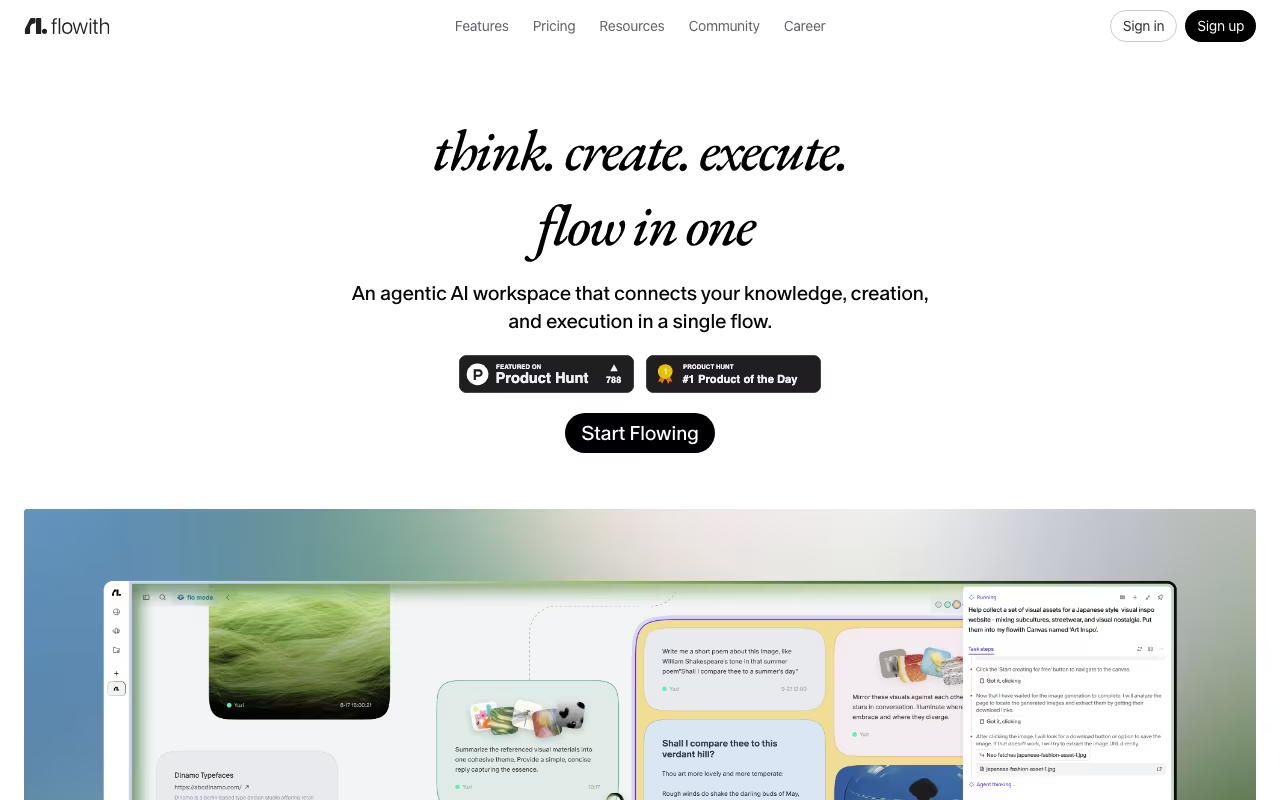
Most AI tools work like a text message thread: you type, the AI responds, and the conversation scrolls down forever. Flowith replaces that with an infinite 2D canvas where AI conversations become visual nodes you can branch, merge, rearrange, and connect. Think of it as a whiteboard where every sticky note is an AI conversation.
It topped Product Hunt in June 2025 and has over 1 million users. The canvas approach is not just a visual gimmick. For complex work (research, writing, coding, knowledge management), the spatial layout lets you see the full scope of a project at a glance, run multiple threads in parallel, and connect ideas across conversations. Linear chat tools cannot do this.
Try Flowith Free Get started →The Canvas Experience
Each prompt and response becomes a movable node on a 2D space. Branch conversations in multiple directions from any point, create parallel threads exploring different approaches, and visually organize by topic or priority. You can zoom out to see an entire project's research landscape, then zoom into a specific thread for detail work.
For a research project, this means your initial question, follow-up exploration, alternative hypotheses, and final synthesis all live on the same canvas with visible connections. In a linear chat, you would scroll endlessly looking for "that thing the AI said earlier." On the canvas, you see it.
Agent Neo and Multi-Model Access
Agent Neo is Flowith's autonomous agent with a 10 million token context window (roughly 7,500 pages) and the ability to execute 1,000+ inference steps. Point it at a research task, and it works through subtasks, web searches, document analysis, and synthesis over extended periods.
Flowith provides access to 40+ AI models including GPT-5, Claude Opus, DeepSeek, and others. Switch models mid-conversation without losing context. The platform supports text, image, video, website creation, and slide generation. For $15-$40/month, you get access to models that would cost $60-$100+ in separate subscriptions.
Start Your Flowith Canvas Get started →Knowledge Garden
Upload documents and Flowith atomizes them into discrete knowledge units called "Seeds." When you ask questions, the AI draws from these Seeds to ground responses in your actual source material rather than general training data. Users report 60-80% less time spent on research because the AI can reference their specific documents, notes, and prior work.
Real-time collaboration lets team members edit the same canvas simultaneously. For teams doing collaborative research or content planning, this is genuinely useful.
Pricing
- Starter (Free): 300 one-time credits, limited model access.
- Professional ($19.90/month or $15.32/month annual): 22,000 monthly credits, 40+ models, 50 concurrent tasks.
- Ultimate ($49.90/month or $39.92/month annual): 85,000 monthly credits, 100 concurrent tasks, high-speed processing.
- Infinite ($499.90/month or $459.90/month annual): 1,000,000 credits, unlimited concurrent tasks, max speed, priority support, direct founder access.
The credit system is the main cost consideration. Premium models (GPT-5, Claude Opus) burn credits faster than base models. Power users on the Professional plan report hitting limits, especially with heavy Agent Neo usage.
What Makes It Worth Trying
- Spatial thinking changes the game: For research, writing, and creative projects, the canvas reveals connections that linear chat hides. Users report 40% faster task completion.
- Multi-model access at one price: 40+ models including GPT-5 and Claude Opus for $15-$40/month. Individual subscriptions would cost 3-4x more.
- Knowledge Garden reduces hallucinations: Grounding responses in your uploaded documents produces more accurate, source-aware output.
- Agent Neo for deep work: 10M token context and 1,000+ inference steps handle multi-hour research tasks autonomously.
- Collaboration built in: Real-time multi-user canvases for team research and planning.
What Holds It Back
- Learning curve: The canvas paradigm is unfamiliar. New users report feeling overwhelmed before they develop their workflow. Give it 3-5 sessions before judging.
- Credits burn fast: Premium models and Agent Neo consume credits quickly. Professional plan users may need to ration or upgrade.
- Overkill for simple tasks: If you just need a quick answer or a one-off text generation, the canvas adds friction. ChatGPT is faster for simple queries.
- Mobile experience is limited: Desktop apps exist but the canvas is best on a large screen. Phone usage is awkward.
- Free tier is minimal: 300 one-time credits is barely enough to test the platform. You need a paid plan to properly evaluate it.
Verdict
Flowith is one of the most interesting AI workspaces on this list. The canvas approach is not a gimmick. It fundamentally changes how you interact with AI for complex, multi-threaded work. For researchers, writers, and creative professionals who work on projects bigger than a single chat can handle, the spatial layout, multi-model access, Knowledge Garden, and Agent Neo create a genuinely different (and better) workflow. The learning curve is real, and simple tasks are better handled by simpler tools. But for deep work, Flowith is in a category of its own. Try the free tier, spend an hour learning the canvas, and see if it clicks.
Get Started with Flowith Get started →How Flowith works
Flowith calls itself an agentic workspace. Instead of a linear chatbot thread, work happens on a multi-thread canvas where each node is a task or an output, and branches can run in parallel. In its current form the product is heavily weighted toward multimodal generation: the workspace routes prompts across a large catalogue of third-party models for images, video, slides and websites, and keeps persistent context in a Knowledge Garden, with a Knowledge Market and a Flow Library for reusable material and shared flows.
You sign up on the web app and start a Flow on the canvas. For each node you pick a model from an in-app picker and set output parameters. For images that means aspect ratio (1:1 and similar), resolution (1K and up) and a batch multiplier. Named models exposed in the picker include ByteDance Seedream 5.0 Pro, Seedream V5.0 Lite and Seedream v4.5, Google's Nano Banana 2, Nano Banana 2 Lite and Nano Banana Pro, plus OpenAI GPT Image 2 and Seedance 2.0 on higher plans. Flowith advertises 40+ models from the Pro tier upward. Everything is metered in credits, and plans additionally cap how many tasks can run at once: 5 on free, 50 on Pro, 100 on Ultimate and unlimited on Infinite. Uploaded and generated material accumulates in Media History and the Knowledge Garden so later nodes can draw on it.
Where Flowith wins
- Real multi-model access in one subscription. Current-generation image and video models from ByteDance, Google and OpenAI are selectable per node, so you are not locked into one vendor's model or paying several separate subscriptions.
- Parallelism is quantified, not just claimed. The plan table sells concurrency directly (5, 50, 100, unlimited simultaneous tasks) and adds batch mode for images and video on paid tiers.
- A genuine free tier. 300 one-time credits with no card, which is enough to find out whether the canvas fits how you work before paying.
- Commercial-use licensing is explicit and cheap. It starts at the $17.91 to $19.90 Pro tier, which is unusually low for commercial rights across this many frontier image and video models.
- The refund policy is specific. Refunds within 48 hours, provided fewer than 200 paid credits have been consumed.
Where it falls short
- Credits, not units, are the billing currency. Different models cost different amounts, and the picker shows rotating discounts (23%, 25%, 47%) on individual models, which makes real cost per finished asset hard to forecast. The unlimited modes on Ultimate and Infinite are also qualified by fair-use queuing at peak traffic.
- The free Starter tier is a demo, not a plan. 300 credits is a one-time grant rather than a monthly allowance, and it restricts you to standard models.
- Documentation is effectively unavailable. docs.flowith.io redirects into the app shell and the marketing pages are client-rendered, so you cannot read how the canvas, the Knowledge Garden or the agent behaviour actually work before subscribing. Only the pricing page renders reliably.
- No business-tool integrations are advertised. Nothing for Slack, Google Drive, Notion or a CRM, no public API, and no team or seat plan. Rolling it out per person means buying separate subscriptions.
- Web only. No desktop or mobile app is offered, and the top tier's headline differentiator is "founder access", which suggests limited formal support infrastructure.
- A steep pricing cliff at the top. Infinite runs $399.92 to $499.90 per month, a very large jump from $44.91 Ultimate.
Who should use Flowith
Flowith fits solo creators, designers and marketers who generate a lot of images and video and would rather pay one cheap subscription spanning Seedream, Nano Banana and GPT Image than maintain several. It also suits people who genuinely prefer branching visually to scrolling a chat thread. Skip it if you need team seats, an API, integrations with your existing stack, predictable cost per asset, or vendor documentation you can read and evaluate before you hand over money.