
The Best Version Control Tools in 2026


Key facts8 tools compared: GitHub, GitLab, Git, Bitbucket, Graphite, Jujutsu (jj), Perforce Helix Core…
- 8 tools compared: GitHub, GitLab, Git, Bitbucket, Graphite, Jujutsu (jj), Perforce Helix Core, Azure DevOps
- GitHub (best for: Almost everyone, open source): Free / $4 user/mo
- GitLab (best for: Integrated DevOps in one app): Free / $29 user/mo
- Git (best for: The foundation under everything): Free, open source
- Bitbucket (best for: Jira and Atlassian shops): Free / $3.65 user/mo
Every developer I know uses Git. Almost none of them think hard about the tool wrapped around it. They picked GitHub on day one of their first job and never looked back. That's fine until your team grows, your repos fill with multi-gigabyte assets, or your code review process starts eating two days per feature. Then the platform you ignored becomes the thing slowing you down.
Version control in 2026 is no longer just "where the code lives." It's review workflows, CI/CD, AI agents that open their own pull requests, and for some teams, the difference between a 200ms checkout and a 20-minute one. The right choice depends on what you're actually building. A game studio shoving 4K textures into a repo needs something very different from a five-person SaaS startup.
This guide compares most of these tools against years of documented real-world use. If you want the short version: GitHub is still the default that almost no one regrets, and most teams should start there. But it isn't always the best answer, and a few newer tools are genuinely changing how people work. Here's the full breakdown.
Quick comparison
| Tool | Best for | Price | Standout |
|---|---|---|---|
| GitHub | Almost everyone, open source | Free / $4 user/mo | Biggest ecosystem, Copilot |
| GitLab | Integrated DevOps in one app | Free / $29 user/mo | Built-in CI/CD + security |
| Git | The foundation under everything | Free, open source | The standard, runs locally |
| Bitbucket | Jira and Atlassian shops | Free / $3.65 user/mo | Native Jira integration |
| Graphite | Stacked PRs, fast review | Free / $40 user/mo | Stacked diffs done right |
| Jujutsu (jj) | Power users who hate Git's UX | Free, open source | Git-compatible, undoable |
| Perforce Helix Core | Games, huge binary files | Free <5 users / quote | Handles terabyte repos |
| Azure DevOps | Microsoft and .NET teams | Free <5 users / $6 user/mo | Tight Azure integration |
GitHub

GitHub is the platform you compare everything else against. It hosts the largest open-source community on the planet and has become the default home for code, period. If you're hiring, contributors already know it. If you're shipping, the integrations already exist.
The default for almost everyone, from solo developers to large engineering orgs, with the biggest open-source community and the deepest AI agent integration. It is weak with large binary files, and usage-based Copilot billing makes costs harder to predict.
The free tier gives you unlimited public and private repos with no user cap on collaborators, which is more generous than it sounds. Paid plans start at $4 per user per month for Team and $21 for Enterprise. Copilot, GitHub's AI assistant, sits on top: a free tier with limited completions, Pro at $10/month, and business plans that recently moved to usage-based AI credit billing.
The standout in 2026 is the AI agent layer. Copilot now opens pull requests, reviews code, and works through issues semi-autonomously. Nothing else has this depth of integration baked into the host itself. Actions (the CI/CD system) is mature, and the marketplace covers nearly any workflow you can name.
The catch: GitHub is weak with large binary files. Git LFS works but feels bolted on, and storage costs climb fast. If your repo is mostly art assets or game files, this is the wrong tool. The new AI credit billing also makes Copilot costs harder to predict at team scale.
GitLab

GitLab is what you reach for when you want the entire DevOps pipeline in one application instead of stitching together five services. Source control, CI/CD, security scanning, issue tracking, and container registry all live under one roof, with the same permissions model across them.
Pick it for teams that value an integrated DevOps toolchain over ecosystem size, or that need serious self-hosting for regulated industries. The interface is dense, the learning curve is real, and the community is smaller than GitHub's.
You can run the full platform on your own infrastructure, which still matters for regulated industries. The Free tier covers 5 users with 400 compute minutes a month. Premium runs $29 per user per month billed annually, and Ultimate is now custom-priced through sales. GitLab Duo, the AI layer, comes through credit pools attached to paid tiers.
The standout is depth of the built-in toolchain. GitLab's CI/CD is arguably more powerful out of the box than GitHub Actions, and the security features (SAST, dependency scanning, secret detection) ship native rather than as add-ons. For a single bill and a single login, you get a lot.
Where it falls short: the interface is dense, and the learning curve is real. New contributors often find it slower to navigate than GitHub. The community is also smaller, so you'll find fewer third-party integrations and less Stack Overflow help when something breaks.

Graphite
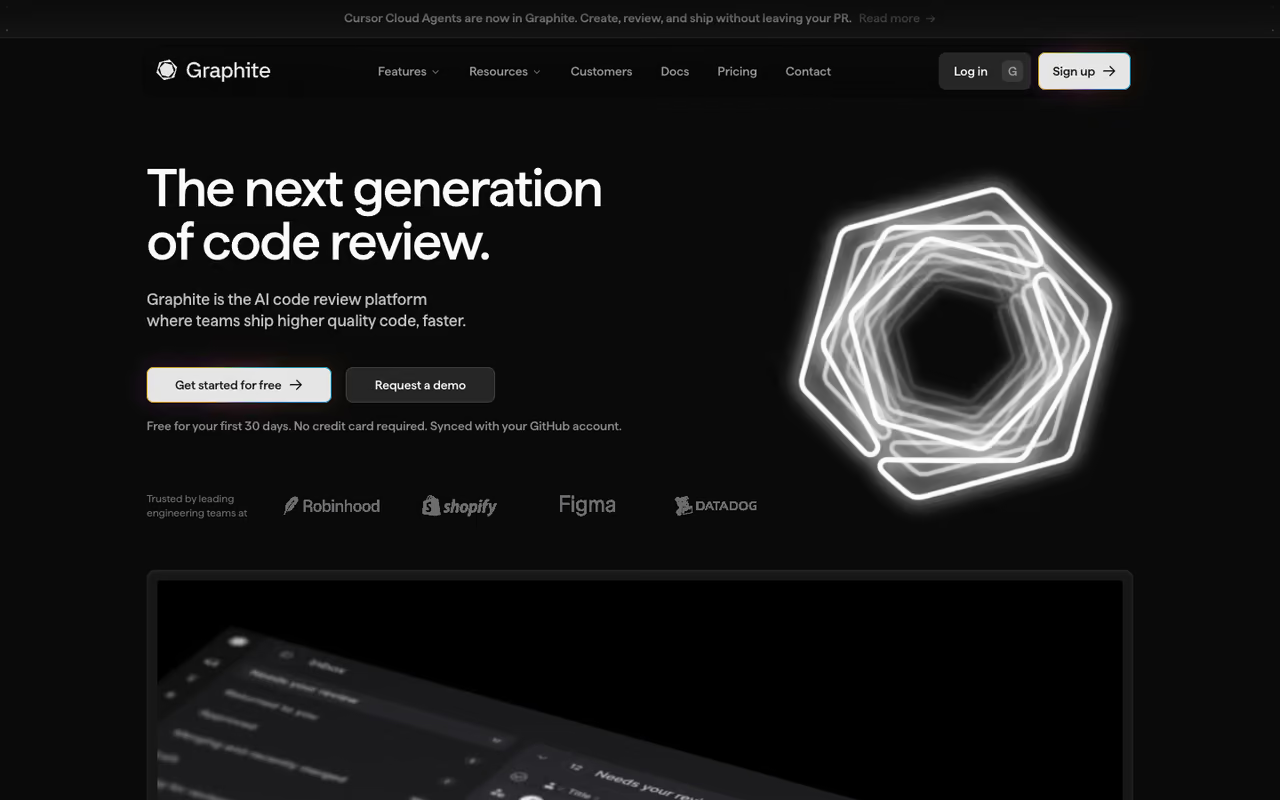
Graphite isn't a host. It sits on top of GitHub and fixes the part most teams quietly hate: code review. Its whole pitch is stacked diffs, a workflow where you break one big change into a chain of small, dependent pull requests that each get reviewed and merged in sequence.
It's best for teams that ship fast and review a lot, especially anyone frustrated by 800-line PRs sitting in limbo for days. Engineers from Meta, Google, and other large orgs have long worked this way internally. Graphite brings it to teams on GitHub without rebuilding your infrastructure. Pricing is a free Hobby plan (CLI plus limited AI review for up to 100 PRs a month), Starter at $25 per user per month, and Team at $40 with unlimited AI reviews and a merge queue.
The standout is how it removes review friction. Small stacked PRs get reviewed in minutes instead of hours, and the CLI handles the painful rebasing automatically when you update a commit deep in the stack. The merge queue and AI review agent round out a genuinely modern review experience.
The catch: stacked diffs are a mental shift. Your whole team has to adopt the workflow for it to click, and that's a real change-management cost. If your PRs are already small and your review queue is healthy, you may not need it. At $40 a seat for the full Team plan, it's also not cheap for a layer on top of GitHub.
A strong layer on GitHub for fast-shipping teams frustrated by 800-line PRs, built around stacked diffs. The whole team has to adopt the workflow, and at $40 a seat for Team it is not cheap, so skip it if your review queue is healthy.
If you're building an AI-heavy stack and want to keep up with tools like this without reading 40 newsletters a week, Dupple X tracks what's actually worth your attention.
Git
Let's be clear about something the marketing blurs: Git is the version control system. GitHub, GitLab, and Bitbucket are platforms built around it. Git itself is free, open source, runs entirely on your machine, and powers the vast majority of professional development. Stack Overflow's developer surveys have put Git adoption above 90% for years.
The foundation under everything else here, free and open source, and you will use it whether or not you pay for a host. Its command-line UX is famously confusing, and it struggles with very large repositories and binary files.
You'll use Git whether or not you pay for a host. The branching model, local commits, and distributed history are the reason the whole ecosystem works the way it does.
The standout is ubiquity and speed for normal-sized codebases. Operations are local, so committing and branching are instant. Every tool, editor, and CI system speaks Git natively.
Where it falls short is the command-line UX, which is famously confusing. Rebasing, resolving conflicts, and recovering from mistakes trip up even experienced developers. It also struggles with very large repositories and binary files, which is exactly the gap tools like Jujutsu and Perforce try to fill.
Bitbucket
Bitbucket is Atlassian's Git host, and its reason to exist is the Atlassian ecosystem. If your team lives in Jira and Confluence, Bitbucket connects to them more tightly than anything else, with branches, commits, and pull requests linked directly to Jira issues.
Worth it for teams already paying for Jira, with tight links between branches, pull requests and issues, plus Pipelines for CI/CD. Outside the Atlassian bubble it trails badly, so there is little reason to pick it without Jira.
The Free plan covers up to 5 users with 50 build minutes a month. Standard is $3.65 per user per month and Premium is $7.25, which undercuts GitHub Team on raw price.
The standout is the Jira integration plus Bitbucket Pipelines, the built-in CI/CD. Seeing your deployment status and issue tracking in the same place you review code removes a lot of context switching for Atlassian-native teams.
The catch: outside the Atlassian bubble, Bitbucket trails badly. The community is smaller, third-party integrations are fewer, and Atlassian's product focus has clearly shifted toward Jira over the years. If you're not using Jira, there's little reason to choose it over GitHub or GitLab.
Jujutsu (jj)
Jujutsu, usually called jj, is the most interesting thing to happen to version control UX in a decade. It's a Git-compatible system started by Martin von Zweigbergk at Google. It uses Git repositories as its backend, so you push and pull to GitHub like normal, but the working model is rethought from scratch.
A forgiving, Git-compatible option for power users who fight Git's command line daily, with undoable operations and conflicts stored as objects. It is still maturing with thin tooling and no GUI ecosystem, so it is hard to mandate across a team.
The big ideas: your working copy is automatically a commit, every operation is undoable with one command, and merge conflicts are stored as first-class objects you can deal with later instead of being forced to resolve them on the spot. It's free and open source under Apache 2.0.
The standout is the operation log. You can undo literally anything, including a botched rebase, with jj undo. The automatic rebasing of descendant commits when you edit history is the feature people don't want to give up once they've felt it.
Where it falls short: it's still maturing, and the tooling around it is thinner than Git's. There's no GUI ecosystem to speak of, documentation assumes comfort with version control internals, and you're adopting something Google explicitly calls "not a supported product." Great for individuals, harder to mandate across a whole team yet.
Perforce Helix Core
Perforce Helix Core is what large game studios and hardware companies use when Git simply can't cope. It's built for massive monorepos and enormous binary files, the kind of workload that makes Git LFS cry. Studios working with multi-terabyte repos of art, audio, and build artifacts rely on it.
The pick for game, film, automotive and semiconductor teams managing huge binary assets alongside code, with file locking and partial checkouts. Pricing is opaque, the centralized model feels alien to Git users, and it is overkill for mostly text repos.
The free tier covers up to 5 users and 5 workspaces, which is enough to evaluate it. Beyond that, Perforce doesn't publish pricing and works on per-user quotes. Resellers like Assembla have offered hosted Helix Core around $39 per user per month including the license.
The standout is performance at scale with binaries. File locking (so two artists don't overwrite the same asset), partial checkouts of giant repos, and centralized control are things Git was never designed to do well. For the right team, nothing else competes.
The catch: it's a centralized model, which feels alien if you grew up on Git's distributed workflow. Pricing is opaque and enterprise-grade, setup is heavier, and it's overkill for any team whose repo is mostly text. You'll know if you need Perforce, and most teams don't.
Azure DevOps
Azure DevOps is Microsoft's answer, bundling Git repos (Azure Repos), pipelines, boards, and test plans. Its strongest case is for teams already deep in the Microsoft and .NET world, where the integration with Azure cloud and Visual Studio is genuinely smooth.
Suited to enterprises standardized on Microsoft and .NET, where boards, repos and pipelines integrate smoothly with Azure and Visual Studio. It feels enterprise-heavy and dated next to GitHub, so outside the Microsoft ecosystem there is little reason to choose it.
The free tier covers the first 5 users with Basic features including unlimited private Git repos, plus 1,800 free pipeline minutes a month. The Basic plan is $6 per user per month beyond that.
The standout is the unified application lifecycle for Microsoft shops: boards, repos, and pipelines under one roof with deep Azure and Active Directory integration. For a .NET enterprise, it removes a lot of friction.
Where it falls short: it feels enterprise-heavy and dated next to GitHub, which Microsoft also owns and clearly favors for new investment. Outside the Microsoft ecosystem there's little reason to pick it, and Microsoft has signaled that GitHub is the future for most new projects.
How to choose
Start with your constraints, not the feature lists. A few quick rules I'd actually follow:
- Default to GitHub unless you have a specific reason not to. The ecosystem, hiring familiarity, and AI tooling make it the safe choice for the majority of teams.
- Pick GitLab if you want CI/CD, security scanning, and project management in one bill, or if self-hosting is non-negotiable.
- Add Graphite on top of GitHub if code review is your bottleneck and your team will commit to stacked diffs.
- Use Perforce or Unity Version Control if your repo is dominated by large binary files. This is the one case where Git is genuinely the wrong tool.
- Try Jujutsu as a personal upgrade to your Git workflow before pushing it on the team.
Most teams overthink the platform and underthink the workflow. The host matters less than how you actually review and merge code. For a wider view of the developer tools worth your time, our top tools directory and our roundup of the best AI coding tools are good next stops. If AI agents are part of your stack, the best AI agents guide covers the autonomous side.
FAQ
What is the most popular version control tool in 2026?
Git is by far the most used version control system, with adoption above 90% among professional developers. Among hosting platforms, GitHub is the clear leader, followed by GitLab and Bitbucket. When people say "version control," they usually mean Git plus one of these platforms layered on top.
Is GitHub or GitLab better?
It depends on what you value. GitHub wins on ecosystem size, third-party integrations, hiring familiarity, and AI tooling through Copilot. GitLab wins if you want CI/CD, security scanning, and DevOps features built into one platform, or if you need to self-host. Most teams default to GitHub; teams that want everything integrated under one login lean GitLab.
What is the best version control tool for game development?
Perforce Helix Core and Unity Version Control (formerly Plastic SCM) are the standard choices for game studios. Both handle multi-gigabyte binary assets, file locking, and huge repos far better than Git, which struggles with large non-text files even with Git LFS. Use Git for the code and Perforce or Unity Version Control for the heavy assets.
Are there free version control tools?
Yes. Git itself is free and open source. GitHub, GitLab, Bitbucket, and Azure DevOps all offer free tiers that cover small teams (usually up to 5 users, sometimes more) with private repositories. Jujutsu is also fully free and open source. You can run a serious project without paying anything until you need advanced features or more seats.
What is a stacked diff and why does it matter?
A stacked diff is a workflow where you break one large change into a chain of small, dependent pull requests that build on each other. Each gets reviewed and merged in sequence. It matters because small PRs get reviewed faster and more carefully than giant ones, which speeds up shipping. Graphite is the leading tool that brings this workflow to GitHub teams.
Related guides
Some offers on this page may be paid placements or contain affiliate links.
