
Best AI Noise Removal Tools (2026)

Key facts7 tools compared: Adobe Podcast, Krisp, ElevenLabs Voice Isolator, Auphonic, Cleanvoice…
- 7 tools compared: Adobe Podcast, Krisp, ElevenLabs Voice Isolator, Auphonic, Cleanvoice, Descript, iZotope RX 12
- Adobe Podcast (best for: Free post-production cleanup): Free, Premium $9.99/mo
- Krisp (best for: Live calls and meetings): Free trial, Core $16/mo
- ElevenLabs Voice Isolator (best for: Pulling voice out of music or chaos): Free (credit-based)
- Auphonic (best for: Automated podcast mastering): 2 free hrs/mo, plans from 9 hrs/mo
Bad audio kills good content faster than bad ideas do. You can have the sharpest podcast take, the most useful demo recording, or the cleanest sales call, and a humming air conditioner in the background will make people click away in ten seconds. AI noise removal has gotten good enough that you no longer need a soundproof room or a $1,000 plugin to fix it.
The catch is that "noise removal" means three different jobs that get lumped together. There's real-time cleanup for live calls and meetings. There's post-production cleanup for recordings you already have. And there's full mastering, where noise reduction is one step in leveling and loudness work. Most "best tool" lists ignore the difference, then wonder why one app feels overkill and another feels useless.
If you want the short answer: for cleaning up a recording you already have, Adobe Podcast is the best free option and where most people should start. For live calls and meetings, Krisp is the one to beat. This guide compares all seven below against real podcast files, noisy Zoom recordings, and field audio, and they sort cleanly by what you're actually trying to do.
Quick comparison
| Tool | Best for | Price | Standout |
|---|---|---|---|
| Adobe Podcast | Free post-production cleanup | Free, Premium $9.99/mo | One-click studio sound, no signup needed |
| Krisp | Live calls and meetings | Free trial, Core $16/mo | Real-time virtual mic, works in any app |
| ElevenLabs Voice Isolator | Pulling voice out of music or chaos | Free (credit-based) | Aggressive voice isolation, keeps natural tone |
| Auphonic | Automated podcast mastering | 2 free hrs/mo, plans from 9 hrs/mo | Loudness leveling plus noise in one pipeline |
| Cleanvoice | Filler words plus noise in one pass | 30 min free, from $11/mo | Removes "ums," mouth sounds, and dead air |
| Descript | Editors who want noise inside a video editor | Free tier, Hobbyist $16/mo annual | Studio Sound built into a full editing suite |
| iZotope RX 12 | Pro audio engineers | Elements $99 to Advanced $1,399 | Surgical, spectral-level control over every artifact |

Adobe Podcast Enhance Speech (best free pick)
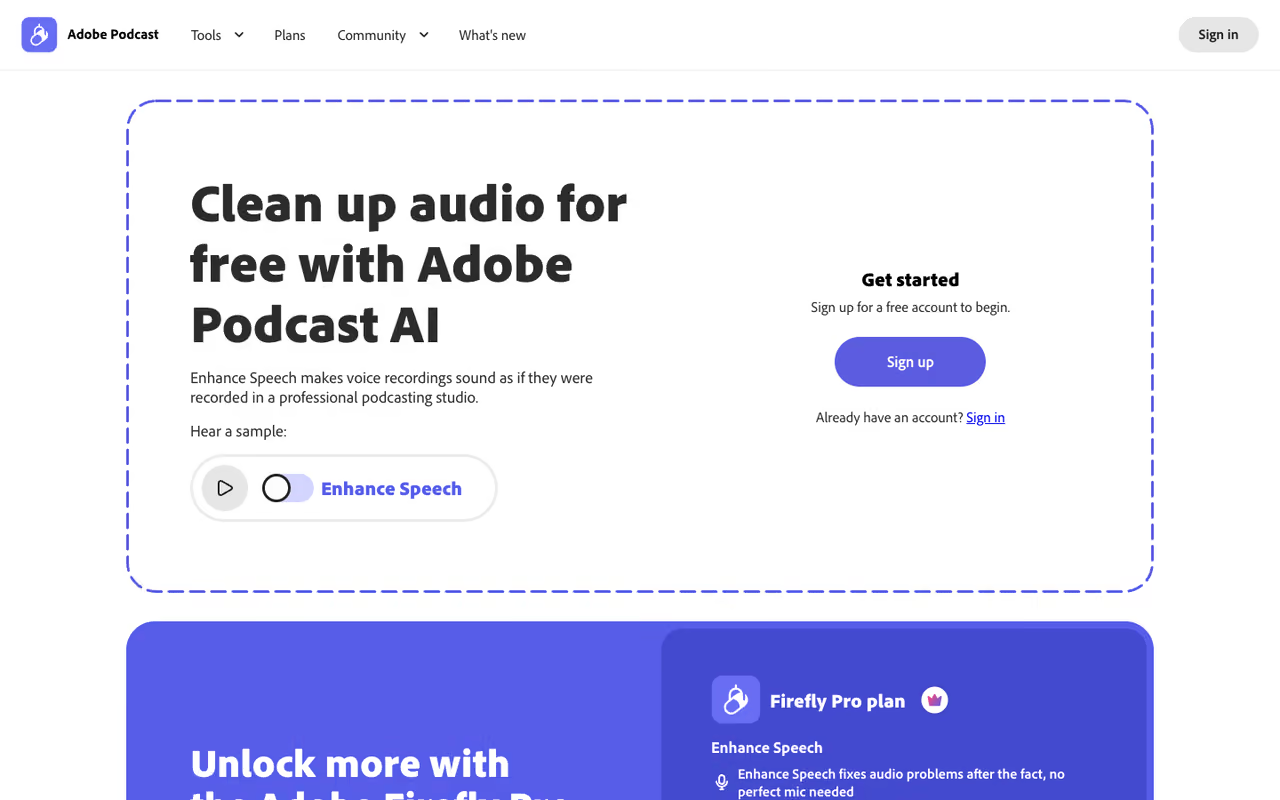
Adobe Podcast is the tool I send people to first, and it's free. You drop in a recording, the AI strips background noise and room echo, and it spits out audio that sounds like it came off a decent mic in a treated room. No download, no plugin, no audio engineering knowledge. It runs in the browser.
The free pick for anyone with a thin, echoey or noisy recording who wants a fix in under a minute. It runs in the browser, though the free tier limits file length and daily processing.
Podcasters, course creators, and people cleaning up laptop-mic interviews.
Free, with files up to 30 minutes and 500MB, capped at 1 hour of processing per day. The Premium plan is $9.99/month and lifts the limit to 2-hour files, 1GB, and batch processing.
The standout: The v2 update added a slider that lets you blend between the cleaned voice and the original ambience. That matters because the older version had one setting and it was aggressive.
The catch: That aggressiveness is real. On loud-then-quiet recordings, Enhance Speech v2 can make voices sound slightly robotic, muffle the start and end of clips, and create artifacts in silent gaps. The slider helps, but it's a Premium feature, so the free version gives you less control over the side effects. For clean-ish source audio it's excellent. For badly damaged audio, it sometimes over-corrects.

Krisp (best for live calls)
Krisp solves a different problem than the others here. Instead of cleaning a file after the fact, it sits between your microphone and whatever app you're in, filtering noise in real time. It creates a virtual mic and speaker, so your dog barking or the cafe espresso machine never reaches the other side of the call. It works in Zoom, Meet, Slack huddles, Discord, anything.
Choose Krisp for live calls, where it filters noise in real time in any app. It is bidirectional and bundles a note-taker, but it is a subscription aimed at calls, not file cleanup.
Also useful for live streaming.
A 7-day free trial with unlimited noise cancellation, then the Core plan at $16/month, or $8/month billed annually. Core also bundles an AI note-taker, unlimited transcription, and meeting recording, which makes it more than a noise app.
The standout: It's bidirectional. Krisp cleans your outgoing audio and the noise coming from other people on the call, so a colleague's bad setup doesn't ruin your recording.
The catch: Real-time suppression has a quality cost. Krisp's filtering can make voices sound thinner or slightly flat, especially in heavy-noise environments where it's working hardest. And the free tier is genuinely limited now: the old generous free plan is gone, replaced by a 7-day trial. If you only need occasional cleanup of recorded files, you're paying for a real-time feature you won't use.

ElevenLabs Voice Isolator (best for extracting voice)
ElevenLabs built its reputation on AI voice generation, but its free Voice Isolator quietly became one of the better noise tools available for hard cases. It doesn't just lower background noise, it isolates the voice and discards almost everything else: music, hum, traffic, crowd noise. When you have speech buried under a song or recorded in genuine chaos, this is the one that pulls it out.
The one that pulls speech out of chaos, such as music, hum, traffic or crowd noise. Great for field recordings and vocal extraction, though heavy use draws on monthly credits.
Supports WAV, MP3, FLAC, OGG, and AAC.
Free to try through ElevenLabs' credit system, no separate purchase needed. Heavy use draws from your monthly credits, which start free and scale up through the Starter ($5/mo) and Creator ($22/mo) plans.
The standout: It preserves natural voice character, including tone, pitch, and a little reverb, while being ruthless with non-speech. Most isolators that aggressive leave the voice sounding processed. This one mostly doesn't.
The catch: Because it isolates rather than reduces, it can sound unnatural when you actually wanted some ambience. Strip a street interview down to pure voice and it can feel oddly sterile. It's a scalpel for "voice only," not a gentle cleanup, so match it to the job.
If your job is picking the right AI tool for a specific workflow rather than reading lists like this one, that's basically what Dupple X is built to shortcut.

Auphonic (best for automated mastering)
Auphonic is the one I reach for when noise removal is part of a bigger finishing job. It's a full mastering pipeline: it removes noise and reverb, but it also levels volume between speakers, normalizes loudness to Spotify and Apple standards (in LUFS), and can run automatically on every episode through watch folders and an API. Set it up once and it cleans every file you feed it.
The pick for podcasters who publish on a schedule and want consistent, broadcast-ready audio. Auphonic is a full mastering pipeline with leveling, loudness normalization and automation, but it is more than noise removal alone.
2 free hours per month (with an Auphonic jingle attached on free productions), then recurring credit plans from 9 hours/month up to 250, with pay-yearly saving 20%. One-time credit packs are also available and never expire.
The standout: The Intelligent Leveler. If you record interviews where one person is loud and the other is quiet, Auphonic balances them automatically, which is a problem most noise tools don't even touch.
The catch: It's not interactive in the way Adobe Podcast is. You configure a preset and trust the pipeline, which is great for automation but less satisfying when you want to hear a change instantly and tweak it. For a one-off file, it's more setup than you need.

Cleanvoice (best all-in-one cleanup)
Cleanvoice handles noise as part of a wider "make this recording presentable" pass. In one upload it removes background noise, filler words ("um," "uh," "like"), mouth sounds and breaths, and dead air. For people who hate manual editing, that combination saves real time.
Go with Cleanvoice if you hate manual editing. One upload removes noise, filler words, mouth sounds and dead air, collapsing several steps into one, though pay-as-you-go costs add up for long files.
If you'd otherwise run a noise tool, then a filler-word tool, then trim silences, this collapses it into one.
A free trial of 30 minutes, no card required. After that, pay-as-you-go starts at $11 for 5 hours ($2.20/hr), or subscriptions from $11/month for 10 hours ($1.10/hr) up to $90/month for 100 hours. Credits roll over up to 3x your monthly limit.
The standout: The filler-word and mouth-sound removal is the differentiator. Studio Sound enhancement handles the noise, but cutting the "ums" automatically is what makes editors keep it.
The catch: Automated filler-word removal is never perfect. It occasionally cuts a word you wanted or leaves one you didn't, so you still review the timeline. The pure noise reduction is good but not noticeably better than Adobe Podcast's free tool. You're paying for the editing bundle, not the denoise alone.

Descript Studio Sound (best inside a video editor)
If you edit video and audio in the same place, Descript folds noise removal into the whole workflow. Studio Sound is its one-click enhancement that reduces background noise, echo, and hiss, and it lives right next to transcription-based editing, where you cut audio by deleting words in a text document.
The natural choice for creators already editing video in Descript, where Studio Sound is one click in the same timeline. It consumes AI credits per use, so it is not the cheapest standalone fix.
If you're already editing a video, applying Studio Sound is one click in the same timeline.
Studio Sound is available even on the free tier (it consumes AI credits per use). Paid plans run from Hobbyist at $16/user/month annually (10 hours of transcription) to Creator at $24/month annually (800 credits, roughly 40 Studio Sound runs).
The standout: Context. You're not exporting a file to a separate tool and re-importing. Noise removal, filler-word removal, and editing are the same app, which removes a lot of friction for video-first creators.
The catch: Studio Sound's quality is good but not class-leading. For a badly noisy file, Adobe Podcast or ElevenLabs will usually do better. And the credit system means heavy users hit limits fast: 40 runs a month on Creator goes quickly if you batch-process episodes. You're buying Descript for the editor, with denoise as a bonus.

iZotope RX 12 (best for pros)
When the recording is too valuable to compromise and too damaged for one-click tools, audio engineers use iZotope RX 12. This is the industry standard for audio repair in film, TV, and music post-production. Instead of one "clean it" button, you get a spectral editor and a stack of targeted modules: Spectral De-noise, Voice De-noise, Dialogue Isolate, De-click, De-hum, De-rustle, De-wind, and more.
The industry standard for professionals who need surgical control over exactly which artifacts get removed. It is a one-time purchase, but it is heavy and overkill for a quick podcast fix.
A one-time purchase, not a subscription. RX 12 Elements is $99, Standard is $399, and Advanced is $1,399 (introductory and sale prices regularly drop these significantly).
The standout: Dialogue Isolate, rebuilt with newer neural networks, rescues speech from genuinely hostile recordings: heavy reverb, layered noise, buried voices. Nothing on this list matches RX's precision when you need it.
The catch: It's overkill for most people, and it has a learning curve to match. You install it as a plugin in a DAW or use the standalone editor, and the spectral interface assumes you know what you're looking at. If your goal is "make my podcast sound clean," this is far more tool than you need, at far more cost.
How to choose
Match the tool to the job, not the hype. Three quick questions sort it:
Are you cleaning live or after the fact? Live calls and meetings means Krisp, because it works in real time inside your apps. Everything else here works on files you already have.
How damaged is the audio, and how much do you care? Lightly noisy podcast or interview audio: Adobe Podcast (free) or Cleanvoice if you also want filler words gone. Voice buried in music or chaos: ElevenLabs Voice Isolator. Mission-critical, professionally damaged audio where every artifact matters: iZotope RX 12.
Do you want it automated or hands-on? Publishing on a schedule and want consistent mastering with zero manual work: Auphonic. Editing video and audio together and want noise as one step in the flow: Descript.
For most people reading this, the honest answer is to start with Adobe Podcast (free), add Krisp if you take a lot of calls, and only move up to Auphonic or RX when a real limitation pushes you there. Spending more before you hit that wall is wasted money. If you want a faster way to match AI tools to specific jobs like this across your whole stack, Dupple X and our running top tools list are built for exactly that. You can try Dupple X here.
FAQ
What is the best free AI noise removal tool?
Adobe Podcast Enhance Speech is the best free option for cleaning up recorded audio. It removes background noise and echo in the browser with no signup, handling files up to 30 minutes on the free tier. For pulling a voice out of music or heavy noise, ElevenLabs Voice Isolator is also free through its credit system. If you need real-time cleanup on live calls, Krisp offers a 7-day free trial.
Can AI remove background noise without making the voice sound robotic?
Mostly, but it depends on the tool and the source audio. Gentle tools like Auphonic and the Adobe Podcast slider preserve more natural tone. Aggressive real-time suppression (Krisp) or heavy isolation (ElevenLabs) can introduce a slightly processed or thin quality, especially on very noisy recordings. For the most natural result on damaged audio, a professional tool like iZotope RX 12 gives you fine control to avoid artifacts.
What is the difference between real-time and post-production noise removal?
Real-time noise removal (Krisp) filters audio live as you speak, sitting between your mic and your app, so the noise never reaches a call or stream. Post-production tools (Adobe Podcast, ElevenLabs, Auphonic, Cleanvoice, iZotope RX) clean a recording after you've made it. Real-time is for calls and meetings; post-production gives you better quality and more control for content you publish.
Is iZotope RX worth it for podcasters?
For most podcasters, no. iZotope RX 12 is built for professional audio engineers doing film and TV post-production, and it costs from $99 to $1,399 with a real learning curve. A free tool like Adobe Podcast or a $11/month service like Cleanvoice will clean a typical podcast just fine. Only invest in RX if you regularly handle severely damaged audio and need surgical, spectral-level control.
How much does AI noise removal software cost in 2026?
It ranges from free to professional-grade. Adobe Podcast and ElevenLabs Voice Isolator are free for normal use. Subscription services like Cleanvoice start at $11/month and Krisp at $16/month (or $8 annually). Auphonic uses credit plans starting around 9 hours/month. Professional software like iZotope RX 12 is a one-time purchase from $99 (Elements) to $1,399 (Advanced).
Which AI tool removes filler words and noise at the same time?
Cleanvoice is the best for this. In a single upload it removes background noise, filler words like "um" and "uh," mouth sounds, breaths, and dead air, which collapses several editing steps into one. Descript also combines Studio Sound noise removal with filler-word removal inside its editor, which suits video creators who want everything in one app.
Related guides
Some offers on this page may be paid placements or contain affiliate links.
Across our whole catalogue the median is $24 a month and 33% of tools advertise a free tier. Figures are the lowest recurring monthly price quoted in our own review of each tool, read on 2026-08-19. Full method and every category.
