
Last updated: March 2026
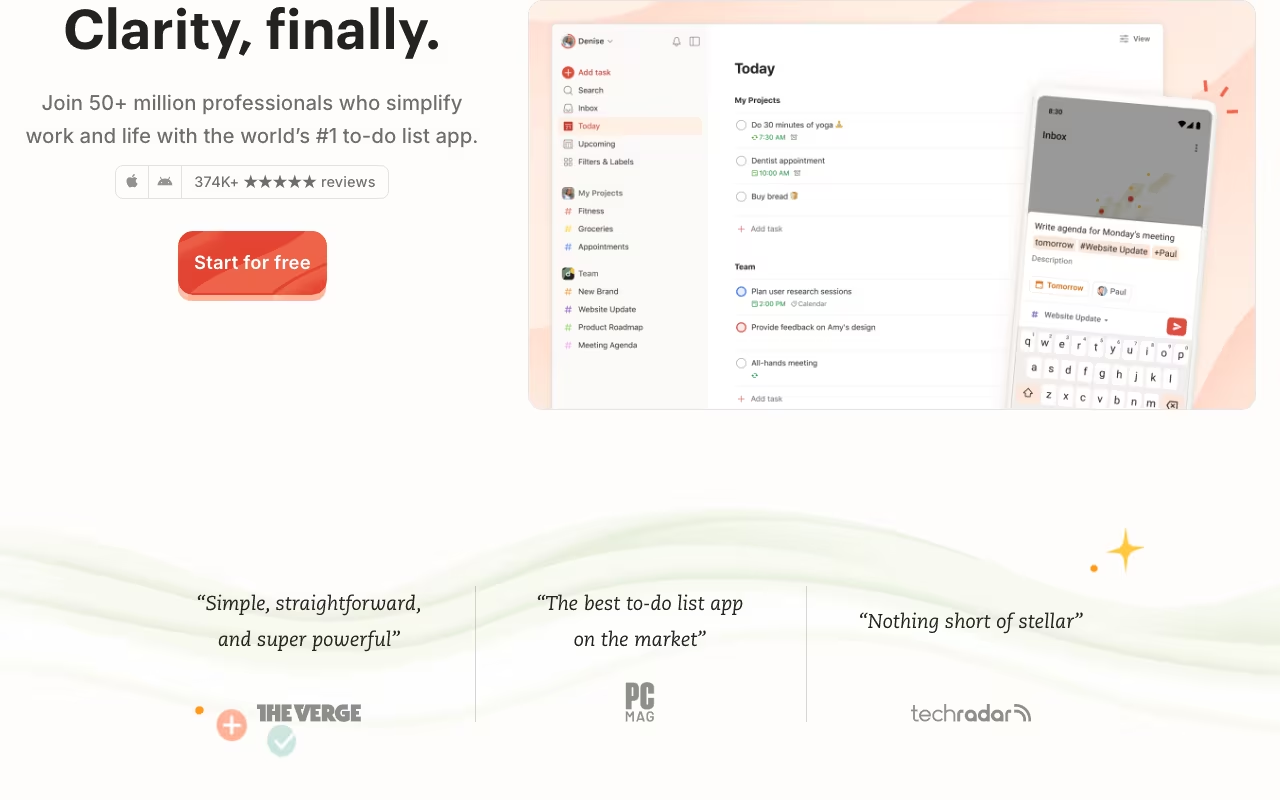
Todoist is the task manager that 30 million people actually stick with. That's the real achievement here. Productivity apps are easy to try and easier to abandon. Todoist survives because it nails the basics: adding a task takes seconds, organizing feels natural, and it works on every device you own.
I've bounced between Todoist, Things 3, TickTick, and Notion databases over the years. I keep coming back to Todoist because of one thing: natural language input. Type "Submit report tomorrow #work p1" and you get a high-priority task in your Work project due tomorrow. No clicking through date pickers, no dropdown menus. Once you learn that input style, every other task app feels slow.
Try Todoist Free Get started →Natural Language That Actually Feels Natural
This is Todoist's killer feature and the reason most people stay. Type "Call mom every Sunday at 6pm" and it creates a recurring task scheduled for Sunday evenings. Write "Review PR #dev p2 @laptop" and you get a medium-priority task in your Dev project with a laptop context label. Dates, times, recurrence patterns, priorities, projects, labels, all parsed from a single text input.
The recurrence engine is surprisingly deep. "Every weekday," "every 2nd Monday," "every month on the 15th," "every last Friday of the month." Life is full of recurring commitments, and Todoist handles them without breaking a sweat. When you complete a recurring task, the next occurrence just appears.
Projects, Filters, and the System Under the Hood
Tasks live in projects, which support sections and sub-projects. Simple enough for a grocery list, structured enough for a multi-phase product launch. Projects can be shared with collaborators for basic team task management.
Where Todoist gets powerful is filters. The Today and Upcoming views handle the basics, but custom filters like "All P1 tasks due this week in Work projects" or "All tasks assigned to me with the @deep-work label" let you slice your task list any way you need. Labels add context beyond project hierarchy: @phone, @errands, @quick-win, whatever matches your workflow.
Four priority levels (P1-P4) keep things simple. Combine priorities with due dates and filters and you always know what needs attention first.
Todoist integrates with over 100 tools: Google Calendar, Slack, Gmail, Zapier, IFTTT. The calendar sync is especially useful because tasks with times show up alongside your meetings.
What Todoist Costs
Free: 5 active projects, 5 collaborators per project, natural language input, due dates, priorities, labels. Genuinely useful, not a crippled trial.
Pro ($5/month yearly, $6/month monthly): Unlimited projects, reminders, custom filters, themes, automatic backups, calendar integration. This is where most serious users land.
Business ($8/user/month yearly): Team workspaces, admin controls, centralized billing, priority support. For teams that need shared task management without a full project management tool.
$5/month for Pro is one of the best values in productivity software. The free tier is generous enough to use long-term, and the upgrade is small enough that most people don't think twice.
Start Free and Upgrade to Pro When Ready Get started →Where Todoist Excels
- Natural language input: Once you get used to it, every other task app feels clunky by comparison
- Cross-platform sync: Native apps for web, Mac, Windows, iOS, Android, Linux, Apple Watch, Wear OS. Instant sync everywhere
- Design that respects your time: Clean, fast, no unnecessary complexity. Adding a task is frictionless
- Generous free tier: 5 projects covers most personal use cases
- Karma gamification: Gentle motivation through streaks and daily/weekly goals. Not aggressive, just enough to keep you honest
Where It's Limited
- No time blocking: You can't schedule tasks for specific time slots in a calendar view. If you want that, look at Sunsama or Motion
- Basic collaboration: Shared projects work fine for simple team tasks, but there's no Gantt chart, no dependencies, no workload view
- No built-in notes or docs: Task descriptions exist but are minimal. You'll need Notion or Google Docs for anything beyond a few bullet points
- Habit tracking is limited: TickTick includes habit tracking natively. Todoist only has recurring tasks as a workaround
Todoist vs Things 3 vs TickTick
Productivity tools, published pricing
| Tool | Pricing | Model |
|---|---|---|
| Todoist | Free, $5/mo (Pro), $8/user/mo (Business) | Freemium |
| Hermes Agent | $20/mo (lowest published recurring price) | Subscription |
| Blinq | $4.5/mo (lowest published recurring price) | Subscription |
| 1Password | $2.99/mo (Individual), $4.49/mo (Families), $8.99/mo (Business), $24.95/mo (Teams Starter Pack), custom pricing (Enterprise) | Subscription |
| Laxis | $17/mo (lowest published recurring price) | Subscription |
| Help Scout | $25/mo (lowest published recurring price) | Subscription |
Things 3 is the closest competitor in design philosophy: beautiful, focused, personal. It's Apple-only with no collaboration and costs a one-time $50 (Mac) + $10 (iOS). If you're all-in on Apple and work alone, Things 3 is gorgeous. For everyone else, Todoist's cross-platform support wins.
TickTick packs more into one app: built-in calendar view, Pomodoro timer, habit tracker, and a similar natural language input. If you want everything in one place, TickTick is worth trying. Todoist's advantage is a cleaner interface and a larger integration ecosystem.
Microsoft To Do is free and deep in the Microsoft ecosystem (Outlook integration, Planner sync). Functional but less elegant. Good if you're already paying for Microsoft 365.
Asana, Monday.com, ClickUp are project management tools that happen to include task management. Overkill for personal productivity. If your team needs these, use them for team projects and Todoist for personal tasks.
Frequently Asked Questions
Does Todoist work offline?
Yes. All apps work offline and sync when you reconnect. This includes mobile, desktop, and web (with service worker caching).
Can I use Todoist for GTD (Getting Things Done)?
Yes, and many GTD practitioners do. Projects map to GTD projects, labels work as contexts (@phone, @computer, @errands), the inbox is your capture tool, and filters create your action lists. Todoist even has a GTD setup guide in their docs.
Todoist is the task manager I recommend to anyone who asks. The natural language input alone makes it worth trying, and the free tier is generous enough to give it a real shot. At $5/month for Pro, it's one of the cheapest productivity upgrades you can make. It won't replace a project management tool if your team needs one, but for personal task management, nothing else combines speed, simplicity, and cross-platform polish the way Todoist does.
Get Started with Todoist Free Get started →