What Is ClickUp?
ClickUp started in 2017 with one ambitious goal: replace every other productivity app your team uses. Bold claim. But after years of relentless feature development, it's turned into one of the most popular project management platforms on the market, pulling in over 10,000 reviews on G2 with a 4.7/5 rating.
The pitch is simple. Instead of switching between Asana for tasks, Notion for docs, Slack for chat, and Google Sheets for tracking, ClickUp puts everything in a single workspace. Tasks, documents, goals, whiteboards, time tracking, chat, dashboards, and now a full AI layer called ClickUp Brain. If you're a startup running sprints or an enterprise managing cross-departmental programs, ClickUp tries to be the only tool you open in the morning.
That ambition comes with trade-offs, though. And whether ClickUp is right for your team depends a lot on how much complexity you're willing to learn.
Try ClickUp Free Get started →How ClickUp Organizes Work
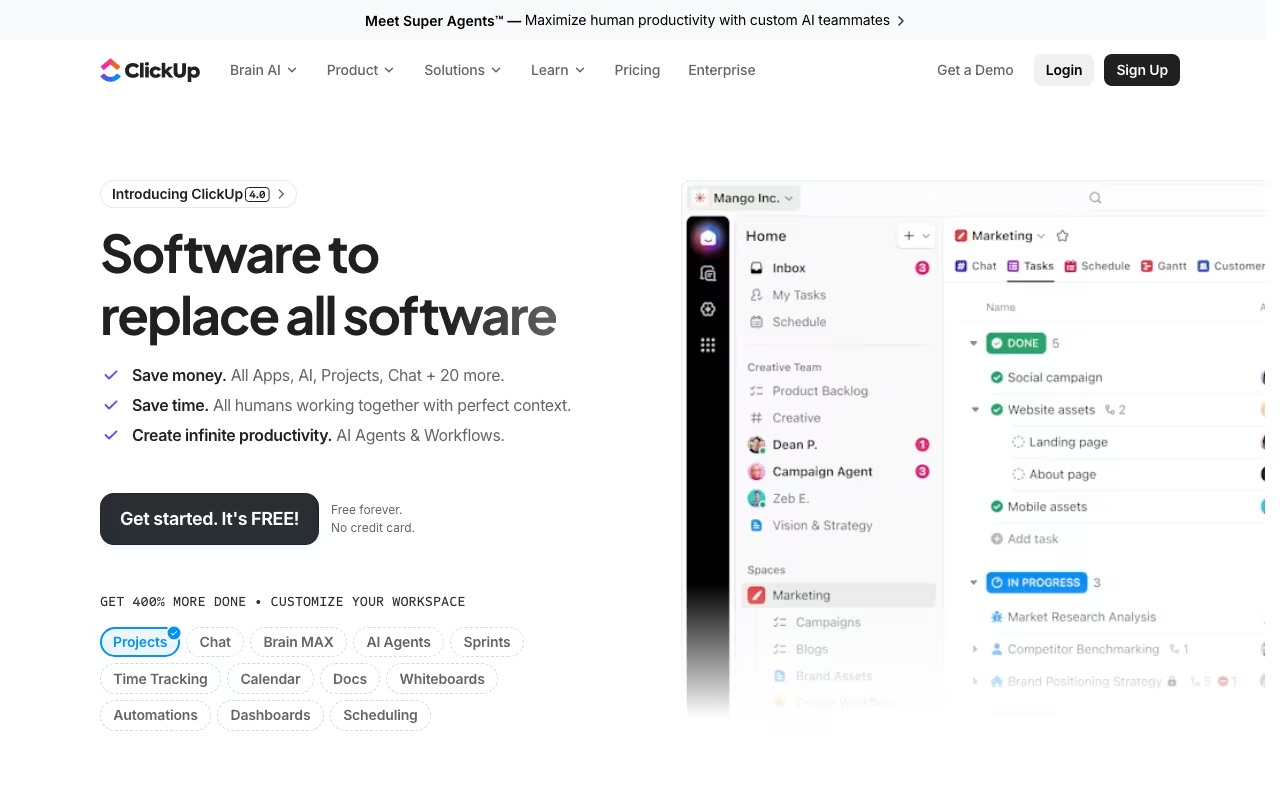
ClickUp uses a hierarchy that goes: Workspace > Spaces > Folders > Lists > Tasks > Subtasks. This might sound over-engineered, but it actually works well for teams that manage multiple projects or departments. You can set up a Space for marketing, another for engineering, and another for operations, each with its own workflows, views, and automations.
Tasks are the core unit of work. Each task can hold descriptions, comments, attachments, subtasks, checklists, time estimates, dependencies, custom fields, and more. You can view tasks as a list, board (kanban), Gantt chart, calendar, table, timeline, or map. ClickUp offers 15+ views in total, which is more than most competitors.
The flexibility here is genuinely impressive. An engineering team can run sprints with story points and velocity tracking. A marketing team can use a kanban board for content calendars. A finance team can build a spreadsheet-style view with custom fields. All in the same workspace.
ClickUp Brain: The AI Layer
ClickUp Brain is the platform's AI system, and it goes beyond the basic "write me a summary" features most tools tack on. Brain acts as an intelligence layer across your entire workspace. It indexes tasks, documents, comments, wiki pages, and connected tools to provide context-aware answers to questions like "What's the status of the Q1 launch?" or "Who's working on the API redesign?"
The standout feature is multi-model access. Unlike competitors locked into a single AI provider, ClickUp Brain lets you toggle between GPT-5, Claude, o3, and other models depending on what you need. Need creative writing help? Switch to one model. Need analytical reasoning? Switch to another. This flexibility is unusual for a project management tool.
Brain also handles automations. You can set up rules to automatically assign tasks, update priorities, post progress summaries, and suggest the best person for new work based on team workload and past performance. AI Notetaker joins your meetings (Google Meet, Zoom) and generates summaries with action items that link directly to ClickUp tasks.
The AI layer adds $9/user/month for the standard tier or $28/user/month for the full "Everything AI" package. These are separate from your base plan cost.
ClickUp Pricing in 2026
The public base-plan cards display $7/user/month for Unlimited and $12 for Business with annual billing. The extracted cards do not explicitly label the currency USD, so these amounts remain unverified as USD. Confirm the currency and plan offered to your workspace before purchasing. Source: ClickUp pricing, consulted October 15, 2026. This is a partial check, not a full review update.
Free Forever: $0
60MB storage, basic task management, kanban boards, one form, collaborative docs. Good for personal use or very small teams testing the waters.
Unlimited: $7/user/month (billed annually)
Unlimited storage, unlimited integrations, Gantt charts, custom fields, forms, and chat. This is where ClickUp starts being useful for real teams.
Business: $12/user/month (billed annually)
Everything in Unlimited plus Google SSO, mind maps, advanced dashboards, sprint points, reporting, workload management, and private documents. The most popular plan.
Enterprise: Custom pricing
White labeling, custom roles, SCIM provisioning, data residency, advanced security, and dedicated support. You'll need to contact sales.
Then there's the AI add-on pricing on top:
Brain AI: $9/user/month for unlimited AI assistant, chatbot, and multi-model access.
Everything AI: $28/user/month for automations, agents, AI Notetaker, image generation, and enterprise search.
For a team of 10 on the Business plan with Brain AI, you're looking at about $210/month billed annually. Add Everything AI instead, and it's $400/month. Not cheap, but competitive when you consider you might be replacing several other subscriptions.
See ClickUp Pricing Plans See plans →What ClickUp Gets Right
- Genuine all-in-one platform: Docs, tasks, chat, whiteboards, goals, and dashboards in a single tool. Few competitors match this breadth.
- View flexibility: 15+ views including list, board, Gantt, calendar, timeline, table, and map. Teams can work the way they prefer.
- Customization depth: Custom fields, statuses, automations, and templates let you mold ClickUp to almost any workflow.
- Competitive pricing: $7/user/month for the Unlimited plan is well below most competitors for comparable features.
- Free plan that's actually useful: Unlimited tasks and members on the free tier is generous.
- Multi-model AI: Access to GPT-5, Claude, and other models through one subscription is a standout feature.
- Rapid development pace: ClickUp ships new features constantly. The product today is dramatically different from two years ago.
Where ClickUp Falls Short
- Steep learning curve: The sheer number of features, settings, and customization options overwhelms new users. Less tech-savvy team members will struggle to get comfortable.
- Performance issues: Users consistently report slow loading times, especially in large workspaces. This can genuinely hurt productivity when you're switching between views or loading dashboards.
- Feature overload: Having everything in one place sounds great until you realize you're spending more time configuring the tool than actually doing work. The setup cost is real.
- Time tracking is basic: While built-in time tracking exists, it lacks depth. No native payroll integrations, no scheduling features, and the Chrome extension has reliability issues.
- Mobile app limitations: The mobile experience doesn't match the desktop version. Complex views and features are either missing or harder to use on smaller screens.
- Pricing changes without notice: Some users have reported features being locked behind higher tiers with little warning. One user discovered their "Notes" feature was paywalled three months into their subscription.
ClickUp vs. the Competition
Project Management tools, published pricing
| Tool | Pricing | Model |
|---|---|---|
| ClickUp | Free; $7/user/mo Unlimited or $12/user/mo Business, billed annually; confirm USD at checkout | Freemium |
| Process Street | $100/mo (lowest published recurring price) | Subscription |
| Cerri | $15/mo (lowest published recurring price) | Subscription |
| PDWare | Resource management, custom enterprise pricing | Subscription |
| Wrike | Free, $9.80/user/mo (Team), $24.80/user/mo (Business) | Freemium |
| Huly.io | Free self-hosted, cloud plans available | Open Source |
Asana is more polished and easier to learn but costs more ($10.99/user/month for Starter) and offers fewer features. Asana is better for teams that want simplicity over power. ClickUp wins on value and customization.
Monday.com has a cleaner interface and stronger visual appeal but also costs more ($12/seat/month for Standard). Monday is easier to onboard but less flexible once you need advanced workflows.
Notion overlaps with ClickUp's docs and wiki features but isn't a true project management tool. Notion is better for documentation-heavy teams; ClickUp is better for task and project execution.
Jira remains the standard for software development teams running agile. If your team is purely engineering, Jira's depth in sprint management and dev tool integrations is still hard to beat. But for mixed teams (marketing, ops, product, engineering), ClickUp is more versatile.
Who Should Use ClickUp?
Growing teams tired of tool sprawl. If you're paying for 5+ different productivity apps and want to consolidate, ClickUp is the strongest candidate for replacing most of them.
Teams that love customization. If your team has specific workflows and you want a tool that adapts to you (not the other way around), ClickUp's flexibility is unmatched.
Budget-conscious organizations. At $7/user/month for Unlimited, ClickUp delivers more features per dollar than almost any competitor.
Who should look elsewhere? Very small teams or individuals who just need basic task lists. The setup complexity isn't worth it for simple use cases. Also, teams where everyone needs to be productive from day one without training. ClickUp's learning curve is real, and adoption takes time.
Get Started with ClickUp Get started →Frequently Asked Questions
Is the ClickUp free plan good enough for a small team?
It depends on your needs. The free plan includes unlimited tasks and members, but you're limited to 60MB of storage and basic features. For a team of 2-3 people managing simple projects, it works. For anything more, you'll want the Unlimited plan at $7/user/month.
Is ClickUp Brain worth the extra cost?
If your team actively creates documents, runs meetings, and manages complex projects, Brain's workspace-wide search and AI summaries save real time. The $9/user/month tier is reasonable. The $28/user/month Everything AI tier is harder to justify unless you're heavily using automations and the AI Notetaker.
How long does it take to set up ClickUp properly?
Expect 1-2 weeks for a basic setup and 4-6 weeks before your team is fully comfortable. ClickUp offers templates and onboarding resources, but the customization depth means you'll spend time configuring spaces, views, and workflows before everything clicks.
Can ClickUp replace Slack?
ClickUp has a built-in chat feature, but it's not as polished or widely adopted as Slack. For internal team communication tied to projects, it works. For company-wide messaging and integrations with dozens of other tools, Slack is still better.
The Bottom Line
ClickUp is the Swiss Army knife of project management. It genuinely does try to do everything, and it does most things well. The pricing is competitive, the feature set is massive, and the AI capabilities are among the best in the category.
But that ambition creates real friction. The learning curve is steep, performance can be sluggish, and the sheer number of options can paralyze teams that just want to get work done. ClickUp rewards investment. If you put in the time to configure it properly and train your team, it can replace multiple tools and become your operational backbone. If you rush the setup or expect everyone to figure it out on their own, you'll end up with an expensive, underused tool.
For teams willing to invest the upfront effort, ClickUp delivers exceptional value. Just go in with your eyes open about the onboarding commitment.
Start Using ClickUp Today Get started →