Last updated: March 2026
Prezi Review: The Non-Linear Presentation Tool That Refuses to Be PowerPoint
PowerPoint has been the default presentation tool for three decades. Google Slides is the free alternative that everyone uses because it is free. And then there is Prezi, which has been trying to convince the world since 2009 that presentations do not need to be a linear sequence of slides.
Prezi's core idea is genuinely different: instead of clicking through flat slides one by one, you navigate a large canvas by zooming, panning, and moving between ideas in any direction. Think of it as a mind map that you present. When done well, it is visually stunning and memorable. When done poorly, it makes your audience physically dizzy.
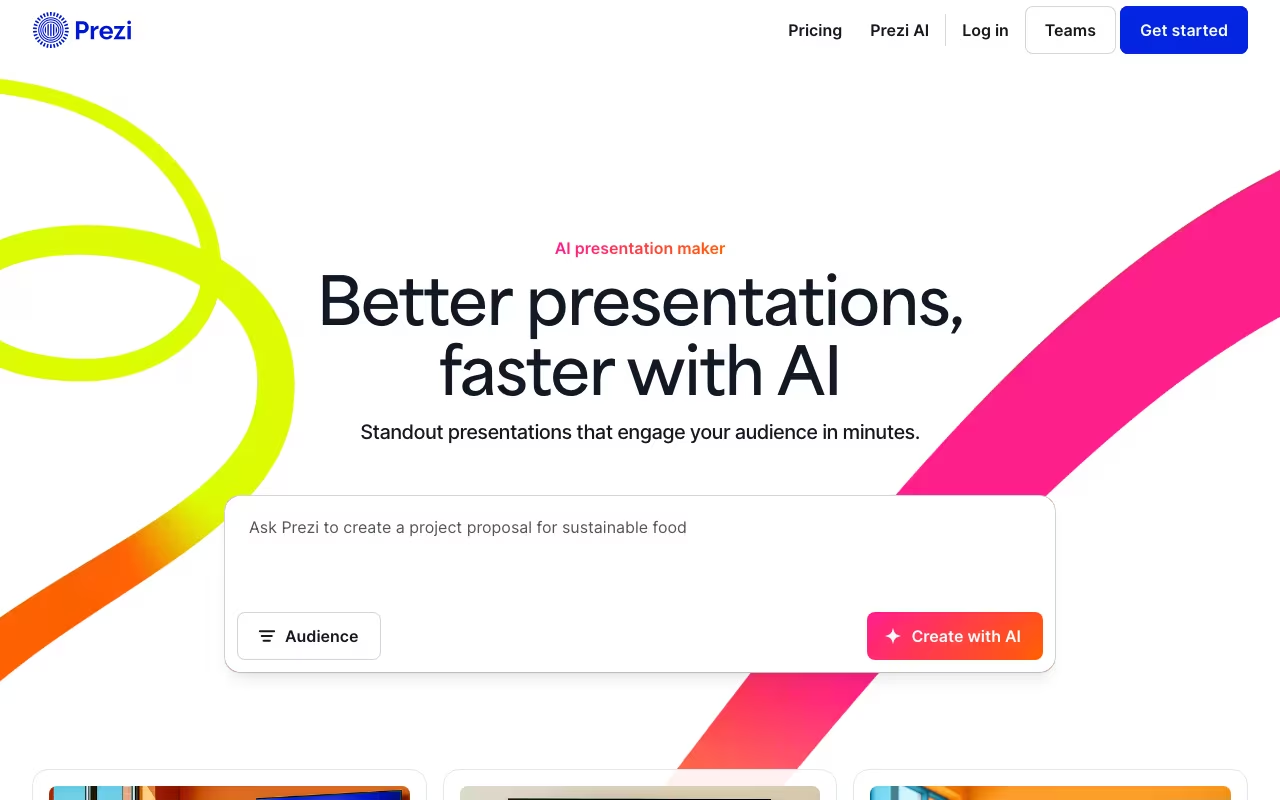
In 2025 and 2026, Prezi added AI-powered features to help with content generation, but the question remains: is Prezi still worth using in a world where AI presentation tools can build entire decks from a single prompt?
Try Prezi Free Get started →Key Features
The Zoomable Canvas
This is Prezi's signature feature and the reason people either love or hate it. Instead of creating individual slides, you place content on a large, open canvas and define a path that zooms into and out of different sections. The result is a presentation that feels more like a journey through ideas than a list of bullet points.
For storytelling, this works exceptionally well. You can show the big picture, then zoom into details, then zoom back out to show how everything connects. For straightforward data presentations or status updates, it is overkill, and the constant movement can distract from your content.
Prezi AI
Prezi added AI features that help generate presentation outlines, suggest layouts, and refine content. However, compared to dedicated AI presentation tools like SlidesAI, Tome, or Gamma, Prezi's AI feels limited. It nudges and suggests rather than building complete decks from scratch. You still do most of the creative work yourself.
That said, Prezi gives you 5 AI credits per month on the Standard plan and unlimited AI on Plus and Premium. The AI is most useful for getting past a blank canvas, not for generating polished final presentations.
Prezi Video
One of Prezi's genuinely unique features is Prezi Video, which overlays your presentation content next to or around you while you are on camera. Think of a news broadcaster with graphics appearing beside them. It works with Zoom, Microsoft Teams, Google Meet, and Webex.
For remote presentations where you want to maintain eye contact while showing visuals, this is surprisingly effective. It solves the awkward screen-sharing experience where your audience sees your slides but not your face.
Templates and Design
Prezi offers hundreds of templates organized by category (education, sales, marketing, etc.). The templates are generally well-designed and give new users a strong starting point. However, customizing them beyond basic text and image changes requires learning Prezi's unique interface, which takes time.
Collaboration
Multiple team members can work on a presentation simultaneously, similar to Google Slides. You can share presentations via links, embed them on websites, and track who has viewed them. The collaboration tools are functional but not as refined as Google Slides' real-time co-editing experience.
Prezi Pricing in 2026
Prezi has a free tier plus three paid individual plans, an Education tier, and team plans. Pricing shown is annual billing (monthly is ~25% higher). All paid plans include a 14-day free trial.
| Plan | Annual price | Key features | Best for |
|---|---|---|---|
| Free | $0 | Basic access; all presentations public; no offline, no PDF export, no privacy | Students experimenting |
| Standard | $7/mo | Private presentations, privacy controls, unlimited projects, 5 AI credits/mo | Occasional business use, entry to paid features |
| Plus | $19/mo | Standard + unlimited AI, offline mode, PDF export, Presenter view, voice-over | Regular presenters; best value/feature ratio |
| Premium | $29/mo | Plus + advanced analytics, integrations, custom branding, priority support | Sales/marketing pros presenting weekly |
| Edu Plus / Edu Pro | $4 / $8 per mo | Same features as Standard/Plus, 50%+ discount; verified students/teachers | K-12 + university users with .edu email |
| Team | From $19/user/mo | Admin controls, SSO, shared templates, centralized billing | Sales orgs, agencies, training departments |
Compared to Canva (presentations included in its free tier) or Google Slides (entirely free), Prezi is expensive for what you get. The case for paying is the zoom-and-pan motion, Prezi Video, and the storytelling format, none of which the free alternatives replicate. If you only need static slides, skip Prezi. If presentation impact is a real differentiator for your work, the $19/mo Plus plan is the sweet spot.
Try Prezi Free Get started →Pros and Cons
Pros
- Unique visual impact: When used well, Prezi presentations are genuinely more memorable and engaging than standard slide decks. The zoom-and-pan motion creates a sense of narrative flow.
- Excellent for storytelling: If your presentation needs to show relationships between ideas, reveal a big picture, or take the audience on a journey, Prezi does this better than any slide-based tool.
- Prezi Video is a real differentiator: Overlaying content around yourself on video calls is unique to Prezi and genuinely useful for remote presentations, webinars, and video recordings.
- Affordable entry price: At $7/month for Standard, the barrier to trying Prezi is low. The Plus plan at $19/month covers most needs.
- Good template library: Hundreds of well-designed templates across education, business, and marketing categories give new users a fast start.
Cons
- Motion sickness is a real problem: This is the number one complaint in user reviews. If you overuse zooming and panning (and it is easy to overdo), your audience will feel physically uncomfortable. Not ideal for a sales pitch.
- Steep learning curve: The canvas-based interface is fundamentally different from PowerPoint or Google Slides. Expect several hours of learning before you can create presentations efficiently.
- AI features lag behind competitors: In 2026, tools like Gamma, Tome, and SlidesAI generate complete presentations from a single prompt. Prezi's AI offers suggestions and outlines but requires far more manual work.
- Internet required for free and lower tiers: Without the Plus plan or higher, you cannot access presentations offline. Slow internet makes Prezi nearly unusable.
- Limited chart and data visualization: If your presentations are data-heavy, Prezi's charting tools are basic. PowerPoint and Google Slides handle data far better.
- Free plan forces public presentations: Everything you create on the free plan is publicly visible. For any business or confidential content, you must upgrade.
Who Should Use Prezi
Great for: Educators and trainers who want to keep audiences visually engaged. Public speakers and keynote presenters who build narrative-driven, non-linear presentations. Sales teams that want to stand out from the typical slide deck. Anyone doing remote video presentations who wants to use Prezi Video's overlay feature.
Skip it if: Your presentations are data-heavy with lots of charts and tables. Prezi is weak here. Also skip it if your audience is conservative or easily distracted by visual motion, if you need strong AI to generate presentations quickly, or if you present in locations with unreliable internet. In those cases, stick with PowerPoint, Google Slides, or try Canva's presentation tool.
Frequently Asked Questions
Is Prezi free to use?
Yes, Prezi has a free plan, but it comes with significant limitations. All presentations are public (anyone can see them), there is no offline access, no PDF export, and limited customization. For any professional or business use, you need at least the Standard plan at $7/month.
Can Prezi replace PowerPoint?
For certain types of presentations, yes. Prezi excels at storytelling, big-picture overviews, and visually engaging content. But for data-driven presentations, quick status updates, or situations where your audience expects a traditional format, PowerPoint remains the better tool. Many professionals keep both in their toolkit.
Does Prezi cause motion sickness?
It can if overused. The zooming and panning effects are Prezi's signature, but excessive motion causes discomfort for some viewers. The solution is restraint: use smooth, slow transitions, limit the number of zoom levels, and avoid spinning or rapid direction changes. A well-designed Prezi should not make anyone dizzy.
How does Prezi compare to Canva Presentations?
Canva is simpler, free, and better for quick slide-based presentations with strong design templates. Prezi is more complex but offers unique non-linear navigation and Prezi Video. If you want speed and simplicity, choose Canva. If you want visual storytelling and a distinctive presentation style, choose Prezi.
Final Verdict
Prezi occupies a genuine niche that no other tool fills. The zoomable canvas and non-linear navigation create presentations that are visually distinctive and memorable. Prezi Video adds real value for remote presenters. But the platform's limitations are equally real: the learning curve is steep, the AI features trail competitors by a wide margin, and the motion effects can backfire if not used carefully. At $7 to $29/month, it is a reasonable investment for presenters who value visual impact and storytelling. Just keep in mind that for quick, data-driven, or collaborative presentations, Google Slides and Canva are faster, free, and often more practical.
Try Prezi Free Get started →