
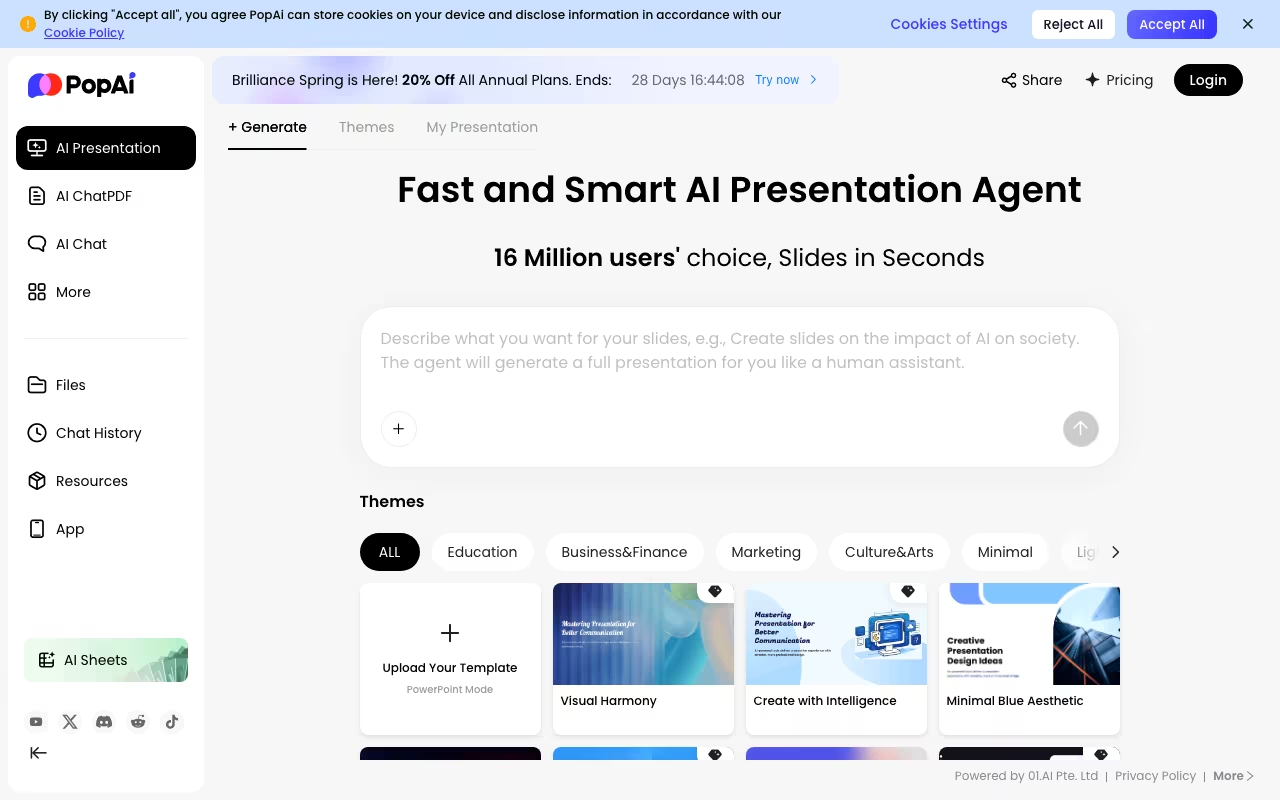
What PopAi is
PopAi is a self-serve AI workspace that turns documents and prompts into slide decks and lets you chat with long PDFs, with a free tier plus paid plans metered in credits. It also writes and generates images. You sign up, pick a plan and pay by card inside the app; there is no sales call and no quote process. It runs on the web, as a Chrome extension and on iOS and Android.
Our view: PopAi is strongest as a "PDF in, deck out" tool for students and solo knowledge workers, and its model picker (Claude, GPT, Gemini, Grok and DeepSeek behind one balance) is a genuine draw. The catch is transparency. The plans and credit allowances are public, but the price only appears once you have an account and open checkout, which makes it hard to compare against ChatGPT or Gamma before signing up.
Try PopAi Get started →PopAi pricing and plans in 2026
PopAi's pricing page lists three tiers and what each includes. Usage is metered in credits rather than messages, and PopAi translates each allowance into approximate presentation, document and chat counts.
| Plan | Price | Includes |
|---|---|---|
| Free | $0 | 500 credits in total (not monthly): about 1 presentation, 50 documents and 150 chats, with access to every listed model |
| Plus | Shown at checkout after sign-in | 10,000 credits a month: about 15 to 20 presentations, 975 documents and 3,000 chats, plus PPTX and PDF export, watermark removal, logo upload and paid themes |
| Pro | Shown at checkout after sign-in | 50,000 credits a month: about 75 to 100 presentations, 4,875 documents and 15,000 chats |
The same page labels the two paid offers "Pro Plan" and "Unlimited Plan" in its headline cards, so expect those names at checkout. Paid plans are billed monthly, quarterly or yearly. You can upgrade at any time, but an Unlimited plan cannot be downgraded to Pro, and an annual subscription cannot switch to a shorter cycle until it ends. Cancelling keeps access until the end of the paid period.
Prices checked on the PopAi pricing page in September 2026. Plans and limits change, so confirm before you buy.
How PopAi works
PopAi is a browser-based AI workspace built around four jobs: generating slide decks, chatting with documents (its "AI ChatPDF"), AI writing, and AI image generation. There is nothing to install or configure beyond an account. You work in the web app, or through the Chrome extension, the iOS app, or the Android app, and the same login follows you across all of them. The site is operated by 01.AI Pte. Ltd. in Singapore.
For a presentation you supply one of three inputs: a text prompt, an uploaded file (PDF, Word, PPTX), or a web link. You pick a theme, then edit text and images in a free-layout editor, and export the result to PPTX or PDF, or share it through a public web link. For documents, you upload up to 20 files at once (up to 5,000 pages in total) and query them in a chat pane sitting next to the original text, with annotation and note-taking in place. A "Capture and Ask" feature lets you screenshot a chart inside a document and ask about it directly. One-click conversions turn a PDF into a slide deck or into a mindmap. Google Drive is listed as a connected source for document access.
PopAi does not train its own frontier models: it routes work through third-party ones and exposes the choice to you. The pricing page lists Claude 4.5 Haiku, GPT-5, Gemini 3 Flash (Preview), Grok-4, Seedream 4.5 and DeepSeek-V3.1 on every tier, and the ChatPDF page separately names Claude Sonnet 5, Claude Opus 4.8, Gemini-3.6-flash, GPT-image-2 and GPT 5.6. Usage is metered in credits rather than in messages: 500 credits one-time on Free, 10,000 per month on Plus, and 50,000 per month on Pro, which PopAi translates into roughly 1, 15 to 20, and 75 to 100 presentation generations respectively.
Where PopAi wins
- Unusually large document intake for this category: 20 files at once, 5,000 pages total, and the site states no file size limit.
- Multiple frontier models from different labs (Anthropic, OpenAI, Google, xAI, DeepSeek) are available on every tier including Free, so you are not locked into one vendor's model.
- Real output portability: full deck export to PPTX and PDF, plus one-click PDF-to-PPT and PDF-to-mindmap conversion.
- The whole path in one tool: upload a source document, summarise it, chat with it, convert it to slides, edit those slides, share by link.
- Available on web, Chrome extension, iOS and Android, so the same account works on mobile as well as desktop.
Where it falls short
- Prices appear only after sign-in. The pricing page lists tiers, credits and feature caps, but the price itself shows up at checkout once you have an account, so you cannot compare the cost to ChatGPT Plus or Gamma beforehand.
- The Free tier is a trial, not a free plan. It is a one-time 500 credits (about one presentation, roughly 50 documents, roughly 150 chats), not a recurring monthly allowance.
- Its own pages contradict each other on limits. The ChatPDF FAQ promises "unlimited uploads" while the pricing page caps ChatPDF at about 975 documents a month on Plus and about 4,875 on Pro. Credits are the real constraint, and the credit cost per action is not published.
- Free output is not usable as-is. Watermark removal, PPTX and PDF export of a full presentation, logo upload and paid themes are all withheld from the Free tier.
- Integrations are thin. Google Drive is the only named connector, and no public API, Slack, Notion or Teams integration, SSO, or team/admin workspace is described anywhere on the site.
Who should use PopAi
PopAi fits students, researchers and solo knowledge workers who read heavy PDFs and need decks out the other end. The model picker is the strongest reason to choose it: if you would otherwise pay for several AI subscriptions to switch between Claude, GPT, Gemini and Grok depending on the task, having them all behind one credit balance is a genuine saving, and it applies even on the Free tier.
Skip it if you need a team plan with shared workspaces and admin controls, an API to wire it into your own systems, SSO, or a vendor willing to tell you the price before you reach a checkout page. And treat the Free tier as a demo rather than an evaluation: 500 one-time credits get you roughly one watermarked presentation you cannot export, which is enough to judge the interface but not enough to judge whether the output holds up on real work.
Frequently asked questions
Is PopAi free?
PopAi has a Free tier with 500 credits in total, enough for roughly one presentation, 50 documents and 150 chats. The credits do not renew each month, and full PPTX and PDF export and watermark removal require a paid plan.
How much does PopAi cost?
PopAi sells self-serve paid plans with 10,000 or 50,000 credits a month, billed monthly, quarterly or yearly. Its pricing page does not show the price to logged-out visitors; the amount appears at checkout once you have signed in (September 2026).
Do I need to contact sales to buy PopAi?
No. PopAi is bought self-serve with a card inside the app, and you cancel from your account or by emailing [email protected]. There is no quote process for individual plans.
Which AI models does PopAi use?
PopAi's pricing page lists Claude 4.5 Haiku, GPT-5, Gemini 3 Flash (Preview), Grok-4, Seedream 4.5 and DeepSeek-V3.1 on every tier, including Free. Paid tiers change how many credits you get, not which models you can pick.