
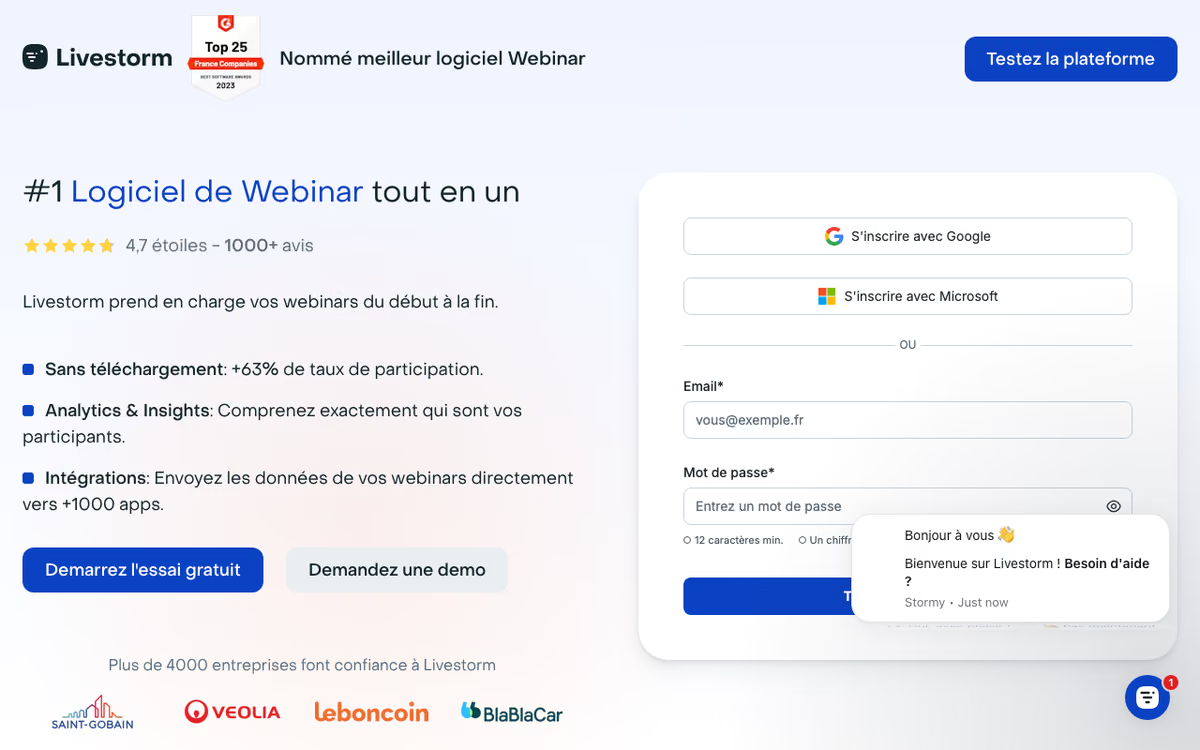
What Is Livestorm?
Livestorm is the browser-based video engagement platform for webinars, virtual events, demos, and customer-facing meetings. Founded in 2016 in Paris, Livestorm serves over 6,000 companies running marketing webinars, product demos, and customer-facing events at scale.
The pitch is straightforward. Webinar attendees join from a browser, no install required. Hosts run sessions with registration pages, polls, Q&A management, chat, and screen sharing. Post-event, attendee data flows to CRM and marketing automation tools, turning webinars into trackable lead-generation programs rather than one-off events.
The product targets marketing teams running monthly webinars, sales engineering teams doing product demos at scale, and customer education teams running training programs. Enterprise events requiring 3,000+ attendees may use specialized platforms; mid-market webinars fit Livestorm well.
Try Livestorm Free Get started →How Livestorm Works
Create an event with title, description, date, and host details. Generate a branded registration page that captures attendee information. Customize confirmation emails and reminder sequences that send automatically as the event approaches.
Attendees register, receive reminders, and join from a browser link on the day. No app downloads required. The session runs through Livestorm's browser-based engine; hosts work from the same interface.
During the session, hosts use polls, Q&A panels, chat, screen sharing, and "bring on stage" features for guests. The interface accommodates one-to-many broadcasts (1 host, many viewers) and small group meetings (multiple cameras).
Post-event analytics show attendee data: registration source, attendance duration, engagement actions (chat messages, poll responses, Q&A participation), and follow-up actions (clicked links, downloaded resources). Data syncs to CRM (Salesforce, HubSpot, Marketo) for lead routing.
Replays publish automatically to a branded library. Attendees who could not make the live session watch on-demand; the platform tracks replay viewership separately from live attendance.
Livestorm Pricing in 2026
Free: 30 attendees per session, 20 minutes max session length. Trial-grade.
Pro: $3.00 per attendee on the entry 400-credit annual pack, with a lower price per attendee on bigger packs. 4 hour sessions, automated workflows, native HubSpot sync.
Enterprise: Custom pricing. Up to 3,000 live attendees per event, Salesforce, Marketo, Pardot and Microsoft Dynamics sync.
See Livestorm Plans See plans →Where Livestorm Wins
- No-download experience: attendees join instantly. Higher show-up rate than Zoom Webinars.
- Registration and reminders built in: replace separate landing pages and email sequences.
- CRM sync: attendee data flows into Salesforce or HubSpot for lead routing.
- Polished UX: cleaner than Zoom Webinars for both hosts and attendees.
- Multi-language support: works well for international audiences.
Where It Falls Short
- Pricing steepness: the 400-credit entry pack works out to $1,200 a year.
- Less depth than dedicated event platforms: Hopin and Goldcast handle multi-track virtual conferences better.
- Limited internal meeting support: better for external events than daily standups.
- Recording storage limits: replays count against plan storage.
Livestorm vs Zoom Webinars vs Demio vs On24
Webinar platform options, pricing from vendor sites, November 2026, USD list prices
| Option | Starting price | Pricing model | Best for |
|---|---|---|---|
| Livestorm | Free plan, Pro from $3/attendee on a 400-credit annual pack | Free tier + usage based | Browser-based webinars without installs |
| Zoom Webinars | $66.67/mo on annual billing, $89 monthly, rises with attendee capacity | Per license by capacity | Teams already on Zoom |
| Demio | $45/mo billed yearly, $63 monthly (Starter) | Subscription | Marketers wanting simple webinars |
| On24 | Quote based | Quote based | Enterprise marketing analytics |
| BigMarker | Not published | Quote based | Webinars and virtual events |
Zoom Webinars is cheaper and more familiar but requires app installs.
Demio is the closest competitor on simplicity. Similar pricing, slightly different feature mix.
On24 targets enterprise marketing with deeper engagement analytics. Significantly more expensive.
BigMarker offers similar feature scope at competitive pricing.
Who Should Use Livestorm
Marketing teams running monthly webinars: the workflow fits.
Sales engineering teams doing product demos: no-install experience converts.
Customer success teams running training: replay library serves ongoing training.
SaaS companies generating leads through content: webinars feed CRM with engagement data.
Skip it if: you only need internal meetings (use Zoom), run massive virtual conferences (use Goldcast or Hopin), or have a tight budget (Zoom Webinars cheaper).
How Livestorm works
Livestorm is a browser-based webinar and virtual event platform aimed mainly at marketing and revenue teams. It handles live webinars, on-demand and automated webinars, larger virtual events and conferences, and restreaming to social platforms. Everything runs in the browser with no download for hosts or attendees, which removes the step where a chunk of a registration list quietly disappears. It is EU-hosted, ISO 27001 certified and GDPR compliant, and that combination is a large part of why it shows up on European healthcare, finance, government and education shortlists.
You start by creating an event, which can contain multiple sessions. You then customise a registration page with custom fields, and set up an unlimited series of reminder and follow-up emails from templates. Inside the room you get screen sharing, polls, Q&A with moderation, emoji reactions, breakout rooms, custom room branding, and recording that publishes automatically for replay. Analytics report attendance rate, engagement and per-contact records, so you can see who showed up and what they did rather than just a headline number.
Registrants flow out to your CRM and marketing automation stack. HubSpot is a standard integration, while Salesforce, Marketo, Pardot, Microsoft Dynamics and Brevo are Enterprise-only. Zapier, Make and similar no-code tools cover the long tail, and there is a REST API plus an MCP server for AI clients. The listed integration surface runs past 1,000 tools, including Pipedrive, ActiveCampaign, Mailchimp, Customer.io, Slack, Miro and Typeform, alongside restreaming to YouTube, LinkedIn, Twitch, Facebook and X.
The commercial model is the part worth understanding before you compare quotes. Livestorm is not priced per seat. You buy a yearly pack of attendee credits, and each unique person who joins live, watches a replay or watches on demand burns one credit. Your own team members do not consume credits, so the cost tracks audience size rather than how many people internally touch the tool.
Where Livestorm wins
- It is genuinely browser-based for hosts and attendees. No app install removes the single biggest drop-off point in a webinar funnel.
- Pricing scales with audience, not headcount. Attendee credits at €2.50 on Pro, with unlimited events, unlimited recordings and unlimited team members, so a large ops team costs nothing extra.
- Compliance posture is stated up front. EU hosting, ISO 27001 and GDPR compliance matter for European public sector, health and finance buyers who cannot put attendee data on US-hosted tools.
- The full lifecycle sits in one tool. Conversion-oriented registration pages, unlimited reminder and follow-up emails, live engagement through polls, Q&A and breakout rooms, recording and replay, then attendance and engagement analytics.
- Connectivity is broad. Over 1,000 listed integrations including HubSpot, Pipedrive, ActiveCampaign, Mailchimp, Customer.io, Slack, Miro and Typeform, restreaming to five social platforms, plus an API and an MCP server.
Where it falls short
- The integrations enterprise buyers need are gated to Enterprise. Salesforce, Marketo, Pardot, Microsoft Dynamics, Brevo, Interprefy and native PowerPoint sharing are all Enterprise-only, as are SAML SSO and advanced custom reporting.
- The free plan is a demo, not a working tier. It caps you at 30 live attendees and 30 active contacts per month, 20-minute maximum duration, 10 events per organisation, 20 sessions per event and 10 automated actions per event.
- Session length is capped at 4 hours on Pro. Twelve-hour sessions require Enterprise, so an all-day conference pushes you to the top tier regardless of audience size.
- Premium capabilities carry add-on fees on top of the base plan, including AI Studio, Live Translations and SAML SSO.
- Enterprise pricing is quote-only, and live-attendee headroom (up to 3,000) is an Enterprise property, so very large broadcasts are not reachable on the self-serve plan.
Who should use Livestorm
Livestorm suits European B2B marketing and demand-generation teams running a recurring webinar programme, where registration, email sequencing, live engagement and CRM sync all need to live in one browser-based tool. If your webinar volume is steady and your team is large, the attendee-credit model works in your favour: you pay for the audience you reach, not for every marketer, producer and SDR who needs access. The EU hosting and ISO 27001 certification make it an easy internal sell in regulated European sectors.
Skip it if your CRM is Salesforce or Marketo and Enterprise pricing is out of reach, because that connector sitting behind the top tier undermines the point of buying an integrated platform. Skip it if you run all-day multi-track conferences, since the 4-hour Pro session cap forces the same upgrade. And skip it if you were hoping for a meaningful free tier to grow into, because the free plan exists to show you the product rather than to run anything real.
Frequently Asked Questions
Do attendees need to download anything?
No. Browser-based, works on any modern browser including mobile.
Can I integrate with my CRM?
Yes. Native integrations with Salesforce, HubSpot, Marketo, Pardot, and Mailchimp.
How many people can attend?
100 on Pro, up to 3,000 on Business, unlimited on Enterprise.
Does it support polls and Q&A?
Yes. Live polls, Q&A moderation, chat, and attendee engagement features.
Are replays automated?
Yes. Replays publish automatically to a branded library with tracking.