What Is Crazy Egg?
Crazy Egg is the heatmap and behavior analytics tool that shows where users click, scroll, hover, and engage on your site. Co-founded in 2005 by Neil Patel, Crazy Egg pioneered the heatmap analytics category and continues to serve over 300,000 websites with heatmaps, session recordings, A/B testing, and surveys.
The pitch is conversion optimization through user understanding. Google Analytics tells you what users did at the page level (visits, bounces, conversions). Crazy Egg shows you why: where they clicked, how far they scrolled, where they hovered before leaving. Heatmaps reveal patterns that aggregate metrics hide.
The product targets marketers, UX researchers, and conversion optimizers at SMB and mid-market scale. Enterprise CRO programs often use FullStory or Heap for deeper session analytics; Crazy Egg fits the simpler heatmap + A/B testing need.
Try Crazy Egg Free Get started →How Crazy Egg Works
Install the Crazy Egg JavaScript snippet on your site. The script captures user interactions: clicks, scroll depth, mouse movement, and session recordings (for users opted in). Data flows to your Crazy Egg dashboard.
Heatmaps show aggregated click density, scroll depth, and movement patterns per page. Filter by traffic source, device, custom events, or campaign to compare segments. Snapshot reports save heatmap states over time to compare before-and-after changes.
Session recordings replay individual user sessions. Watch a user navigate the site, fill forms, hesitate, and either convert or leave. Recordings privacy-mask sensitive fields (passwords, personal info) automatically.
A/B testing tool splits traffic between page variants. Test headlines, CTAs, images, layouts. Statistical significance reporting tells you when winners emerge.
Surveys and CTA reports add qualitative context. Pop-ups ask users about their experience; CTA reports show which CTAs drive the most clicks.
Crazy Egg Pricing in 2026
Basic: $29/month annually. 30,000 pageviews tracked, basic heatmaps.
Standard: $49/month annually. 75,000 pageviews, A/B testing.
Plus: $99/month annually. 150,000 pageviews, advanced features.
Pro: $249/month annually. 500,000 pageviews, unlimited recordings, priority support.
See Crazy Egg Plans See plans →Where Crazy Egg Wins
- Pioneer of the category: stable, well-supported product with 20 years of refinement.
- Heatmaps + recordings + A/B in one tool: less context-switching between tools.
- Predictable pricing: clear tiers, no surprise charges.
- Snapshot reports: save heatmap states over time to compare trends.
- Privacy controls: automatic masking of sensitive fields.
Where It Falls Short
- Less polished than Hotjar: UI feels older.
- Pageview limits: high-traffic sites need expensive tiers.
- A/B test depth: enough for simple tests, lacking for sophisticated experimentation programs.
- Session recordings less feature-rich: than FullStory or Heap.
Crazy Egg vs Hotjar vs Mouseflow vs FullStory
Website behavior analytics options, pricing from vendor sites, November 2026, USD list prices
| Option | Starting price | Pricing model | Best for |
|---|---|---|---|
| Crazy Egg | Starter at $29/month | Tiered subscription | Small sites wanting heatmaps and A/B tests |
| Hotjar | Free plan, Growth $39/mo ($49 list price) | Subscription | Design-led teams |
| Mouseflow | See vendor site | Tiered subscription | Budget entry to replays and funnels |
| FullStory | Quote based | Custom plans | Enterprise product analytics |
Hotjar is the design-led competitor. Cleaner UI, similar features, similar pricing.
Mouseflow is cheaper at entry tier with solid basic functionality.
FullStory targets enterprise with deeper session analytics and product analytics.
Microsoft Clarity is completely free with similar basic heatmap and recording features. Less polished but covers fundamentals.
Who Should Use Crazy Egg
Marketing teams optimizing landing pages: heatmaps and A/B testing combine usefully.
UX researchers: session recordings expose friction points.
SMBs starting with conversion optimization: gentler learning curve than enterprise tools.
Skip it if: you want the slickest UI (use Hotjar), need enterprise depth (use FullStory), or you do not test or analyze pages enough to use the data (Microsoft Clarity is free for basic use).
How Crazy Egg works
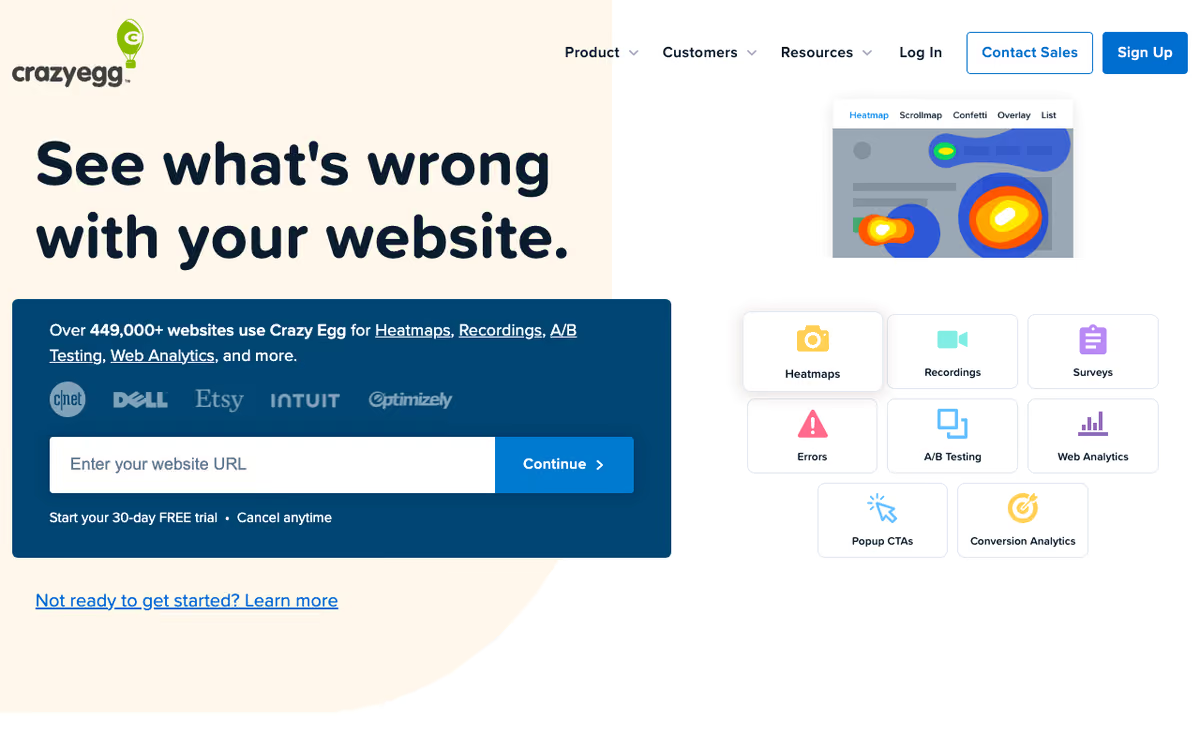
Crazy Egg is a website behavior and conversion optimization tool. It records how visitors interact with your pages and renders that activity as heatmaps: click, scroll, confetti, overlay, and list maps. Alongside those it stores session recordings you can watch back. On top of that observation layer, the product adds A/B testing, on-site surveys, popup and sticky-bar CTAs, error tracking, and a real-time traffic analytics report with AI-generated summaries. The vendor states it is running on 449,000+ websites.
Installation is a single tracking script, which you can also drop in through Google Tag Manager, Shopify, or WordPress. Setup is pitched at roughly three minutes. You choose which pages to track, and Crazy Egg starts building snapshots and recordings from there. By default it captures 100% of pageviews rather than sampling, and sampling is adjustable if you want it. Reports can be sliced with 20+ audience filters covering date range, traffic source, UTM parameters, device, conversion goal, and custom variables, and heatmaps automatically split desktop, tablet, and mobile.
There is one important mechanical caveat. Pages behind a login, checkout steps, and single-page apps are not captured by the plain script: those need the Page Camera browser extension instead. On the testing side, you build an A/B test either as a URL redirect to an existing page or in a visual editor where you edit text, images, and links (power users can inject their own HTML, CSS, and JavaScript). Goals are defined as clicks on a link or button, form submits, reaching a URL, or ad pixel events from Google, Meta, or TikTok. Statistical significance is computed with a chi-squared test.
Where Crazy Egg wins
- Five distinct heatmap views (click, scroll, confetti, overlay, list) rather than one blended map. Confetti can be segmented by traffic source and operating system, and list maps export raw per-element click counts.
- 100% of pageviews captured by default instead of sampling, with 20+ filters including UTMs and custom variables to interrogate the data afterward.
- Unlimited domains and unlimited team seats on every plan, including the $29 Starter. Most competitors charge per seat or per site.
- Behavior data, A/B testing, surveys, and popup CTAs run off one script, so you can observe a problem and test a fix without onboarding a second vendor.
- Unlimited A/B tests and unlimited page variants on any plan that includes testing, with no per-experiment cost.
Where it falls short
- A/B testing, CTAs, and error tracking sit behind the $99/mo Plus plan. The $29 Starter is heatmaps and recordings only.
- Starter's caps are tight: 5,000 tracked pageviews per month, 5 heatmap reports, 50 recordings. Even Plus is 150,000 pageviews and 1,000 recordings.
- Hitting the pageview cap pauses heatmap and A/B data collection until the next billing month rather than charging overages, so you silently lose data instead of paying for it.
- SPAs, logged-in pages, and checkout flows require the Page Camera browser extension, an extra manual step per page rather than automatic capture.
- SAML SSO and full audience-segment test targeting are Enterprise-only at $599/mo, and advanced A/B targeting (country, UTMs, conversion status) needs Pro at $249/mo.
- Published integrations look thin: Google Tag Manager, Shopify, and WordPress are what the site names. The integrations page was returning HTTP 500 at the time of research, so a broader connector list could not be verified.
Who should use Crazy Egg
Crazy Egg fits marketing and CRO teams running a normal marketing site or a Shopify or WordPress store, where the goal is to see behavior and test a fix inside one tool. The unlimited seats and unlimited domains matter here: a small team can put everyone in the account and cover several properties without the bill moving.
Skip it if your traffic is heavy, because the pageview caps bite quickly and collection pauses rather than billing you for the overage. Skip it too if your product is a logged-in single-page app, where the browser-extension workaround becomes a chore on every page you want to study. And if you need deep two-way integrations with a data warehouse or a product analytics stack, the published connector list does not currently support that expectation.
Frequently Asked Questions
Does Crazy Egg slow down my site?
Minimal impact. Snippet is async and lightweight.
Can I record sessions of logged-in users?
Yes with privacy masking for sensitive fields.
Does it integrate with Google Analytics?
Yes. Bidirectional connection passes events between platforms.
What about mobile?
Heatmaps and recordings work on mobile web. Native mobile apps require different tools.
How long are recordings stored?
30-90 days depending on tier.