
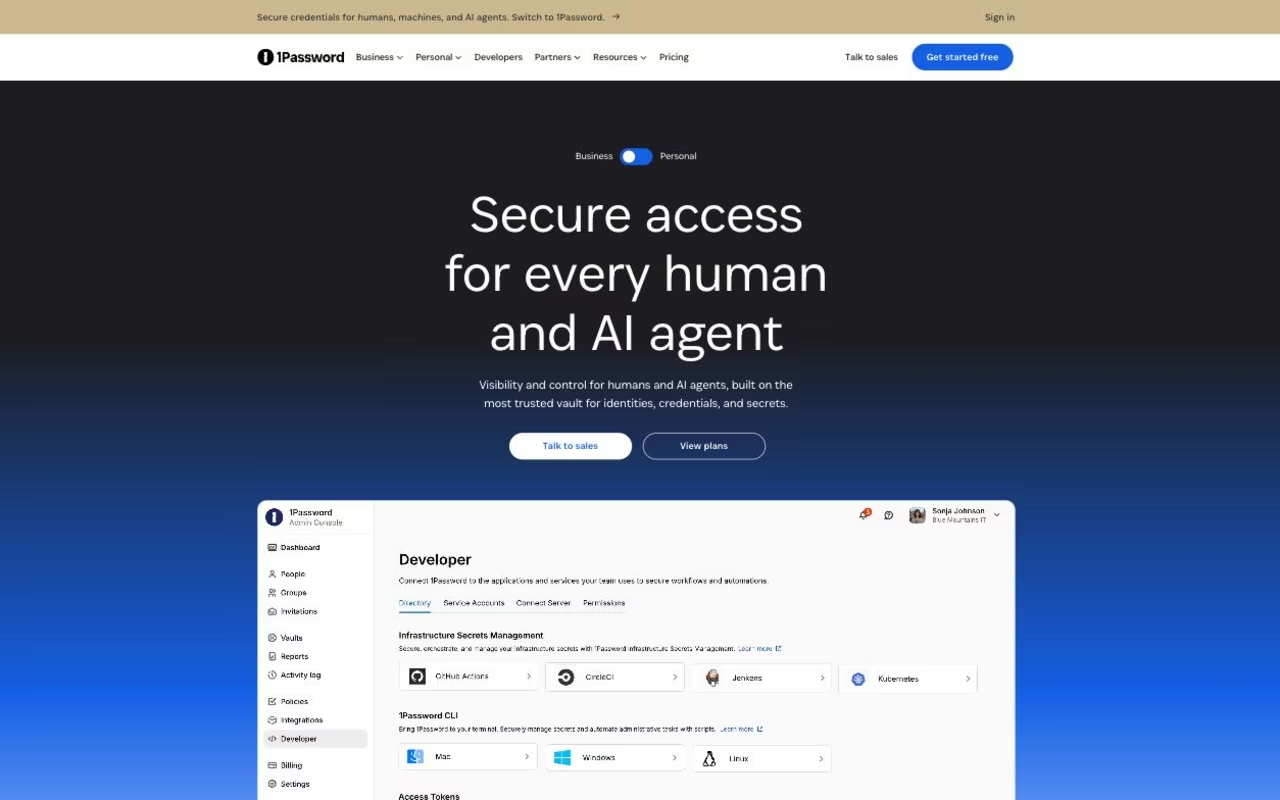
What Is 1Password?
1Password is the password manager built for individuals, families, and businesses that want strong security without sacrificing user experience. Founded in 2005 in Toronto, 1Password serves over 150,000 businesses and millions of personal users. The product covers password management, two-factor authentication, secrets management for developers, and SSH key handling.
The pitch is "the password manager that doesn't get in your way." Where LastPass had security incidents and Dashlane gets clunky at scale, 1Password balances strong cryptography with daily usability. The Mac/Windows/iOS/Android apps work natively; the browser extension fills credentials reliably; the family/business sharing makes credential management practical for groups.
The product targets security-conscious individuals, families coordinating shared accounts (Netflix, Amazon, bank logins), small businesses managing employee credentials, and enterprises needing audit trails and SSO. Developers use 1Password Secrets for handling API keys and certificates.
Try 1Password Free Get started →How 1Password Works
The browser extension and apps store credentials locally encrypted with your Secret Key plus account password. Decryption happens client-side; 1Password's servers never see plaintext data. Even if 1Password's databases leak (and they did once, partially), encrypted vaults remain protected by your Secret Key.
Auto-fill works in browsers, native macOS/Windows apps, and iOS/Android apps. Username, password, two-factor codes, and credit card details fill at the right moment. The 1Password app on mobile devices fills credentials in any iOS/Android app, not just browsers.
Watchtower scans for compromised passwords (against Have I Been Pwned), weak passwords, reused passwords, and unsecured logins. Get notifications when sites you use suffer breaches; rotate affected passwords proactively.
Family and business sharing handles shared credentials cleanly. Shared vaults hold credentials accessible to selected members; individual vaults stay private. Permissions control who sees what; activity logs track access.
1Password Secrets handles developer secrets: API keys, certificates, SSH keys, environment variables. CLI integration fetches secrets at deploy time; reduces secrets sprawl in repos and configuration files. Integrates with Terraform, GitHub Actions, and other CI/CD tools.
SSO integrations connect 1Password to Okta, Azure AD, and Google Workspace for enterprise authentication. Audit logs and reporting support compliance requirements.
1Password Pricing in 2026
Individual: $2.99/month billed annually for the first year (new-customer promo), then $3.99/month billed annually, or $4.99 billed monthly. Single user, unlimited devices.
Families: $4.49/month billed annually for the first year (new-customer promo), then $5.99/month billed annually, or $7.99 billed monthly. 5 users, shared and individual vaults.
Teams Starter Pack: USD $24.95/month billed annually includes 10 members. Up to 10 additional seats are available at USD $4.99/seat/month billed annually, for a maximum of 20 members. These annual team rates and seat limits were checked. Source: 1Password business pricing, consulted October 15, 2026. This is a partial check, not a full review update.
Business: $8.99/user/month billed annually ($10.99 billed monthly). Admin dashboard, shared vaults, audit logs.
Enterprise: Custom pricing. SSO, advanced security, dedicated account manager.
Free 14-day trial. Prices in USD from 1Password's personal pricing page and business pricing page, checked September 25, 2026.
See 1Password Plans See plans →Where 1Password Wins
- Strong security posture: Secret Key model adds defense beyond just password.
- Native apps on every platform: not just browser extensions.
- Family and team sharing: cleanest UX in the category.
- Watchtower: proactive breach monitoring.
- Developer features: Secrets and SSH integration.
Where It Falls Short
- Monthly recurring cost: free alternatives (KeePass, Bitwarden Free) exist.
- No free tier: 14-day trial only.
- Migration from competitors takes effort: importing from LastPass works but needs cleanup.
- Browser extension occasional bugs: rare but happens.
1Password vs Bitwarden vs Dashlane vs LastPass
Password manager options, pricing from vendor sites, November 2026, USD list prices
| Option | Starting price | Pricing model | Best for |
|---|---|---|---|
| 1Password | $2.99/mo first year, then $3.99/mo | Annual subscription, 14-day trial | Individuals and families wanting a polished app |
| Bitwarden | Free; Premium $1.65/mo | Free tier plus annual paid plans | Open source and self-hosting |
| Dashlane | $8 per user/mo (business) | Per user, billed annually | Business credential management |
| LastPass | See vendor site | Free tier plus paid plans | Existing users; note its past security incidents |
Bitwarden is the open source alternative. Free tier available, self-hostable.
Dashlane is the closest commercial competitor. Similar pricing and features.
LastPass had multiple security incidents. Avoid for new deployments.
Keeper targets enterprise with similar feature scope.
Who Should Use 1Password
Security-conscious individuals: Secret Key model adds defense.
Families coordinating shared accounts: clean sharing UX.
Small businesses managing employee credentials: admin dashboard, audit logs.
Developers handling secrets: 1Password Secrets reduces repo secret sprawl.
Skip it if: you want free password management (use Bitwarden Free), prefer self-hosted (use Bitwarden self-hosted or Vaultwarden), or have minimal password management needs.
How 1Password works
1Password is an end-to-end encrypted credential vault for individuals, teams and enterprises. It stores passwords, passkeys, 2FA codes, SSH keys, API tokens and developer secrets, autofills them in browsers and apps, and gives admins a console to control who can see which vault. Layered on top of the vault is an access-management product (device trust, SaaS discovery, privileged access) and a developer secrets stack aimed at CI/CD and AI agents.
Setup starts with an account, then shared vaults and groups, with per-vault, role-based permissions so people only reach what they need. Users unlock with an account password plus a Secret Key under a zero-knowledge, AES-256 design, which means 1Password holds no decryption keys. Admins connect an identity provider (Okta, Microsoft Entra ID, OneLogin, Duo, Google Workspace) for SSO unlock and automated provisioning, so joiners and leavers flow from the IdP rather than being handled by hand.
Watchtower scans stored items for weak, reused and breached passwords and reports into an admin dashboard. Audit and sign-in events stream out through the Events API into SIEM tools such as Splunk and Datadog, so the activity trail lives outside the vendor console. On the engineering side there is a CLI, SDKs for Go, JavaScript/TypeScript and Python, a self-hosted Connect server, scoped Service Accounts, an SSH agent for Git commit signing, and integrations for GitHub Actions, Kubernetes and Terraform. A beta MCP server injects credentials into agents such as Claude Code and GitHub Copilot at runtime so the secrets never land in the model context.
Where 1Password wins
- Security architecture with a second key factor. Zero-knowledge, AES-256 encryption with a Secret Key on top of the account password, backed by SOC 2 Type 2 and ISO 27001 certification and a $1M bug bounty.
- Platform coverage is genuinely broad. macOS, Windows, Linux, iOS and Android clients, plus Safari, Chrome and Edge extensions.
- The developer secrets story is unusually deep for a password manager. CLI, three-language SDKs, Connect server, Service Accounts, an SSH agent, and GitHub Actions, Kubernetes and Terraform integrations.
- Audit data leaves the vendor console. The Events API pushes audit and item-usage events into Splunk or Datadog, so activity is reviewable in the tooling your security team already uses.
- Identity provider integration makes offboarding one action. Okta, Entra ID, Google Workspace, OneLogin and Duo drive SSO unlock and role sync.
- Free family accounts for employees are included on the Business plan, which lifts credential hygiene on personal devices too.
Where it falls short
- Budget for additional team members. Teams Starter Pack includes 10 members and supports paid additions up to 20 total. Compare the additional-seat cost with Business features before choosing a plan. See the dated pricing check above.
- Enterprise pricing is a sales conversation. Enterprise, the Unified Access Platform, SaaS Manager, Privileged Access and Device Trust are all quote-only, with no numbers on the pricing page.
- SSO unlock assumes you already own an identity provider. If you are not on Okta, Entra or Google Workspace, a large part of the enterprise value shrinks.
- The setup burden is real. Vault and group design, IdP wiring, SIEM streaming and CLI/Connect deployment are separate projects, and tailored onboarding plus a dedicated account manager only come with the Enterprise tier.
- Some pieces are not production-ready. The MCP server for AI agents is labelled Beta and the Users API is Public Preview, so neither is safe to build a hard dependency on yet.
Who should use 1Password
1Password fits security-conscious teams that already run an identity provider and want a single vault covering both human logins and machine secrets. The value concentrates in engineering-heavy companies that will actually use the CLI, the SDKs and the CI/CD integrations, because those pieces are where 1Password pulls away from a plain shared-password tool. If your IdP is already wired into everything else, the SSO unlock and role sync turn offboarding into one action, and the Events API keeps auditors happy without asking them to log into another console.
Skip it if you are a small team that only needs shared logins for a handful of SaaS tools: the price and the vault-and-group modelling are heavier than the problem. Skip it too if you need a free plan, or if you need published enterprise pricing before you can get budget approved, since Enterprise and the access-management add-ons route you to sales with no numbers attached.
Frequently Asked Questions
Is 1Password secure?
Yes. End-to-end encryption with Secret Key model. 1Password servers never see plaintext data.
Can I share passwords with family?
Yes on Family plan. Shared vaults plus individual vaults per member.
Does it support two-factor codes?
Yes. Built-in TOTP generation; auto-fills 2FA codes with passwords.
What is Watchtower?
Proactive breach monitoring. Alerts on compromised passwords, weak passwords, and breached sites.
Does 1Password work offline?
Yes. Vaults sync but accessible offline once loaded.