
Best Static Code Analysis Tools (2026): 8 SAST and Linting Picks Compared

Key facts8 tools compared: SonarQube, Semgrep, Snyk Code, CodeQL, DeepSource, Ruff, Biome, Aikido
- 8 tools compared: SonarQube, Semgrep, Snyk Code, CodeQL, DeepSource, Ruff, Biome, Aikido
- SonarQube (best for: All-round quality + SAST): Free OSS / from €30/mo Cloud
- Semgrep (best for: Security-first teams): Free up to 10 devs / $30/contributor
- Snyk Code (best for: Dev-friendly AppSec platform): Free / $25/dev/mo
- CodeQL (best for: GitHub-native deep analysis): Free for public repos
Static analysis used to be the thing you turned on once, drowned in 4,000 warnings, and quietly disabled. That era is over. With AI writing a growing share of the code in most repos, the question is no longer "do we lint?" but "what catches the bug the model just confidently shipped?"
I compared the major tools on their documentation, supported languages, and how they're reported to handle real-world codebases: a messy Python monorepo, a TypeScript app, and a Go service. The gap between categories is wider than the marketing pages admit.
If you want one answer: SonarQube is still the safest default for most teams because it covers quality and security in one place and has a genuinely usable free tier. But the right pick depends on whether you care more about code quality, security vulnerabilities, or raw speed. Below is what I compared, with real prices and the catch for each.
Quick comparison
| Tool | Best for | Price | Standout |
|---|---|---|---|
| SonarQube | All-round quality + SAST | Free OSS / from €30/mo Cloud | 6,500+ rules, quality gates |
| Semgrep | Security-first teams | Free up to 10 devs / $30/contributor | Custom YAML rules, fast |
| Snyk Code | Dev-friendly AppSec platform | Free / $25/dev/mo | SAST + SCA + container in one |
| CodeQL | GitHub-native deep analysis | Free for public repos | Semantic data-flow queries |
| DeepSource | AI + deterministic review | Free OSS / $30/contributor | Static pass before AI agent |
| Ruff | Python speed | Free, open source | ~1000x faster than pylint |
| Biome | JS/TS lint + format | Free, open source | One binary replaces ESLint + Prettier |
| Aikido | Small teams wanting all-in-one | Free / from $300/mo flat | Flat pricing, no per-seat |

SonarQube: the default that does both jobs
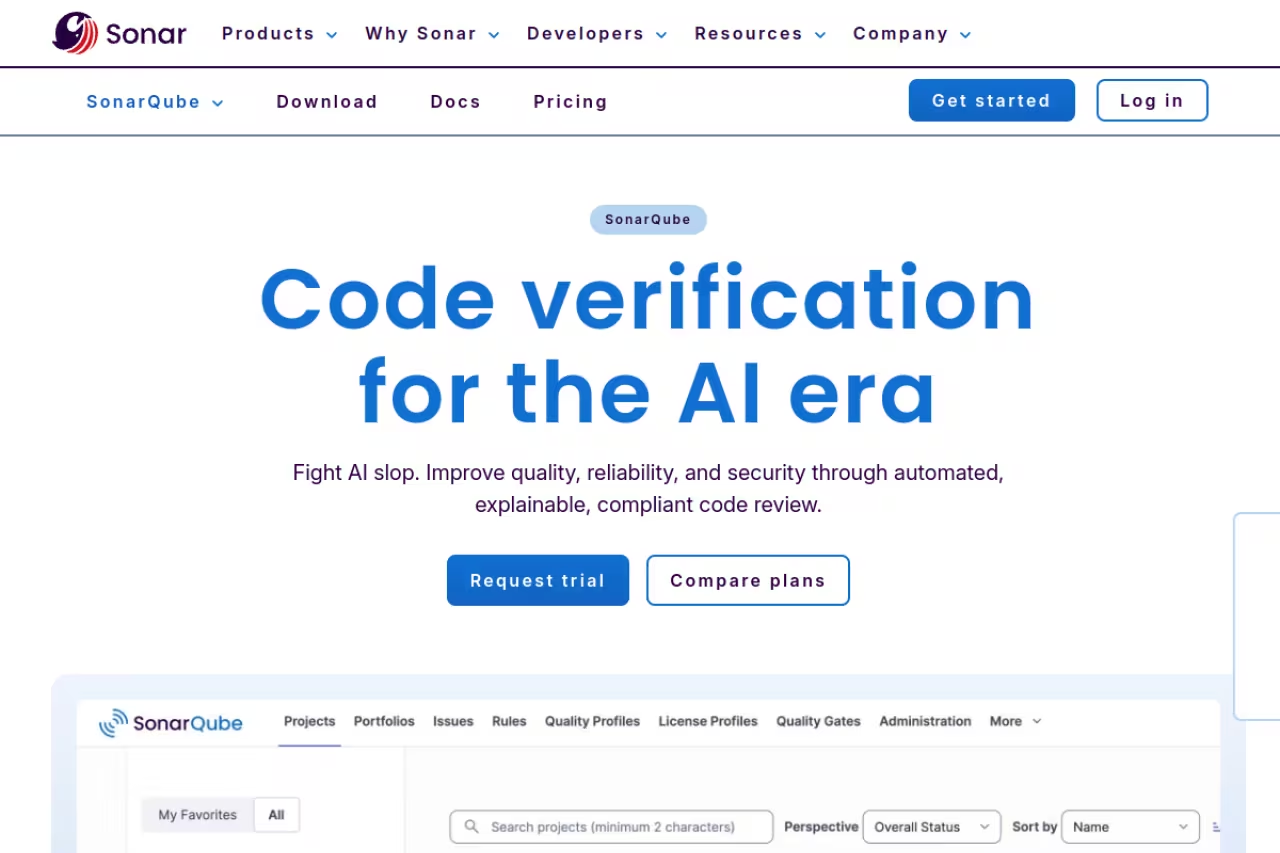
SonarQube is the tool most teams end up standardizing on, and it's easy to see why. It checks code quality (bugs, code smells, duplication, complexity) and security in the same pass, ships with more than 6,500 rules across 35+ languages, and its quality gate concept actually changes behavior: a PR that drops below your threshold fails CI, full stop.
Who it's best for: teams that want one tool covering maintainability and security without stitching three products together. It's the natural fit if your developers already live in pull requests.
The default for teams that want maintainability and security in one tool, especially if developers live in pull requests. Quality gates and clean-as-you-code make adoption realistic, but its security detection is weaker than dedicated SAST tools.
the self-hosted Community Build and the SonarQube for OSS plan are free. SonarQube Cloud starts free for up to 50K lines of code (max 5 users), then the Team plan is €30/month with unlimited users up to 1.9M lines of code. Enterprise scales by lines of code.
The standout: quality gates plus the "clean as you code" model. You don't have to fix 10 years of legacy debt. New and changed code has to meet the bar, which makes adoption realistic on old projects.
The catch: its pure-security detection is weaker than dedicated SAST tools. In the DryRun benchmark SonarQube hit a 19% detection rate on security vulnerabilities versus Semgrep's 46%. It's excellent at quality, decent at security. If AppSec is your primary worry, pair it with something below.

Semgrep: security detection that actually finds things
Semgrep is the tool that leads on security-detection benchmarks like DryRun, and it's the one to reach for when the goal is finding real vulnerabilities rather than style nits. Rules read like the code they match, so writing a custom check ("flag any call to this internal function without an auth wrapper") takes minutes, not a PhD in AST traversal.
Who it's best for: security-conscious engineering teams and AppSec functions that want shift-left scanning developers won't immediately disable.
The one to reach for when the goal is finding real vulnerabilities, with custom rules written in minutes. It is security-focused rather than a quality enforcer, and tuning rules across a big monorepo takes real ownership.
the free tier is generous. You get the full cloud platform (cross-file analysis, Pro rules, Supply Chain, the AI Assistant) at no cost for up to 10 contributors and 10 private repos. The Teams plan starts at $30 per contributor per month for Code, with Secrets as a $15 add-on. Enterprise is custom.
The standout: the custom rule engine. Most tools give you a fixed rulebook. Semgrep lets you encode your own org's security patterns and anti-patterns, which is how you stop the same mistake from shipping twice.
The catch: out of the box it's security-focused, not a code-quality enforcer. You won't get the maintainability and duplication metrics SonarQube gives you, and tuning custom rules across a big monorepo takes real ownership. It rewards teams that invest in it.

Snyk Code: the platform play
Snyk is less a single scanner and more an application-security suite: Snyk Code (SAST), Snyk Open Source (SCA), Container, IaC, and Cloud all under one login. If you want dependency vulnerabilities, license issues, and code flaws in one dashboard with automated fix PRs, this is the smoothest experience on this list.
Who it's best for: teams whose biggest risk is third-party dependencies and who want a developer-first tool that nags inside the IDE and the PR.
The smoothest suite for teams whose biggest risk is third-party dependencies, with fix PRs and one dashboard. Its SAST engine is the weak link, with an 11.2% detection rate, so buy it for breadth and SCA, not code-vulnerability hunting.
the Free plan is $0 with unlimited developers but capped at 100 SAST tests per month for private code (open source is unlimited). The Team plan is $25 per developer per month billed annually, removes the test limits, and requires 5+ developers, capping at 10 licenses. Above that you're into Enterprise custom pricing.
The standout: SCA. Snyk's dependency database and its fix-PR automation are genuinely best in class. For supply-chain risk, it's the tool I'd trust.
The catch: the SAST engine itself is the weak link. In the EASE 2024 benchmark Snyk Code posted an 11.2% detection rate, the lowest of the four tools tested. Buy Snyk for its breadth and SCA strength, not for deep code-vulnerability hunting.
If your team is shipping AI-assisted code fast and wants the workflows that catch these issues before they hit production, that's exactly the kind of operator playbook we cover in Dupple X.

CodeQL: semantic analysis for the GitHub crowd
CodeQL treats your code as data you can query. Instead of pattern matching, you write queries that trace data flow across files, which is how it finds taint that travels from an HTTP input through three helper functions into a database call. It's the engine behind GitHub code scanning.
Who it's best for: teams already on GitHub, especially open-source projects, that want deep data-flow analysis without buying a separate product.
The natural choice for GitHub teams and open-source projects that want deep data-flow analysis. The query language is a steep learning curve, scans are slower than lightweight tools, and private repos need a paid Advanced Security license.
free for public repositories, which is a gift for open source. For private repos you need a GitHub Advanced Security license. As of 2026 that's $30 per active committer per month for the Code Security package (code scanning, CodeQL, dependency review, Copilot Autofix), or $49 for the full GHAS bundle.
The standout: the query language. When you need to model a specific vulnerability class that no off-the-shelf rule covers, CodeQL's semantic depth beats simpler pattern matchers.
The catch: the learning curve is steep, and it's slower than the lightweight scanners. Writing custom queries is a specialized skill, and outside GitHub the tooling gets awkward. It shines if you're already in the ecosystem and have someone willing to learn QL.
DeepSource: deterministic analysis, then AI
DeepSource made an interesting bet: run a traditional static-analysis engine (5,000+ rules across 30+ languages) first, then hand the pull request to an AI agent that reviews with full codebase context. The deterministic pass keeps the AI honest, so you get fewer of the confident hallucinations that plague pure-LLM reviewers.
Who it's best for: teams that want AI code review but don't trust an LLM alone, and want autofix on the deterministic findings.
A smart pick for teams that want AI code review but distrust an LLM alone, since a deterministic pass keeps the AI honest. AI metering can become unpredictable on large, busy repos, so watch the credit burn.
the Open Source plan is free for public repos with unlimited members and 1,000 PR reviews a month. The Team plan is $30 per active contributor per month including bundled AI credits, with AI Review metered beyond that at $8 per 100K input lines of code. There's a 14-day trial with $50 of credits.
The standout: the hybrid model. It's the cleanest answer I've seen to "I want AI review without AI nonsense."
The catch: the AI metering can get unpredictable on large, busy repos, and language coverage on the deep analysis side isn't as deep as SonarQube's for some stacks. Watch the credit burn before you roll it out org-wide.
Ruff: the speed king for Python
Ruff, written in Rust by Astral, is so fast it changes how you work. Pylint takes about 2.5 minutes on a 250K-line codebase. Ruff does the same job in roughly 0.4 seconds. That's not a typo, and it means you can lint on every keystroke instead of waiting for CI.
Who it's best for: any Python team tired of slow linters. It replaces flake8, isort, and a pile of plugins with a single tool.
The speed king for any Python team tired of slow linters, replacing flake8, isort, and plugins in one free binary. It is a linter and formatter only, not a security scanner, so pair it with a SAST tool.
free and open source. (Astral joined OpenAI's Codex team in March 2026, but the tools remain open source.)
The standout: raw speed plus consolidation. One config, one binary, one tool doing the work of five.
The catch: it's a linter and formatter, not a security scanner. Ruff finds style and correctness issues, not SQL injection or taint flows. It belongs alongside a SAST tool, not instead of one. Python only, too.
Biome: one binary for the JS/TS world
Biome is the JavaScript answer to Ruff: a Rust-based tool that lints and formats JavaScript, TypeScript, JSON, and CSS in one binary, replacing the ESLint plus Prettier dance. It's a fork of Meta's abandoned Rome project, now run by an independent community.
Who it's best for: greenfield JS/TS projects that want zero-config speed and don't want to wire up two separate tools.
The better all-in-one for greenfield JS/TS projects that want linting and formatting in one free binary instead of ESLint plus Prettier. Rule coverage is thinner, around 200 versus 700+, so migrations leaning on niche ESLint plugins may leave gaps.
free and open source.
The standout: it does both linting and formatting. Oxlint (from the oxc project) is faster but lint-only, so you'd still need Prettier. Biome is the better all-in-one if you value one tool over absolute speed.
The catch: rule coverage. Biome ships around 200 lint rules versus ESLint's 700+. For an existing codebase that leans on niche ESLint plugins, the migration may leave gaps. Greenfield is where it wins cleanly.

Aikido: all-in-one for small teams
Aikido bundles SAST, SCA, secrets, IaC, container scanning, and cloud posture into one platform with flat pricing. For a small team that wants security coverage without per-seat math, it's the most painless option on this list.
Who it's best for: startups and small teams that want broad AppSec coverage and predictable, flat billing.
The painless all-in-one for startups and small teams, bundling SAST, SCA, secrets, IaC, and cloud posture under flat pricing. It favors breadth over depth, so it is ideal for a 5-person team and outgrown by a 500-person AppSec program.
the Developer plan is free forever for 2 users and 10 repos with full SAST, SCA, secrets, and IaC. The Basic plan is $300/month flat with 10 users and 100 repos. Pro is $600/month. The flat model means cost doesn't scale with headcount.
The standout: flat pricing with unlimited logins on paid plans. No counting "contributing developers," no per-seat surprises at renewal.
The catch: breadth over depth. By covering eight scan types it isn't the best at any single one, and large enterprises will outgrow it. For a 5-person team it's ideal. For a 500-person AppSec program it isn't.
How to choose
Skip the feature-matrix paralysis and answer one question first: what's the actual risk you're trying to reduce?
- Code quality and maintainability is the priority (legacy debt, inconsistent style, onboarding pain): start with SonarQube. The free tier proves value fast.
- Security vulnerabilities are the priority (you ship to production, you handle user data): lead with Semgrep for detection, or CodeQL if you're GitHub-native and have QL skills. Add Snyk for dependency risk.
- Speed and developer experience matter most (fast feedback, low friction): Ruff for Python, Biome for JS/TS, layered under a SAST tool.
- You want AI review without the hallucinations: DeepSource's hybrid model.
- You're a small team wanting everything in one bill: Aikido.
The pattern most mature teams land on isn't one tool. It's a fast linter (Ruff or Biome) for instant feedback, a quality gate (SonarQube) in CI, and a dedicated SAST or platform (Semgrep, Snyk) for security. They solve different problems, and the good news is the free tiers let you run all three before paying for any. For more tooling breakdowns, see our top AI and developer tools roundup, or the related guide on the best AI tools for coding.
Frequently asked questions
What is the difference between static and dynamic code analysis?
Static analysis inspects source code without running it, catching issues at the typing or build stage. Dynamic analysis (DAST) tests a running application, finding issues that only appear at runtime. Static analysis is faster and runs earlier in the pipeline, which is why it's the first line of defense. Most security programs use both, since each catches things the other misses.
Are free static code analysis tools good enough?
For many teams, yes. SonarQube's Community Build, Semgrep's free tier (up to 10 developers), CodeQL on public repos, Ruff, and Biome are all genuinely production-grade and free. The free tiers usually cap users, repos, or lines of code rather than crippling features. Paid plans mainly add scale, governance (SSO, RBAC), and support. Start free, pay when you outgrow the limits.
Which static analysis tool finds the most security vulnerabilities?
In published benchmarks, dedicated SAST tools lead. Semgrep posted a 46% detection rate in the DryRun benchmark versus SonarQube's 19%, and Snyk Code came last at 11.2% in the EASE 2024 test. CodeQL's data-flow analysis is strong for complex taint patterns. For pure vulnerability detection, Semgrep and CodeQL are the picks. Code-quality tools like SonarQube are better at maintainability than at finding exploits.
Can static analysis tools catch bugs in AI-generated code?
Yes, and that's become a primary use case. AI coding assistants confidently produce code with subtle vulnerabilities, hardcoded secrets, and logic errors. A deterministic static analyzer doesn't care whether a human or a model wrote the code. It applies the same rules. Running SAST on AI-assisted PRs is one of the most effective guardrails available right now. Tools like DeepSource even pair the static pass with an AI reviewer specifically for this.
Do I need more than one static analysis tool?
Often, yes. A linter (Ruff, Biome) gives instant feedback on style and correctness. A quality gate (SonarQube) enforces maintainability in CI. A SAST or AppSec platform (Semgrep, Snyk, CodeQL) handles security. These are different jobs, and the generous free tiers mean layering two or three costs nothing until you scale. Most teams run a fast linter plus one security tool at minimum.
Related guides
Some offers on this page may be paid placements or contain affiliate links.
