
The 8 Best Code Editors in 2026 (Compared and Ranked)


Key facts8 editors compared: Cursor, Zed, VS Code, GitHub Copilot, Devin Desktop (formerly Windsurf)…
- 8 editors compared: Cursor, Zed, VS Code, GitHub Copilot, Devin Desktop (formerly Windsurf), JetBrains IDEs, Neovim, Google Antigravity
- Cursor (best for: All-around AI coding): Free / $20 mo
- Zed (best for: Speed and low RAM): Free / $10 mo
- VS Code (best for: Free + extensions): Free
- GitHub Copilot (best for: Staying in your current IDE): Free / $10 mo
The code editor stopped being a text box with syntax highlighting a while ago. In 2026 it is the place where you negotiate with an AI agent, accept or reject diffs across ten files, and decide how much of your codebase a model gets to see. That changes how you should pick one.
I spend most of my week inside an editor, and over the past few months I rebuilt the same small side project in seven of them to feel the differences rather than read spec sheets. Some won me over in an afternoon. Some I uninstalled by lunch. The short version: if you want the best all-around AI editor today, get Cursor. If you care more about raw speed and a quieter machine, get Zed. If you want free and infinitely extensible, VS Code is still the floor nobody has dropped below.
This guide is for working developers, technical founders, and anyone who codes enough that a 200ms keystroke lag actually annoys them. I'll give you what each editor is genuinely good at, the real price, and the catch nobody puts in the marketing.
Quick comparison
| Editor | Best for | Price | Standout |
|---|---|---|---|
| Cursor | All-around AI coding | Free / $20 mo | Composer multi-file agent |
| Zed | Speed and low RAM | Free / $10 mo | 0.12s startup, native Rust |
| VS Code | Free + extensions | Free | 50,000+ extension ecosystem |
| GitHub Copilot | Staying in your current IDE | Free / $10 mo | Works in VS Code and JetBrains |
| Devin Desktop (formerly Windsurf) | Agent-heavy workflows | Free / $20 mo | Agent Command Center for local and cloud agents |
| JetBrains IDEs | Language-specific depth | $10 mo AI add-on | Refactoring + Junie agent |
| Neovim | Terminal natives | Free | Fully scriptable, lightning fast |
| Google Antigravity | Free agentic coding | Free individual plan | Gemini 3.x, Claude and gpt-oss agents |

Cursor: the one most people should pick
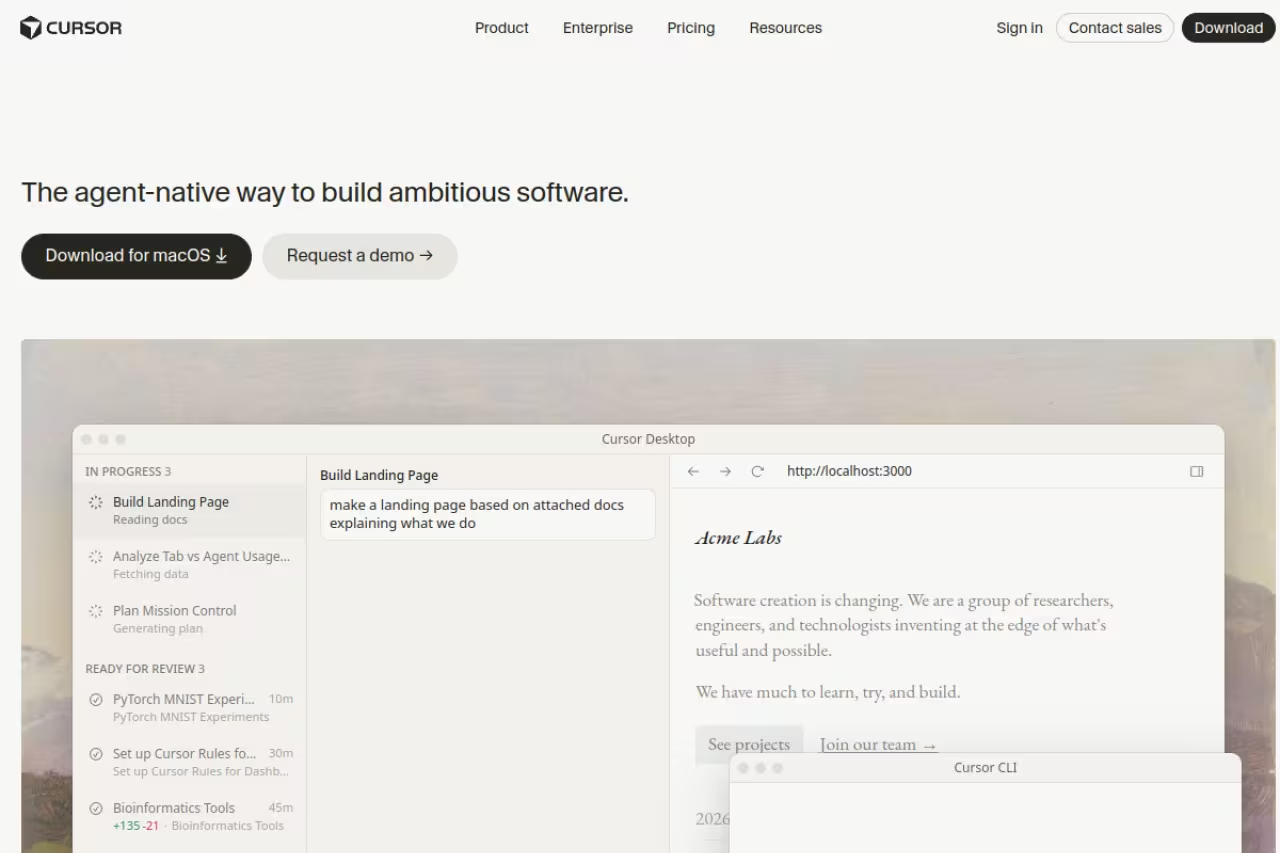
Cursor is a fork of VS Code with AI wired into every surface, and that head start shows. Your existing extensions, themes, and keybindings carry over, so the switch costs you almost nothing. Then you get the parts VS Code does not have: a tab autocomplete that predicts your next edit (not just the next token), inline editing with Cmd+K, and Composer, the agent that plans and executes changes across multiple files at once.
The pick for most developers who want one editor that does everything well, with VS Code extensions carrying over and Composer handling multi-file changes. Usage-based billing is the complaint: if you run agents all day, budget for more than $20.
I gave Composer a vague request ("add rate limiting to the API routes") and it found the right files, wrote the middleware, and wired it in. Not perfect, but a real starting point instead of a blank page.
Pricing: a free Hobby tier with limited agent requests and Tab completions, then Individual at $20/month for extended limits, frontier model access, and cloud agents. Teams is $40 per user per month. Every plan now runs on usage-based pricing, where a set amount of model usage is included and heavier use is billed on top.
The catch: that usage-based model is the complaint I hear most. Power users blow through the included allowance and watch the meter climb, and the billing has never been easy to predict at a glance. If you run agents all day, budget for more than $20.

Zed: the fastest editor on this list
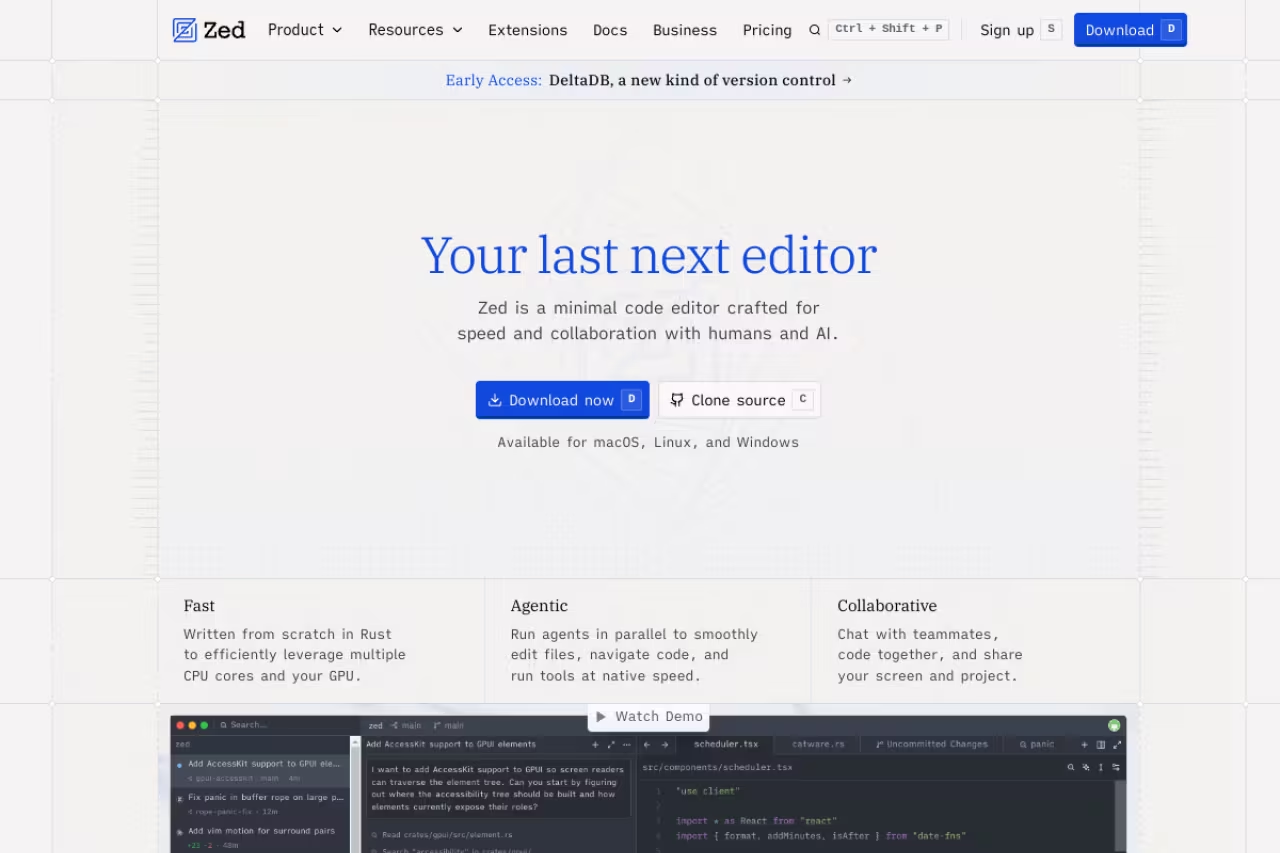
Zed is written in Rust by the people who built Atom, and it is fast in a way you feel immediately. Roughly 0.12 seconds to start, 120fps rendering, and a memory footprint a fraction of an Electron editor's. On an older laptop that difference is the whole experience.
Choose Zed if speed, battery life, and a calm machine matter more than a huge extension marketplace. It is fast, free, and open source, but the ecosystem is small and still maturing on Windows, so test your tooling first.
Zed's AI is no longer an afterthought either. The Agent Client Protocol it shipped in early 2026 lets you run Claude Agent, the Gemini CLI, or any ACP-compatible agent natively inside the editor, so you are not locked to one vendor's model.
Pricing is refreshingly simple. The editor is free and open source forever, including 2,000 accepted edit predictions. Pro is $10/month for unlimited predictions plus $5 in monthly token credits, and Business is $30 per seat for org-wide model policies.
The catch: the extension ecosystem is small next to VS Code's, so a niche language server or framework plugin you rely on may simply not exist yet. Zed is also still maturing on Windows. If your workflow leans on obscure tooling, test it before you commit.
VS Code: still the default for good reason
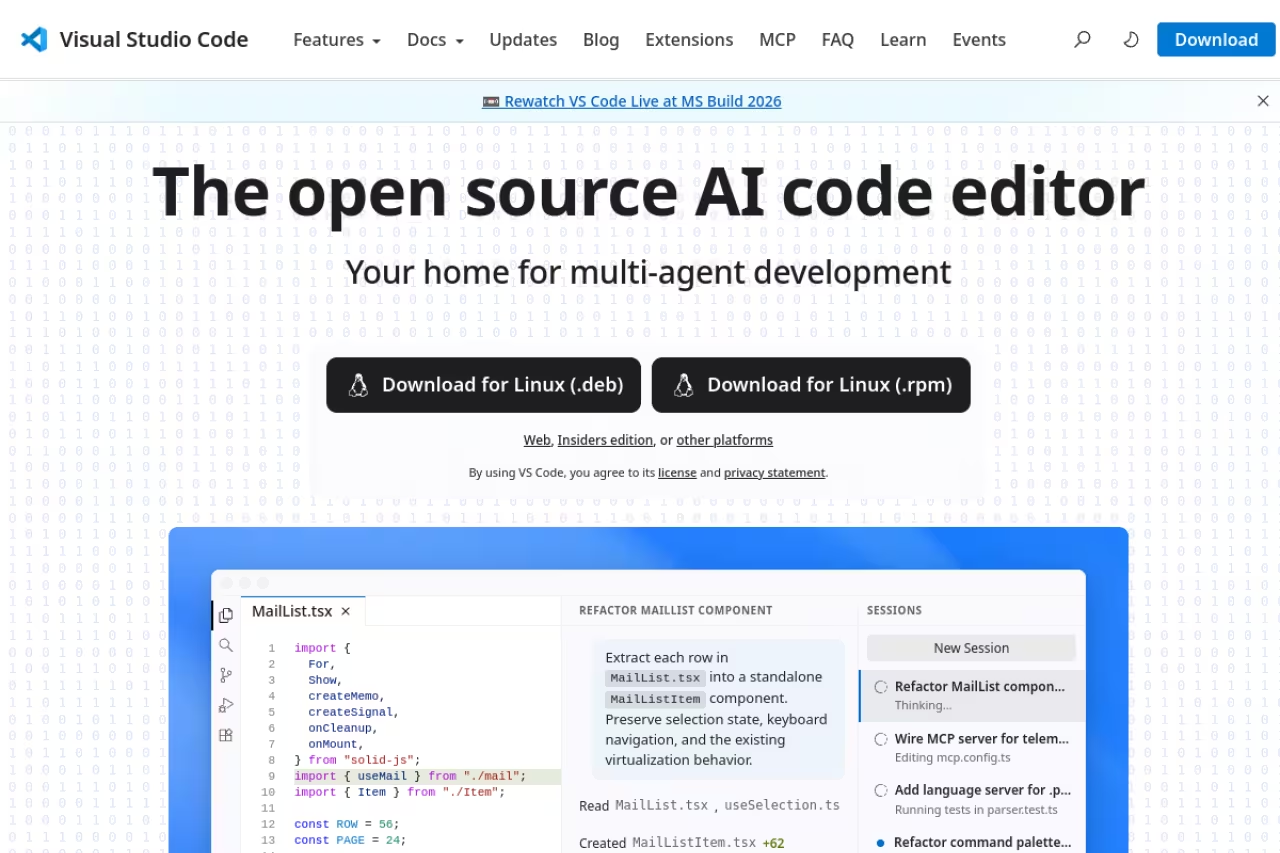
Every paid AI editor on this list is either a VS Code fork or competing against it. That tells you something. Microsoft's editor is free, open source, runs everywhere, and has an extension for essentially anything you'll ever touch. It now ships GitHub Copilot Free built in, so you get AI without paying a cent.
It's best for developers who want maximum flexibility, zero cost, and the largest community on earth to answer their questions. The free Copilot tier gives you 2,000 code completions a month plus an allowance of AI Credits, with Copilot picking the model automatically, per GitHub's plan docs. For a lot of people that is genuinely enough.
Still the default for flexibility, zero cost, and the largest community, with free Copilot built in. The trade-off is that Cursor's Composer and Devin Desktop's agents feel a step ahead for autonomous multi-file work.
Pricing: the editor is free. AI is free up to the Copilot limits, then $10/month for Copilot Pro (more on that below).
The catch: the dedicated AI editors have pulled ahead on the agentic experience. VS Code's multi-file agent work is improving fast, but Cursor's Composer and Devin Desktop's agents still feel a step ahead for autonomous, multi-file tasks. You're trading a bit of cutting-edge AI for unbeatable stability and reach.
If you're picking tools for a whole team and want the broader category, our roundup of the best AI coding tools compares assistants beyond editors too.
GitHub Copilot: the AI that meets you where you are
Copilot isn't an editor, it's the AI layer you add to one. That's exactly why it belongs here. If you already love VS Code, a JetBrains IDE, or Neovim, you don't have to switch editors to get good AI. You add Copilot and keep your setup.
Go with Copilot if you want solid AI without leaving VS Code, JetBrains, or Neovim. It never feels as deeply woven in as Cursor, and new paid individual sign-ups were temporarily paused as of April 2026, so check availability.
The autocomplete is strong, the chat is competent, and the agent mode has caught up considerably over the past year.
Pricing: a Free tier with 2,000 completions a month, Pro at $10/month with unlimited completions and $15 in monthly AI credits, Pro+ at $39, and Max at $100 for heavy agent users. Business plans exist for orgs.
The catch: because Copilot rides on top of another editor, it never feels as deeply woven in as Cursor or Devin Desktop, where the AI shaped the whole product. Note too that as of April 2026 new sign-ups for the paid individual tiers were temporarily paused, so check availability before you count on it.
Devin Desktop (formerly Windsurf): the agent-first option
Windsurf made its name on Cascade, an agent that reads your whole project's context, plans a change, and executes it step by step while keeping you in the loop. Cognition, the company behind the Devin AI engineer, acquired Windsurf in July 2025 and renamed it Devin Desktop on June 2, 2026. Windsurf.com now redirects to Devin Desktop, Cascade has given way to a new agent called Devin Local, and the default screen is an Agent Command Center that tracks every local and cloud agent on one board.
The agent-first option for developers ready to lean on autonomous agents inside one company's ecosystem. The catch is the acquisition reshuffle: it is no longer a focused independent editor, and the price climbed to match Cursor's.
Cognition's SWE-2 model and the integration with Devin's cloud agents make it genuinely strong for large multi-file work.
Pricing: a Free tier with a light agent quota plus unlimited Tab autocomplete, then Pro at $20/month, Max at $200/month and Teams at $80/month plus $40 per full seat (Devin pricing, checked September 2026). The old $15 Windsurf Pro price is gone.
The catch: the acquisition reshuffled everything. If you valued Windsurf as a focused, independent editor, Devin Desktop is now the front door to a much bigger agent platform, and the price climbed to match Cursor's. Anyone wary of vendor lock-in should weigh that.
JetBrains IDEs: depth for serious language work
If you write a lot of Java, Kotlin, Python, or Go, the JetBrains family (IntelliJ IDEA, PyCharm, GoLand, WebStorm, and the rest) still does things no general editor matches. The refactoring tools, debugger, and language-aware navigation are in a class of their own after two decades of work.
It's best for professional developers in a single primary language who want the deepest possible tooling rather than the broadest. JetBrains has caught up on AI too: the AI Assistant handles completion and chat, and Junie, its autonomous agent, can implement features and fix bugs across a project.
Unmatched depth for professionals in one primary language, with refactoring and debugging that general editors can't touch. The IDEs are heavy, the layered pricing gets confusing, and it is overkill for a quick edit or small script.
Pricing: individual IDEs run on subscription, and the AI add-on starts at $10/month for AI Pro with a free tier below it. The All Products Pack and dotUltimate subscriptions now include AI Pro by default, and AI Ultimate runs $30/month for higher limits.
The catch: JetBrains IDEs are heavy. They use more RAM and take longer to start than anything else here, and the layered pricing (IDE subscription plus AI tiers) gets confusing fast. For a quick edit or a small script, it's overkill.
Neovim: total control for terminal natives
Neovim is the modern Vim, and in 2026 it is having a real moment. Stack Overflow data shows it climbing while classic Vim declines, and starter distributions like LazyVim have made it approachable without giving up the speed and keyboard-driven flow that Vim users live for.
A terminal native's dream for developers who already think in modal editing and want to shape every keystroke, free and open source. The learning curve is steep and a polished AI setup means editing Lua, so skip it for new hires.
The AI gap has closed too. Plugins like avante.nvim (a Cursor-style sidebar with diffs) and CodeCompanion bring Claude, GPT, and Gemini right into the buffer.
Pricing: free and open source. You only pay for whatever AI model API you plug in.
The catch: the learning curve is steep and the configuration is on you. Getting a polished AI setup means stitching plugins together and editing Lua, which is a feature if you enjoy it and a wall if you don't. This is not the editor you hand a new hire on day one.

Google Antigravity: free agentic coding, with rate limits
Antigravity is Google's agent-first IDE, built around the idea that you manage multiple AI agents working in parallel rather than typing every line yourself. It launched in public preview and is now generally available with a free individual plan, per Google's Antigravity pricing. The agent can run Gemini 3.8 Flash, Gemini 3.1 Pro, Claude Sonnet and Opus 4.6 and gpt-oss-120b, and Google AI Pro and Ultra subscribers get higher rate limits.
A free way to experiment with parallel AI agents across editor, terminal, and browser. It is young, with rough edges and weekly rate limits that can stall long sessions, so treat it as an experiment, not a daily driver.
The agent manager and the way it operates across editor, terminal, and browser are genuinely ahead of their time.
Pricing: the individual plan is free with basic weekly rate limits, and Google AI Pro ($19.99/month) and AI Ultra (from $99.99/month) raise them.
The catch: it's young, and it shows. Expect rough edges, shifting features, and rate limits that interrupt you mid-task. The weekly limit on the free plan in particular can stall a long session. Treat it as a powerful experiment, not your daily driver yet.
How to choose
Forget the feature checklists. Pick based on the one thing you care about most.
- You want the best AI experience with the least friction. Get Cursor. It does the most, works like the VS Code you know, and the $20 buys real productivity. Just watch the usage meter.
- Your machine is slow or your battery dies by 2pm. Get Zed. Nothing else here is this light, and the AI is now good enough that you give up very little.
- You don't want to pay anything. VS Code with free Copilot, or Neovim if you're a terminal person. Both are free forever and genuinely capable.
- You don't want to leave your current editor. Add GitHub Copilot to whatever you already use.
- You live in one language and want the deepest tools. Get the relevant JetBrains IDE and add the AI tier.
The honest truth is that most of these are good. The wrong choice isn't a disaster, because your config and habits port across forks. Pick one, give it two weeks, and switch if it annoys you.
If you're assembling a wider AI stack beyond the editor, Dupple X bundles the top models and tools in one place, and our top tools directory is a fast way to compare what's actually worth paying for.
FAQ
What is the best code editor in 2026?
For most developers, Cursor is the best all-around code editor in 2026 thanks to its AI autocomplete, multi-file Composer agent, and VS Code compatibility. If you prioritize speed and low memory use, Zed is the better pick, and VS Code remains the strongest free option with built-in Copilot.
Is Cursor better than VS Code?
Cursor is a fork of VS Code with much deeper AI built in, so it's better if AI assistance is your priority. VS Code is free, more stable, and has a far larger extension library. Since Cursor is built on VS Code, your extensions and settings carry over, which makes trying both low-risk.
Are there good free AI code editors?
Yes. VS Code ships GitHub Copilot Free with 2,000 completions a month at no cost, Zed's editor is free and open source, Neovim is free with AI plugins like avante, and Google Antigravity has a free individual plan with weekly rate limits. You can do serious AI-assisted coding without paying for a subscription.
What happened to Windsurf?
Cognition, the company behind the Devin AI engineer, acquired Windsurf in July 2025 and renamed it Devin Desktop on June 2, 2026. The editor is still available under the new name and now connects to Cognition's broader agent infrastructure, and the old $15/month plan was replaced by a $20/month Pro tier.
Is Zed fast enough to replace VS Code?
For most workflows, yes. Zed starts in around 0.12 seconds, renders at 120fps, and uses a fraction of the RAM of Electron-based editors. The main trade-off is a smaller extension ecosystem, so check that your essential language servers and plugins are supported before fully switching.
Do I need to pay for AI to code well in 2026?
No, but it helps for heavy use. Free tiers from VS Code's Copilot, Cursor's Hobby plan, and Zed cover light to moderate coding. If you run AI agents across large codebases every day, a paid plan around $10 to $20 a month pays for itself quickly in saved time.
Related guides
Some offers on this page may be paid placements or contain affiliate links.
