
The 8 Best Free Code Editors in 2026

Key facts8 tools compared: VS Code, Zed, Cursor, Devin Desktop (formerly Windsurf), Neovim, VSCodium…
- 8 tools compared: VS Code, Zed, Cursor, Devin Desktop (formerly Windsurf), Neovim, VSCodium, Notepad++, JetBrains IDEs
- VS Code (best for: Most developers, all platforms): Free
- Zed (best for: Speed-obsessed devs): Free (Pro $10/mo)
- Cursor (best for: AI-first workflows): Free Hobby ($0)
- Devin Desktop (formerly Windsurf) (best for: Generous free AI): Free ($0)
"Free" used to mean "stripped down." Not anymore. In 2026, the editor most professional developers reach for costs nothing, and the AI features that were locked behind $20 paywalls two years ago now ship in the free tier of almost everything.
That created a different problem. There are too many good free options, and the word "free" hides a lot of asterisks. Some editors are free but bill you for AI by the prompt. Some are free and open source down to the build scripts. Some give you a generous daily quota, then quietly throttle you mid-afternoon. The gap between them is real, and it shows up exactly when you're trying to ship.
I compared each of these on pricing, documentation, and public user reviews. If you want the short answer: Visual Studio Code is still the one I'd hand a new developer, because free Copilot now comes built in and the extension library has no rival. But if startup speed and a clean open-source story matter to you, Zed is the more exciting pick. Here's how the eight best free code editors actually compare.
Quick comparison
| Tool | Best for | Price | Standout |
|---|---|---|---|
| VS Code | Most developers, all platforms | Free | Built-in free Copilot + huge extension ecosystem |
| Zed | Speed-obsessed devs | Free (Pro $10/mo) | Rust-native, near-instant startup |
| Cursor | AI-first workflows | Free Hobby ($0) | Best codebase-aware AI editing |
| Devin Desktop (formerly Windsurf) | Generous free AI | Free ($0) | Unlimited Tab and inline edits |
| Neovim | Terminal power users | Free, open source | Infinitely customizable, runs anywhere |
| VSCodium | Privacy-conscious devs | Free, open source | VS Code without Microsoft telemetry |
| Notepad++ | Quick edits on Windows | Free, open source | Opens instantly, tiny footprint |
| JetBrains IDEs | Java/Python deep work | Free core tier | Best-in-class language tooling |
How these rate, aggregated across platforms
Scores from Toolradar, aggregated across G2, Capterra and Trustpilot.
| Editor | Aggregated rating | Reviews |
|---|---|---|
| Visual Studio Code | 4.7 | 4,423 |
| JetBrains | 4.6 | 6,244 |
| Sublime Text | 4.5 | 3,156 |
| Cursor | 4.7 | 319 |
| Neovim | 4.3 | 12 |
| Zed | 4.5 | 1 |
The pattern here is age rather than quality. VS Code, JetBrains and Sublime have thousands of reviews between them; Zed has one and Neovim has twelve. Neovim in particular is used by an enormous number of developers and is essentially invisible to review directories, because it is installed with a package manager by people who never encounter a purchase flow.
What the large samples do tell you is real: VS Code at 4.7 across 4,423 reviews and JetBrains at 4.6 across 6,244 are both genuinely well-liked, and the long-running argument about which is better does not show up as a satisfaction gap. They are two good answers to different questions.
Cursor's 4.7 across 319 reviews is the most interesting recent number, since it suggests the people who moved to an AI-first editor are not regretting it, on a sample now large enough to be worth something.
Visual Studio Code
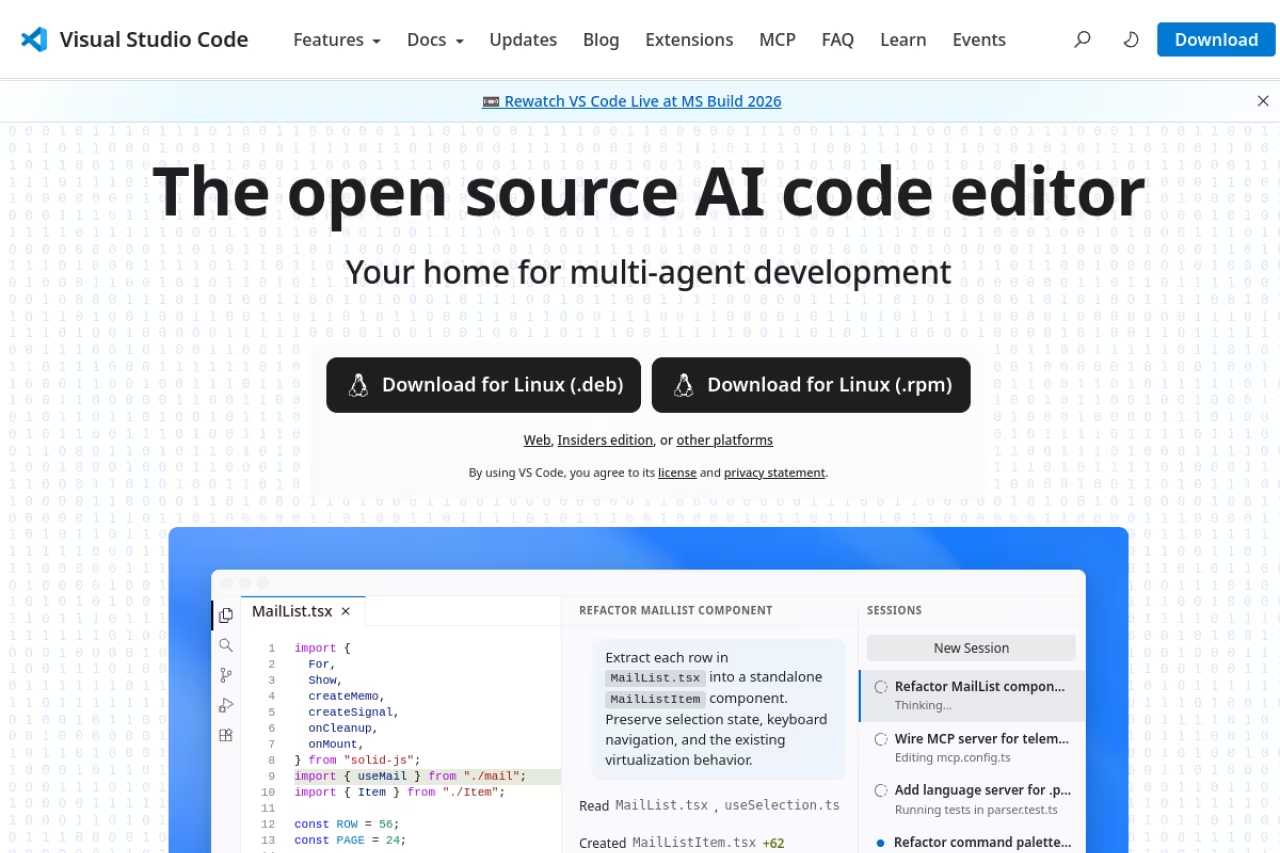
VS Code is the default answer for a reason. It's the most-used development environment in the 2025 Stack Overflow Developer Survey, and Microsoft keeps adding to the free baseline instead of fencing it off.
The big shift: GitHub Copilot now has a free tier built directly into VS Code. Sign in with a personal GitHub account and you get 2,000 code completions a month plus an allowance of AI Credits, with Copilot picking the model automatically, per GitHub's plan docs. Two years ago that was a $10 subscription. Now it's the starting point.
Who it's best for: almost everyone. Web devs, data folks, students, polyglots juggling five languages. The extension marketplace has more than 50,000 entries, so whatever stack you run, someone has built tooling for it.
The catch: it's an Electron app, so it's heavier than the native editors below. On an older laptop with a big project open, you'll feel it. And the Microsoft-distributed build ships telemetry on by default, which is the exact reason VSCodium exists (more on that later). If you want more than the free Copilot allowance, Copilot Pro is $10/month and unlocks unlimited completions plus a monthly credit pool.
The default answer for almost everyone, with a huge extension marketplace and a free Copilot tier built in. The catch is Electron weight on older laptops and telemetry on by default in Microsoft's build.
Zed
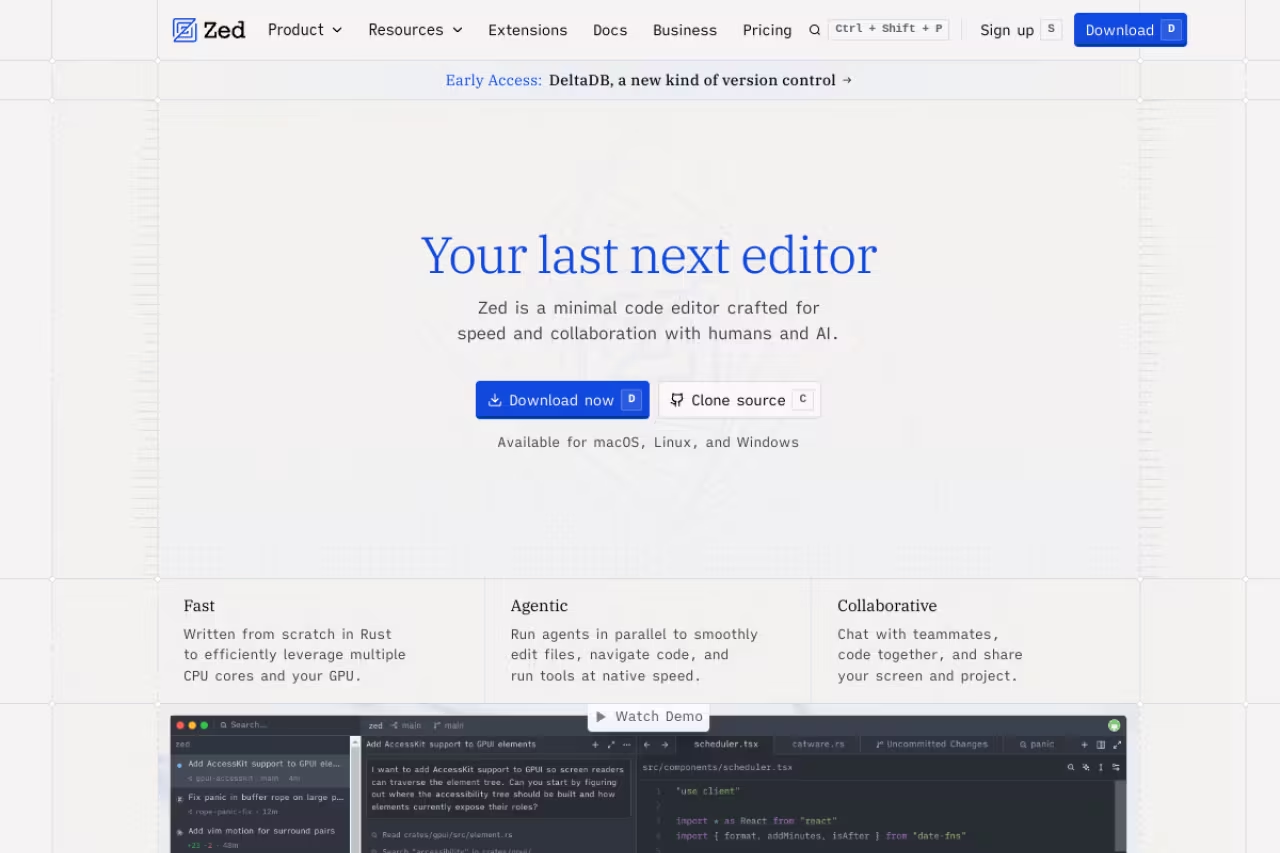
Zed is what happens when the people who built Atom and Tree-sitter start over in Rust with one obsession: speed. It opens in a fraction of a second, input latency is measured in single-digit milliseconds, and it stays responsive on files that make Electron editors stutter.
It's genuinely free and fully open source under Apache 2.0, with the full source on GitHub. The free Personal plan includes 2,000 accepted edit predictions a month from Zed's own model, plus something I love: unlimited AI usage when you bring your own API key. Point it at Anthropic, OpenAI, Ollama, OpenRouter, or a local model and you pay the provider directly with no Zed markup. It also speaks the open Agent Client Protocol, so you can wire in external agents like Claude Code or Codex CLI.
Who it's best for: developers who feel the friction of a slow editor and want native performance without giving up AI or real-time collaboration.
The catch: the extension ecosystem is young. If your workflow depends on a niche VS Code extension, you may not find an equivalent yet. Full Windows support also arrived later than Mac and Linux, so it's newer there. Once the free predictions run out, Zed Pro is $10/month for unlimited, or you keep going free on your own API key.
A strong pick for developers who feel the friction of a slow editor and want native performance with AI and collaboration. Bring your own API key for unlimited AI, but the extension ecosystem is still young.

Cursor
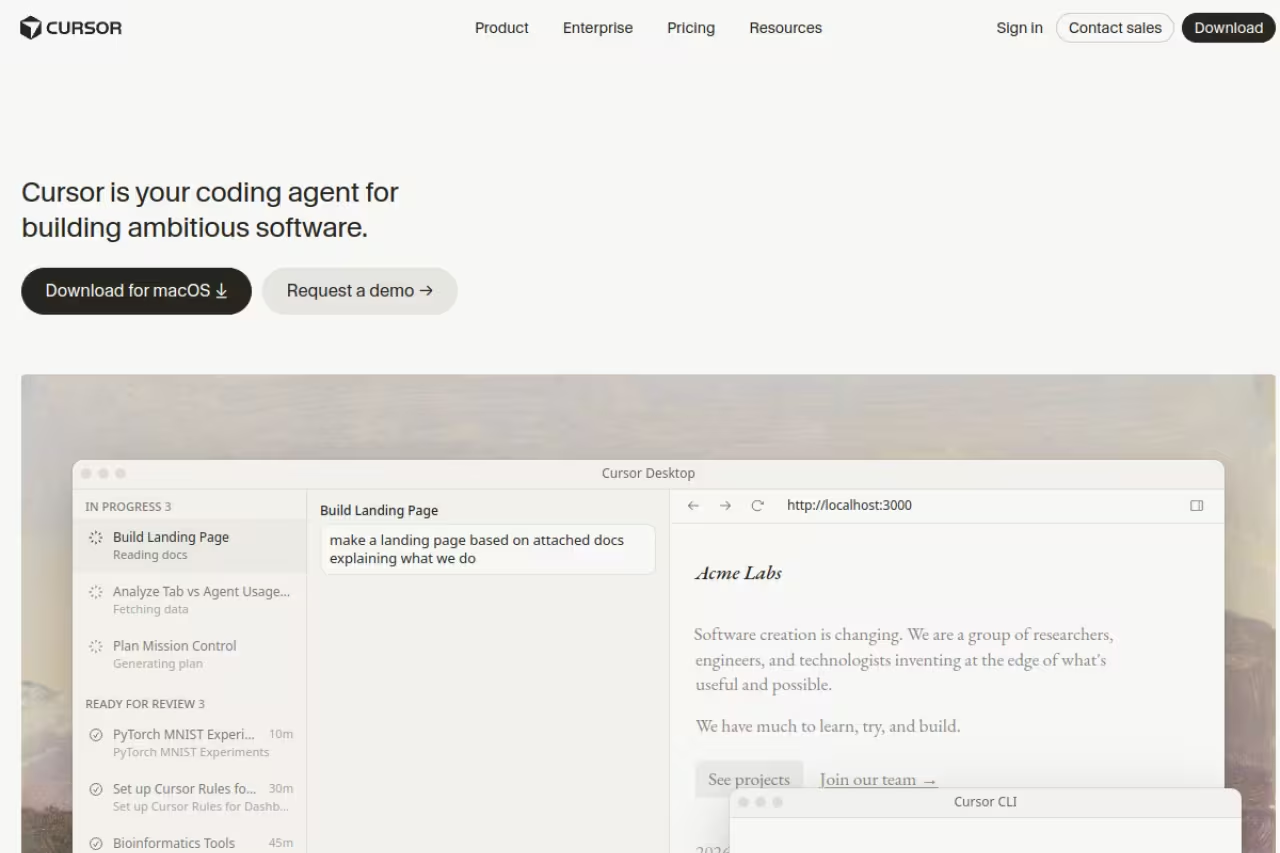
Cursor took VS Code, forked it, and rebuilt the editor around AI instead of bolting it on. The result is one of the best setups on this list for letting an AI work across a whole codebase: it indexes your project, references files with @, and its multi-file edits actually understand how your code connects.
The Hobby plan is free with no credit card. You get a limited monthly pool of tab completions (around 2,000) and a small number of agent requests. It's enough to feel why people rave about Cursor and to handle light personal projects, but not enough for a full eight-hour coding day.
Who it's best for: developers who want AI as the center of their workflow, especially on larger codebases where Cursor's indexing and Composer-style edits pull ahead.
The choice for developers who want AI at the center of their workflow on larger codebases, thanks to project indexing and multi-file edits. The free tier is a sampler, and Pro at $20 a month is the priciest jump here.
The catch: the free tier is a sampler, not a daily driver. Heavy users hit the wall fast, and Cursor Pro is $20/month ($16 if you pay yearly), which is the priciest jump on this list. Because it's a VS Code fork, you also inherit Electron's weight. If you're evaluating where to spend an AI budget, our roundup of the best AI coding assistants compares Cursor head-to-head with the rest.
Devin Desktop (formerly Windsurf)
Devin Desktop is the other major AI-first VS Code fork. It shipped as Windsurf until Cognition renamed it on June 2, 2026, and windsurf.com now redirects there. Its free tier is the most generous in the category, and most of your VS Code extensions, themes, and keybindings carry over, so switching costs almost nothing.
What makes the free plan stand out: Tab completion and inline edits are unlimited on every plan including Free, per Devin's pricing page. Cognition's own SWE-2 model is also free in Devin Desktop through October 10, 2026, at a slower speed on the Free plan than on paid ones.
Who it's best for: developers who want serious AI help but can't justify a subscription yet, and who like handing multi-file work to an agent and reviewing the result.
The catch: the agent quota on Free is light, so a marathon session runs out quickly. Pro costs $20/month, up from Windsurf's old $15, which erased the price edge it used to hold over Cursor. The product has also changed owner and name in the last year, so the long-term roadmap is less settled than VS Code's.
Go with it if you want serious AI help without a subscription, since tab completion and inline edits are unlimited on Free. The agent quota is light, Pro costs $20, and the rename leaves its roadmap less settled.
If your team is comparing these AI editors before committing budget, a Dupple X membership keeps you current on which tools are actually worth paying for as the pricing shifts month to month.
Neovim
Neovim is the editor for people who want to own every keystroke. It's free, open source, runs in any terminal, and starts faster than anything with a GUI. The trade is that you build your environment instead of installing it.
The good news in 2026 is that the AI gap closed. Plugins like avante.nvim replicate much of the Cursor experience inside Neovim, copilot.lua brings GitHub Copilot completions in pure Lua, and you can run a fully local assistant against Ollama if you don't want code leaving your machine. Starter configs like LazyVim mean you don't have to begin from a blank init.lua anymore.
Who it's best for: terminal-native developers, people who work over SSH on remote servers, and anyone who values a tool that will work identically a decade from now.
The catch: the learning curve is steep and the configuration is endless in both the good and bad sense. You will spend hours tuning things that VS Code gives you on install. If you've never touched modal editing, budget a week before you're back to full speed.
The editor for terminal-native developers and anyone working over SSH, now with credible AI plugins. You build your environment instead of installing it, so expect a steep learning curve if modal editing is new.
VSCodium
VSCodium is VS Code with the Microsoft parts removed. Same Monaco editor, same interface, same workflow, built from the same MIT-licensed source, but compiled without Microsoft's branding and with telemetry stripped out.
For a lot of developers that distinction is the whole point. The VS Code build Microsoft ships starts collecting usage data the moment you launch it. VSCodium gives you a clean binary with none of that, which matters in regulated environments or anywhere data-handling rules are strict.
Who it's best for: privacy-conscious developers and teams in compliance-heavy industries who want the VS Code experience without the tracking.
The catch: a few proprietary pieces can't legally ship in an open-source build, including Microsoft's C# debugger and certain Marketplace extensions. VSCodium uses the Open VSX registry instead, which covers the vast majority of popular extensions but not every single one. If you live inside the official Microsoft extension store, you'll notice a handful of gaps.
Choose it if you want the VS Code experience without the tracking, which suits privacy-conscious developers and compliance-heavy teams. It uses Open VSX instead of Microsoft's Marketplace, so expect a handful of extension gaps.

Notepad++
Notepad++ has been the answer to "I just need to open this file right now" on Windows for two decades, and it hasn't slowed down. Version 8.9.6.4 landed in June 2026, it's free under the GPL, and it weighs about 6.5MB.
This isn't trying to be an IDE and it's better for it. Written in C++ on the Scintilla component, it opens instantly, handles huge log files without choking, supports syntax highlighting for more than 50 languages, and has a deep plugin library if you want to extend it. When a multi-gigabyte file makes VS Code spin, Notepad++ just opens it.
Who it's best for: Windows users who want a fast, no-friction editor for quick edits, config files, scripts, and log diving.
The catch: it's Windows-only, so Mac and Linux developers are out. There's no built-in AI, no integrated debugger, and no real project management. It's a sharp knife, not a workshop, and that's exactly what some jobs call for.
A sharp knife for Windows users who need a fast editor for quick edits, configs and huge log files. It is Windows-only with no built-in AI, no integrated debugger and no real project management.
JetBrains IDEs (IntelliJ IDEA & PyCharm)
JetBrains spent years splitting its tools into free Community and paid Ultimate editions. In late 2025 it unified them into single products. You now download one IntelliJ IDEA or one PyCharm, and the former Community feature set stays free for both personal and commercial use, with a 30-day trial of the advanced features on top.
For deep work in a single ecosystem, nothing here matches the language tooling. The free PyCharm now includes built-in Jupyter notebook support, and IntelliJ's Java and Kotlin refactoring, inspections, and debugger remain the gold standard. If you mostly live in one language rather than hopping between many, this depth pays off daily.
Who it's best for: Java, Kotlin, and Python developers who want intelligence that understands their language at a level a general-purpose editor can't reach.
The catch: it's the heaviest option on this list, both in RAM and in startup time. The most advanced AI and full-stack features still sit behind the paid tier after the trial. And if you work across many languages, you're carrying a lot of machinery you won't use.
The deepest language tooling here for Java, Kotlin and Python developers, with the former Community features now free. It is the heaviest option in RAM and startup, and the advanced AI features stay paid.
How to choose
Skip the feature-checklist paralysis and answer three questions.
What do you optimize for? If it's raw speed, Zed or Neovim. If it's not thinking about your editor at all, VS Code. If it's AI doing real work across your codebase, Cursor or Devin Desktop.
How much AI do you need for free? VS Code's built-in Copilot (2,000 completions, 50 chats a month) suits light use. Devin Desktop's unlimited Tab and inline edits are the most generous if AI is central. Zed's bring-your-own-key model wins if you already pay an API provider, since there's no markup.
What's your platform and stack? Windows-only and need something instant? Notepad++. Privacy or compliance constraints? VSCodium. One language, deep tooling? JetBrains. Everything else, all platforms? VS Code.
My honest default for most people in 2026 is VS Code with free Copilot, then graduate to Zed if speed starts to nag or Cursor if you want AI driving more of the work. For more options across the broader stack, browse our top tools directory.
FAQ
What is the best free code editor in 2026?
For most developers, VS Code is the best free code editor because it combines a 50,000-plus extension ecosystem, every-platform support, and a free GitHub Copilot tier built in. If startup speed matters more to you, Zed is the strongest free alternative, and it's fully open source.
Are free code editors good enough for professional work?
Yes. The most-used professional editor, VS Code, is free, and so are Zed, Neovim, and the core JetBrains IDEs. Paid tiers mostly buy you more AI usage or advanced enterprise features, not a fundamentally better editor. Plenty of senior engineers ship production code entirely on free tools.
Which free code editor has the best AI features?
Devin Desktop (formerly Windsurf) has the most generous free AI, with unlimited Tab completion and inline edits. Cursor offers the most capable codebase-aware AI editing on its free Hobby plan, though the usage limits are tighter. VS Code's built-in free Copilot is the easiest to start with.
Is VS Code really free, or are there hidden costs?
VS Code is genuinely free, and the GitHub Copilot free tier inside it (2,000 completions and 50 chats a month) costs nothing either. The only paid upgrade is Copilot Pro at $10/month for unlimited AI, which is optional. The editor itself never charges you.
What's the fastest free code editor?
Zed is the fastest, built natively in Rust with sub-second startup and single-digit-millisecond input latency. Among lightweight editors, Notepad++ also opens almost instantly on Windows and handles very large files better than Electron-based editors like VS Code.
Should I use VSCodium instead of VS Code?
Use VSCodium if removing Microsoft's telemetry matters to you, since it's the same editor built from the same open-source code without the tracking. The trade-off is that a few proprietary extensions and Microsoft's C# debugger aren't available, because they can't ship in an open-source build.
If you found this useful and want to stay ahead of how these AI editors keep changing, start a Dupple X membership. We track the tools so you can spend your time shipping instead of comparing pricing pages.
Related guides
Some offers on this page may be paid placements or contain affiliate links.
