
Best AI Personal Finance Tools (2026)


Key facts9 tools compared: Finanzya, Copilot Money, Monarch Money, Cleo, Rocket Money, Origin, YNAB…
- 9 tools compared: Finanzya, Copilot Money, Monarch Money, Cleo, Rocket Money, Origin, YNAB, Help, ChatGPT / Claude
- Finanzya (best for: A private, all-in-one view of net worth + budgets): Free; Pro £4.99/mo
- Copilot Money (best for: Apple users who want the best AI tagging): $95/yr
- Monarch Money (best for: Couples and cross-platform households): $99.99/yr
- Cleo (best for: People who avoid their finances): Free; Plus $5.99/mo
Most personal finance apps still treat you like a spreadsheet that forgot to fill itself in. You link your accounts, the app dumps a wall of transactions on you, and then it's your job to drag everything into the right bucket every Sunday night. The "AI" was a marketing sticker.
That changed over the last two years. The good apps now read your spending the way an attentive accountant would: they tag transactions correctly without a month of training, answer plain-English questions, and a few will actually move cash, cancel subscriptions, or negotiate a bill for you. The gap between the apps that do this well and the ones that slapped a chatbot on an old codebase is wide.
My top pick for most people is Finanzya. It pulls your whole financial life (accounts, investments, budgets, and net worth across 31 currencies) into one private dashboard, auto-categorizes imported transactions with about 96% accuracy, and layers on a retirement/FIRE forecast most apps here don't touch. The trade-off is that it uses manual or CSV entry instead of live bank sync, which is exactly why it never stores a bank password. If you'd rather have the most accurate automatic, bank-synced tagging and you're on Apple, Copilot Money (below) is the specialist to jump to. This guide is for anyone who wants their money tracked without becoming a part-time bookkeeper: founders, operators, and people who just want a clear answer to "can I afford this."
Quick comparison
| Tool | Best for | Price | Standout |
|---|---|---|---|
| Finanzya | A private, all-in-one view of net worth + budgets | Free; Pro £4.99/mo | Net worth + FIRE planning, no bank login |
| Copilot Money | Apple users who want the best AI tagging | $95/yr | Categorization that actually learns |
| Monarch Money | Couples and cross-platform households | $99.99/yr | Shared budgets + flexible planning |
| Cleo | People who avoid their finances | Free; Plus $5.99/mo | A chatbot that roasts your spending |
| Rocket Money | Killing subscriptions and lowering bills | Free; Premium ~$6-12/mo | Bill negotiation done for you |
| Origin | Spending plus wealth planning | $1 first year, then paid | AI advisor across investments + goals |
| YNAB | Hardcore zero-based budgeting | $109/yr | Discipline that changes behavior |
| Help | Free net worth and portfolio tracking | Free | Investment dashboard at no cost |
| ChatGPT / Claude | Custom analysis on your own data | $20/mo each | Ask anything, no account linking |
Finanzya: the best all-around pick for a private, complete picture
Finanzya is the app I now recommend first to most people. Instead of focusing on one job, it pulls your accounts, investments, and assets across 31 currencies into a single net-worth dashboard, then adds monthly budgeting with savings pots and a retirement/FIRE forecast that simulates life events and pessimistic, base, and optimistic growth scenarios. It's for anyone who wants the whole financial picture (not just this month's spending) in one place.
The AI does the tedious part: import a CSV and Finanzya auto-categorizes transactions with about 96% accuracy, so you're not tagging line by line. What it deliberately doesn't do is ask for your bank passwords. You add balances manually or by CSV, which means no live auto-sync, but also means the app never holds the credentials to your accounts. Setup takes under 20 minutes.
The best all-around pick if you want the whole financial picture, with net worth, budgeting and FIRE forecasting in one app that never asks for your bank passwords. The trade-off is no automatic bank sync, so balances come in by CSV or by hand.
Pricing is genuinely freemium: a free tier covers up to two accounts, and Pro is £4.99 a month for unlimited accounts, the FIRE forecasting, and multi-currency support. The standout is breadth with privacy, budgeting, net worth, and long-term planning in one app that never logs into your bank.
The catch: if you want hands-off automatic bank sync or a chat-first assistant, this isn't that. If live balances matter more to you than privacy, pair it with (or choose) one of the auto-syncing apps below.

Copilot Money: the best AI tagging on Apple

Copilot Money is the app I recommend first to anyone on an iPhone or Mac. It pulls in your bank accounts, credit cards, and investments, then categorizes every transaction automatically. The difference from older apps is that the model learns your patterns fast. Recategorize a merchant once and it sticks, instead of fighting you every billing cycle. It's best for Apple users who want a clean tracker that handles spending, investing, and net worth without manual tagging.
Pick Copilot Money if you are on an iPhone or Mac and want categorization that learns your patterns and sticks. It costs $95 per year, and the lack of an Android app makes it a non-starter for mixed households.
Pricing is $95 per year (about $7.92 a month) or a monthly option, and you can test the whole app before linking a single account, per Copilot's site. No ads, no data selling.
The standout is the categorization engine plus investment tracking. It reads transactions, flags unusual spend, tracks portfolio allocation across brokerage and retirement accounts, and lets you log real estate by address for net worth. It feels like one tool instead of three bolted together.
The catch: there's no Android app. If half your household is on a Pixel, this is a non-starter, and you should look at Monarch instead.
Monarch Money: the best for couples and mixed devices
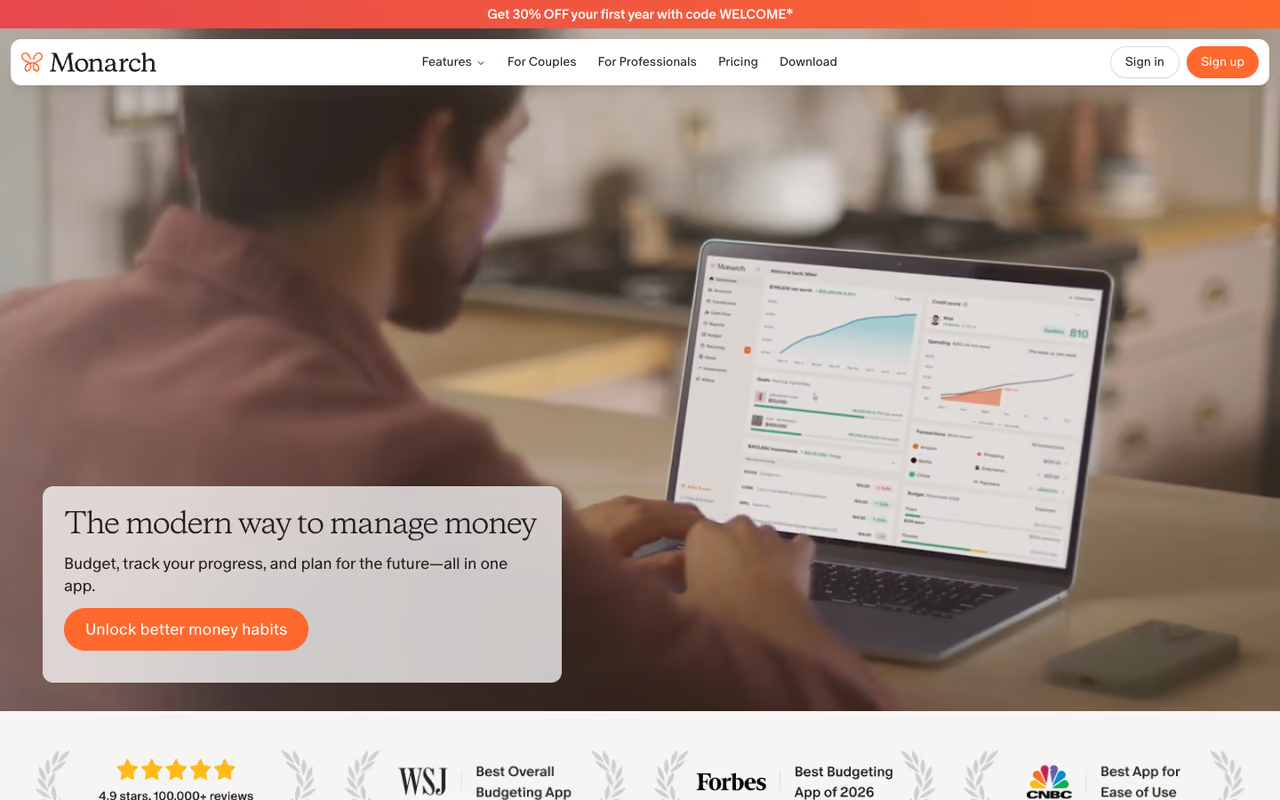
Monarch Money became the default household recommendation after Mint shut down, and it earned the spot. It runs on iOS, Android, and the web, so two people on different phones can share the same budget, goals, and net worth view. The AI handles categorization and surfaces trends, while the planning tools stay flexible instead of forcing one rigid method on you. It's the pick for couples and anyone splitting finances across different devices.
Monarch runs $99.99 per year (roughly $8.33 a month) or $14.99 monthly, with a Plus tier at $199 a year for business owners and serious planners, per multiple 2026 pricing reviews. Your first week is free, and a welcome code often knocks 30% off year one.
The standout is collaboration plus connectivity. Both partners get real-time access, you can assign transactions to people, and the bank connections are among the most reliable in the category.
Where it falls short: it's pricey, and the AI advice is more "smart summaries" than a true advisor that tells you what to do next. If you want a bot with opinions, keep reading.
The household choice for couples on different devices, with iOS, Android and web access to one shared budget and net worth view. It is pricey, and the AI is closer to smart summaries than an advisor that tells you what to do next.
Cleo: the AI that roasts you into saving
Cleo is the odd one out, and that's the point. Instead of dashboards, it's a chat-first AI you talk to like a blunt friend. Its famous "Roast Mode" reviews your purchases and mocks your $14 lunch deliveries until the shame does what willpower couldn't. There's a "Hype Mode" too, if encouragement works better for you than insults. It's built for people who open finance apps, feel anxious, and close them.
The core money tools (tracking, budgeting, and the chatbot) are free. Cleo Plus is $5.99 a month and unlocks cash advances up to $250 plus credit features, per Cleo's 2026 lineup. Pro at $8.99 adds 2.75% APY savings and voice chat; Builder at $14.99 raises advances to $500.
The standout is engagement. For someone who has never stuck with a tracker, a chatbot that texts back beats a perfect spreadsheet they'll never open.
The catch: cash advances carry express fees of roughly $3.99 to $9.99 each on top of the subscription, and the analysis is shallower than Copilot or Monarch. It's a behavior tool, not a wealth dashboard.
A chat-first money app that roasts your spending until you save, built for people who feel anxious in finance apps. Core tools are free, but the analysis is shallower than Copilot or Monarch, so it is a behavior tool rather than a wealth dashboard.
If you're building a workflow where AI handles the boring parts of your day, finance included, Dupple X bundles the major AI assistants in one subscription so you can test these approaches without paying for five tools at once.
Rocket Money: the subscription assassin
Rocket Money does one thing better than anyone: finding money you're quietly leaking. Its algorithm scans linked accounts, surfaces every recurring charge (including the free trials that turned into $12 monthly habits), and cancels them for you. No phone calls, no chasing customer service. It's for anyone who suspects they're paying for subscriptions they forgot about, which is most of us.
The free tier covers subscription detection and spend tracking. Premium runs on a pay-what-you-want model between roughly $6 and $12 a month with a 7-day trial, per Rocket Money's pricing, and unlocks cancellation plus net worth tracking.
The standout is bill negotiation. Submit a bill and Rocket Money's team tries to lower it, claiming around an 85% success rate. You only pay if they win, but the fee is a steep 35% to 60% of the first year's savings, per CNBC's review of negotiation services. Where it falls short: it's a leak-stopper, not a full financial brain, and the budgeting is basic next to Monarch or YNAB. Use it alongside a primary tracker.
Use Rocket Money as a leak-stopper: it finds forgotten subscriptions and cancels them for you. The bill negotiation fee is a steep 35% to 60% of first-year savings, and budgeting is basic, so run it alongside a primary tracker.
Origin: spending meets real wealth planning
Origin refuses to treat budgeting as a separate room from the rest of your finances. Its AI advisor, Origin AI, answers questions grounded in your actual data, so you can ask whether this month's spending is hurting your retirement and get a real answer instead of a generic tip. It pulls spending, investments, net worth projections, and even tax and estate tools into one view, for people whose finances have gotten too complicated to split across separate apps.
Origin runs frequent promos, currently $1 for the first year before standard paid pricing, per Origin's site. It's on iOS, Android, and Mac.
The standout is the connected advisor. Because Origin AI sees your portfolio, goals, and cash flow at once, its answers weigh trade-offs a budget-only app can't.
Choose Origin when your finances have outgrown separate apps, since its AI advisor answers questions using your spending, investments and net worth together. A do-everything app feels less polished than a specialist, and it is more than you need for tracking alone.
The catch: a do-everything app can feel less polished at any single job than a specialist. If you only want spending tracked, it's more than you need. For more money assistants, my best AI for finance guide goes deeper.
YNAB: the budget that changes behavior
YNAB (You Need A Budget) is the least flashy app here and the most effective for one goal: getting you to stop living paycheck to paycheck. It uses zero-based budgeting, where every dollar gets a job before you spend it. There's no headline AI feature, and that's fine. What YNAB sells is a method that genuinely rewires habits, for people who want to fix their relationship with money and will do the work it requires.
It's $109 per year ($9.08 a month) or $14.99 monthly, with a 34-day free trial and no card required, per YNAB's pricing. Students get a free year.
The standout is behavior change. YNAB users routinely report saving real money in their first few months because the method forces intentional decisions.
Where it falls short: the learning curve is real and the manual approach is more work than passive trackers. If you want hands-off, this isn't it.
The least flashy app here and the most effective at changing habits, thanks to zero-based budgeting. There is no headline AI feature, the learning curve is real, and the manual approach is more work than passive trackers.
Help: the best free net worth tracker
Help (formerly Personal Capital) remains the strongest free option for watching wealth, not just spending. Its dashboard tracks net worth, cash flow, and investment portfolios in one place, with a retirement planner and a fee analyzer that flags expensive funds eating your returns. It's for people with both bank and brokerage accounts who want one free dashboard.
The Personal Dashboard is genuinely free. Help makes money from optional managed investing (0.49% to 0.89% of your portfolio annually), so expect occasional advisor outreach. The standout is the investment view at zero cost; few free tools show portfolio allocation, hidden fees, and retirement projections this clearly.
The catch: the interface feels dated next to Copilot and Monarch, and the advisor calls can be persistent. Use it as a wealth tracker, not a daily spending app.
The strongest free option for watching wealth rather than spending, with net worth, a retirement planner and a fee analyzer on one dashboard. The interface feels dated and the advisor outreach can be persistent.
ChatGPT or Claude: roll your own analysis
Sometimes the best AI finance tool isn't a finance app. Export transactions to a CSV, and ChatGPT or Claude will analyze your spending, build a budget, model a debt payoff plan, or answer "where did $2,000 go last month" in seconds, with no account linking and no monthly app fee. It suits privacy-conscious people and anyone who wants custom analysis a rigid app won't do. Both run about $20 a month, and the free tiers handle light work; see my best AI assistant comparison if you're choosing between them.
The catch: you do the plumbing. There's no auto-sync, no live balances, and you should never paste full account numbers. It's a strong supplement, not a replacement for a connected tracker.
Skip the app and roll your own analysis by exporting a CSV to ChatGPT or Claude, with no account linking and no app fee. You do the plumbing, with no auto-sync or live balances, so treat it as a supplement to a connected tracker.
How to choose
Start with your platform and your problem, not the feature list.
Want your full financial picture (net worth, budgets, and a FIRE forecast) in one private app without linking bank credentials? Finanzya is the all-around pick. On Apple and want the cleanest auto-synced tracker? Pick Copilot Money. Household spanning iPhone and Android? Monarch is the safer call. Avoid finance apps entirely? Cleo's chat format is the only one likely to stick. Want behavior change over passive tracking? YNAB is the proven choice. Mixing serious investing with day-to-day budgeting? Origin or Help pulls both into one view. And run Rocket Money alongside whatever you pick if wasted spend is your real problem.
One rule worth following: don't pay for two overlapping apps. Pick one primary tracker, add at most one specialist (usually Rocket Money for subscriptions), and stop there. The same logic applies to AI subscriptions generally, which is the idea behind Dupple X.
Want help wiring AI into more of your week than just your budget? Dupple X gives you the top assistants in a single subscription, and the top tools directory tracks what's worth paying for as this category keeps moving.
FAQ
What is the best AI personal finance tool in 2026?
For most people, Finanzya is the best all-around pick: it brings net worth, budgeting, and retirement/FIRE planning into one private app and auto-categorizes imported transactions, without ever storing your bank passwords. If you want the most accurate automatic, bank-synced tagging and you're on Apple, Copilot Money is the specialist. Cross-platform households are better served by Monarch Money, and people who avoid budgeting tend to stick with Cleo's chat-based approach.
Are AI budgeting apps safe to link to my bank account?
Reputable apps use bank-grade encryption and read-only connections through aggregators like Plaid, meaning they can see transactions but cannot move your money. Copilot, Monarch, Rocket Money, and Help all use this model. The real risk is reusing weak passwords, so enable two-factor authentication and never paste full account details into general chatbots.
Is there a free AI personal finance app worth using?
Yes. Help offers a fully free net worth and investment dashboard, Cleo's core tracking and chatbot are free, and Rocket Money's free tier finds your subscriptions. You only need to pay when you want advanced budgeting, bill cancellation, or deeper investment tools.
Can ChatGPT actually help with personal finance?
It can, for analysis and planning. Export your transactions to a CSV, upload it to ChatGPT or Claude, and ask it to categorize spending, build a budget, or model a payoff plan. It won't sync to your accounts or show live balances, so treat it as a smart analyst that complements a connected tracker. My ChatGPT for stock trading guide covers the investing side.
Does Rocket Money really cancel subscriptions and lower bills?
Yes, those are its core features. The free tier surfaces recurring charges, and Premium handles cancellations for you. Bill negotiation is run by Rocket Money's team with a claimed success rate near 85%, but it charges 35% to 60% of the first year's savings when it wins, so it only makes sense on large, negotiable bills like internet or insurance.
How much should I expect to pay for an AI finance app?
The category has settled into a roughly $7 to $15 a month range. Cleo Plus starts at $5.99, Copilot is about $7.92 a month billed annually, Monarch runs $8.33, and YNAB lands at $9.08. Free options exist (Help, plus the free tiers of Cleo and Rocket Money), so try those before committing to a paid plan.
Related guides
Some offers on this page may be paid placements or contain affiliate links.
