
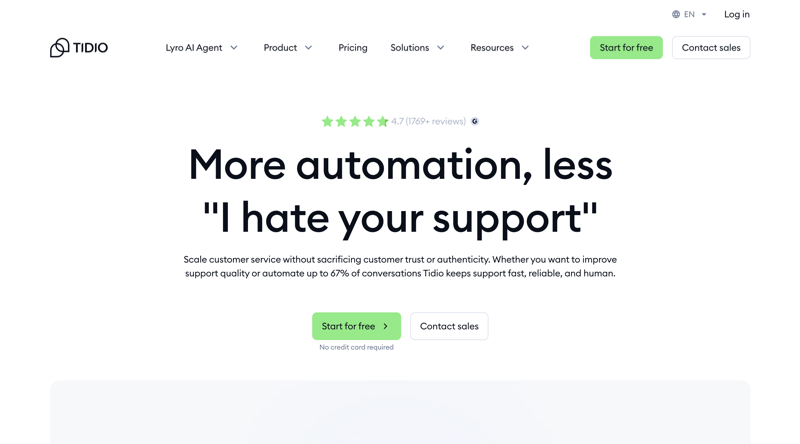
Tidio Review: AI-Powered Live Chat That Punches Above Its Weight
If you run an ecommerce store or a small business website, you already know that visitors leave when they can't get quick answers. Tidio tries to solve that problem by combining live chat, rule-based chatbot flows, and an AI assistant called Lyro into one platform. The pitch is simple: let AI handle the repetitive questions so your human agents can focus on complex issues.
Based on its features, pricing, and public user reviews, it delivers on that promise for small and mid-sized teams, but the pricing structure has some traps you need to watch for.
Try Tidio Free Get started →What Tidio Actually Does
At its core, Tidio is a customer communication platform. You install a chat widget on your website, and visitors can message you in real time. From there, the platform branches into three capabilities:
Live Chat gives your team a unified inbox where they can handle conversations from your website, Facebook Messenger, Instagram, and email. Everything funnels into one place, which cuts down on tab-switching and missed messages. The interface is clean and loads fast, which matters when you're juggling multiple chats.
Flows are Tidio's visual chatbot builder. You drag and drop decision trees to create automated responses. Think of these as rule-based bots: "If visitor is on the pricing page for 30 seconds, trigger a message offering help." You don't need coding skills, and there are 35+ pre-built templates for common scenarios like cart abandonment, lead capture, and FAQ routing.
Lyro AI is the real differentiator. Unlike Flows (which follow scripts), Lyro uses natural language processing to understand questions and generate answers from your knowledge base. Tidio uses Anthropic's Claude as the underlying AI model, which tends to produce more measured, accurate responses than some competitors. You feed Lyro your FAQ pages, help articles, or custom Q&A pairs, and it handles customer questions conversationally. According to Tidio's data, Lyro can resolve up to 70% of repetitive queries without human intervention.
Key Features Worth Knowing
Omnichannel Inbox
Tidio pulls conversations from live chat, email, Messenger, Instagram, and WhatsApp into a single dashboard. For small teams managing multiple channels, this alone saves significant time. You can see visitor behavior (pages viewed, location, device) alongside the conversation, which gives agents useful context.
Lyro AI Agent
Lyro works across live chat, email, and social channels. You can adjust its tone (friendly, neutral, or formal), set handoff rules for when it should escalate to a human, and review analytics on which questions it handles well versus where it struggles. On higher-tier plans, you can even rename the AI agent to match your brand.
Visitor Tracking
You can see who's on your site right now, what pages they're browsing, and their location. This lets agents proactively reach out to high-intent visitors, like someone who's been on the pricing page for a few minutes.
Shopify and WordPress Integration
Tidio integrates deeply with Shopify and WordPress/WooCommerce. On Shopify, the app has over 1,800 reviews with a 4.7-star rating. Installation takes minutes, and the chatbot can pull order data to help with tracking questions, returns, and product recommendations.
Automation Templates
The 35+ pre-built Flow templates cover common ecommerce scenarios: abandoned cart recovery, product recommendations, order status lookups, and lead qualification. These templates are a real time-saver compared to building from scratch.
Pricing Breakdown
Tidio's pricing is where things get complicated. Here's the honest picture:
Free Plan: 50 conversations/month, basic live chat, and a 7-day Lyro trial. Good enough to test the waters, but you'll outgrow it fast.
Starter ($29/month): 100 conversations/month, basic analytics, and live visitor tracking. This is the entry point for most small businesses.
Growth ($59/month): Up to 2,000 conversations/month (scales to $349/month at higher volumes), advanced analytics, and branding removal for $20/month extra. This is where most growing businesses land.
Plus (from $749/month): Custom conversation limits, dedicated account manager, and advanced permissions. Enterprise-level.
Premium (from $2,999/month): White-glove service with a dedicated AI engineer. For large operations only.
Here's the catch: Lyro AI and Flows are billed as separate add-ons. Lyro starts at $39/month for 50 AI conversations, and Flows start at $29/month. So a Starter plan ($29) plus Lyro ($39) plus Flows ($29) suddenly costs $97/month. That's not immediately obvious from the pricing page.
What We Like
- Fast setup: You can have live chat running on your site in under 10 minutes. The widget is lightweight and doesn't slow down page loads noticeably.
- Lyro's accuracy: The AI handles straightforward questions well and knows when to hand off to a human. Using Claude as the backend gives it a more natural conversational tone than many competitors.
- Unified inbox: Managing website chat, Messenger, Instagram, and email from one place genuinely reduces the chaos for small support teams.
- Free plan exists: A zero-risk way to test live chat without committing. Solopreneurs and tiny teams can run the free tier indefinitely if 50 conversations/month covers their needs.
- Ecommerce focus: The Shopify integration is polished. Cart abandonment flows, order tracking bots, and product recommendation templates are ready to go out of the box.
What Could Be Better
- Pricing complexity: The add-on model for Lyro and Flows makes it hard to predict your actual monthly cost. Your bill can spike unexpectedly when conversation volume grows, and the core plans don't include the AI or automation features most people want.
- Weak analytics for Flows: You can't easily see where your rule-based chatbots are breaking down or causing user frustration. This makes optimization difficult.
- Lyro's knowledge limits: Lyro can only answer based on content you've explicitly added to its knowledge base. It can't learn from past agent conversations, which is a missed opportunity.
- Usage caps feel abrupt: When Lyro hits its conversation limit, it simply stops responding. There's no graceful degradation or automatic fallback that's well-communicated to the visitor.
- Multi-project friction: Agencies and teams managing multiple websites find the project-switching experience clunky. Each site needs its own setup, and there's no unified dashboard across projects.
Who Should Use Tidio
Tidio is a strong fit for ecommerce stores on Shopify or WooCommerce that want live chat plus AI-powered FAQ handling without hiring more support staff. It also works well for small business websites that get a moderate volume of customer questions and want to automate the repetitive ones.
If you're an agency managing multiple client sites, the multi-project limitations might frustrate you. And if you need deep helpdesk features (ticketing workflows, SLA tracking, knowledge base portals), Tidio is more of a chat tool than a full support platform. Look at Zendesk or Intercom for that level of functionality.
Final Verdict
Tidio delivers a polished live chat and AI chatbot experience that's genuinely easy to set up and use. Lyro AI is the standout feature, handling routine customer questions accurately enough to free up your human agents for complex issues. The ecommerce integrations are well-built, and the free plan gives you a real way to test before buying.
The main risk is cost creep. What looks like a $29/month tool can easily become $100+ once you add Lyro and Flows. Go in with your eyes open on pricing, and Tidio is one of the better live chat options for small to mid-sized businesses in 2026.
Try Tidio Free Get started →