
Last updated: May 2026
Kixie holds 4.8/5 on G2 from 860+ reviews. Its Trustpilot rating is 3.8/5 with auto-renewal complaints as the dominant theme. Both stats are real. The G2 cohort is sales reps and managers who love the HubSpot integration and the multi-line PowerDialer. The Trustpilot cohort is finance teams that discovered Kixie's quarterly auto-renewal too late. This 2026 review covers what Kixie does, the pricing model (including hidden add-on costs that surprise most buyers), and where it stacks against Aircall, JustCall, CloudTalk, and the rest of the sales dialer space.
Kixie was founded in 2013 by Keith Muenze and Jeff Kuei (current CEO) and is headquartered in Santa Monica. Bootstrapped since a 2014 seed from Mucker Capital. Revenue reached $19.8M ARR by June 2024 with ~5,000 customers, growing 11x from $1.7M ARR in 2020. The product has matured into the category default for HubSpot-native sales teams.
Try Kixie Free for 7 Days Get started →What Kixie Actually Does
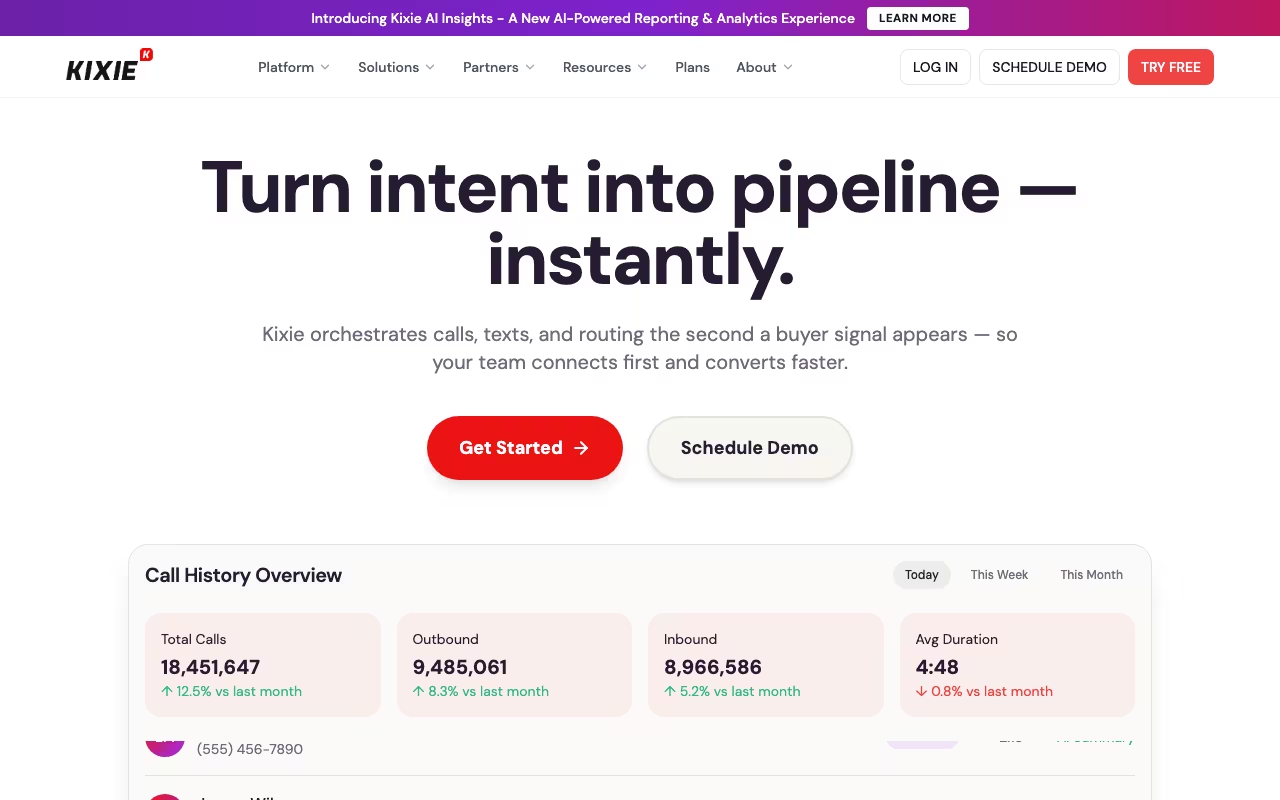
Kixie is a sales dialer plus SMS automation that lives inside your CRM. The core workflow: a sales rep opens a contact in HubSpot, clicks the Kixie call button, and the dial happens through a virtual phone line that auto-logs everything (call recording, duration, disposition, notes) back into the CRM contact timeline. No copy-paste. No tab switching.
The product builds outward from that core into a stack of dialer features: multi-line PowerDialer (up to 10 numbers simultaneously), AI Human Voice Detection that skips voicemails and IVRs automatically, local presence dialing (50,000+ numbers across 65 countries), voicemail drop with smart-beep detection, SMS templates, live call coaching, and an analytics dashboard tracking rep activity.
The HubSpot integration depth is where Kixie pulls ahead of most competitors. Native bidirectional workflows let you trigger auto-SMS or auto-call campaigns from any HubSpot contact event: new lead, lifecycle stage change, form submission, deal stage transition. Aircall and CloudTalk integrate with HubSpot but at a shallower layer (call logging, basic click-to-call). Kixie is built like a HubSpot extension that also happens to do calls.
Free Trial: 7 Days, No Card Required
Kixie offers a 7-day free trial with no credit card required and no permanent free tier. This is the most honest version of "free trial" in the sales dialer space, many competitors require a card upfront with auto-conversion to paid. Use the 7 days to: connect your CRM, run a 30-minute dialing session, evaluate call quality on your network, and test one auto-workflow trigger from HubSpot.
The 7-day window is tight if you want to evaluate the PowerDialer specifically. That's an add-on that requires a sales conversation to enable. For SMB buyers comparing 3-4 dialers, Aircall and JustCall offer 14-30 day trials, which is more time to make a real decision.
Kixie Pricing in 2026: The Real Cost
Published Kixie pricing is the per-seat tier rate. Real all-in cost includes the AI Human Voice Detection add-on, SMS volume costs, and potentially the multi-line PowerDialer add-on. Plan for 30-60% above the published rate.
| Plan | Per user / month | Key features | Best for |
|---|---|---|---|
| Integrated | $35 | Basic CRM integration, click-to-call/text, call logging | Small teams testing dialer + HubSpot logging |
| Professional | $65 | All Integrated + SMS templates, voicemail drop, live call coaching, unlimited US/Canada minutes | Most active sales teams; the sweet spot |
| Outbound PowerCall | $95 | All Professional + PowerDialer multi-line + calling session management | High-volume SDR teams (100+ calls/day per rep) |
| Enterprise | Custom | Dedicated support, custom integrations, compliance, SLA | Regulated industries, 100+ rep teams |
| AI Human Voice Detection | +$30 add-on | Auto-skip voicemails/IVRs, connect only on live answer | Outbound teams burning time on voicemail boxes |
The all-in math: Professional ($65) + AI Voice Detection ($30) + ~5,000 SMS/month ($50-65) = roughly $145-160 per user/month. For a 5-rep team, that's ~$8,700/year. Compare to Aircall Essentials at $30/user (~$1,800/year for 5 seats, no voice detection), Kixie is a premium tier choice.
Billing model warning: Kixie bills quarterly with auto-renewal as the default. Annual contracts only allow downgrades in the last 30 days of the term. There are no mid-cycle refunds. Multiple Trustpilot reviewers describe being "locked into contract" after the quarterly renewal hit before they could cancel. Set a calendar reminder for the renewal date.
See Kixie Pricing See plans →The PowerDialer: Where Kixie Pulls Ahead
The headline differentiator is the multi-line PowerDialer. Kixie dials up to 10 numbers in parallel and connects you to the first live human who picks up, automatically dispositioning the others. For SDR teams doing volume outreach, this turns a typical 30-call hour into the equivalent of a 100-150 attempted-call hour.
The closest comparable product is Orum, which charges ~$250/user/month for similar parallel dialing and $1,200/user/month for its premium tier. Kixie at $95/user (Outbound PowerCall) is the only SMB-priced product with serious parallel dialing capability. For SDR teams under 20 reps with budget pressure, this is the strongest argument for Kixie over its peers.
Pair the PowerDialer with AI Human Voice Detection (the $30 add-on) and you get an outbound stack that auto-skips voicemail boxes and IVR menus, only ringing through to the rep when an actual human picks up. The combination materially shifts cost-per-conversation downward.
HubSpot Integration: The Deepest in the Category
If you run sales on HubSpot, Kixie's integration is what makes it worth the premium price. The bidirectional sync goes beyond logging, every Kixie action can be triggered from HubSpot workflows, and every HubSpot event can trigger Kixie actions. Concrete examples:
- New lead workflow: contact submits a demo form → HubSpot workflow triggers Kixie to auto-call the assigned rep with the lead on the line within 60 seconds.
- Lifecycle stage SMS: contact moves to "Marketing Qualified Lead" → Kixie sends a personalized SMS template auto-merged with HubSpot fields.
- Deal stage rule: deal sits in "Proposal Sent" for 5 days → Kixie auto-creates a follow-up call task in the rep's queue.
- Call disposition writeback: rep ends a call → call recording, duration, disposition, notes, and AI-generated summary all log to the HubSpot contact timeline automatically.
Salesforce integration is similarly native and bidirectional. Pipedrive, Zoho CRM, and Zendesk are supported but at slightly less depth (still bidirectional, fewer workflow triggers). If your CRM is anything other than these five, Kixie's value drops sharply.
Kixie vs Aircall vs JustCall vs CloudTalk vs Dialpad
Named alternatives, published pricing
| Tool | Pricing | Model |
|---|---|---|
| Kixie | $35/user/mo (Integrated), $65/user/mo (Professional) | Subscription |
| Aircall | $30/user/mo (Essentials), $50/user/mo (Professional) | Subscription |
| CloudTalk | $25/user/mo (Starter), $30/user/mo (Essential), $50/user/mo (Expert) | Subscription |
The SMB sales dialer space has consolidated around five real players. Here is the head-to-head:
| Tool | Entry price (per user/mo) | Parallel dialing | Best for |
|---|---|---|---|
| Kixie | $35 Integrated / $65 Professional | Yes (10 lines, $95 tier) | HubSpot-native SDR teams under 20 reps |
| Aircall | $30 Essentials (3-seat min) | No (sequential only) | Cheapest entry, light SDR usage |
| JustCall | $39 Team (2-seat min) | Limited (sales dialer mode) | Mid-market SaaS with broad CRM needs |
| CloudTalk | $27 Lite | No | EU-based teams (better EU number support) |
| Dialpad | $27 Core (AI included) | No | Teams wanting AI transcription/coaching baseline |
| Orum | ~$250 / $1,200 premium | Yes (premium parallel) | Enterprise SDR teams, dialer is the budget center |
Quick decision framework: if you run on HubSpot or Salesforce and need parallel dialing without paying Orum prices, Kixie is the strongest choice. If you want the cheapest entry without parallel dialing, Aircall or CloudTalk. If you need AI features included at the base tier, Dialpad. If you have the budget for enterprise-grade parallel dialing, Orum.
What Sales Teams Like
- HubSpot/Salesforce integration depth: best in class for CRM-native workflows. Auto-call from form submission, auto-SMS from lifecycle change, full call logging without copy-paste.
- Multi-line PowerDialer at $95/user: only SMB-priced product with serious parallel dialing. Orum is 2.5-12x more expensive.
- AI Human Voice Detection: $30 add-on that pays for itself by skipping voicemail boxes on outbound campaigns.
- Local presence dialing: 50,000+ number pool, progressive caller ID rotation across 65 countries. Genuinely improves pickup rates.
- Voicemail drop with smart-beep detection: pre-recorded voicemails leave automatically after the beep.
- G2 4.8/5 from 860+ reviews: sales reps love it; manager dashboards work; HubSpot Marketplace placement is strong.
- $19.8M ARR + 11x revenue growth in 4 years: bootstrapped, profitable, sustainable.
Where Kixie Falls Short
- Quarterly billing + auto-renewal: Trustpilot reviewers describe being "locked into contract" after the quarterly renewal hit. Annual contracts only allow downgrades in the last 30 days.
- Hidden add-on costs: AI Voice Detection $30/user, SMS volume costs $0.01-0.013/msg. Plan 30-60% above the published rate.
- Call quality on weak networks: degrades noticeably on weak Wi-Fi. Some reviewers report longer calls dropping.
- No public PowerDialer pricing: forces a sales call to get the multi-line tier quote.
- Limited customizable reporting: pre-built dashboards are solid; building custom reports requires CSV export.
- 7-day trial is tight: competitors offer 14-30 day trials for the same evaluation depth.
- Mobile app limitations: desktop is the primary experience; mobile features lag.
Who Should Use Kixie (and Who Shouldn't)
Good fit: SDR teams under 20 reps that run on HubSpot or Salesforce, need multi-line parallel dialing, and can't afford Orum's $250-1,200/user pricing. Also a fit for sales managers who want deep call logging and analytics natively in their CRM without building custom integrations. The Professional tier at $65/user is the right entry point for most active SMB sales teams.
Skip Kixie if: your CRM is anything other than HubSpot, Salesforce, Pipedrive, Zoho, or Zendesk (the integration depth is the value, and you don't get it elsewhere). Skip it if you only need cheap calling without parallel dialing (Aircall or CloudTalk are cheaper). Skip if quarterly billing + locked annual contracts are a dealbreaker. Skip if you need AI features included at the base tier (Dialpad bakes that in; Kixie charges $30 add-on).
Frequently Asked Questions
How much does Kixie actually cost? Published pricing: $35 Integrated, $65 Professional, $95 Outbound PowerCall, custom Enterprise. Realistic all-in cost is 30-60% higher once you add AI Voice Detection ($30/user) and SMS volume ($50-65/mo for 5K texts).
Does Kixie have a free tier? No permanent free tier. 7-day free trial with no credit card required.
How do I cancel Kixie? Cancellation requires contacting account management. Annual contracts only allow downgrades in the last 30 days of the term. No mid-cycle refunds. Set a calendar reminder for the renewal date.
Does Kixie integrate with HubSpot? Yes, deeply. Native bidirectional sync, auto-call/auto-SMS workflows triggered from HubSpot events, full call logging to contact timeline. This is Kixie's strongest differentiator.
Kixie vs Aircall? Aircall is cheaper at the entry tier ($30 vs $35) and has a wider integration catalog. Kixie has deeper HubSpot/Salesforce integration and multi-line PowerDialer. Choose Aircall for budget and breadth, Kixie for sales-dialer depth.
Kixie vs Orum? Orum offers higher-end parallel dialing (claims better pickup rates on multi-line) but costs $250-1,200/user vs Kixie's $95. For SMB SDR teams, Kixie is the right value. For enterprise teams with $1,000+/user budgets, Orum may justify the premium.
What's the AI Human Voice Detection add-on? A $30/user/mo upgrade that uses speech analysis to auto-detect when the call connects to a voicemail or IVR rather than a human, and automatically skips/dispositions the call so the rep only talks to live answers. Pays for itself for any outbound team running 50+ dials/day.
Is Kixie HIPAA compliant? Kixie offers HIPAA compliance on the Enterprise tier with a Business Associate Agreement. Not on Professional or below.
Our Verdict
Kixie is the strongest sales dialer for HubSpot-native and Salesforce-native SDR teams under 20 reps. The HubSpot integration depth is best in class, the multi-line PowerDialer at $95/user fills a gap that Orum charges 2.5-12x more for, and the AI Human Voice Detection add-on materially improves outbound efficiency. G2's 4.8/5 from 860+ reviews confirms the product works for its target user.
The billing experience is where Kixie loses points. Quarterly auto-renewal, locked annual contracts, and hidden add-on costs catch finance teams off guard. Plan to be 30-60% above the published per-seat rate at full deployment, and set the renewal-date calendar reminder the day you sign up.
If your CRM is HubSpot or Salesforce, Kixie at $65/user Professional is the right entry. If you need parallel dialing without paying Orum prices, $95 Outbound PowerCall is the unique value proposition in the category. Skip Kixie if your CRM is anything else or if you only need basic calling, Aircall, CloudTalk, or Dialpad cover those use cases for less.
Start Kixie Free Trial Get started →