Last updated: March 2026
Aircall Review: The Cloud Phone System Built for Sales and Support Teams
Most business phone systems were designed for IT departments. Aircall was designed for the people who actually use the phone every day: sales reps making outbound calls and support agents handling inbound queues. That focus on end-user experience is what makes Aircall different from traditional VoIP providers, and it is the reason over 20,000 businesses use it.
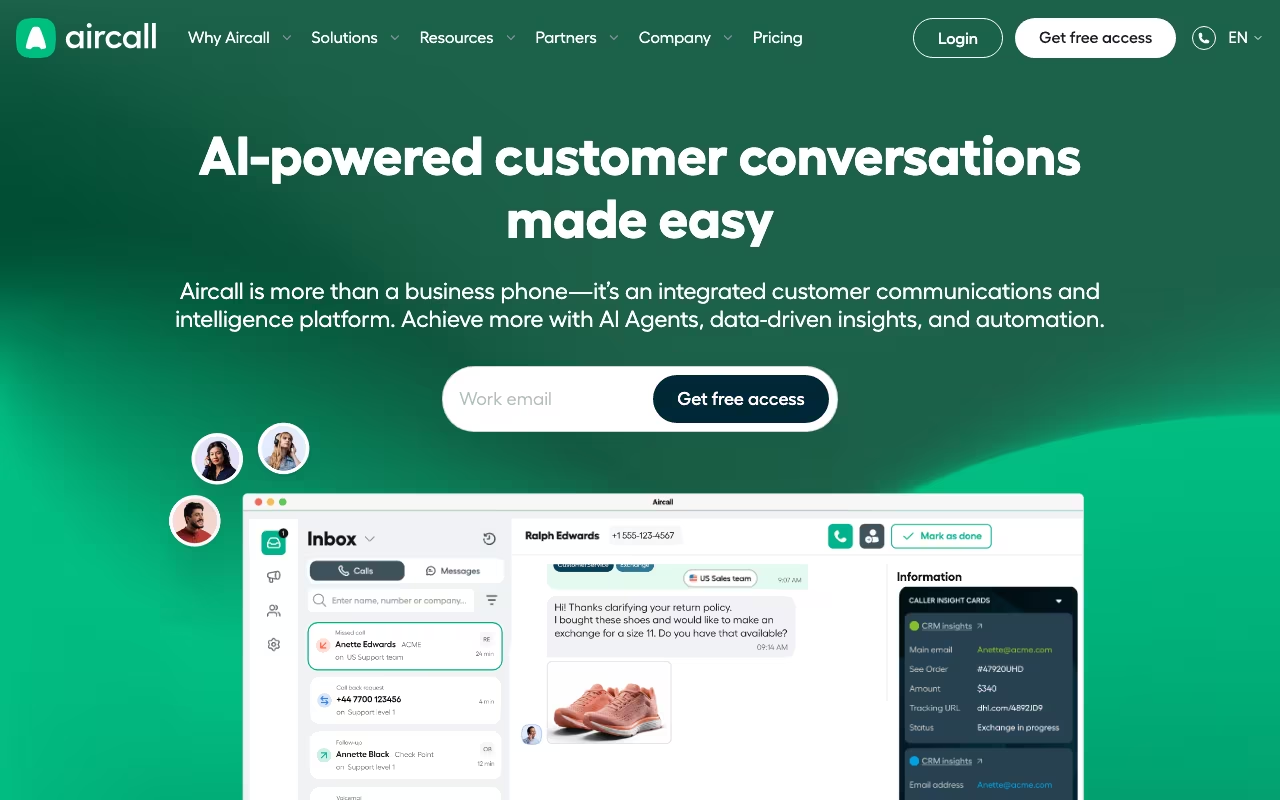
Aircall is a cloud-based phone system that brings calls, SMS, MMS, and WhatsApp together in a single platform. It connects deeply with your CRM (Salesforce, HubSpot, Pipedrive, and 250+ other integrations), provides real-time analytics, and recently added AI-powered features like live transcription, call summaries, and real-time coaching. If your team lives in a CRM and makes calls all day, Aircall deserves your attention.
Try Aircall Free for 7 DaysKey Features
Power Dialer and Sales Tools
Aircall's Power Dialer is the headline feature for sales teams. It automates dialing from contact lists, skipping disconnected numbers and voicemails so reps spend more time in actual conversations. You can import numbers directly from webpages with Click-to-Call, and the dialer integrates with CRM pipelines so reps always have context before the call connects.
The sales workflow also includes voicemail drop (pre-recorded messages left automatically), call tagging for pipeline tracking, and after-call disposition codes. For outbound teams, these tools shave minutes off every call cycle, which adds up to hours per rep per week.
AI Assist and AI Assist Pro
Launched globally in July 2025, AI Assist Pro is Aircall's biggest feature addition in years. During calls, reps get live transcription, real-time prompts based on embedded Playbooks, and coaching nudges. After the call, the AI generates summaries, updates CRM fields automatically, and drafts follow-up emails. The base AI Assist tier ($9/user/month) covers transcription and summaries. AI Assist Pro ($49/user/month) adds the live coaching, Playbook integration, and automated CRM updates.
The transcription quality is good for English and serviceable for other languages. The real value is the time savings: reps report cutting post-call admin by 50% or more.
Call Routing and IVR
Aircall's call routing is flexible enough for most mid-market setups. You get multi-level IVR menus, business hours routing, skills-based routing, and ring groups. The visual call flow editor makes it easy to configure without IT support. Queue callbacks, warm transfers, and shared call inboxes round out the inbound experience.
CRM Integration
This is where Aircall really shines. The 250+ integrations are not shallow webhooks. The Salesforce, HubSpot, and Zendesk integrations automatically log calls, attach recordings, sync notes, and update contact records in real time. Reps never have to manually enter call data. For teams that live in their CRM, this alone can justify the subscription.
Analytics and Monitoring
Managers get real-time dashboards showing active calls, queue wait times, agent availability, and call volume trends. The analytics include call duration breakdowns, missed call rates, and team performance comparisons. Live call monitoring with whisper and barge capabilities lets managers coach reps during actual calls without the customer hearing.
Aircall Pricing in 2026
Aircall requires a minimum of 3 seats on every plan. This is the minimum commitment you need to be aware of.
- Essentials: $30/user/month (annual) or $40/user/month (monthly). Includes one local or toll-free number, unlimited inbound calls, call recording, click-to-call, IVR, and basic analytics. Minimum spend: $90/month (annual).
- Professional: $50/user/month (annual) or $70/user/month (monthly). Adds Power Dialer, advanced analytics, call monitoring (whisper/barge), Salesforce integration, queue callbacks, and smart routing. This is the plan most sales teams need.
- Custom: Quote-based. Requires 25+ seats. Includes unlimited outbound calls, custom onboarding, dedicated account manager, SLA guarantees, and API priority access.
Additional numbers cost $6/month each. AI Assist is $9/user/month and AI Assist Pro is $49/user/month on top of your base plan. A 7-day free trial is available but not prominently advertised.
What We Like
- Best-in-class CRM integration: The depth of Salesforce, HubSpot, and Zendesk integrations is unmatched. Automatic call logging, recording attachment, and contact syncing eliminate manual data entry entirely.
- Intuitive interface: Reps can start making calls within minutes of signing in. The desktop and mobile apps are clean and well-designed, with call logs, recordings, and routing settings all easily accessible.
- Power Dialer boosts productivity: Sales teams report 2-3x more conversations per day when using the Power Dialer compared to manual dialing. The automatic voicemail skip alone saves significant time.
- AI features are genuinely useful: AI Assist Pro's live transcription and automatic CRM updates cut post-call admin by 50%+. The coaching prompts during calls are a real training tool, not a gimmick.
- Fast setup: Most teams are fully operational within a day. No hardware needed, no IT tickets, no complex configuration.
What We Don't Like
- 3-seat minimum is restrictive: Solo users and two-person teams are locked out entirely. Your minimum annual commitment is $1,080 even on the cheapest plan.
- International call quality can drop: While domestic calls are consistently clear, international routes (particularly to Asia and Africa) sometimes experience latency, echo, or dropped connections during peak hours.
- Billing and cancellation complaints: This is Aircall's biggest reputational issue. Multiple review platforms show users reporting charges for deactivated accounts, ignored cancellation requests, and difficulty reaching billing support. Read the contract carefully before signing.
- AI add-ons get expensive: A 10-person sales team on Professional with AI Assist Pro costs $990/month, and that is before additional numbers and international calling fees. The AI features are good but the per-user add-on pricing adds up fast.
- Limited compliance certifications: Aircall lacks SOC 2 Type II and HIPAA compliance out of the box. Healthcare, financial services, and government teams should look at alternatives like RingCentral or Vonage.
Who Should Use Aircall
Great for: B2B sales teams making 50+ outbound calls per day, support teams that manage inbound queues across multiple numbers, CRM-centric organizations (especially Salesforce and HubSpot shops) that want automatic call logging, mid-market companies with 10 to 200 phone users who need a system that works without an IT department.
Skip it if: You are a solo founder or two-person team (the 3-seat minimum makes no sense). Skip it if you need HIPAA or SOC 2 compliance, if international calling is your primary use case, or if budget is tight (competitors like OpenPhone and Dialpad offer similar features starting at $15-20/user/month).
How does Aircall compare to RingCentral?
RingCentral is a more complete UCaaS platform with video conferencing, team messaging, and broader compliance certifications. Aircall is more focused on voice calls with deeper CRM integration and better sales-specific tools. Choose RingCentral if you need an all-in-one communications suite. Choose Aircall if your team is phone-centric and lives in a CRM.
Can Aircall handle high call volumes?
Yes, with caveats. The Professional plan supports queue management, callbacks, and smart routing that handle moderate volumes well. For true contact center scale (100+ concurrent agents), the Custom plan is required, and you should evaluate Aircall against dedicated CCaaS platforms like Five9 or Talkdesk.
Is the AI Assist feature worth the extra cost?
For sales teams, yes. The base AI Assist ($9/user/month) pays for itself in time saved on call notes and transcription. AI Assist Pro ($49/user/month) is worth it for teams with newer reps who benefit from live coaching, or for managers who want automated CRM updates. If your reps are experienced and your CRM logging is already solid, the base tier is sufficient.
Does Aircall work well for remote teams?
Aircall is cloud-based and works on desktop (Mac, Windows), mobile (iOS, Android), and web browser. Remote teams use it effectively, though call quality depends on each user's internet connection. A stable connection with at least 100 Kbps up/down per call is recommended. The mobile app is functional but not as polished as the desktop experience.
Final Verdict
Aircall is the best cloud phone system for sales and support teams that live in their CRM. The integration depth, Power Dialer, and new AI features make it a productivity machine for outbound-heavy teams. The main concerns are the 3-seat minimum, escalating costs with AI add-ons, and the billing/cancellation issues that show up repeatedly in user reviews. For CRM-centric teams making 50+ calls per day, the ROI is clear. For smaller teams or budget-conscious buyers, look at OpenPhone or Dialpad first.
Try Aircall