Last updated: March 2026
BILL Review: Accounts Payable Automation That Actually Saves Time (With Some Caveats)
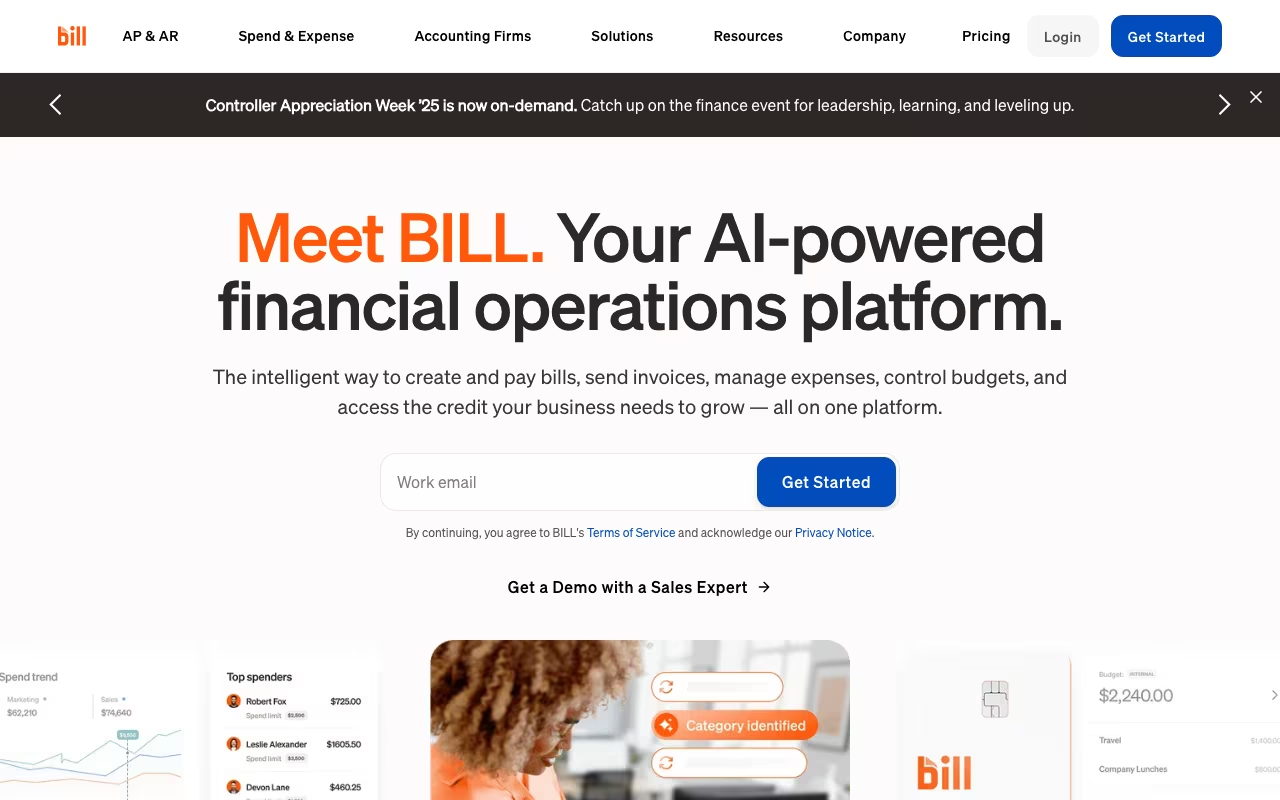
Paying bills sounds simple until you are managing dozens of vendor invoices per month, chasing down approvals from multiple stakeholders, and reconciling everything with your accounting software. BILL (formerly Bill.com) automates the entire accounts payable and receivable workflow so you stop drowning in paper and manual data entry.
BILL is used by hundreds of thousands of businesses and accounting firms. It integrates with QuickBooks, Xero, NetSuite, Sage Intacct, and other major accounting platforms. The core promise is straightforward: digitize your AP/AR processes, automate approvals, and pay vendors faster with fewer errors. Here is what that actually looks like in practice.
Try BILL Free Get started →Key Features
Accounts Payable Automation
BILL's AP workflow handles the full lifecycle of a bill: capture, code, approve, pay, and sync. You can forward invoices via email, upload documents, or snap photos. BILL uses AI and machine learning to extract vendor details, amounts, due dates, and GL codes automatically, reducing manual data entry significantly. The approval workflow is flexible, supporting multi-step approval chains where specific team members approve bills based on amount thresholds, departments, or vendors.
Payment Processing
BILL supports ACH, check, virtual card, and international wire payments. You can schedule payments in advance, batch multiple payments together, and track payment status in real time. Virtual cards are particularly useful because they earn rebates on spend. International payments cover 130+ countries in multiple currencies. The platform handles the complexity of converting currencies, calculating fees, and routing payments through the correct rails.
Accounts Receivable
The AR side lets you create and send invoices, accept online payments, and track receivables. Customers can pay via ACH, credit card, or PayPal. Automatic payment reminders reduce the time spent chasing overdue invoices. While not as feature-rich as dedicated invoicing tools, it covers the basics well and keeps everything in one platform.
Accounting Software Integration
BILL syncs bidirectionally with QuickBooks Online, QuickBooks Desktop, Xero, NetSuite, Sage Intacct, Sage 50, and Microsoft Dynamics. The Team plan and above offer automatic two-way sync, which means transactions, GL codes, and vendor data flow between BILL and your accounting software without manual intervention. This is one of BILL's strongest features and the primary reason many businesses choose it.
Spend and Expense Management
BILL offers a completely free Spend and Expense plan that includes corporate cards, budget controls, receipt capture, and expense reporting. There are no monthly fees or per-user charges. This is a genuinely useful gateway product, and many businesses start here before upgrading to the paid AP/AR plans.
Pricing
- Spend and Expense: Free. Corporate cards, budgets, receipt capture, and expense reporting at no cost.
- Essentials: $45/user/month. Bill entry, approvals, payments, and basic AP/AR functionality. No automatic accounting sync.
- Team: $55/user/month. Everything in Essentials plus automatic two-way sync with accounting software and custom user roles.
- Corporate: $79/user/month. Full AP, AR, and procurement capabilities with purchase order controls and policy-based approval workflows.
- Enterprise: Custom pricing for larger organizations with multi-entity accounting, complex approval hierarchies, and dedicated support.
BILL also offers special partner pricing for accounting firms managing client accounts. Transaction fees apply for certain payment methods (ACH is typically free for domestic payments, while international wires and card payments carry fees).
Pros
- Genuinely saves time on AP: AI-powered invoice capture and automated approval workflows eliminate hours of manual work per week for most teams.
- Strong accounting integrations: The two-way sync with QuickBooks, Xero, NetSuite, and Sage is reliable and eliminates duplicate data entry.
- Free Spend and Expense plan: A legitimate free product with corporate cards and expense management, not just a trial.
- Flexible payment options: ACH, check, virtual card, and international wire from one platform. Virtual card rebates are a nice bonus.
- Solid approval workflows: Multi-step approvals with custom rules based on amount, vendor, or department keep financial controls tight.
- Large ecosystem: Widely used by accounting firms, which means your accountant likely already knows the platform.
Cons
- Customer support is inconsistent: Multiple users report long response times, sometimes stretching into weeks. Support quality varies significantly between agents. This is the most common complaint across review platforms.
- Per-user pricing adds up: At $45-79/user/month, costs escalate quickly for teams with multiple approvers. A 5-person finance team on the Team plan pays $275/month before any transaction fees.
- Learning curve for setup: Initial configuration, especially mapping GL codes and setting up approval workflows, takes time and some accounting knowledge.
- International payments are expensive: Wire transfer fees for international payments can be significant. If you pay many overseas vendors, the costs add up fast compared to dedicated international payment platforms.
- Reporting limitations: Several users report that built-in reports are not flexible enough for detailed financial analysis. Exporting data for custom reports is often necessary.
- Account closure concerns: Some users on review sites report unexpected account closures or holds during document verification, which is alarming for a financial platform.
Who Should Use BILL
Great for: Small to mid-sized businesses processing 20+ vendor invoices per month. Finance teams that need structured approval workflows with audit trails. Companies using QuickBooks, Xero, or NetSuite who want tight AP/AR integration. Accounting firms managing AP/AR for multiple clients. Businesses looking for free corporate card and expense management (Spend and Expense plan).
Skip it if: You only process a handful of invoices per month (manual processing is fine). You need advanced inventory management tied to your AP (BILL does not do this). You require fast, responsive customer support for mission-critical financial operations. You do heavy international payments (dedicated platforms like Wise or Payoneer are cheaper). You need advanced custom reporting without exporting data.
Frequently Asked Questions
How does BILL compare to Melio for accounts payable?
Melio is simpler and cheaper, with a free plan for basic AP. BILL is more feature-rich with deeper accounting integrations, multi-step approvals, AR capabilities, and support for larger teams. For a solo business owner paying a few vendors, Melio is probably enough. For a finance team that needs approval workflows, audit trails, and enterprise-grade integrations, BILL is the better choice.
Is the free Spend and Expense plan actually free?
Yes. There are no monthly fees, per-user charges, or hidden costs for the Spend and Expense plan. You get corporate cards, budget controls, receipt capture, and basic expense reporting. BILL earns revenue through card interchange fees (paid by merchants, not you). It is a legitimate free product and a good way to test the platform before upgrading to AP/AR plans.
Can BILL handle multi-entity or multi-location businesses?
Yes, but you will need the Corporate or Enterprise plan. The Corporate plan supports purchase order controls and policy-based workflows across departments. The Enterprise plan adds full multi-entity support with consolidated views, intercompany transactions, and custom approval hierarchies. Pricing for Enterprise is custom and requires contacting BILL's sales team.
What payment methods does BILL support?
BILL supports ACH (free for domestic), paper checks (mailed by BILL on your behalf), virtual cards (with cashback rebates), credit cards, and international wire transfers covering 130+ countries in multiple currencies. ACH is the most cost-effective option for domestic payments. International wires carry fees that vary by country and currency. Virtual cards are useful for earning rebates on vendor payments where cards are accepted.
Final Verdict
BILL is the gold standard for accounts payable automation for small and mid-sized businesses. The AI-powered invoice capture, flexible approval workflows, and tight accounting software integrations genuinely save time and reduce errors. The free Spend and Expense plan is a low-risk way to start. The main downsides are inconsistent customer support, per-user pricing that scales quickly, and limitations with international payments and custom reporting. If you process more than 20 invoices per month and use QuickBooks, Xero, or NetSuite, BILL is likely worth the investment. Start with the free plan and upgrade when you outgrow it.
Try BILL Free Get started →