
Last updated: May 2026
What Is Process Street?
Process Street is the workflow and process management platform that turns recurring business processes into trackable, automatable workflows. Founded in 2014, Process Street serves over 5,000 companies who use it to codify standard operating procedures (SOPs), client onboarding, employee onboarding, compliance checklists, audits, and quality assurance processes.
The pitch is repeatable excellence at scale. Critical processes too often live in someone's head or in a Google Doc that nobody reads. Process Street makes processes visible, assignable, automatable, and improvable through structured workflows with form fields, conditional logic, automations, and reporting.
The product targets ops teams at growing companies, compliance-driven organizations, and consulting firms that productize their methodology. Solo operators can use it but the value scales with team size and process complexity.
Try Process Street FreeHow Process Street Works
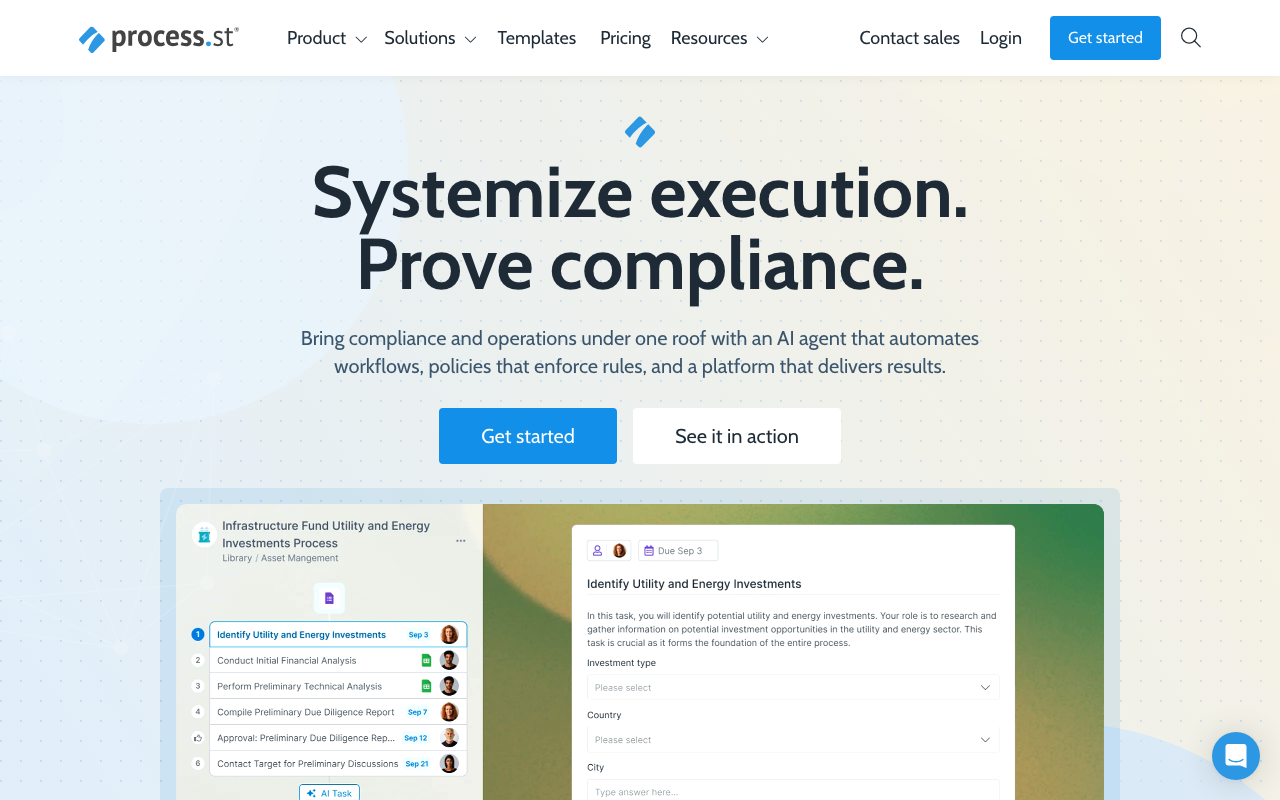
Build a workflow template. A template defines an ordered series of tasks, each task can hold instructions, form fields, file uploads, approvals, embedded videos, and other rich content. Tasks can be conditional (only appear if a previous task was answered a certain way) or required (workflow cannot progress without completion).
Run an instance of the template each time the process needs to happen. New client onboarding? Run the "Client Onboarding" workflow. Quarterly audit? Run the audit workflow. Each instance tracks progress, assignments, and timestamps for compliance.
Form fields capture data within workflows. Text input, dropdowns, multi-select, dates, file uploads, member assignment fields. The data populates dynamic content (use the company name field in document templates) and feeds reports.
Automations trigger workflows from events (new HubSpot contact, new Stripe customer, new Salesforce opportunity) or schedules (run quarterly compliance checklist on the 1st of each quarter). Integrations cover hundreds of SaaS tools natively plus Zapier and Make for the long tail.
AI agents handle data entry, summaries, and approvals within workflow steps. Useful for workflows that previously required human review but follow predictable patterns.
Reporting shows workflow performance: completion rates, time-to-complete, bottleneck identification, and quality metrics from form responses.
Process Street Pricing in 2026
Startup: $100/month annually. 5 active workflows, 10 users, basic features.
Pro: $415/month annually. Unlimited workflows, advanced automation, conditional logic, dynamic content.
Enterprise: Custom pricing for larger teams with SSO, SCIM, audit logs, and advanced security.
The pricing gap between Startup and Pro is significant. Most teams either run lean on Startup (5 workflows is restrictive) or commit to Pro for the full feature set.
See Process Street PlansWhere Process Street Wins
- Conditional logic: workflows adapt based on form responses.
- Integration depth: triggers from major SaaS tools natively.
- AI in workflows: agents handle predictable steps within processes.
- Clean reporting: see where workflows get stuck.
- Strong compliance positioning: audit trails, role-based access.
Where It Falls Short
- Pricing gap between tiers: $100 to $415 is a big jump.
- Learning curve: full automation features take time to master.
- Best for ops teams: less ideal for individual task management.
- Mobile experience secondary: web-first design.
Process Street vs Tallyfy vs Pneumatic vs Notion
Tallyfy is the closest competitor with similar workflow depth at competitive pricing.
Pneumatic is cheaper but less feature-rich.
Notion can DIY checklists with databases but lacks Process Street's conditional logic and automation depth.
Trainual targets training and onboarding specifically.
Who Should Use Process Street
Ops teams codifying processes: onboarding, audits, client work standardization.
Mid-size companies scaling: documentation becomes critical as teams grow.
Compliance-driven organizations: audit trails and standardized execution.
Consulting firms productizing methodology: client deliverables become repeatable workflows.
Skip it if: you are a 5-person startup (Notion or Asana is enough), your processes change too rapidly to template, or you cannot commit to documenting and maintaining workflows.
Frequently Asked Questions
Can I run workflows on a schedule?
Yes. Schedule recurring workflows automatically.
What integrations are supported?
Salesforce, HubSpot, Slack, Microsoft Teams, Zapier, Make, and hundreds more.
Does it support conditional branching?
Yes. Task visibility and required status configurable based on form responses.
Can clients access workflows?
Yes via shared links. Clients fill out forms without needing Process Street accounts.
How do AI agents work?
AI handles data entry, summaries, and predictable tasks within workflow steps. Configurable per workflow.