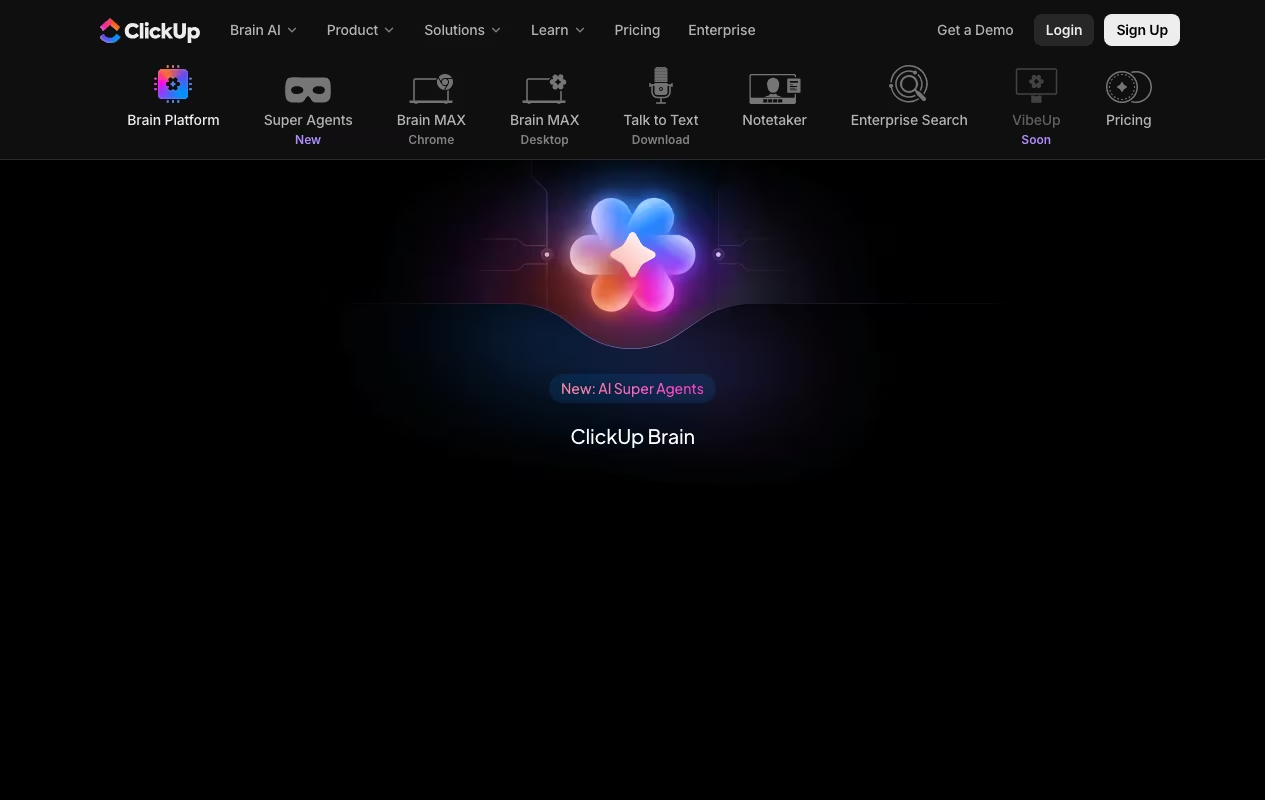
ClickUp Brain isn't a standalone product. It's an AI layer embedded throughout ClickUp's workspace that can write content, summarize tasks, answer questions about your projects, automate workflows, and assign tasks based on team capacity.
What separates it from bolting ChatGPT onto a project management tool is context. Brain has access to everything in your ClickUp workspace: tasks, docs, comments, custom fields, time tracking data, sprint histories. When you ask "what did the design team ship last week?" or "summarize the blockers on Project X," it pulls from your actual data, not a generic training set.
Try ClickUp Brain Get started →What Brain Actually Does
Knowledge Manager: Ask questions in natural language and get answers from your workspace data. "What's the status of the Q1 launch?" pulls from tasks, docs, and comments. "Who's available this week?" checks workload data. It replaces the 20 minutes of clicking through dashboards and Slack threads to find an answer.
AI Writer: Generate content from within ClickUp Docs. Blog drafts, meeting agendas, project briefs, SOPs. It's not going to write your novel, but for business documents where "good enough, fast" beats "perfect, slow," it works.
Project Manager AI: Auto-generate subtasks from task descriptions, suggest priorities based on deadlines and dependencies, summarize sprint progress, and create automated standups that compile what each team member worked on without requiring manual updates.
Automation trigger: Brain can trigger automations based on natural language rules. "When a task is marked urgent and unassigned, assign it to the team member with the lowest workload" is something you can actually set up.
Pricing
ClickUp Brain is an add-on to any paid ClickUp plan at $7/user/month (or $5/user/month on annual billing). On the Unlimited plan ($7/user/month), adding Brain roughly doubles your per-user cost. On the Business plan ($12/user/month), it's a ~40% increase.
Free trial available. No Brain access on the free ClickUp plan.
See ClickUp Brain Pricing See plans →Where It Shines
- Context-aware answers: The ability to query your actual project data in natural language is genuinely useful. No other PM tool's AI has this depth of workspace access.
- Automated standups: Pulls from tasks, comments, and status changes. Your team stops spending 15 minutes writing daily updates.
- Doc generation: Creating project briefs, SOPs, and meeting notes from workspace context is a real time-saver.
- Smart automation: Natural language automation rules lower the barrier to building workflows.
Where It Falls Short
- Per-user pricing adds up: A 50-person team pays $250-350/month extra for Brain. That's real budget for AI features you might not all use daily.
- Only useful inside ClickUp: If your team's knowledge lives in Notion, Google Docs, and Slack, Brain can't access any of it. It's only as smart as the data in your ClickUp workspace.
- AI quality varies: Summarization and Q&A are strong. Creative writing is generic. Automation suggestions sometimes miss context.
- Requires data discipline: Brain's answers are only as good as your team's task descriptions and documentation. Garbage in, garbage out.
Worth the Add-On?
If your team already uses ClickUp as its central workspace and has good data hygiene (task descriptions, docs, comments), Brain provides genuine value. The automated standups and natural language querying alone can justify the cost for teams of 10+. If your team barely fills out task descriptions, Brain won't magically create intelligence from nothing.
Add Brain to Your ClickUp Workspace Get started →How ClickUp Brain works
ClickUp Brain (marketed as "Brain²") is not a standalone app. It is the AI layer built into the ClickUp work platform, bought as a per-seat add-on on top of an existing workspace plan. That distinction shapes everything else: the product's value comes from the work already sitting in your ClickUp account.
Setup is mostly a matter of connecting sources. ClickUp lists Google Drive, GitHub, Salesforce, Figma, Linear and Notion as connected apps, alongside any Model Context Protocol (MCP) integration and web search. Brain indexes tasks, docs, chats and those connected apps into a searchable context graph, continuously re-indexing live workspace events into a semantic knowledge graph. Retrieval is hybrid (vector plus graph) over full workspace history, so answers cite real tasks and documents rather than whatever you remembered to paste into a chat box.
Each request is routed to a model you choose, with selection across Claude, ChatGPT, Gemini and others. On top of question answering, Brain writes and updates work items and runs multi-step jobs: ClickUp describes outputs including generating presentation decks, building dashboards and prototypes, analyzing datasets and creating spreadsheets. It also exposes AI Chats, AI Channels, AI Tasks and AI Projects, which hold shared, persistent context for a team instead of trapping it in one person's private session.
The heavier work is metered. Super Agents, AI Fields, AI automations and image generation draw on AI Super Credits: 1,500 per user per month on Brain AI, 5,000 per user per month on Everything AI, with more available for purchase separately.
Where ClickUp Brain wins
- Model choice inside one product. Claude, ChatGPT and Gemini are all selectable, so you are not locked to a single AI vendor's output quality or roadmap.
- Context comes from the workspace itself. Hybrid vector plus graph retrieval over full history means answers reference actual tasks and docs, with no copy-paste briefing step.
- It reaches beyond ClickUp. MCP support plus native connectors for Google Drive, GitHub, Salesforce, Figma, Linear and Notion pull in data that lives elsewhere.
- AI surfaces are shared, not personal. AI Chats, AI Channels and AI Tasks keep state across a team rather than being disposable one-off conversations.
- Stated compliance and data terms. ClickUp claims SOC 2, ISO 27001, GDPR and HIPAA compliance, and says it contractually forbids third-party AI providers from training on or retaining customer data.
- A Free Forever AI tier exists for trial access to advanced AI features across chat, tasks and docs.
Where it falls short
- It only pays off if ClickUp is your system of record. The value is workspace context, so this is not a general assistant you can adopt on its own.
- It stacks on top of platform pricing. Brain AI is $9 per user per month and Everything AI is $28, layered on Unlimited ($7) or Business ($12) per user per month billed yearly. A Business seat with Everything AI lands at $40 per user per month.
- Credits are the real ceiling. Conversations are unlimited on paid plans, but Super Agents, AI Fields, AI automations and image generation consume the 1,500 or 5,000 monthly AI Super Credits, with top-ups sold separately.
- The Free plan is trial access to advanced AI, not a sustainable free tier.
- Claims outrun evidence. The vendor page leans on phrases like ambient intelligence, autonomous policy refinement and adaptive learning from corrections, without publishing accuracy or throughput figures you could check.
Who should use ClickUp Brain
Teams already standardized on ClickUp are the clear fit, particularly those who want AI grounded in their own tasks and docs and who can absorb a second per-seat fee on top of the platform. The team-shared AI surfaces and the connector list make it strongest where ClickUp is genuinely the hub rather than one tool among several.
Skip it if ClickUp is not your system of record, since the context advantage disappears. Skip it too if your budget cannot carry roughly $16 to $40 per user per month all-in, or if your intended usage is agent-heavy enough that the Super Credit allowance turns into an unpredictable variable cost rather than a fixed line item.