
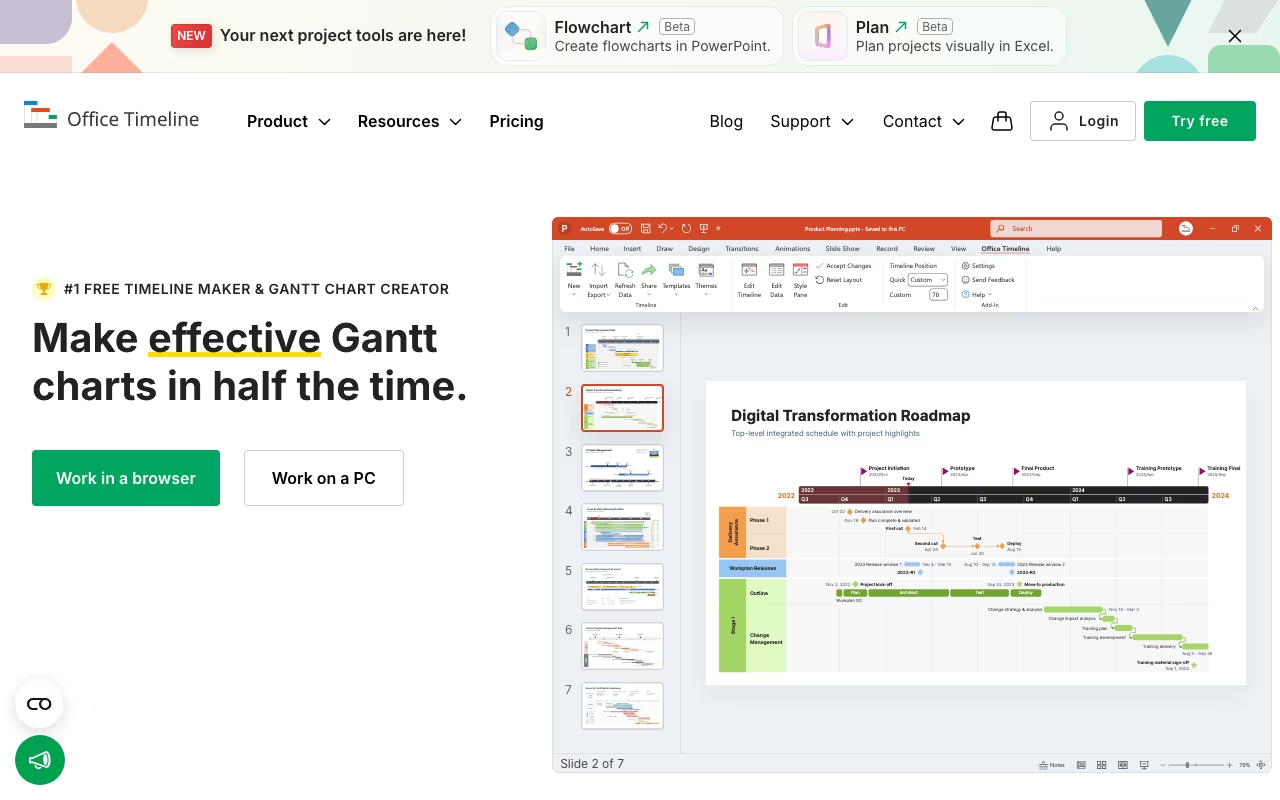
Office Timeline fills a very specific gap: it creates professional-looking timelines and Gantt charts inside PowerPoint. Not project management. Not task tracking. Just beautiful visual timelines that are ready for executive presentations. If you have ever spent an hour manually drawing timeline arrows and milestone diamonds in PowerPoint, you will immediately understand why this tool exists.
PowerPoint-Native Timeline Building
Office Timeline installs as a native PowerPoint add-in on Windows. Once installed, it adds a new tab to your PowerPoint ribbon with timeline-specific tools. You add milestones, tasks, and durations through a simple interface, and it generates a polished timeline slide. The whole process takes 5-10 minutes for what would normally take 45-60 minutes of manual PowerPoint work.
The output quality is genuinely impressive. Templates are designed for boardroom presentations, not internal tracking. You get clean swimlane diagrams, Gantt charts with dependencies, project roadmaps, and milestone timelines. Drag-and-drop editing lets you adjust colors, shapes, fonts, and date formats. Everything stays as a native PowerPoint object, so recipients can open and edit slides without needing Office Timeline installed.
Download Office Timeline FreeData Import Changes Everything
The real value unlock comes with data import. On the Lite plan and above, you can copy-paste data from Excel spreadsheets directly into a timeline. The Plus plan adds direct Excel file import. And the Expert plan syncs bidirectionally with Microsoft Project, Smartsheet, Jira, and Wrike. When your source data updates, your timeline updates automatically.
This is where Office Timeline saves the most time. Project managers who maintain schedules in MS Project or Jira can generate stakeholder-ready presentations without manually recreating data. You pull in your project plan, Office Timeline visualizes it, and you present. No screenshots, no manual data entry, no risk of the presentation being out of sync with the actual schedule.
The "Planned vs. Actual" tracking on the Expert plan deserves a callout. It overlays your original timeline against actual progress, making status meetings much more informative. You can show exactly where tasks slipped and by how much, right inside a PowerPoint slide.
Plans and Pricing
Office Timeline offers a free version and three paid tiers for the desktop add-in, plus a separate online version:
- Free: Basic timelines and Gantt charts, up to 10 items without watermark, manual data entry only
- Lite (~$108/year): Excel copy-paste import, up to 2 swimlanes
- Plus (~$199/year): Unlimited swimlanes, sub-swimlanes, task dependencies, critical path visualization
- Expert (~$249/year): MS Project/Smartsheet/Jira/Wrike sync, Planned vs. Actual tracking, reusable custom themes
- Online Premium (~$149/year per user): Browser-based version with collaboration, full export capabilities
All paid plans include a 30-day money-back guarantee. The free tier is genuinely usable for simple presentations, though the 10-item limit and watermark push you toward paid plans quickly for real projects.
Compare Office Timeline PlansLimitations You Should Know
The biggest limitation is platform support: the desktop add-in is Windows-only. No Mac support. If your team runs on Macs, your only option is the online version, which lacks some of the desktop add-in's features and polish. There is no real-time co-editing either. You can share timelines, but two people cannot work on the same timeline simultaneously.
Office Timeline also deliberately avoids being a project management tool. There are no task assignments, workload views, resource management, or Kanban boards. If you need those, use Asana, Monday.com, or Wrike for day-to-day management and Office Timeline for the presentation layer. This is a visualization tool, not a work management tool.
No AI features exist in the current version. While competitors are adding AI-assisted scheduling and auto-layout, Office Timeline remains a manual (if efficient) design tool. Keyboard shortcut support is also limited, which slows down power users who prefer staying on the keyboard.
User Ratings and Competitive Position
On G2, Office Timeline holds 4.5/5 from about 82 reviews. Capterra rates it 4.6/5 with high marks for ease of use (4.5), features (4.5), and customer service (4.6). Users consistently praise the visual quality and time savings. The most common complaint is the lack of Mac support.
Compared to alternatives: think-cell is the enterprise standard at consulting firms and offers a broader chart library (waterfall, Mekko, etc.) but costs significantly more. GanttPRO and TeamGantt are better for project management but produce less polished presentation outputs. Lucidchart and Miro offer more flexibility for general diagramming but are not PowerPoint-native.
Office Timeline has been around since 2012 and claims over 1 million professionals have used it, including teams at Ericsson, Hitachi Solutions, and FUJIFILM Medical Systems. It is a mature, stable tool that does its specific job well.
Who Should Use Office Timeline
If you regularly present project timelines, roadmaps, or schedules to stakeholders and you work in PowerPoint on Windows, Office Timeline is an obvious productivity gain. Project managers, consultants, and marketing teams who spend significant time making timelines look presentable will recoup the $199-249/year investment quickly. If you work on a Mac, need real-time collaboration, or want full project management capabilities, look elsewhere.
Try Office Timeline Free