
Not Just Another Meeting Tool
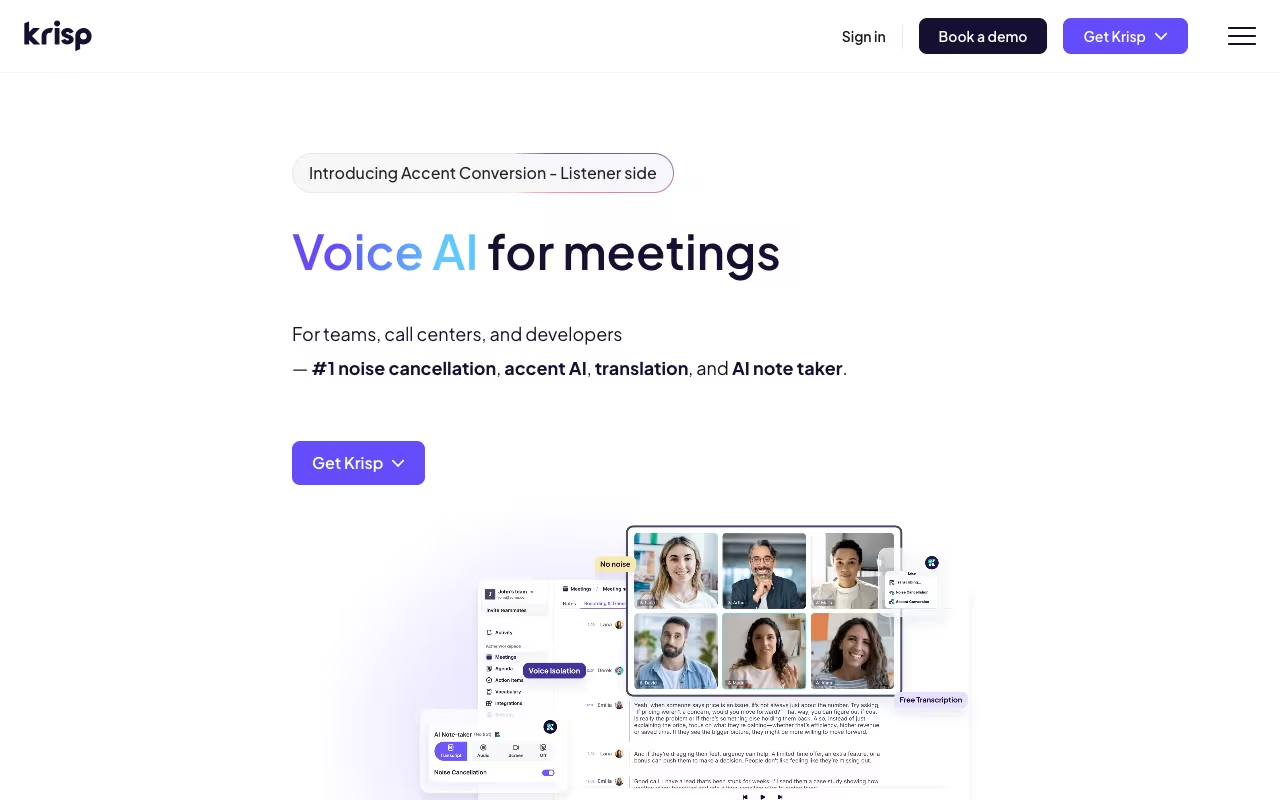
Every AI meeting assistant promises better notes and transcription. Krisp promises that, plus something none of them can do: make your calls actually sound good. The product started in 2017 as a noise cancellation engine, and that's still its sharpest edge. It removes background noise, echo, and crosstalk by over 40 decibels, all processed locally on your device so no audio ever leaves your computer.
Since then, Krisp has expanded into a full voice AI platform: meeting transcription, AI summaries, action items, and a feature nobody else offers, real-time accent conversion. The noise cancellation tech runs on over 150 million devices and has processed more than 4 trillion minutes of audio. That's not a startup experimenting. That's infrastructure.
Try Krisp Free Get started →The Noise Cancellation Advantage
This is what Krisp is known for and it delivers. The system works as a virtual audio device that sits between your microphone and your meeting app. Dogs barking, construction outside, keyboard clicking, kids in the background: gone. It handles both sides too. Incoming audio from other participants gets cleaned up as well, so you hear them clearly even if they're in a noisy cafe.
It works with any app that uses audio. Zoom, Google Meet, Teams, Slack, Discord, phone calls. You don't need per-platform plugins or integrations. Set Krisp as your microphone and speaker in system settings, and every audio app benefits.
The processing happens entirely on your device. No audio data is sent to Krisp's servers for noise cancellation. For teams handling sensitive conversations, legal calls, or healthcare discussions, this is a meaningful privacy advantage over cloud-dependent tools.
One caveat: noise cancellation currently requires a USB wired headset with a boom microphone for best results. Bluetooth and 3.5mm setups don't get the same quality. And the mobile app only does transcription, not noise cancellation.
Meeting Notes and Transcription
Krisp joined the AI meeting notes race later than Otter or Fireflies, and it shows in some areas. The transcription is solid (English is processed on-device, 15+ other languages via server-side). Notes and summaries generate automatically after calls, with action items detected and listed separately.
It's bot-free. Like Granola, Krisp records from your system audio. No participant notification, no "Krisp has joined the meeting" message. The recording runs silently in the background.
Where it falls short: the AI-generated summaries feel more basic than what Circleback or Granola produce. You get a functional summary and bullet points, but the structure isn't as polished or customizable. There are no custom templates for different meeting types, and no automation engine for routing insights to other tools. For pure note quality, Granola or Circleback beat Krisp. But neither of them remove background noise from your calls.
Accent Conversion
This is Krisp's most unusual feature and there's nothing else like it on the market. It adjusts accents in real-time during calls. Two modes:
Speaker-side: Your voice is adjusted so listeners hear a more neutral accent. Currently supports adjustments for Latin American English, Indian English, and Filipino English speakers. The system requires reading a short calibration script to learn your voice patterns.
Listener-side (Accent Understanding): Incoming speech is adapted for the individual listener. If you struggle to understand certain accents, this feature adjusts the audio to be clearer for you specifically.
In practice, the results are mixed. It works well enough for call centers (TTEC reported a 54% reduction in language-barrier complaints after deploying it). For 1-on-1 professional calls, some users report it sounds slightly robotic. It's impressive technology that's still maturing.
Try Krisp Free Get started →Pricing
Free: 60 minutes/day of noise cancellation, unlimited transcription and recording, 2 AI notes per day, 7-day meeting history. A genuine free tier, not a trial.
Core: $16/month ($8/month annual). Unlimited noise cancellation and AI notes, integrations, mobile app, 5 GB storage.
Advanced: $30/month ($15/month annual). Everything in Core plus accent conversion (4 hrs/day speaker-side, unlimited listener-side), Salesforce and ConnectWise integrations, manager view, 30 GB storage.
Enterprise: Custom pricing. SSO/SCIM, on-device transcription, HIPAA compliance, dedicated account manager, unlimited storage.
The annual pricing is aggressive. $8/month for Core makes Krisp the cheapest meeting tool with noise cancellation. Even the monthly $16 undercuts Otter ($16.99) and Fireflies ($19). But note: Krisp had a price increase recently (roughly 60% on annual plans), which frustrated some long-time users.
Krisp also offers a separate Call Center product starting at $10/agent/month for enterprises with 40+ seats.
Strengths
- Noise cancellation is unmatched. No meeting tool, no conferencing platform, and no built-in laptop feature comes close to what Krisp does for audio quality. If you work from noisy environments, this alone is worth the subscription.
- On-device processing protects privacy. Audio never leaves your machine for noise cancellation and English transcription. Real advantage for legal, healthcare, and compliance-sensitive teams.
- Works everywhere. Any app that uses audio gets Krisp's benefits. No per-platform setup, no Chrome extensions, no configuration per tool.
- Generous free tier. 60 minutes/day of noise cancellation plus unlimited transcription. That covers most people's daily meeting load at no cost.
- Linux support. One of the few meeting tools that runs on Windows, Mac, and Linux.
- HIPAA compliance available. Enterprise tier includes HIPAA, which rules out most competitors (Granola, Circleback, Fathom).
Limitations
- AI notes are functional but basic. Summaries lack the structure and polish of Granola or Circleback. No custom templates, no meeting-type-specific formatting, and limited customization options.
- No automation engine. Krisp can push notes to Slack or HubSpot, but there's no custom insight extraction or workflow automation like Circleback offers.
- Accent conversion needs work. The technology is unique and promising, but output can sound unnatural. Better suited for call centers than intimate 1-on-1 conversations.
- Mobile app is limited. Transcription only on iOS/Android. No noise cancellation on mobile, which is a surprising gap.
- USB headset required for best results. Noise cancellation underperforms with Bluetooth or 3.5mm connections. Not everyone wants to be tethered to a wired headset.
- Customer support has mixed reviews. G2 ratings are strong (4.6/5 from 1,100+ reviews), but Trustpilot shows frustration with response times and support quality.
How Krisp Compares
Granola produces better meeting notes and has a cleaner, faster workflow. But it has zero noise cancellation, no audio playback, and no free tier beyond 25 meetings. If note quality is priority #1, pick Granola. If audio quality matters, pick Krisp.
Circleback has the strongest post-meeting automation (CRM sync, custom insights, action item routing). Better for sales teams and workflow-heavy use cases. But no noise cancellation and no free plan.
Otter.ai offers better real-time collaboration and a solid free tier (300 min/month). But it sends a bot into meetings and processes everything in the cloud. Krisp wins on privacy and audio quality.
Fireflies has more integrations and deeper conversation analytics (talk ratios, sentiment). Better for sales intelligence. But again, no noise cancellation and cloud-dependent.
Who Should Use Krisp
Remote workers in noisy environments. Coffee shops, coworking spaces, home offices with kids or pets. Krisp makes you sound like you're in a soundproof studio.
Global teams with accent barriers. The accent conversion feature, despite its rough edges, genuinely helps call centers and international teams communicate more clearly.
Privacy-conscious organizations. On-device processing, HIPAA compliance, and no cloud audio storage. If your legal team asks "where does the audio go?", Krisp has the best answer.
Budget-conscious teams that still want AI notes. $8/month annual for unlimited noise cancellation plus AI notes is hard to beat on value.
Skip Krisp if you need polished, customizable meeting summaries (choose Granola), post-meeting workflow automation (choose Circleback), or deep sales analytics (choose Fireflies or Gong).
Does Krisp work with Bluetooth headsets?
Noise cancellation works best with USB wired headsets that have a boom microphone. Bluetooth and 3.5mm connections are supported but deliver lower quality noise removal. The company recommends wired USB for optimal performance.
Is the free plan useful or just a teaser?
It's genuinely useful. 60 minutes per day of noise cancellation covers most people's meeting schedule. Unlimited transcription and recording with 2 AI notes per day is enough for moderate use. The main limitation is the 7-day meeting history, which means older notes disappear.
Does Krisp send audio to the cloud?
Noise cancellation and English transcription happen entirely on your device. Audio never leaves your computer for these features. Server-side transcription for non-English languages does process audio remotely, but with encryption in transit and at rest.
Can I use Krisp and Granola together?
Yes. Krisp handles audio quality (noise cancellation) while Granola handles note quality. Set Krisp as your system microphone, and both tools process audio independently. Some users run this combo for the best of both worlds.
The Verdict
Krisp occupies a unique spot in the meeting tool landscape. It's not the best at AI summaries. It's not the best at CRM automation. But it's the only tool that makes your calls sound professional regardless of your environment, while also giving you transcription and notes. The noise cancellation is genuinely best-in-class, the on-device processing is a real privacy differentiator, and the pricing is competitive. If clean audio is table stakes for your work, Krisp is the only meeting tool that treats it that way.
Try Krisp Free Get started →