
Last updated: September 2026
What Clico Actually Is
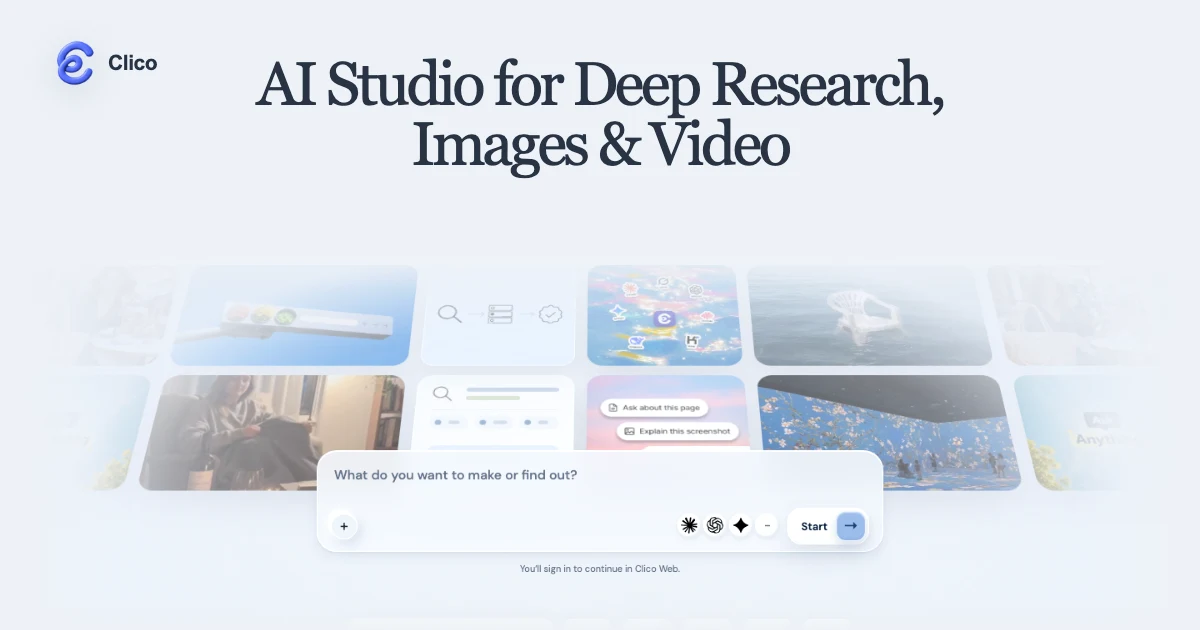
Clico is a browser-based AI studio that folds four separate jobs into one workspace: deep web research with cited sources, image generation, video creation, and photo editing driven by plain language. Instead of bouncing between a chatbot for research, one app for pictures, and another for video, you do all of it inside a single continuous conversation. You can also reach the same account through a Mac desktop app and a Chrome extension, with credits shared across every surface.
The pitch is practical rather than flashy. Ask a question and Clico searches the web and any files you upload, then links its evidence. In the same thread, you can turn a finding into a set of images, animate a still into a short clip, or edit a photo by describing the change. It routes requests across a roster of frontier models (Claude Opus variants, GPT, Gemini, DeepSeek, Kimi, Grok and others), so you are not locked to one vendor's strengths or blind spots.
Try Clico Get started →One Conversation, Research to Render
The single most distinctive thing about Clico is that research and visual creation live in the same thread, with sources preserved the whole way through. Most tools force a handoff: you research in one place, copy conclusions somewhere else, then open a separate generator and re-describe what you want. Clico removes that seam. You can investigate a topic, ask for source comparisons, and then say "make three images that illustrate this" without leaving the conversation or losing the citations that got you there.
Deep Research is the engine behind this. It performs web searches and reads documents you attach, then presents findings with links back to the evidence rather than an unsourced summary. Supported upload formats include PDF, DOCX, PPTX, TXT, MD, CSV and XLSX, and you can attach up to 10 files per request at 8MB each. That makes it genuinely useful for grounded work: drop in a report and a spreadsheet, ask Clico to reconcile them against current web sources, and get an answer you can actually check.
Because the same thread also generates visuals, the research does not sit in a dead end. A competitive teardown can become a slide-ready chart concept. A product brief can turn into moodboard images. A written explainer can spawn a short video. The value is not any one of these abilities in isolation (plenty of tools do each) but the fact that you never break context to move between them.
What Else It Does
Image Generation Without Watermarks
Clico generates up to four images per request and returns them clean, with no watermark stamped across the output. You can supply up to five reference images to steer style, composition or subject, which matters when you need consistency across a set rather than four unrelated interpretations of a prompt. Image generation is available even on the free plan, so you can test the quality before paying.
Video Creation and Image-to-Video
Video is delivered as finished MP4 files rather than previews you have to export elsewhere. You can generate clips from a text description or convert an existing still into motion with image-to-video. Video generation is reserved for the paid Chat, Image and Video modes, and the plan pages give rough yardsticks for output (a Pro allotment is estimated at around 20 Seedance 2.0 Mini videos, for example), which helps you gauge whether a plan covers your volume before committing.
Natural-Language Photo Editing
Editing works by instruction rather than layers and masks. You describe the change you want (remove an object, adjust the background, alter a color, extend a scene) and Clico applies it. For anyone who finds traditional editors slow for quick fixes, this collapses a multi-step task into a sentence, and it sits alongside generation so you can create and then refine in the same place.
A Workspace That Remembers
Conversations are saved and resumable, so a research thread you started yesterday is there to continue today, images and all. You can create shareable snapshots of a conversation to hand to a colleague or client, and those share links are revocable if you need to pull access back. Model routing is handled for you, with enhanced routing on paid tiers to match each request to a suitable model.
Pricing
Clico runs on a credits system across three tiers, and credits are pooled across the web app, Chrome extension and Mac desktop app. One caveat worth knowing up front: unused credits do not roll over month to month, so the right plan is the one that matches your typical monthly output rather than an occasional spike.
- Free: $0 with no card required, 200 monthly credits, four current chat models, standard routing, and Chat plus Image modes. Image generation is included.
- Pro: $19.90 per month, or $192 per year (about 20% off the monthly rate), with 2,000 monthly credits. This unlocks all 16 current chat models, enhanced routing, and Chat, Image and Video modes. The credit budget is estimated at roughly 500 GPT Image 2.5 images or around 20 Seedance 2.0 Mini videos.
- Max: $49.90 per month, or $480 per year, with 5,000 monthly credits. Same full model access and modes as Pro, sized for heavier use (estimated at about 1,250 images or 50 short videos per month).
Annual plans are billed upfront but issue their credits monthly. New users who sign up through the link on this page get 20% off their first purchase, which stacks onto the tier you choose. The free plan is a real one rather than a time-limited trial, so the low-risk path is to start there, confirm the output quality and model selection suit your work, then move to Pro or Max once you know your monthly volume.
Who It Is For
Clico fits people who move between reading and making. Researchers, analysts and consultants get cited answers they can verify and files they can interrogate, without leaving to a separate design tool when a visual is needed. Marketers and content teams get on-brand images and short videos from the same brief they just researched, with reference images to keep a set consistent. Solo founders and small teams get one subscription that covers research plus visual production instead of paying for several point tools.
It is less suited to users who need one deeply specialized capability at professional depth: a studio that wants frame-level video control, or a design team that lives in layered editors, will still reach for dedicated software. Clico's strength is breadth and flow, not replacing a specialist's toolset. If your day involves finding things out and then showing them, the unified thread and the free entry point make it easy to try on your own work before deciding.
Is there a free version of Clico?
Yes. The Free plan costs nothing, requires no card, and includes 200 monthly credits, four chat models and both Chat and Image modes. Image generation is included, so you can test output quality before upgrading.
What can Clico actually do in one place?
Deep web research with cited sources, document analysis, image generation, video creation (including image-to-video), and natural-language photo editing, all inside a single conversation with sources preserved.
Which AI models does Clico use?
It routes across a range of frontier models, including Claude Opus variants, GPT, Gemini, DeepSeek, Kimi and Grok. Paid plans open all 16 current chat models, while the free plan uses a selected set of four.
Do the generated images and videos have watermarks?
No. Images are returned clean without a watermark, and videos are delivered as finished MP4 files rather than watermarked previews.
Do unused credits carry over?
No. Credits reset each month and do not roll over, so choose a plan that matches your usual monthly output. Credits are shared across the web app, Chrome extension and Mac desktop app.