
Last updated: March 2026
Most AI app builders sell you on the same pitch: describe your app, watch it appear. And for simple prototypes, that works. The problem starts when your project grows past a landing page with a form. Prompts stop being enough, features start clashing, and you end up debugging AI-generated spaghetti code for hours.
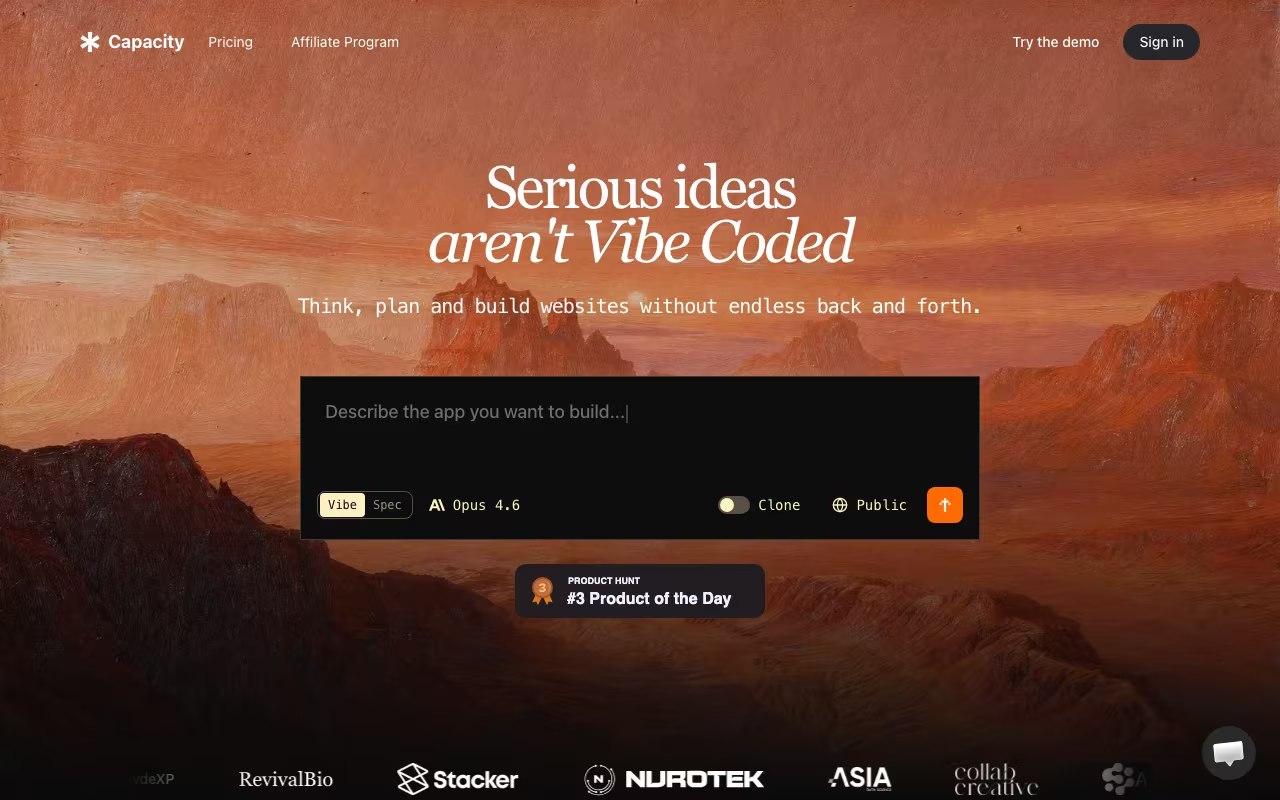
Capacity tries to fix this with a spec-first approach. Instead of jumping straight from a text prompt to code, it asks you to define what you're building before it writes a single line. Project briefs, user flows, design requirements, technical architecture. The AI then generates code from those specs rather than from a vague description. The idea is that better input produces better output. Here's what actually holds up and where it falls short, based on its features, pricing, and public user reviews.
Try Capacity Free Get started →Two Ways to Build: Vibe Mode vs Spec Mode
Capacity gives you two distinct workflows, and understanding when to use each matters.
Vibe Mode is the standard AI builder experience. Describe what you want in plain English, and the AI generates it. Quick prototyping, throwaway experiments, testing an idea in 10 minutes. It works like Bolt or Lovable. Nothing groundbreaking here, but it's fast and does the job for simple builds.
Spec Mode is what sets Capacity apart. Before any code is generated, you build out a structured specification: a project brief, UX flows, design system, and user stories. The AI Co-founder (a persistent AI assistant that sticks with your project) helps you think through decisions before committing them to code. Once your spec is solid, code generation follows the plan instead of improvising from a chat prompt.
For anything beyond a simple prototype, Spec Mode produces noticeably better results. The generated code is more consistent, component naming stays logical, and the AI doesn't forget what it built three prompts ago. That said, writing specs takes time. If you just want to test an idea quickly, Vibe Mode is fine. Use Spec Mode when you care about the output lasting beyond a demo.
The AI Co-founder
This is Capacity's most interesting feature and the one that's hardest to evaluate objectively. The AI Co-founder is a persistent assistant that maintains context across your entire project. It doesn't just generate code. It helps you think through product decisions: "Should this be a separate page or a modal? What happens when the user loses connection mid-form? How should the permissions model work?"
In practice, it functions like a patient technical co-founder who never gets annoyed when you change your mind. It remembers your project context between sessions, which means you're not re-explaining your app every time you start a new chat. For non-technical founders building their first product, this guidance is genuinely valuable. For experienced developers, it's more of a rubber duck that occasionally offers useful architectural suggestions.
What Gets Generated
Capacity builds on a modern production stack: React 18, Next.js 14, TypeScript, and Tailwind CSS on the frontend. Supabase handles database, authentication, and backend infrastructure. Every project gets real-time live preview with hot reloading, so you see changes instantly.
The generated code is clean enough to work with directly. TypeScript types are properly defined, components follow reasonable patterns, and the file structure is organized logically. You own 100% of the code and can export to GitHub or download the full codebase at any point. No vendor lock-in on the code itself.
Custom domain support is included on Growth plans and above, with automatic SSL. For deployment, Capacity hosts your app on their infrastructure, but you can always export and self-host if you prefer.
Start Building with Capacity Get started →Pricing Breakdown
Capacity uses a credit-based system. Each message to the AI agent uses a variable number of credits based on task complexity. Simple requests burn fewer credits; complex operations like building features or debugging use more. Credits never expire, which is a meaningful advantage over token-based platforms where unused allocation vanishes monthly.
- Free: 5 credits. Enough to poke around and test basic prompts, but you won't build anything meaningful.
- Mini Pack ($9 one-time): 20 credits. Build and test one small project. Good for evaluating the platform before committing to a subscription.
- Starter ($25/month): 100 credits. Unlimited projects, full Agentic mode access, email support.
- Growth ($69/month): 250 credits. Adds full codebase export, custom domains, and a dedicated WhatsApp support channel. This is the plan most serious builders will want.
- Professional ($129/month): 500 credits. Everything in Growth plus premium support and early access to new features.
- Business ($299/month): 1,000 credits. Adds a dedicated success manager and custom integrations.
The credit model makes costs more predictable than pure token-based pricing (looking at you, Bolt). But 100 credits on the Starter plan can disappear fast if you're building anything complex. The Growth plan at $69/month is where the math starts making sense for real projects.
Where Capacity Wins
- Spec-first actually reduces waste. Planning before generating means fewer "undo everything and start over" cycles. I burned through significantly fewer credits on a spec-based project compared to a similar one built entirely in Vibe Mode.
- Persistent project context. The AI remembers what you built, why you built it, and what decisions you made. This is a real differentiator over tools where every chat starts from scratch.
- Credits never expire. If you take a month off, your credits are still there. Token-based platforms like Bolt expire unused tokens after one rollover month.
- Clean code output. TypeScript, proper component structure, reasonable naming conventions. You can actually work with the exported code in a traditional IDE without wanting to rewrite everything.
- No vendor lock-in. Full code export to GitHub, ability to self-host. Your app isn't trapped on the platform.
Where It Falls Short
- Free tier is nearly useless. Five credits gets you maybe two or three prompts. You can't build anything or even properly evaluate the platform. The $9 Mini Pack is the real starting point.
- Limited to one tech stack. Everything is React/Next.js/Supabase/Tailwind. If you need Vue, Svelte, Django, Rails, or anything else, Capacity isn't an option. Bolt supports more frameworks.
- Newer platform, smaller community. Bolt and Lovable have larger user bases, more tutorials, and more community-generated templates. If you get stuck, there are fewer places to find answers.
- Credit consumption is opaque. "Variable credits based on complexity" means you don't know exactly how much a task will cost until it's done. Some transparency on estimated credit usage before executing would help.
- Scaling concerns remain. Like all AI builders, Capacity works well for apps with 5-15 components. Once projects grow significantly larger, the AI starts losing coherence even with specs. This is a limitation of the entire category, not just Capacity, but Note,.
Capacity vs Bolt.new vs Lovable
Dev tools, published pricing
| Tool | Pricing | Model |
|---|---|---|
| Capacity | Free (5 credits), $25/mo (Starter), $69/mo (Growth), $129/mo (Professional), $299/mo (Business) | Credits |
| Netlify | $19/mo (lowest published recurring price) | Subscription |
| Dify | $59/mo (lowest published recurring price) | Subscription |
| Ultahost | $2.49/mo (lowest published recurring price) | Subscription |
| Airia | AI orchestration platform, custom enterprise pricing | Subscription |
| UENI | Free website, $9.99/mo (Boost), $14.99/mo (Grow) | Freemium |
Bolt.new is the most popular AI app builder right now. Broader framework support, massive community, browser-based development via WebContainers. But token consumption is brutal (users report burning millions of tokens on debugging alone), and there's no spec-first workflow. Best for: quick prototypes where framework flexibility matters.
Lovable produces cleaner, more design-focused output and has tighter Supabase integration. Pricing is more predictable. But it's also prompt-first with no structured spec approach. Best for: design-heavy apps where visual quality is the priority.
Capacity is the best choice if you want to plan before building and need the AI to maintain context across a larger project. The spec-first approach produces more consistent results on medium-complexity apps. Best for: founders building real MVPs who want structure over speed.
If you're just testing a quick idea, Bolt's free tier gives you more room. If you're building something you plan to ship, Capacity's methodology produces fewer "start over from scratch" moments.
Frequently Asked Questions
Do I need to know how to code to use Capacity?
No. The platform is designed for non-technical users. The AI Co-founder guides you through product decisions, and Spec Mode helps you think through requirements without writing code. That said, having some understanding of how web apps work (databases, authentication, APIs) will help you give better instructions and evaluate the output.
Can I export my code and continue development elsewhere?
Yes. You can export the full codebase to GitHub at any time. The generated code uses standard React/Next.js/TypeScript patterns, so any developer familiar with those technologies can pick up the project in VS Code, Cursor, or their preferred IDE.
How many credits does a typical project use?
It depends heavily on complexity. A simple landing page with a form might use 15-30 credits. A multi-page web app with authentication, database operations, and multiple user roles could use 100-300+ credits. Spec Mode projects tend to use credits more efficiently since the AI generates from a plan rather than iterating through trial and error.
What happens if I run out of credits mid-project?
Your project and all your work are preserved. You can purchase additional credits (the $9 Mini Pack for 20 credits is the smallest option) or upgrade your plan. Nothing gets deleted or lost when credits run out.
The Bottom Line
Capacity's spec-first approach is a genuine improvement over "type a prompt and pray" workflows. For non-technical founders building their first MVP or developers who want AI to follow a plan instead of guessing, it produces more consistent and maintainable output than prompt-only alternatives. The credit system with no expiration is fair, and full code ownership means you're never locked in.
The trade-offs are real though. You're limited to one tech stack, the free tier barely lets you test anything, and credit costs for complex projects can add up quickly. Start with the $9 Mini Pack to build a small test project. If the spec workflow clicks for you, the Growth plan at $69/month gives you enough credits and features to build something real.
Try Capacity Free Get started →