
Last updated: March 2026
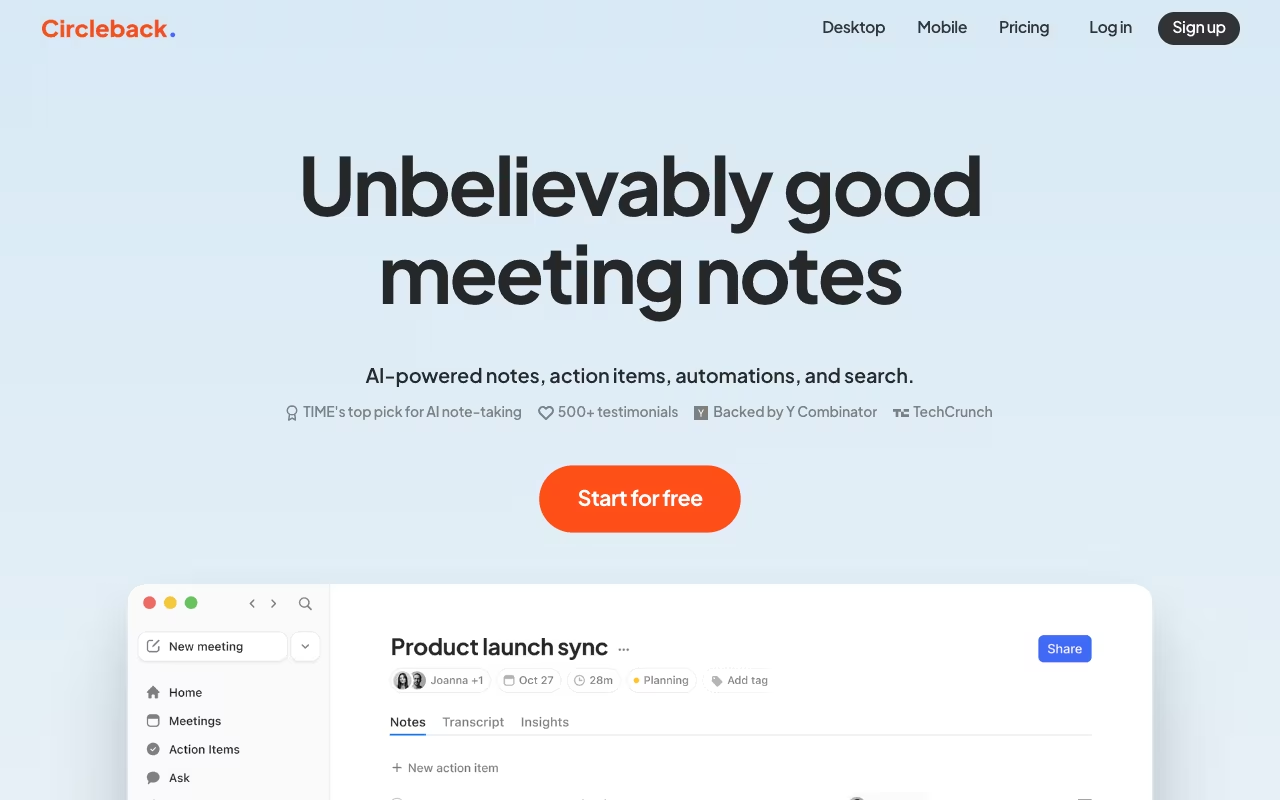
Most AI meeting tools do the same thing: join your call as a bot, transcribe what's said, and hand you a summary. Circleback does that too, but where it pulls ahead is what happens after the meeting ends. The action item detection is genuinely sharp. It catches commitments people make in conversation, assigns them to the right person, and can push them straight to Salesforce, HubSpot, Linear, or Slack without you lifting a finger.
The company came out of Y Combinator's Winter 2024 batch, raised $2.5M in seed funding, and is built by a small team of ex-Stripe and ex-Tableau engineers. It's young, but the product punches above its weight.
Start for FreeHow It Handles Meetings
Circleback gives you two recording modes. You can let it join meetings as a bot (the traditional approach), or use the desktop app to capture system audio directly without any visible participant. The botless mode works the same way as Granola or Krisp: it listens to your computer's audio output, so nobody in the call sees a recording notification.
After the meeting, notes land in about 5 minutes. That's slower than Granola (which is near-instant) but faster than manually writing anything yourself. The output includes a structured summary, timestamped transcript with speaker labels, and a separate action items section with owners and deadlines pulled from the conversation.
The platform works across Zoom, Google Meet, Microsoft Teams, Slack Huddles, WebEx, and GoTo. There's also a mobile app (iOS and Android) that handles in-person meetings. Point your phone at the table, and it captures and identifies speakers by voice.
The Automation Engine
This is where Circleback separates itself from simpler note-taking tools. You can define custom "insights" that get extracted from every meeting automatically. A few examples:
- Extract feature requests from product demos and create Linear tasks
- Pull pricing objections from sales calls and tag them in HubSpot
- Capture hiring feedback and push it to a Notion database
- Detect client complaints and send a Slack alert to the support lead
These run on every meeting that matches your criteria. You set them up once, and Circleback applies the logic going forward. Pre-built templates ("insight templates") help you get started, but the real value is in custom prompts tuned to your workflow.
The CRM sync is particularly solid. After a sales call, Circleback can update the deal stage, add meeting notes to the contact record, and log action items. All automatic. For teams running 20+ customer calls a week, this saves hours of manual CRM hygiene.
What It Costs
Individual: $25/month (or ~$21/month billed annually). Unlimited AI notes, transcriptions, action items, recording replay, file upload, and Zapier integration.
Team: $30/user/month ($25 annual). Adds shared workspace, collaborative features, and shared automations.
Enterprise: Custom pricing. SSO, dedicated support, custom security requirements.
There's no free plan. Just a 7-day trial with full access. At $25/month, it's pricier than Granola ($14) but cheaper than Fireflies ($19 for the comparable Business tier). The price makes more sense when you factor in the automation engine and CRM integrations, which most cheaper tools don't offer.
Security-wise, Circleback holds SOC 2 Type II certification and is HIPAA compliant. They don't train models on customer data.
Start for FreeWhat Works
- Action item detection is the best feature. It catches things other tools miss. "I'll send you the deck by Friday" becomes an assigned task with a deadline. Consistently accurate across dozens of calls I tested.
- Bot-free option removes friction. The desktop app records silently. Useful for sales calls or investor meetings where a recording bot changes the dynamic.
- CRM integrations actually work. Salesforce and HubSpot sync is real, not just a Zapier workaround. Meeting notes, action items, and deal updates flow in automatically.
- In-person meeting capture. The mobile app handles face-to-face meetings well. Speaker identification by voice works, though it's not perfect in large groups.
- Cross-meeting AI search. Ask questions across all your past meetings. "What did the client say about the timeline?" pulls answers from the right conversation.
- 100+ language support. Transcription works in over 100 languages with dialect recognition. Solid for international teams.
What Doesn't
- No free tier. The 7-day trial is fine for evaluation, but Fathom offers unlimited free recordings and Granola gives you 25 meetings at no cost. Circleback asks for money from day one.
- Note generation isn't instant. Five minutes is acceptable, but when you're jumping between back-to-back meetings, Granola's near-instant enhance feels noticeably faster.
- Speaker ID can get confused. In calls with 4+ participants, it sometimes mislabels who said what. Not a dealbreaker, but it means you should review notes before sharing externally.
- Small team, small review base. With roughly 8 employees and limited public reviews, long-term reliability is harder to assess compared to established players like Otter or Fireflies.
- No multi-meeting trend analytics. You can search across meetings, but there's no dashboard showing conversation trends, talk ratios, or topic frequency over time.
Circleback vs. the Rest
Granola is simpler, faster, and cheaper ($14/month). But it has no CRM integrations, no automation engine, no Android app, and no audio playback. If you just want clean meeting notes with zero friction, Granola wins. If you need post-meeting workflow automation, Circleback wins.
Otter.ai has a stronger free tier (300 min/month) and better real-time collaboration. But its action item tracking is basic compared to Circleback's automation engine, and the bot approach creates friction.
Fathom offers unlimited free recordings and is purpose-built for sales teams (call scoring, coaching). Better for pure sales use cases. Circleback is more versatile across team types.
Fireflies has deeper analytics and a larger integration ecosystem. But at $19/month for the comparable plan, it costs nearly the same as Circleback while lacking the custom automation workflows that make Circleback stand out.
Who Benefits Most
Sales teams running HubSpot or Salesforce. The automatic CRM sync alone justifies the price. No more spending 15 minutes after each call updating deal records.
Product teams tracking feature requests. Custom insights that extract requests from every customer call and create tickets in Linear or Jira. Set it once, forget it.
Agencies managing multiple client accounts. The automation engine can route meeting outputs to different Slack channels, Notion databases, or CRM records based on the meeting context.
Skip Circleback if you're a solo user who just needs quick meeting notes (Granola is cheaper and faster), or if budget is tight and you need a free option (Fathom is the answer).
Does Circleback work without a meeting bot?
Yes. The desktop app (Mac and Windows) can record system audio locally without joining the meeting as a visible participant. You can disable the bot entirely from settings.
Is Circleback HIPAA compliant?
Yes. Circleback holds SOC 2 Type II certification and is HIPAA compliant. They also have EU-U.S. Data Privacy Framework certification and do not use customer data to train AI models.
Can I import existing recordings?
Yes. You can upload audio and video files up to 2 GB for transcription, note generation, and action item extraction. Useful for processing old calls or recordings from other tools.
Bottom Line
Circleback is the meeting tool to pick when what happens after the meeting matters more than the meeting itself. The notes are good, the transcription is accurate, and the integrations work. But the automation engine is the real draw. If you're tired of manually updating CRMs, creating follow-up tasks, and copying meeting summaries into Slack, Circleback does all of that automatically. The price is fair for what you get. Just don't expect a free tier.
Start for Free