
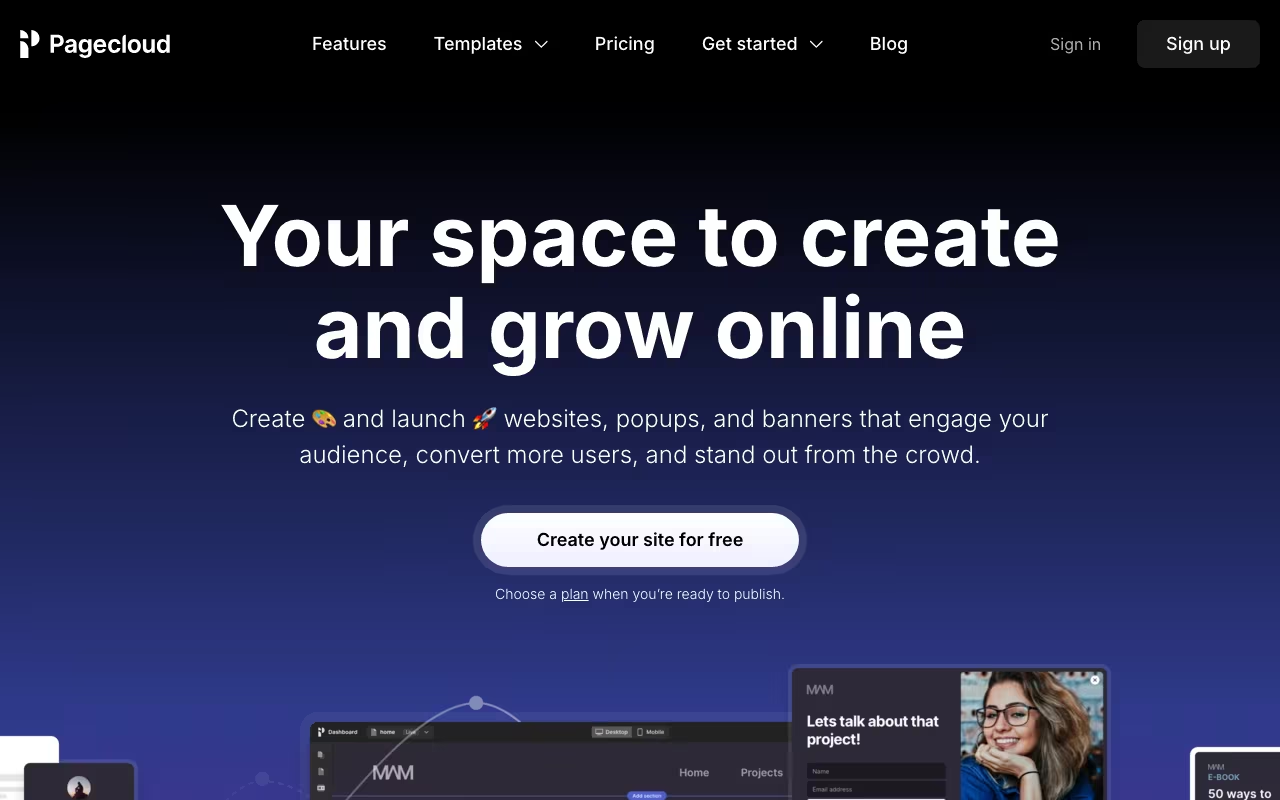
Every website builder says "drag and drop." What they mean is "drag into the spots we've decided for you." Pagecloud is different. Elements go anywhere on the canvas. Overlapping, off-grid, pixel-positioned. It's closer to designing in Figma or Photoshop than building in Squarespace. If you've ever screamed at a template because it wouldn't let you put something 30 pixels to the left, Pagecloud exists for you.
Try Pagecloud Free Get started →Freeform Design That Actually Works
The editor gives you a blank canvas (or a template starting point). Drag elements anywhere. Text, images, buttons, videos, forms. Nothing snaps to a grid unless you want it to. Overlap elements, create layered compositions, position things exactly where your design eye says they should go.
Responsive design is where it gets interesting. Freeform layouts that look great on desktop need manual adjustment for tablet and mobile. Pagecloud gives you separate views for each breakpoint where you reposition elements. It's more work than template builders (which handle responsive automatically), but the results can be far more distinctive.
E-commerce, blogging, forms, and integrations are all built in. You can sell products, publish content, and connect with email marketing tools. The platform is complete, not just a design tool.
See Pagecloud Pricing See plans →Pricing
Launch: $22/month billed annually, $26 billed monthly. Hosting, SSL, your own domain and base AI usage.
Grow: $36/month billed annually, $45 billed monthly. Twice the AI usage and up to 10 team members.
Optimize: $69/month billed annually, $89 billed monthly. Five times the AI usage and up to 100 team members.
Comparable to Squarespace and Wix pricing, but with genuinely more design freedom.
The Trade-Off: Freedom vs. Guardrails
What you gain:
- True design freedom. No template constraints. Put anything anywhere.
- Unique-looking sites that don't scream "Squarespace template #47"
- Visual interface that designers actually enjoy using
- Custom code support (HTML, CSS, JS) when you need it
What you give up:
- Templates provide guardrails. Without them, bad design is easy. Good design is on you.
- Responsive design takes more work. Every breakpoint needs manual attention.
- Smaller app ecosystem than Wix or Shopify
- Less community, fewer tutorials, less third-party support than major builders
Pagecloud vs. Webflow vs. Squarespace
Webflow: Similar design freedom, but with a steeper learning curve and more powerful capabilities (CMS, interactions, animations). If you're willing to invest time learning Webflow, it's more powerful. If you want something more approachable, Pagecloud is easier.
Squarespace: Beautiful templates, less customization. If you're happy working within template structures, Squarespace is polished and well-supported. If templates frustrate you, Pagecloud is the alternative.
Wix: Moving toward more flexibility with Wix Studio, but still more template-oriented at its core.
How Pagecloud works
Pagecloud is a no-code website builder from Ottawa, Canada, built around a free-form drag-and-drop editor. You begin from a template or a library of pre-designed sections and edit visually, dropping in images, text, icons, galleries, forms and components such as FAQs and lists, with control over colors, fonts, spacing and animations.
Unusually for the category, all premium plans include source code access (HTML, CSS and JavaScript) so a developer can extend what the visual editor produces. The workflow features are practical rather than flashy: unlimited draft sites, per-page draft and publish, and share links for unpublished pages so clients can review before anything goes live.
The product also absorbs several things most builders push to third parties. There is a popup and banner builder (modals, slide-ins, exit-intent, scheduled banners), a custom form builder, an unlimited blog, and a privacy-first analytics dashboard tracking traffic, demographics, referrers and custom events (clicks, form submissions, scrolls), flagging broken links with redirect management, GDPR-compliant and storing no PII. SEO covers meta titles and descriptions, heading hierarchy and a built-in keyword research tool powered by a Semrush integration.
Ecommerce is a separate paid add-on layered onto any plan. It brings 40+ payment gateways, real-time carrier shipping estimates, automated tax, abandoned cart reports, customer accounts, coupons, digital goods and subscriptions, plus selling into Instagram, TikTok, Facebook, Amazon and eBay. Hosting, SSL and CDN are fully managed, you can connect any domain, and annual subscriptions include a free custom domain and email for the first year. Beyond the software, Pagecloud runs a done-for-you arm called Crafted by Pagecloud and a marketplace of Pagecloud Pros for hire.
Where Pagecloud wins
- Source code access (HTML, CSS, JS) on all premium plans. Rare in no-code builders, and the difference between a locked box and something a developer can actually extend.
- Popups, banners and forms are native, not paid third-party scripts, which removes an OptinMonster or Typeform class subscription from your stack for lead capture.
- Privacy-first, GDPR-compliant analytics with custom event tracking and broken-link detection built in, so you are not pushed into Google Analytics by default.
- Agency-friendly workflow: unlimited draft sites, share links for unpublished pages, team members with role-based access, and dedicated agency plans with multiple sites and priority support.
- Keyword research inside the editor through the Semrush integration, plus 100+ app integrations including Calendly, Mailchimp, Stripe and Google Reviews.
- Real ecommerce depth for a website builder: 40+ payment gateways, real-time shipping rates, automated tax, subscriptions, and multi-channel selling to Amazon, eBay, Instagram, TikTok and Facebook.
Where it falls short
- No import path. Pagecloud states outright that apart from certain blogs, there is currently no way to import code or existing websites. Migrating an existing site means rebuilding it page by page.
- Ecommerce is not included in any plan. It is a paid add-on "in addition to your plan", so the store is a second line item on top of the website subscription.
- Pricing is not readable without running the site's scripts. The pricing, agency and ecommerce pricing pages all render prices client-side and the underlying page ships no plan names or numbers, so you cannot compare tiers before engaging with the site or support.
- You can build for free but must pay to publish. There is no trial and no credit card up front, but a live site requires a paid plan, and the free custom domain and email are annual-subscription-only and first-year-only.
- No stated storage, bandwidth or traffic allowances anywhere on the pricing pages, which makes capacity planning for a high-traffic site guesswork.
- Small vendor relative to Wix, Squarespace or Webflow, meaning a smaller template and app ecosystem and less third-party expertise to hire outside its own Pros marketplace.
Who should use Pagecloud
Pagecloud fits designers, small agencies and marketers who want pixel-level layout freedom plus conversion tooling (popups, forms, analytics) inside one subscription, and who value being able to touch the HTML, CSS and JavaScript when the visual editor runs out of road. The draft sites, review links and role-based access make it workable for client projects, and small businesses starting from scratch get a lot bundled.
Skip it if you need to migrate an existing site, since there is effectively no import path and you would be rebuilding from zero. Skip it if you want ecommerce included rather than billed as an extra, and skip it if you need published pricing and hard bandwidth commitments in writing before you commit.
FAQ
Do I need design skills?
It helps. Pagecloud gives you freedom but no guardrails. Someone with design sense will create better results than someone who's never thought about layout, typography, or spacing.
Are the sites mobile-friendly?
They can be, but it requires manual responsive adjustment at each breakpoint. Template builders handle this automatically; freeform design doesn't.
Pagecloud fills a real gap: it's more flexible than Squarespace, more approachable than Webflow, and more capable than Wix for designers who want pixel-level control. The audience is specific: people who care about design and find template constraints limiting. If that's you, try rebuilding one page in Pagecloud that you could never get right in a template builder. The difference in creative control is immediately obvious.
Design Without Limits Get started →