
How to Track Your Brand Visibility in ChatGPT (Step by Step)

Your brand is either in ChatGPT's answers or it isn't. Here's how to find out and what to do about it.
Tracking brand visibility in ChatGPT means monitoring which prompts mention your brand, how often, in what position, and with what sentiment. The simplest way to start: sign up for HubSpot AEO (28-day free trial, then $50/month), enter your domain and competitors, and get your visibility score in five minutes.
ChatGPT processes over 1 billion queries per day. When a potential customer asks "what's the best [your category] tool?", the answer shapes their shortlist before they visit a single website. 93% of AI Mode sessions end without a click, meaning the brand mention inside the response is often the only impression you get.
The gap between traditional SEO and AI visibility is real. A brand can rank #1 on Google for its core keywords and still be absent from ChatGPT's commercial recommendations. AI models evaluate trust signals differently: they prioritize entity recognition, structured answers, and third-party validation over keyword density and link profiles. Without dedicated tracking, you'll never know where you stand.
Get your visibility score in five minutes.
Start your free 28-day trial with HubSpot AEO →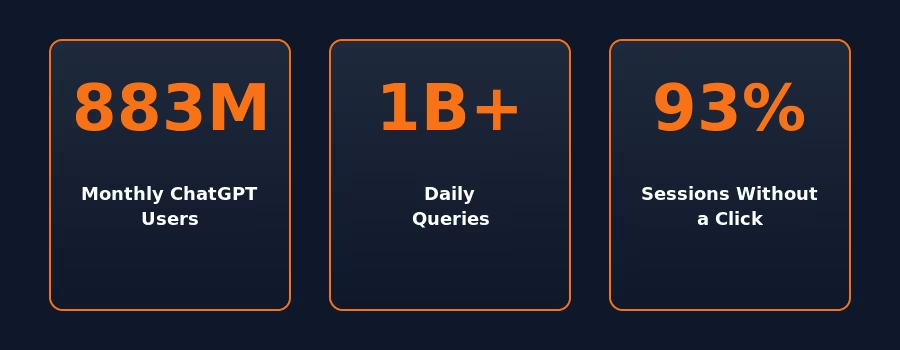
Step 1: Identify the Prompts That Matter
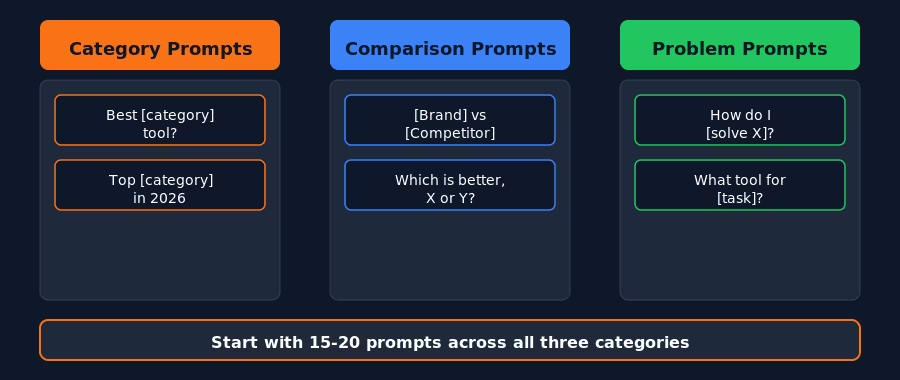
Before you set up any tracking tool, you need to know what to track. Brainstorm 15-20 prompts in three categories:
- Category prompts: "What's the best [your category]?" / "Top [category] tools in 2026"
- Comparison prompts: "[Your brand] vs [Competitor A]" / "Compare [X] and [Y]"
- Problem prompts: "How do I [solve problem your product solves]?" / "What tool for [task]?"
HubSpot AEO helps expand this list by analyzing your CRM data to suggest prompts based on your actual customer segments.
Step 2: Choose Your ChatGPT Tracking Tool
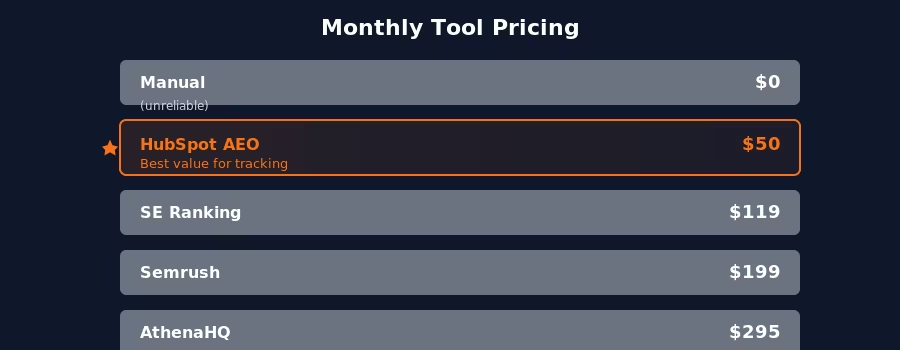
You can track manually (free but unreliable) or with automated tools. Here's the comparison:
| Feature | HubSpot AEO | Semrush | SE Ranking | AthenaHQ | Manual |
|---|---|---|---|---|---|
| ChatGPT tracking | Yes | Yes | Yes | Yes | Yes |
| Other AI engines | Gemini | Perplexity, AI OV | 6 platforms | 4 platforms | Any |
| Daily auto runs | Yes | Yes | Yes | Yes | No |
| Competitor track | 5 competitors | Varies | Varies | Varies | Manual |
| CRM integration | Yes (HubSpot) | No | No | No | No |
| Recommendations | Yes | Limited | Limited | Limited | No |
| Starting price | $50/mo | $199/mo | $119/mo | ~$295/mo | Free |
HubSpot AEO is the best choice for most teams: lowest price for ChatGPT-specific tracking, plus CRM integration that prioritizes which gaps matter most for your business.
Step 3: Set Up Your First Tracking Dashboard
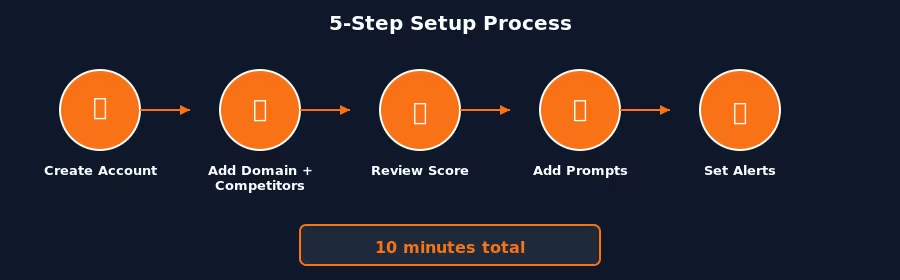
The setup process with HubSpot AEO takes under 10 minutes:
- Create your account. Go to HubSpot AEO. If you already have a HubSpot account, AEO integrates directly. Standalone: $50/month with a 28-day free trial.
- Enter your domain and competitors. Add your URL and up to five competitor domains.
- Review your initial score. HubSpot AEO evaluates sentiment, presence quality, brand recognition, share of voice, and market position. Score: 0-100.
- Add priority prompts. Enter your 15-20 prompts from Step 1. Accept suggested prompts based on your industry and CRM data.
- Set up weekly alerts. Configure email notifications for trend reports and competitor changes.
Step 4: Read Your Results and Identify Gaps
Visibility score
Below 20 = invisible. 20-50 = present but competitors dominate. Above 50 = competitive. Above 70 = category leader. Most brands starting out land below 20, which means ChatGPT rarely or never mentions them in relevant conversations.
Prompt-level data
Sort by "mentions competitor but not you" to find your highest-priority gaps. These are the prompts where buyers are actively asking about your category and getting pointed to competitors instead. Each one represents lost demand you can recapture with targeted content.
Trend data
Look for sudden drops after model updates and correlate improvements with content you've published. Weekly tracking catches patterns that monthly snapshots miss. Pay special attention to prompts where your visibility fluctuates. These are often the easiest to stabilize with consistent content updates.
Competitor benchmarks
Compare your score against each tracked competitor. Identify which competitors dominate which prompt types. Some may own category prompts while others win on comparison queries. Understanding this breakdown helps you prioritize where to invest content resources first.
Step 5: Fix Your ChatGPT Visibility Gaps
For category prompts where you're missing: create comparison content on your site. Include pricing, features, and honest trade-offs. ChatGPT favors content that reads as objective rather than purely promotional.
For comparison prompts where competitors win: build dedicated "Your Brand vs. Competitor" pages with feature tables and clear conclusions. Include real pricing data and specific use cases where your product excels.
For problem prompts where you're absent: create "how to" content featuring your product as part of the solution. Answer the question directly in the first paragraph. Use structured headings and FAQ sections with schema markup so AI models can parse the content easily.
After publishing, monitor the specific prompts you targeted. Typical timeline: 2-4 weeks for ChatGPT to reflect new web content. If a piece doesn't move the needle after four weeks, revisit the content structure, add more specific data points, stronger third-party citations, or a clearer direct answer in the opening paragraph.
Find which prompts your competitors are winning today.
Start tracking your ChatGPT visibility with HubSpot AEO →Step 6: Build a Weekly Review Cadence
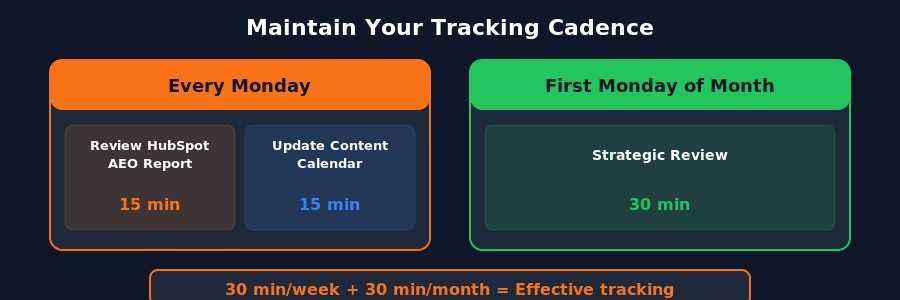
Every Monday, Review (15 min): open your HubSpot AEO weekly report. Note score changes, new competitor appearances, and prompt shifts. Flag the top 2-3 gaps that represent the highest-value opportunities.
Every Monday, Plan (15 min): update your content calendar based on the gaps you identified. Assign one gap-closing content piece per week. Over a quarter, that's 12 targeted pieces, enough to meaningfully shift your visibility profile.
Monthly, Strategic review (30 min): compare your overall score month-over-month. Analyze which content types drove the most improvement, comparison pages, FAQ guides, or how-to articles. Double down on what works and cut what doesn't move the needle.
What the Early Data Shows About ChatGPT Tracking
Brands that track and optimize their ChatGPT visibility are seeing real results. HubSpot's marketing team earned 159 AI citations and over 1,000 page views from AI referral traffic within four weeks of optimizing a single page using their AEO framework (source: Contrast Blog).
According to HubSpot's 2026 State of Marketing report, 58% of marketers say AI-referred visitors convert at higher rates than traditional organic traffic. With 93% of AI sessions ending without a click, the brand mention inside the response is the only impression most buyers get.
The takeaway: tracking alone isn't enough. The brands seeing the fastest improvement combine weekly monitoring with a structured content response, one targeted piece per gap, published consistently. Over a quarter, that compounds into 12+ optimized pages covering your most important prompts.
FAQ
How do I track my brand visibility in ChatGPT?
Use HubSpot AEO ($50/month) for automated daily tracking. Enter your domain, competitors, and priority prompts to get a visibility score and gap analysis.
Does ChatGPT give the same answer every time?
No. Responses vary by model version, conversation context, and web data freshness. Automated tools run multiple queries and aggregate results for statistically meaningful data.
How often does ChatGPT update its brand recommendations?
ChatGPT pulls from training data (updated periodically) and live web browsing. New content can influence responses within 2-4 weeks. Major model updates can shift recommendations overnight.
Can I track ChatGPT visibility for free?
HubSpot AEO provides a free trial for 28 days. For ongoing tracking, the paid tool is $50/month.
What's a good ChatGPT visibility score?
Below 20: invisible. 20-50: present but competitors dominate. 50-70: competitive. Above 70: category leader. Most brands start below 20 and can reach 30-40 within 8 weeks.
Conclusion: Tracking Is the First Step, Action Is What Moves the Score
With 93% of AI sessions ending without a click, the brand mention inside the response is your entire shot at making the buyer's shortlist. Start with HubSpot AEO (28-day free trial, then $50/month). Set up your prompts today. Publish one targeted content piece per week. In two months, you'll have measurable progress.
The brands that invest in ChatGPT tracking now are building the same kind of compounding advantage that early SEO adopters built a decade ago. The difference is that the window is shorter, as more brands discover AEO, the cost of catching up increases. Run your first audit and know where you stand.
Related reading
Some offers on this page may be paid placements or contain affiliate links.
