What Is Workleap?
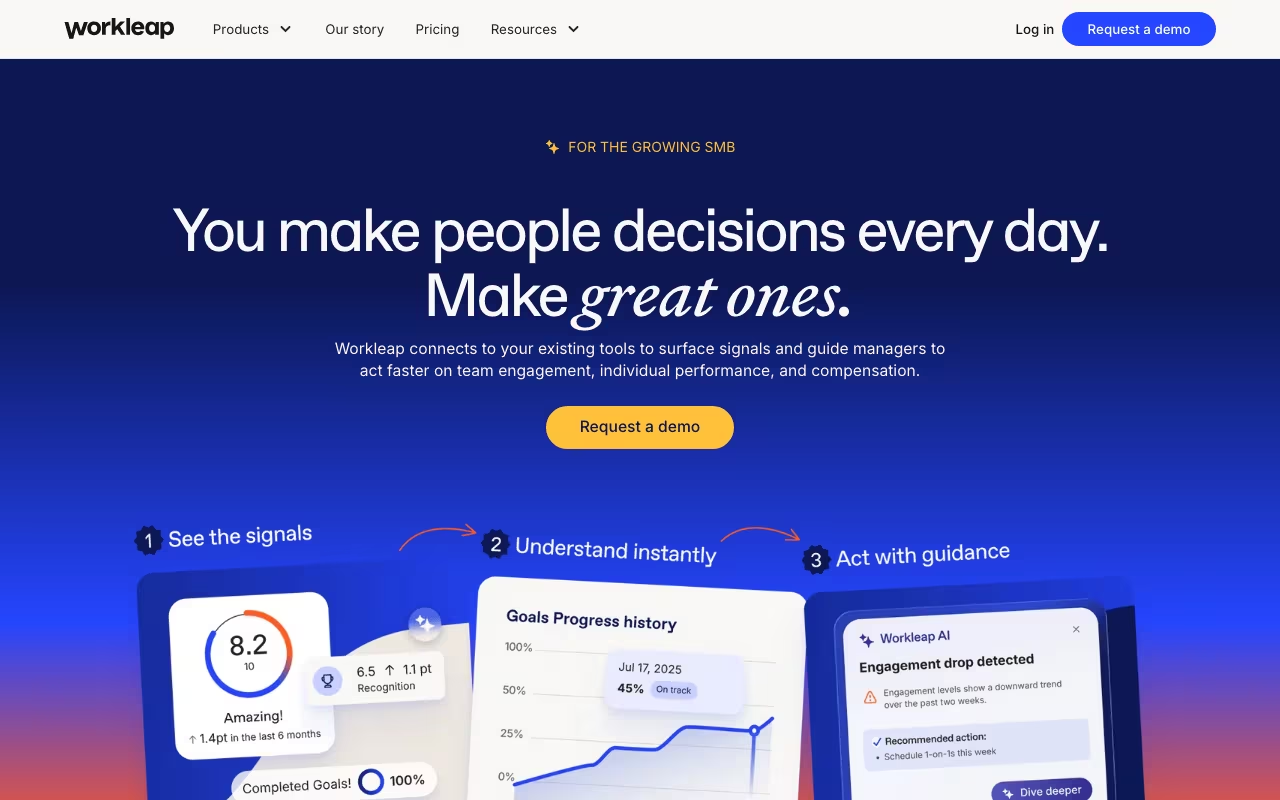
Workleap (formerly GSoft) is a Canadian-built employee experience platform that brings together engagement, performance management, onboarding, learning, and skills development into a single, modular ecosystem. Workleap Technologies Inc. is part of the broader Workleap Platform organization, which also includes ShareGate products for Microsoft 365 migration and governance. The platform serves over 20,000 organizations and is designed for teams that want practical HR tooling without the complexity of enterprise HRIS systems.
Key Features
- Engagement Surveys (Officevibe): Automated pulse surveys sent weekly to employees, measuring 10 core metrics including recognition, wellness, personal growth, and manager relationships. Includes anonymous feedback channels and eNPS tracking.
- Performance Reviews: Configurable review cycles supporting self-assessments, manager reviews, and 360-degree feedback. AI writing assistance helps managers provide more constructive, specific feedback.
- Onboarding Workflows: Create structured onboarding journeys with task assignments, meeting scheduling, training material links, and progress tracking dashboards for managers. Templates are reusable across new hires.
- Learning Management (LMS): Build internal courses, define learning paths, and track completion across your organization. Supports video, document, and quiz-based content formats.
- Skills Mapping: Competency frameworks that help employees and managers identify current skill levels, gaps, and development opportunities tied to career progression.
- Peer Recognition (Good Vibes): A lightweight recognition system that lets employees send public shout-outs to colleagues, building visibility around positive contributions across teams.
- Compensation Planning: Tools for salary review cycles, pay equity analysis, and compensation benchmarking to support fair and transparent pay decisions.
- ShareGate Integration: For organizations in the Microsoft ecosystem, Workleap also offers ShareGate Migrate and ShareGate Protect for Microsoft 365 migration, tenant management, and governance.
Pricing
Workleap sells each module separately. Officevibe (Engagement) and Performance each cost $5.00 per user per month with annual billing, or $6.25 month-to-month, with a minimum of 10 users. Onboarding starts at $2.00 per user per month on annual billing. The LMS module is $4.00 per user per month annually. The Total Experience Bundle, which includes Engagement, Performance, Onboarding, LMS, and Skills together, costs approximately $12 per user per month on annual billing. There are no setup fees for any configuration, and volume discounts are available for larger deployments.
What We Like
- The buy-what-you-need pricing model means you are not paying for performance tools when you only want engagement surveys, or vice versa
- Onboarding at $2 per user per month is one of the most affordable structured onboarding solutions on the market
- The platform genuinely looks and feels modern, unlike many HR tools that still carry legacy UI design from the 2010s
- AI-powered features add practical value: survey insight summaries, feedback writing assistance, and trend detection are useful rather than gimmicky
- Strong focus on manager enablement with dashboards, action prompts, and guided review workflows
What Could Be Better
- Recognition reporting is limited. You can send Good Vibes but cannot easily analyze recognition patterns, team-level trends, or identify engagement gaps through recognition data
- Customer support ticket history is not visible to users, making it difficult to track ongoing issues or reference past conversations
- The breadth of products (Officevibe, Performance, Onboarding, LMS, Skills, ShareGate) can create confusion about what you are actually buying and how the pieces fit together
- Advanced customization options for the UI, branding, and reporting are limited compared to enterprise platforms
- Integration options with third-party tools could be broader, particularly for payroll and HRIS platforms outside of North America
Who Should Use Workleap?
Workleap is built for people-ops leaders and HR teams at companies with 50 to 1,500 employees who need practical, easy-to-deploy tools for engagement, performance, and onboarding. It works especially well for tech companies, digital agencies, professional services firms, and any organization that values employee experience but does not have the budget or bandwidth for an enterprise HRIS like Workday or SAP. Teams already invested in the Microsoft 365 ecosystem can also benefit from the ShareGate integration for tenant management and migration.
Who Should Skip Workleap?
Large enterprises with more than 2,000 employees and complex global HR requirements will likely outgrow Workleap's reporting and customization capabilities. If you need deep payroll integration, benefits administration, or time-and-attendance tracking, Workleap does not cover those areas and you will need a dedicated HRIS. Organizations that need advanced analytics with custom dashboards and drill-down capabilities should look at Lattice, Culture Amp, or 15Five instead. Solo consultants and freelancers have no use case here.
Is Workleap the same as GSoft?
Yes. GSoft rebranded to Workleap in June 2023. The company consolidated its products (Officevibe, Softstart, ShareGate, and others) under the Workleap brand. Workleap Technologies Inc. and Workleap Platform Inc. are affiliated entities within the same corporate structure. If you previously used any GSoft product, it now lives under the Workleap umbrella.
What is the difference between Workleap and ShareGate?
ShareGate is a product within the Workleap portfolio focused on Microsoft 365 migration and governance. ShareGate Migrate helps organizations move content between Microsoft 365 tenants, while ShareGate Protect monitors your Microsoft 365 environment for security and compliance issues. The rest of Workleap's products (Officevibe, Performance, Onboarding, LMS) focus on employee experience and HR workflows.
How long does it take to deploy Workleap?
Most teams can get Officevibe (engagement surveys) running within a day. Performance review cycles, onboarding workflows, and LMS content creation take longer depending on the complexity of your processes, but initial setup for any single module is typically completed within one to two weeks. There is no heavy implementation project or lengthy onboarding period.
Does Workleap integrate with Slack and Microsoft Teams?
Yes. Workleap integrates with both Slack and Microsoft Teams for notifications, pulse survey delivery, and quick actions like sending peer recognition. The Teams integration is particularly deep given the company's roots in the Microsoft ecosystem through ShareGate.
Our Verdict
Workleap Technologies Inc. delivers a modern, modular HR platform that hits the sweet spot for mid-market companies. The pricing is fair, the UI is genuinely good, and the modular structure means you are not locked into buying features you do not need. It will not satisfy enterprise teams with complex global requirements, and the reporting could be more powerful, but for its target audience, Workleap is one of the most sensible employee experience platforms available today. The ShareGate integration adds a unique angle for Microsoft-heavy organizations.
Try Workleap free