
Last updated: March 2026
Mailchimp used to be the default for small business email marketing. Then it got expensive. Sender stepped into that gap with a simple pitch: the same core email marketing features at a fraction of the cost, plus a free tier generous enough that many businesses never need to upgrade.
2,500 subscribers and 15,000 emails per month, free, forever. That's not a 14-day trial. That's Sender's actual free plan, and it includes automation, segmentation, and analytics. For a small business or side project just getting started with email, that's hard to argue with.
Start Free with Sender (2,500 Subscribers) Get started →The Free Tier That Actually Works
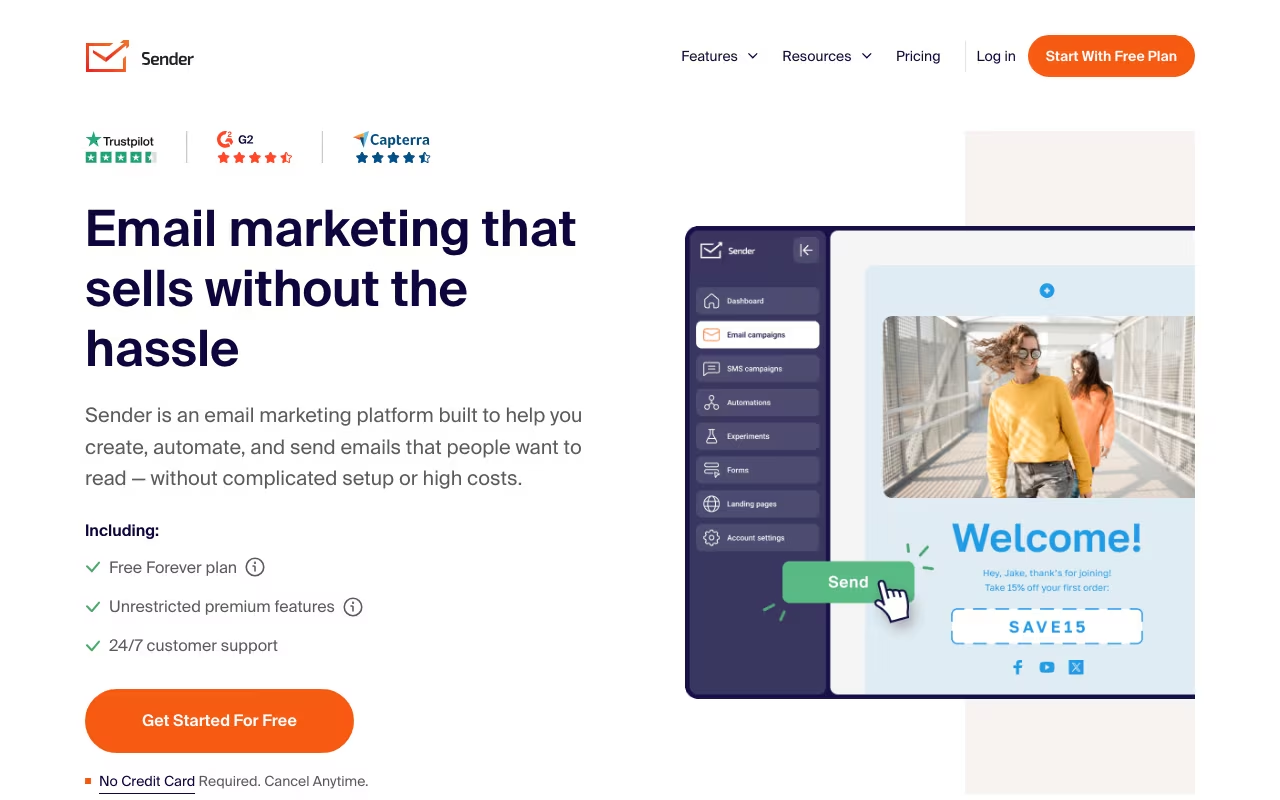
Most "free" email plans are crippled. Sender's isn't. You get the drag-and-drop email builder, marketing automation (welcome sequences, abandoned cart, re-engagement), audience segmentation, pop-up forms, and campaign analytics. The main limitation is Sender branding in your emails and a 15,000 email/month cap.
For a newsletter with 500-2,000 subscribers, or an e-commerce store doing light email marketing, the free tier genuinely covers everything you need. You could run it for years without paying a cent.
Email Builder, Automation, and E-commerce
The email builder is drag-and-drop with decent templates. Text blocks, images, buttons, social links, product recommendations. Nothing fancy, but it gets the job done without frustrating you. Import custom HTML if you want more control.
Automation is where Sender punches above its weight. The visual workflow builder handles the sequences that actually drive revenue: welcome emails for new subscribers, abandoned cart recovery for Shopify and WooCommerce stores, re-engagement for inactive contacts. Set triggers, add conditions, let them run. Not as deep as ActiveCampaign or Klaviyo, but it covers the workflows that matter most.
Segmentation works based on subscriber data, behavior, and engagement. "Purchased in last 30 days," "opened last campaign," "located in California." Standard stuff, but it's available on the free plan, which is unusual.
What Sender Costs
Free Forever: 2,500 subscribers, 15,000 emails/month. Sender branding on emails. Most features included.
Standard (from $10/month): Unlimited emails, removes Sender branding, adds SMS marketing credits. Scales by list size: 10,000 subscribers runs about $30/month.
Professional (from $35/month): Advanced automation, dedicated IP, priority support. For businesses that need better deliverability control and more sophisticated workflows.
To put this in perspective: Mailchimp's Standard plan for 10,000 contacts costs $100/month. Sender's Standard for the same list is around $30/month. That's a 70% savings for features that overlap about 80%.
Compare Sender Pricing See plans →Where Sender Delivers
- Price-to-feature ratio: The best in email marketing. Automation and segmentation on a free plan is rare
- E-commerce integration: Shopify and WooCommerce plugins work well for abandoned cart, product recommendations, and purchase-based segmentation
- SMS + email in one place: Paid plans include SMS credits, eliminating a separate tool
- Simple interface: No learning curve. If you've used any email tool before, you'll be productive in minutes
Where It's Limited
- Smaller template library: Fewer pre-built designs than Mailchimp or Brevo. You'll customize more from scratch
- Basic reporting: Opens, clicks, bounces, unsubscribes. No advanced revenue attribution or predictive analytics
- Fewer integrations: Covers the major platforms (Shopify, WooCommerce, WordPress, Zapier) but missing many niche tools
- Free tier support: Email only. Paid plans get priority and live chat
- Less brand trust: Smaller company means some clients question deliverability, though actual rates are competitive
Sender vs Mailchimp vs Brevo
Marketing tools, published pricing
| Tool | Pricing | Model |
|---|---|---|
| Sender | Free (2,500 subscribers), $10/mo (Standard), $35/mo (Professional) | Freemium |
| TheTop | $99/mo (lowest published recurring price) | Subscription |
| Hopp for Business | $9/mo (lowest published recurring price) | Subscription |
| POWR | $9.99/mo (lowest published recurring price) | Subscription |
| Roster | $500/mo (lowest published recurring price) | Subscription |
| Recomaze AI | $99/mo (lowest published recurring price) | Subscription |
Mailchimp has the biggest name and the biggest template library, but pricing has pushed many small businesses away. Their free plan caps at 500 contacts (down from 2,000 a few years ago). Sender's free tier is 5x more generous.
Brevo (formerly Sendinblue) competes directly on price and has a similar free tier (300 emails/day, unlimited contacts). Brevo's advantage is stronger transactional email and CRM features. Sender's advantage is a simpler interface and more generous email limits on free.
Klaviyo is the e-commerce email king with deep analytics, predictive features, and AI-powered optimization. It also costs 5-10x more than Sender. Worth it if you're doing $500K+ in e-commerce revenue. Overkill for everyone else.
ConvertKit (now Kit) targets creators and newsletter writers with better landing pages and paid newsletter support. Higher priced but purpose-built for that audience.
Frequently Asked Questions
Is the free tier really free forever?
Yes. 2,500 subscribers, 15,000 emails/month, no time limit. Sender branding appears on your emails. You only pay when you exceed those limits or want the branding removed.
How does deliverability compare to Mailchimp?
Sender maintains proper authentication (SPF, DKIM, DMARC) and compliance practices. Deliverability rates are comparable to major platforms for most users. Professional plan adds a dedicated IP for better control.
Sender won't impress you with cutting-edge AI features or the deepest analytics dashboard. What it will do is let you run professional email marketing, automation included, for free or nearly free. For small businesses, startups, e-commerce stores, and anyone who's been priced out of Mailchimp, Sender covers the 80% of email marketing that actually drives results. The other 20% isn't worth paying 5x more for until your business demands it.
Get Started with Sender Free Get started →