Last updated: March 2026
Melio Review: The Bill Pay Platform That Turns Accounts Payable Into a 15-Minute Task
Paying bills as a small business should not be complicated, but somehow it is. You are juggling checks, wire transfers, ACH payments, and credit card transactions across multiple vendors, while trying to keep your books accurate and your cash flow healthy. Melio was built to fix exactly this.
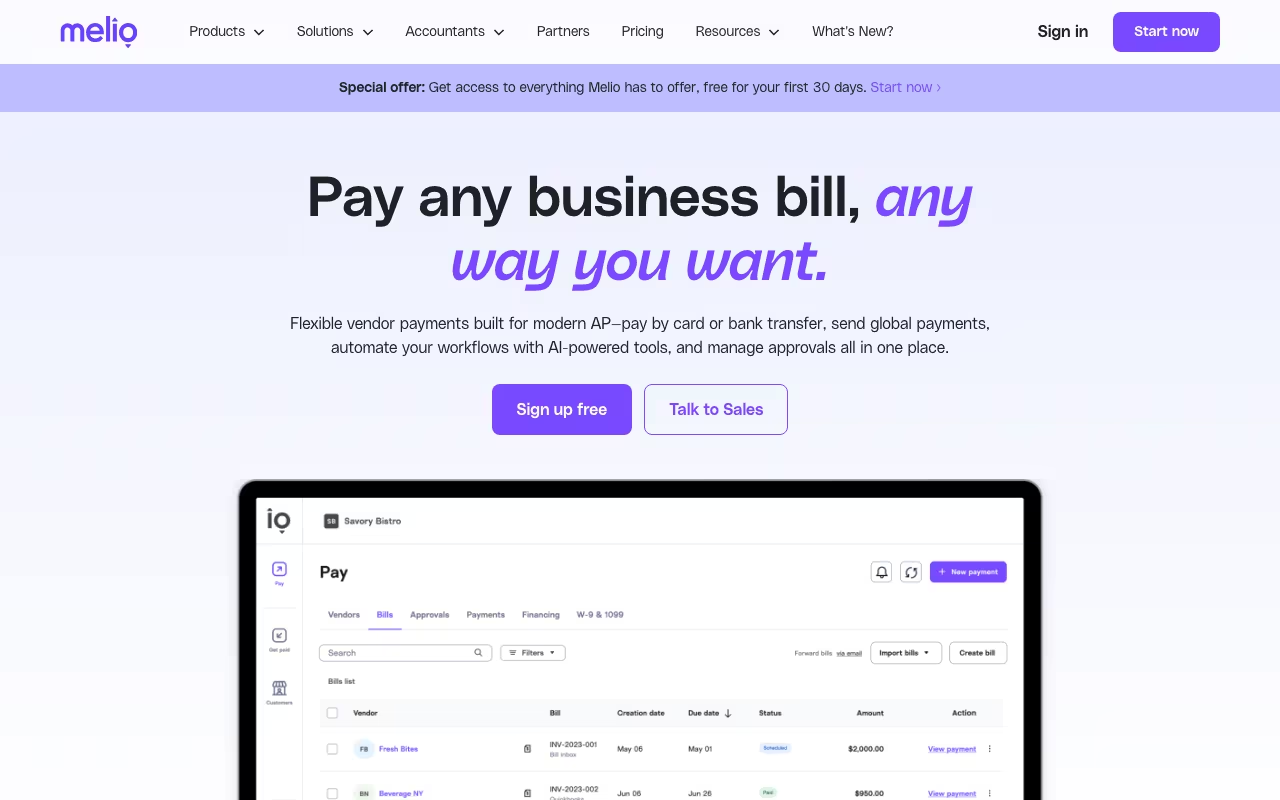
Founded in 2018 in New York, Melio is a cloud-based accounts payable and receivable platform designed specifically for small and medium-sized businesses. The pitch is simple: pay vendors however they want to be paid (check, ACH, or card) from a single dashboard that syncs with your accounting software. Users consistently report that bill payment tasks that used to take an hour now take about 15 minutes.
With strong reviews across G2, Capterra, and Software Advice, Melio has become one of the most popular bill pay solutions for SMBs. But the recent shift to subscription-based pricing has changed the equation for some users. Let us break it all down.
Try Melio Free Get started →Key Features
Flexible Payment Methods
Melio's core strength is payment flexibility. You can pay any vendor via ACH bank transfer, credit or debit card, or paper check, regardless of how the vendor prefers to receive payment. If your vendor only accepts checks but you want to pay by card (to earn credit card rewards or manage cash flow), Melio handles the conversion. It prints and mails a physical check on your behalf.
This is genuinely useful. Paying by credit card when vendors do not accept cards lets you extend your cash runway by 30+ days while earning rewards points. For small businesses managing tight cash flow, this flexibility is a real advantage.
Accounting Software Integration
Melio offers two-way sync with QuickBooks Online, QuickBooks Desktop (on Boost plan and above), Xero, and FreshBooks. Bills, payments, and vendor data update automatically across platforms in real time. This eliminates double data entry and keeps your books accurate without manual reconciliation.
The QuickBooks integration is particularly polished. You can import unpaid bills directly from QuickBooks, pay them through Melio, and the payment records sync back automatically. For accountants managing multiple clients, this is a significant time saver.
Batch Payments
Starting on the Core plan, you can select multiple bills and pay them all at once in a single batch. You can even combine multiple payments to the same vendor into one transaction. This is essential for businesses with many recurring vendors. Instead of processing 30 individual payments, you handle them all in one session.
Approval Workflows
For businesses with multiple people involved in spending decisions, Melio offers customizable approval workflows. You can set up rules that route payments above certain amounts or to specific vendors through designated approvers before they are processed. The Boost plan adds advanced multi-user approval routing for more complex organizations.
Accounts Receivable
Melio is not just for paying bills. You can also send invoices and accept payments from customers. While the AR features are not as capable as dedicated invoicing tools like FreshBooks or Wave, they cover the basics: create invoices, send payment requests, and accept ACH or card payments.
W-9 and 1099 Automation
On the Core plan and above, Melio automates the W-9 collection and 1099 filing process. It tracks vendor payments throughout the year and helps you generate 1099 forms at tax time. For businesses working with multiple contractors, this saves hours of manual tracking.
Melio Pricing in 2026
Melio restructured its pricing to a tiered subscription model with four plans:
- Go (Free): 5 free ACH transfers per month. After that, $0.50 per ACH payment. Credit card payments at 2.9%. Paper checks at $1.50 each. Basic features, single-user. Great for very small businesses with low payment volumes.
- Core ($25/month): 20 free ACH transfers per month. Batch payments, W-9 and 1099 automation, two-way QuickBooks Online and Xero sync, and basic approval workflows. The sweet spot for most small businesses.
- Boost ($55/month, or $44/month billed annually): 50 free ACH transfers per month. Adds QuickBooks Desktop sync, 2-day ACH transfer eligibility, advanced multi-user approval routing, vendor credits, and priority chat and phone support.
- Unlimited ($80/month, or $64/month billed annually): Unlimited ACH transfers and user seats. Premium phone support, dedicated account manager, and white-glove onboarding. Best for growing businesses with high payment volumes.
All new accounts start with a 30-day free trial with unlimited ACH transactions. Annual billing saves 20% on Core, Boost, and Unlimited plans. There is also an invite-only Platinum plan for businesses processing over $300,000 in monthly card volume, with custom rates and API access.
Try Melio Free Get started →Pros and Cons
Pros
- Pay by card even when vendors do not accept cards: This is Melio's killer feature. Pay by credit card to earn rewards and extend cash flow, while Melio sends your vendor a check or ACH transfer. No other SMB bill pay tool does this as smoothly.
- Excellent QuickBooks integration: Two-way sync that actually works reliably. Import bills, pay them, and let the records flow back to your books automatically.
- Generous free tier: 5 free ACH payments per month on the Go plan is enough for freelancers and very small businesses. The 30-day free trial on paid plans lets you test everything risk-free.
- Batch payments save real time: Processing 30 vendor payments in one batch instead of 30 individual transactions is a meaningful productivity gain for businesses with many recurring bills.
- 1099 automation: Tracking contractor payments throughout the year and generating 1099 forms at tax time eliminates hours of manual work and reduces errors.
- Clean, intuitive interface: Users consistently praise the simplicity of the dashboard. Bill payment tasks that previously took an hour are done in 15 minutes.
Cons
- 2.9% credit card fee adds up: Paying vendors by credit card costs 2.9% per transaction. On a $10,000 payment, that is $290. The rewards you earn on your credit card may not fully offset this cost, depending on your card.
- Customer support is slow on lower tiers: The Go and Core plans rely on chatbot-first support with delayed human responses. Phone support is only available on Boost and above. Several reviewers cite slow resolution times.
- Bank account linking issues: Multiple users report problems connecting bank accounts, including duplicate accounts, failed verifications, and occasional transaction failures. When your bill pay platform cannot reliably connect to your bank, that is a serious concern.
- Limited reporting and analytics: Melio is a payment tool, not a full accounting platform. If you need detailed financial reporting, cash flow forecasting, or custom dashboards, you will need additional software.
- International payments are limited: Melio processes international payments in USD only. If you regularly pay overseas vendors in their local currency, tools like Wise or Payoneer are better options.
- Subscription model frustrates longtime users: Melio used to be more generous with free features. The shift to tiered subscriptions has not been popular with users who feel they are now paying for what was previously free.
Who Should Use Melio
Great for: Small businesses that pay multiple vendors regularly and want to automate the process. Companies that want to pay by credit card to earn rewards or manage cash flow, even when vendors only accept checks. Businesses using QuickBooks or Xero that want smooth, two-way sync. Accountants and bookkeepers managing bill payments for multiple clients.
Skip it if: You need strong international payment capabilities in multiple currencies. If you need advanced financial reporting or ERP-level accounts payable features, look at Bill.com or Tipalti instead. Also skip if you only make a few payments per month. The free Go plan covers 5 ACH transfers, and if that is all you need, the paid plans are not worth it.
Frequently Asked Questions
Is Melio free to use?
Melio has a free Go plan with 5 ACH transfers per month. After that, additional ACH payments cost $0.50 each. Credit card payments always incur a 2.9% fee. Every new account also gets a 30-day free trial with unlimited ACH transfers on any plan.
How does Melio compare to Bill.com?
Melio is simpler and cheaper, designed for small businesses with straightforward payment needs. Bill.com is more powerful, with advanced approval workflows, vendor portals, audit trails, and international payment capabilities, but it is significantly more expensive (starting at $45/user/month). If you are a small business with fewer than 50 vendors, Melio is likely sufficient. For larger operations with complex AP requirements, Bill.com is the better choice.
Can I earn credit card rewards by paying vendors through Melio?
Yes. When you pay a vendor by credit card through Melio, you earn your regular credit card rewards (points, miles, or cash back). However, Melio charges a 2.9% processing fee on card payments. Whether this is worthwhile depends on your card's reward rate. If your card earns 2% cash back and Melio charges 2.9%, you are losing 0.9% on the transaction. Cards with 3%+ category bonuses can make it profitable.
Does Melio work with QuickBooks?
Yes. Melio integrates with QuickBooks Online on all plans and QuickBooks Desktop on the Boost plan and above. The integration is two-way: import bills from QuickBooks, pay them through Melio, and payment records sync back automatically. Most reviewers cite the QuickBooks integration as one of Melio's strongest features.
Final Verdict
Melio is the best bill pay platform for small businesses that want to simplify accounts payable without paying enterprise prices. The ability to pay vendors by credit card (even when they only accept checks), combined with solid QuickBooks integration and batch payment processing, makes it a genuine productivity tool. The main limitations are the 2.9% card fee, limited customer support on lower tiers, and occasional bank connection issues. For businesses paying 10 to 50 vendors regularly, the Core plan at $25/month is a bargain compared to the time saved. Start with the 30-day free trial and see if the time savings justify the cost for your payment volume.
Try Melio Free Get started →