Losing data is not a question of "if" but "when." Hard drives fail, ransomware encrypts files, laptops get stolen. IDrive is a cloud backup service that protects all your devices under a single account: PCs, Macs, Linux machines, iPhones, Android phones, NAS drives, and even servers. Unlike Dropbox or Google Drive (which focus on file syncing), IDrive is purpose-built for backup and disaster recovery.
The company has been around since 2007 and has won PCMag's Editors' Choice award 11 consecutive years, the longest streak in the cloud backup category. In a market full of startups that launch and disappear, that longevity matters. The value proposition is straightforward: more storage per dollar than almost any competitor, with unlimited devices per account.
Try IDrive Free Get started →Unlimited Devices, One Account
This is IDrive's standout feature and the reason it keeps winning comparisons. One account covers unlimited PCs, Macs, Linux machines, phones, and tablets, all sharing the same storage pool. Backblaze charges per computer. Carbonite charges per device. With IDrive, your work laptop, home desktop, phone, and tablet all back up to the same account. For households or small businesses with 5-10 machines, the cost savings add up fast.
Beyond personal devices, IDrive supports server backup for MS SQL, Exchange, SharePoint, Oracle, Hyper-V, and VMware. NAS integration works natively with Synology (via Hyper Backup) and QNAP (via HBS3). Cloud application backup covers Microsoft 365, Google Workspace, Salesforce, Dropbox, and Box at $20/seat/year. Very few competitors offer this range under one roof.
Versioning and Ransomware Protection
IDrive retains up to 30 previous versions of every backed-up file, and these snapshots do not count against your storage quota. If ransomware encrypts your files, roll back to a clean snapshot from before the attack. If you accidentally overwrite an important document, retrieve the previous version. The 30-day trash recovery catches deleted files too. True Archiving mode prevents automatic deletion unless you manually remove files, which matters for compliance-heavy industries.
Continuous Data Protection automatically backs up file modifications as they happen, not just on scheduled intervals. For documents you edit frequently, this means you never lose more than a few minutes of work.
Disk Imaging and Bare-Metal Recovery
Beyond file-level backup, IDrive Mirror creates full disk images of Windows computers, servers, and virtual machines. If your entire system crashes, you can restore the complete machine state rather than reinstalling the OS, applications, and then restoring files one by one. IDrive BMR (Bare-Metal Recovery) takes this further: restore to completely different hardware if needed. For businesses running Windows servers, this is the difference between hours of downtime and days.
Back Up All Your Devices Get started →IDrive Express: Physical Data Transfer
This is genuinely unique in the industry. IDrive ships you a physical hard drive for your initial backup or large restores. Upload 5 TB over a typical home internet connection and you are looking at weeks of transfer time. IDrive Express lets you back up to the shipped drive locally, ship it back, and IDrive loads it into your cloud account. For large restores, the same process works in reverse. Most competitors force you to wait for slow uploads. IDrive solves the physics problem with shipping logistics.
Pricing
Free (IDrive Basic): 10 GB of backup storage. No credit card required. Same encryption and security as paid plans. Good for testing the interface, not for serious use.
Mini: 100 GB at $2.95/year or 500 GB at $9.95/year. New tier for light users who need more than 10 GB but less than a full plan.
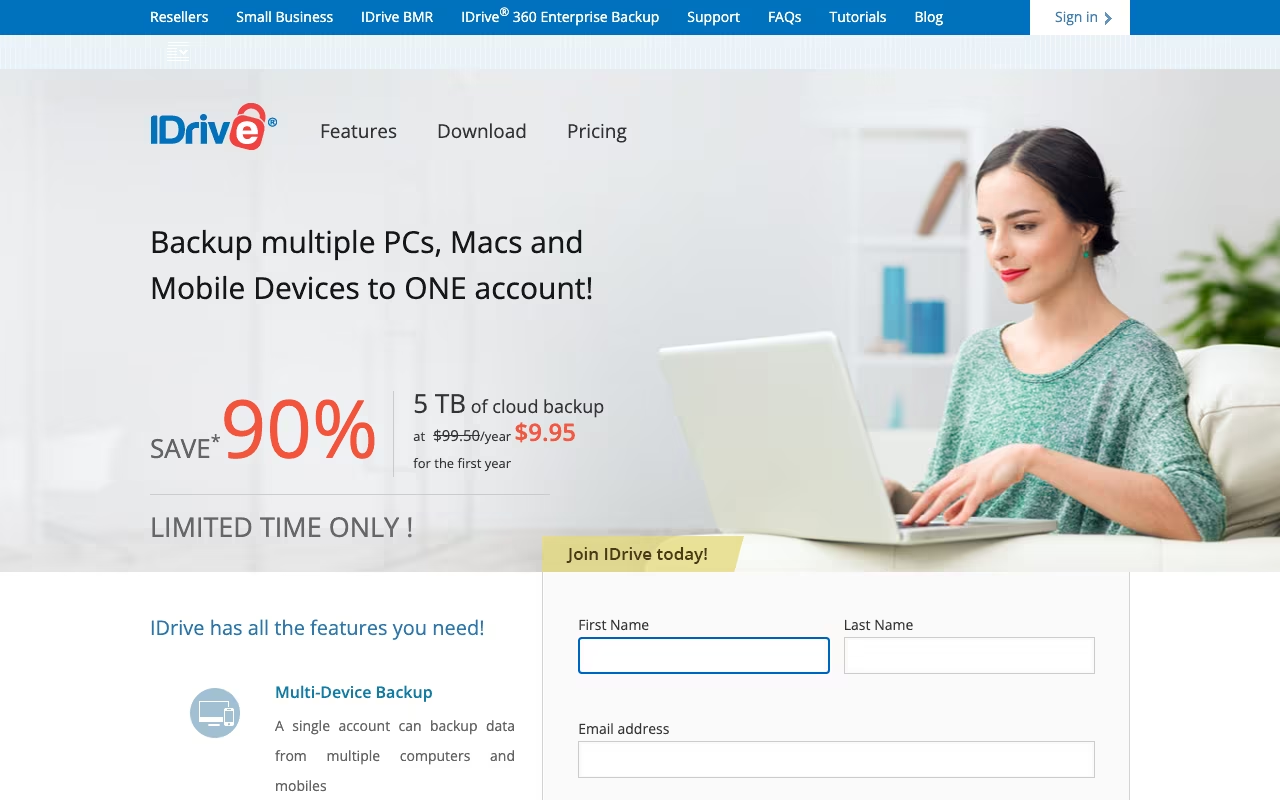
Personal: 5 TB at $99.50/year ($69.65 first year), scaling to 10 TB ($149.50/year), 20 TB ($249.50/year), 50 TB ($499.50/year), and 100 TB ($999.50/year). One user, unlimited devices. This is where most individuals land.
Team: 5 TB for 5 users at $99.50/year, scaling up to 50 TB for 50 users at $999.50/year. Multiple computers per user.
Business: Starts at 250 GB for $99.50/year, scaling to 50 TB at $11,599.50/year. Unlimited users, unlimited computers, server support. Add-on: $5/month per server.
First-year discounts of 30% are standard. Watch the renewal prices: they jump back to full rate, which catches some users off guard.
IDrive vs. Backblaze vs. Carbonite
Operations tools, published pricing
| Tool | Pricing | Model |
|---|---|---|
| IDrive | $4.34/year (5TB Personal), $74.62/year (Business) | Subscription |
| Shippo | $19/mo (lowest published recurring price) | Subscription |
| Stamped | $23/mo (lowest published recurring price) | Subscription |
| Housecall Pro | $69/mo (lowest published recurring price) | Subscription |
| SimplePractice | $39/mo (lowest published recurring price) | Subscription |
| Foursixty | $50/mo (lowest published recurring price) | Subscription |
Backblaze ($99/year): Unlimited storage, one computer. Dead simple. If you have a single machine with massive data, Backblaze is cheaper and simpler. But it does not back up NAS, phones, or servers, and it only covers one machine per license.
Carbonite: Per-device pricing, no NAS or server support on consumer plans, external drive backup locked behind expensive plans. Less feature-rich than IDrive at comparable prices.
IDrive: Wins on device coverage, feature breadth, and multi-device value. Loses on simplicity (more to configure) and upload speed (slower than Backblaze in most tests). For anyone with more than one device to protect, IDrive is the better deal.
Where It Falls Short
- Upload speeds are slower than Backblaze and some competitors, frustrating for initial large backups
- The desktop client looks dated and can be CPU-heavy during backups
- Renewal pricing jumps significantly from first-year promotional rates
- 2.6/5 on Trustpilot, mostly billing and cancellation complaints
- NAS backup add-on costs extra ($40/TB/year) on top of the base plan
- 10 GB free tier is too small to be meaningful in 2026
The Verdict
IDrive is the best value in cloud backup for users with multiple devices. The unlimited device model, 30-version history, NAS support, disk imaging, and IDrive Express physical shipping add up to a feature set that no competitor matches at this price point. The 5 TB Personal plan at under $100/year protecting every device you own is hard to beat. Upload speeds are slower than the competition, the interface is dated, and renewal prices jump without warning. But for the core job of keeping your data safe across all your devices without breaking the bank, IDrive delivers. Start with the free 10 GB plan to test the interface, then grab the first-year discount on a Personal plan.
Try IDrive Free Get started →