
Last updated: March 2026
What Hubstaff Actually Does
Let's be upfront about what Hubstaff is. It's an employee monitoring and time tracking platform. If that phrase makes you uncomfortable, you're not alone. But for businesses managing remote teams, field workers, or contractors paid by the hour, knowing where time goes isn't about surveillance. It's about accountability, accurate billing, and fair pay.
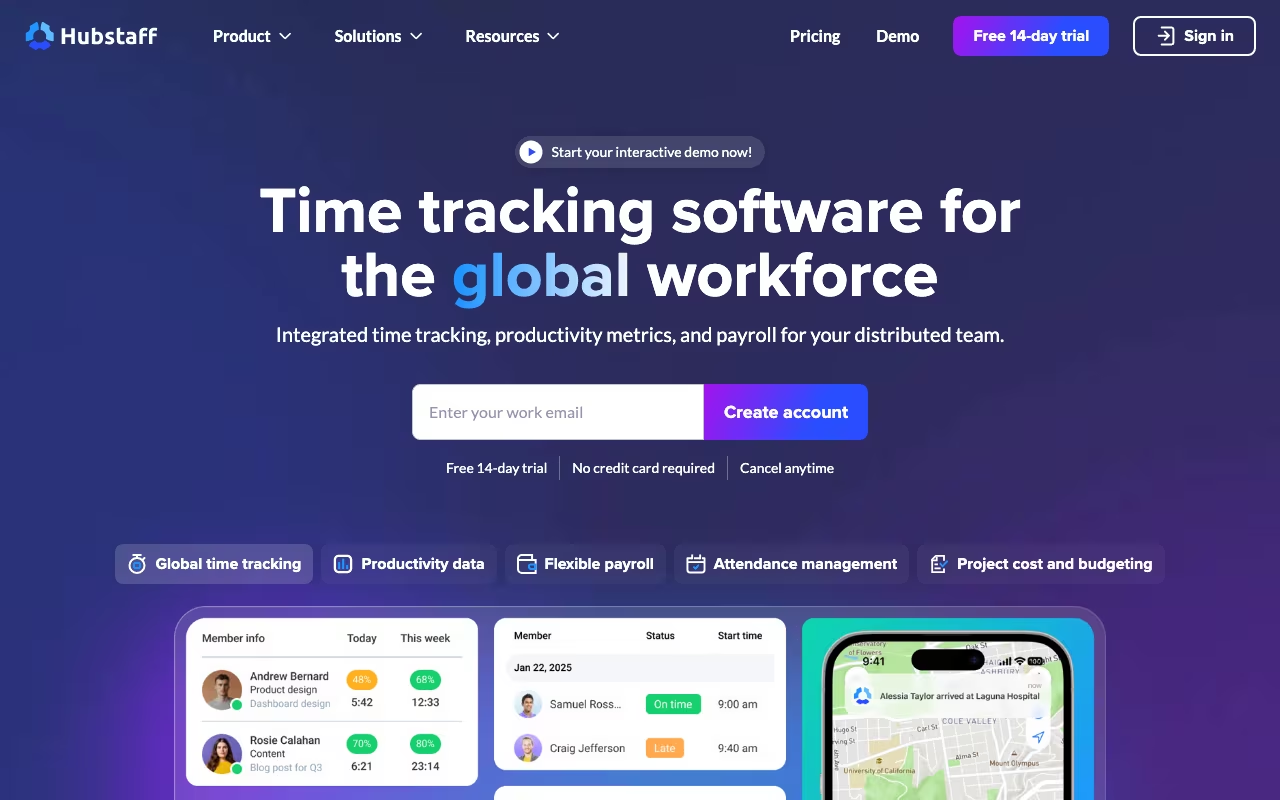
Hubstaff tracks time through desktop apps, mobile apps, and a Chrome extension. Beyond basic time tracking, it can capture screenshots, monitor application and website usage, track GPS location, create geofences around job sites, manage schedules, process payroll, generate invoices, and produce detailed productivity reports. It integrates with over 30 tools including Asana, Trello, Jira, GitHub, QuickBooks, Xero, Gusto, and Slack.
The company has been around since 2012 and serves teams across industries, from software agencies and freelancers to construction companies and field service businesses. It's one of the most established names in the time tracking space, competing with tools like Time Doctor, Toggl Track, and Clockify.
Try Hubstaff Free for 14 Days Get started →Time Tracking: The Core Feature
Hubstaff's time tracker runs as a desktop application (Windows, Mac, Linux) or mobile app (iOS, Android). Employees start and stop timers manually, or you can enable automatic tracking based on schedules. The app runs quietly in the background and records which applications and websites are being used during tracked time.
Activity levels are measured through keyboard and mouse input. Hubstaff calculates an activity percentage for each time segment, giving managers a rough sense of how actively someone was working during a given period. A developer deep in thought reading documentation will show lower activity than someone typing constantly, which is a known limitation of this approach. Activity tracking is an indicator, not a definitive productivity measure.
The optional screenshot feature captures the employee's screen at random intervals (up to three per 10-minute period). Screenshots can be configured per user, blurred for privacy, or turned off entirely. Employees can see their own screenshots and delete specific ones (with the deleted time also removed from their tracked hours). This transparency is an important detail. Hubstaff gives employees visibility into exactly what's being captured.
GPS Tracking and Geofencing
For field teams, the GPS and geofencing features are where Hubstaff really differentiates itself from simpler time trackers. The mobile app tracks location while the timer is running, and you can view team members' routes on a map.
Geofences are virtual boundaries you set around specific locations, like job sites, warehouses, or client offices. When an employee enters a geofenced area, the timer can automatically start. When they leave, it stops. This eliminates the need for manual clock-in and clock-out at each location, which is a major time saver for businesses managing crews across multiple sites.
You can also set rules around geofences: restrict time tracking to certain locations, get alerts when someone arrives or leaves, and see how much time was spent at each job site. For construction, cleaning, landscaping, and other field service businesses, this is the feature that makes Hubstaff worth considering over desk-focused alternatives.
Hubstaff Pricing in 2026
Hubstaff offers four paid tiers with annual billing discounts:
Starter: $4.99/user/month (or about $5.83 billed monthly)
Basic time tracking, activity levels, limited screenshots, and one integration. Limited to 10 users. Good for freelancers and very small teams that just need to log hours.
Grow: $7.50/user/month (annual) or $9/month (monthly)
Adds time-off tracking, invoices, automatic payments, and one integration. Still limited reporting.
Team: $10/user/month (annual) or $12/month (monthly)
Adds scheduling, daily limits, expense tracking, unlimited integrations, and more detailed reporting. This is the plan most teams will want.
Enterprise: $25/user/month (annual only)
Dedicated account manager, custom setup, HIPAA compliance, and enterprise security features. Contact sales required.
There's also a free version for individual users who just need basic time and activity tracking. A 14-day free trial is available for all paid plans with no credit card required.
Add-On Costs to Watch
Hubstaff offers several optional add-ons that can increase your bill:
- Insights: Deeper productivity analytics (included in Team and Enterprise plans, add-on for lower tiers).
- More Screenshots: Higher frequency screenshot capture beyond the default.
- Tasks: Project and task management features.
- Data Retention: Extended storage for screenshots and activity data.
- Locations: GPS tracking and geofencing (included in Team and Enterprise, add-on for Starter and Grow).
The Team plan at $10/user/month includes most add-ons and is the best value for teams that need more than basic tracking.
See Hubstaff Pricing Plans See plans →Scheduling, Payroll, and Invoicing
Beyond time tracking, Hubstaff bundles several workforce management features:
Scheduling lets you create shifts and assign them to team members. Employees see their schedules in the app and get notifications about upcoming shifts. It's not as full-featured as a dedicated scheduling tool like Deputy or When I Work, but it covers basic shift management.
Payroll is integrated directly. You set pay rates (hourly or salary), and Hubstaff calculates totals based on tracked time. It connects with PayPal, Wise, and Bitwage for automated payments, and integrates with QuickBooks, Xero, and Gusto for accounting. For remote teams with contractors in different countries, the Wise integration is especially useful.
Invoicing generates client invoices based on tracked time and expenses. You can create invoices manually or automatically based on project hours. Not a replacement for full invoicing software, but handy for agencies and freelancers billing by the hour.
What Works Well
- Accurate time tracking: The core timer is reliable across desktop and mobile. Idle detection catches forgotten timers, and geofencing automates clock-in/out for field teams.
- GPS and geofencing: A genuine differentiator for businesses with field workers. Automatic time tracking based on location eliminates manual processes and disputes over hours.
- Employee transparency: Workers can view their own screenshots, activity data, and tracked time. They can delete screenshots they're uncomfortable with (the associated time is also removed). This builds trust.
- Payroll integration: Turning tracked hours directly into payments without exporting to another system saves real time for managers.
- Pricing fairness: Starting at $4.99/user/month for basic tracking, Hubstaff is one of the more affordable options in the category.
- Cross-platform support: Windows, Mac, Linux, iOS, Android, and ChromeOS. Most competitors don't support Linux.
What Frustrates Users
- Activity tracking accuracy: Measuring productivity by mouse and keyboard input is inherently flawed. Thinking, reading, phone calls, and whiteboard sessions all show as "low activity" even when they're productive work. Managers need to understand this limitation.
- Screenshots feel invasive: Even with transparency features, some employees find screen monitoring uncomfortable. How you implement this matters as much as the tool itself. Bad rollout creates resentment.
- Customer support issues: Multiple users report difficulty reaching human support. The chat system leans heavily on an AI bot, and getting a real person sometimes requires threatening to cancel. No phone support is available.
- Billing confusion: Adding users in Hubstaff creates paid seats without a clear confirmation screen. Some users report being charged for viewer-only accounts or temporary workers they didn't intend to pay for.
- Mobile app gaps: The mobile app lacks several features available on desktop, including detailed reporting and some configuration options.
- No annual plan flexibility: If you're on an annual plan and downsize your team, Hubstaff reportedly won't offer refunds for unused seats. Factor this into your decision if your team size fluctuates.
Hubstaff vs. Other Time Trackers
Operations tools, published pricing
| Tool | Pricing | Model |
|---|---|---|
| Hubstaff | Free, $4.99/seat/mo (Starter), $7.50/seat/mo (Grow) | Freemium |
| Shippo | $19/mo (lowest published recurring price) | Subscription |
| Stamped | $23/mo (lowest published recurring price) | Subscription |
| Housecall Pro | $69/mo (lowest published recurring price) | Subscription |
| SimplePractice | $39/mo (lowest published recurring price) | Subscription |
| Foursixty | $50/mo (lowest published recurring price) | Subscription |
Time Doctor is Hubstaff's closest competitor, offering similar features (screenshots, website tracking, payroll). Time Doctor tends to be slightly more aggressive with monitoring (pop-ups when employees visit distracting sites), while Hubstaff takes a more passive approach. Pricing is comparable, with Time Doctor starting at $5.90/user/month.
Toggl Track is a simpler, lighter time tracker focused on voluntary tracking rather than monitoring. No screenshots, no activity levels, no GPS. Toggl is better for teams that trust their people and just need to log hours for billing or project management. Starts at $9/user/month.
Clockify offers a generous free plan for unlimited users with basic time tracking. It's a good starting point for teams that just need a timer. But it lacks Hubstaff's monitoring, GPS, payroll, and scheduling features. It competes more on price than functionality.
Connecteam is worth considering for field service businesses specifically. It combines time tracking with GPS, communication tools, and training features designed for deskless workers. Pricing starts at $29/month for up to 30 users, which is cheaper per user for larger field teams.
The Employee Monitoring Conversation
Hubstaff sits in a product category that generates strong opinions. Here's the practical reality: employee monitoring tools work well when they're implemented transparently, with clear policies about what's tracked and why. They fail badly when they're deployed secretly or used punitively.
If you're considering Hubstaff, talk to your team first. Explain what you're tracking, why, and what the data will (and won't) be used for. Give employees access to their own data. Focus on outcomes and patterns, not individual screenshots. Used this way, Hubstaff can actually increase trust by providing objective data about work hours and eliminating disputes about time.
Used as a gotcha tool to catch people browsing Reddit for two minutes? That's a culture problem, and no software fixes culture.
Final Assessment
Hubstaff is a solid choice for businesses that need to track time accurately and manage distributed or field-based teams. The GPS and geofencing features are best-in-class for mobile workforces. Integrated payroll and invoicing save time for managers who would otherwise be juggling spreadsheets. And the pricing is fair for what you get.
The weaknesses are customer support, billing transparency, and the inherent limitations of activity-based monitoring. If your team works in a way that's easily measured by keystrokes and mouse clicks, Hubstaff's data will be useful. If your team does creative, strategic, or research-heavy work, take the activity percentages with a grain of salt.
For remote teams, agencies billing by the hour, and field service companies, Hubstaff solves real problems at a reasonable price point.
Start Tracking Time with Hubstaff Get started →