Last updated: March 2026
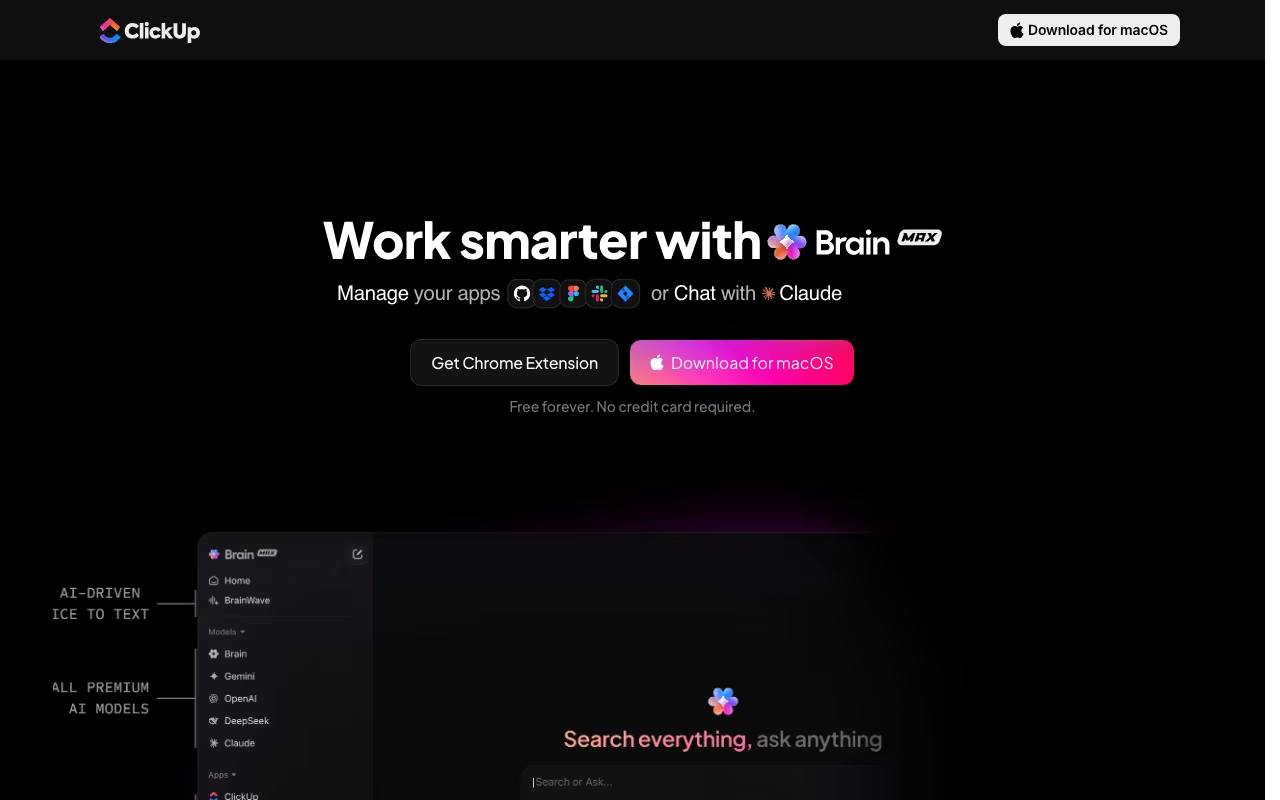
ClickUp Brain Max is what happens when ClickUp decides its AI should escape the browser. It is a native desktop app that sits in your system tray and gives you an AI command bar accessible from anywhere on your Mac or Windows machine. One hotkey, and you get universal search, voice dictation, AI writing, and direct ClickUp task management without switching to a browser tab.
I already covered ClickUp Brain (the in-app AI) separately. Brain Max is the desktop extension of that same system, but with two features that actually change how you work: universal search across all your tools, and voice-to-text that works in any text field on your computer. If you are already paying for ClickUp Brain at $9/user/month, Brain Max costs nothing extra. The real question is whether you will actually use it.
Try ClickUp Brain Max FreeUniversal Search That Actually Works
The killer feature is search. Press the hotkey, type a query, and Brain Max searches across ClickUp tasks, Google Drive, Figma, GitHub, SharePoint, Slack, Dropbox, and the open web simultaneously. Results come back with source attribution so you know exactly where each piece of information lives.
This sounds like every "unified search" promise ever made, but in practice it works better than expected. I searched for a project brief and got results from ClickUp docs, a linked Google Drive file, and a relevant Slack thread in under three seconds. You can filter by app if you know where to look, which speeds things up on large workspaces where results can get noisy.
The limitation: the connected app list is still growing. Google Drive, Figma, GitHub, SharePoint, Slack, and Dropbox are supported. Notion, Jira, Asana, and Linear are not. If your critical tools are missing from the integration list, universal search loses most of its value.
Voice Dictation Everywhere
Brain Max includes Talk to Text, a voice dictation system that works in any text field on your computer. Hold a custom hotkey, speak, release, and text appears wherever your cursor sits. It works in email clients, Google Docs, Slack, VS Code, anywhere.
Three cleanup modes make this more useful than basic dictation:
- Minimal: Direct transcription with punctuation. Best for raw thoughts.
- Smart: Grammar corrections and sentence structure fixes. Good for emails and Slack messages.
- Polished: Professional rewriting. Ideal for client-facing docs.
Average speaking speed (120-150 words/minute) is roughly 3x faster than typing (40-50 wpm). For anyone who drafts long emails, meeting notes, or documentation, this saves real time. The catch: unlimited Talk to Text requires the Everything AI tier at $28/user/month. The base $9 Brain AI tier has usage limits that heavy voice users will hit.
Start Using Brain MaxMulti-Model AI Chat and In-Place Writing
Brain Max runs as a persistent desktop sidebar with access to GPT-5, Claude Opus 4.5, Gemini 3 Pro, and ClickUp's contextual model. You can switch models mid-conversation. Having AI accessible from any application without opening a browser tab eliminates the constant context-switching that slows people down.
The in-place writing feature is also useful: highlight text in any app, invoke Brain Max, and ask it to rewrite, summarize, translate, or expand the selection. The output replaces the highlighted text directly. It works in email, Google Docs, Slack, code editors, anything that accepts text input.
ClickUp workspace integration means you can create tasks, update statuses, or ask "What is Sarah's workload this week?" without opening the web app. For project managers fielding constant status questions, this alone saves 15-20 minutes a day.
ClickUp Brain Max Pricing in 2026
Brain Max is not a separate product. It is included with ClickUp's AI tiers, on top of a base ClickUp plan. Pricing shown is annual billing (monthly is roughly 2x).
| Tier | Annual / Monthly | What's Included | Best for |
|---|---|---|---|
| Brain AI | $9 / $18 per user/month | Brain Max desktop app, AI assistant, web search, multi-model chat, AI writing, project summaries, standard voice dictation | Most ClickUp users; covers 90% of Brain Max value |
| Everything AI | $28 / $68 per user/month | All Brain AI features + unlimited Talk to Text, unlimited enterprise search, super agents, unlimited AI notetaker | Heavy voice-dictation users, large workspaces needing enterprise search |
Brain Max requires macOS 13+ or Windows 10+. It is a native app (not Electron), so performance is snappy and memory usage stays reasonable. Note that the AI tier is on top of your base ClickUp plan, so total cost is Brain AI + your existing Free/Unlimited/Business/Enterprise plan.
The $9 tier is solid value if you are already on ClickUp. The $28 tier only makes sense if voice dictation or enterprise search are central to your workflow — that is a 3x price jump for features most teams will not fully use. For most users, the Brain AI tier covers what they need.
Where It Falls Short
- ClickUp lock-in: Brain Max requires a ClickUp account with Brain AI. You cannot use it as a standalone desktop AI assistant. If you are not already on ClickUp, this is a non-starter.
- No Linux, no mobile: Mac and Windows only. If you work across Linux machines or want AI on your phone, Brain Max only covers part of your workflow.
- Integration gaps: No Notion, Jira, Asana, or Linear support yet. For teams not fully on ClickUp's ecosystem, universal search has blind spots.
- Voice limits on cheap plan: Unlimited Talk to Text costs $28/user/month. Heavy voice users on the $9 plan will hit limits and face an awkward 3x price jump to remove them.
- Noisy results on large workspaces: Workspaces with thousands of tasks and documents can return cluttered search results. App filters help, but it adds friction.
The Bottom Line
Brain Max is a genuinely useful add-on if you are already paying for ClickUp Brain. The universal search saves real time when your information is scattered across tools, and voice dictation at 3x typing speed is hard to give up once you start using it. The always-available AI sidebar eliminates the browser-tab shuffle that eats into productivity. But this only makes sense inside the ClickUp ecosystem. If you do not use ClickUp, there are standalone desktop AI assistants (like Raycast AI or Alfred + ChatGPT) that accomplish similar things without a project management subscription attached. For ClickUp teams, though, Brain Max is an easy yes at $0 extra.
Get ClickUp Brain Max