
The Future of Meetings: Technology That Actually Works for You
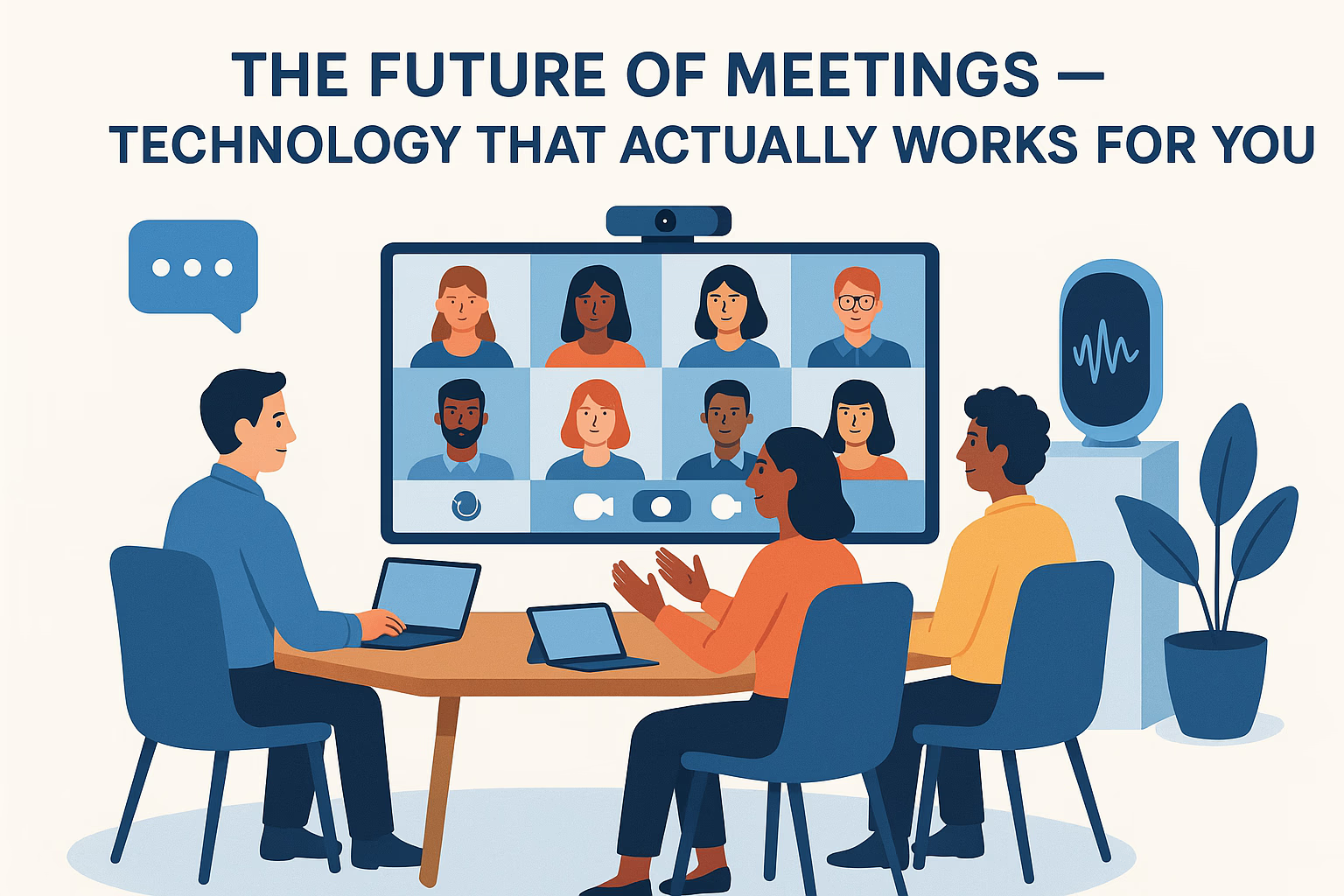

Key factsAI meeting tools and fewer, better meetings are reshaping 2026 workplaces
- Professionals attend an average of 25.6 meetings per week in 2026, up from 14.2 before the pandemic, per Otter.ai research.
- 71% of senior managers say meetings are unproductive and inefficient, according to Harvard Business School.
- Employees spend 57% of their workday in meetings, emails, and chat, leaving only 43% for focused work, per Microsoft's Work Trend Index.
- Shopify eliminated 76% of recurring meetings in 2023, saving employees an estimated 322,000 hours annually.
- By 2027, Gartner projects 75% of enterprise meetings will use AI-generated summaries and action item tracking, up from about 15% in 2024.
Effective communication and swift decision-making are critical for business success, and meetings are where both should happen. The future of meetings is evolving rapidly: traditional gatherings where participants simply sit around a table and discuss topics are giving way to technologically enhanced formats that promote real collaboration and measurably increase productivity.
Modern meeting solutions do not just optimize work processes, they create comfortable, inclusive environments for all participants, regardless of location. The future of meetings is about incorporating intelligent technology that genuinely benefits people rather than adding complexity.
- According to Otter.ai research, professionals attend an average of 25.6 meetings per week, up from 14.2 before the pandemic.
- Harvard Business School found that 71% of senior managers say meetings are unproductive and inefficient.
- Microsoft's Work Trend Index reports that employees spend 57% of their workday in meetings, emails, and chat, leaving only 43% for focused work.
- Companies using AI meeting tools report saving an average of 4 hours per employee per week on note-taking and follow-up tasks (Fireflies.ai customer data, 2024).
Smart Integration for Smooth Collaboration
One of the most important trends in meeting technology is the integration of different systems and tools to ensure smooth interaction between participants. Meeting room technology in 2026 extends far beyond cameras and microphones. Modern meeting ecosystems combine high-resolution displays, touch panels, automatic lighting and sound controls, and software that orchestrates the entire meeting lifecycle.
Companies can run effective meetings in hybrid formats using virtual meeting tools that bridge the gap between in-office and remote participants. The combination of calendars, real-time conversations, and shared notes enables participants to access and exchange information instantly. This integration delivers measurable benefits:
- Preparation time is reduced by up to 40% when agendas and materials sync automatically
- The need to constantly repeat discussion topics across channels disappears
- Action items flow directly from the meeting into project management tools
"The most productive meeting is the one that didn't need to happen. Technology should help us have fewer, better meetings, not more of them."
-- Satya Nadella, CEO, Microsoft
AI as the Meeting Productivity Multiplier
A key element of the integrated meeting approach is the use of AI tools. Artificial intelligence can now automatically create meeting summaries, highlight key decisions and action items, suggest next steps based on discussion content, and even identify when conversations are going in circles.
According to Gartner, by 2027 75% of enterprise meetings will use AI-generated summaries and action item tracking, up from approximately 15% in 2024. The productivity gains are substantial: Otter.ai reports that teams using AI transcription save an average of 97 minutes per week previously spent on manual note-taking.
AI meeting recorders represent one of the most practical innovations in this space. These tools automatically record, transcribe, and summarize meetings across platforms like Google Meet, Microsoft Teams, and Zoom. Recording happens discreetly without distracting participants. After the meeting, key points can be edited and shared with the team in minutes rather than hours.
The result: complete meeting documentation, significant time savings on note-taking, and permanent access to important discussion details. This level of documentation makes meetings accountable, decisions are tracked, commitments are recorded, and follow-ups cannot slip through the cracks.
Use this template to evaluate whether your current meetings are productive enough to justify the time invested:
| Question | Yes/No |
|---|---|
| Does this meeting have a written agenda shared before it starts? | __ |
| Could the information be shared asynchronously instead? | __ |
| Are decisions being made, or is it just a status update? | __ |
| Does every attendee have a specific role or contribution? | __ |
| Are action items assigned with owners and deadlines during the meeting? | __ |
| Is the meeting shorter than 30 minutes? | __ |
| Is an AI tool capturing notes and action items automatically? | __ |
Scoring: 5-7 "Yes" answers = productive meeting culture. 3-4 = room for improvement. Below 3 = meetings are probably costing you more than they deliver.
Human-Centric Technology for Meaningful Connections
Modern meeting solutions are built not only on technical capabilities but on the real needs of participants. The best technology adapts to people, simplifies work processes, and ensures the inclusion of every participant.
Simplifying Work Processes
Professionals spend enormous time organizing meetings, preparing presentations, and taking notes. AI tools for meetings automate these processes, freeing participants to focus on what matters: thinking, deciding, and collaborating.
Modern AI meeting assistants can automatically:
- Create structured agendas based on past meeting patterns and pending action items
- Send intelligent reminders that include relevant context and pre-read materials
- Generate and distribute meeting summaries within minutes of the meeting ending
- Track action item completion and flag overdue commitments before the next meeting
When technology becomes an assistant rather than an obstacle, participants can focus on strategic thinking rather than administrative tasks. Asana's Anatomy of Work report found that knowledge workers spend 58% of their day on "work about work" (coordination, status updates, information searching). AI meeting tools directly attack the meeting-related portion of this overhead.
Inclusivity in Hybrid Meetings
Hybrid meetings require special attention to ensure remote participants do not become second-class citizens. Modern virtual meeting tools offer features that provide equal opportunities for everyone:
- Automatic video scaling that gives equal visual presence to in-room and remote participants
- Active speaker highlighting so remote attendees always know who is talking
- Real-time transcription and translation supporting multilingual teams across time zones
- Interactive whiteboards where both in-person and remote participants can contribute simultaneously
- Shared documents with real-time co-editing during the meeting
Cisco's Hybrid Work Index found that 98% of future meetings will include at least one remote participant. This makes hybrid meeting technology not optional, but essential. Organizations that fail to invest in inclusive meeting tools risk losing remote employees to companies that do.
Improving Interaction and Engagement
Advanced meeting room technology with integrated sensors and AI can:
- Analyze engagement levels through participation patterns and speaking time distribution
- Prompt the facilitator when it is time to change the discussion format or invite quieter participants
- Suggest interactive methods like polls, breakout rooms, or structured brainstorming
- Monitor meeting energy and flag when attention is declining
This makes meetings more dynamic and productive. Participants feel heard and involved rather than passively enduring another hour-long session. Gallup research shows that employees who feel their voice is heard are 4.6x more likely to feel empowered to perform their best work.
Using AI to Transform Your Meetings Today
You do not need to wait for enterprise-grade meeting room upgrades. AI tools available today can immediately improve your meeting productivity. Here are specific prompts and approaches:
Prompt 1: Generate a Structured Meeting Agenda
"Create a 30-minute meeting agenda for a weekly team sync with 6 participants. We need to cover: project status updates (keep brief), one blocker that needs group input, and action items for next week. Allocate time to each section, assign a facilitator for each, and include a 2-minute buffer for transition. Format as a table I can paste into a calendar invite."
Prompt 2: Summarize Meeting Notes into Action Items
"Here are the raw notes from today's meeting: [paste notes]. Extract: (1) All decisions made, (2) All action items with the assigned owner and deadline, (3) Open questions that need follow-up, (4) A 3-sentence executive summary. Format the action items as a numbered checklist I can paste into our project management tool."
Prompt 3: Prepare a Meeting Decision Framework
"We need to decide between [Option A] and [Option B] in our next meeting. Create a structured decision framework that includes: evaluation criteria with weights, pros and cons for each option, risk assessment, resource requirements, and a recommended decision process (voting, consensus, or executive decision). Format this as a one-page document I can share with attendees before the meeting."
Prompt 4: Create a Meeting-Free Day Policy
"Draft a company policy for implementing 'No Meeting Wednesdays' for a team of 25 people. Include: the business case (cite productivity research), exceptions process for urgent meetings, implementation timeline, expected challenges and how to address them, and metrics to track whether the policy is working. Keep the tone practical, not preachy."
Practical Implementation Cases
The use of meeting technology is already showing significant results across industries:
- Corporate Teams: Shopify eliminated 76% of recurring meetings in 2023, saving employees an estimated 322,000 hours annually. They replaced status meetings with asynchronous updates and reserved synchronous time for decisions and creative work. The result was a measurable increase in shipping velocity and employee satisfaction.
- Educational Institutions: Stanford University's research on hybrid learning found that students in AI-assisted hybrid classrooms achieved 12% higher retention rates compared to traditional formats. AI tools provided instant transcription, automatic study guides, and searchable lecture archives that students could review on their own time.
- Sales and Customer Service: Gong.io reports that sales teams using AI meeting analysis close deals 27% faster because they can identify successful conversation patterns, track buyer objections, and coach reps based on actual call data rather than self-reported summaries.
- Healthcare: The Mayo Clinic implemented AI meeting documentation for clinical team huddles, reducing documentation time by 65% and ensuring that patient care decisions were captured accurately and distributed to all relevant providers within minutes.
The common thread across these cases: human-centered meeting technology increases productivity while reducing stress and fatigue among participants.
Building Your Meeting Technology Stack
With hundreds of meeting tools available, choosing the right combination can feel overwhelming. Here is a practical framework organized by team size and budget:
Solo professionals and small teams (1-10 people): Start with Google Meet or Zoom's free tier for video calls, add Otter.ai's free plan for transcription (300 minutes per month), and use Google Docs for shared agendas and action item tracking. Total cost: $0. This setup handles the vast majority of meeting needs for small teams and solopreneurs.
Growing teams (10-50 people): Upgrade to Zoom Pro or Microsoft Teams for longer meetings, cloud recording, and breakout rooms. Add a dedicated AI note-taker like Fireflies.ai or Otter.ai Business for automatic transcription, AI summaries, and CRM integration. Use Notion or Asana for structured action item tracking that connects meetings to projects. Total cost: $20-50 per user per month.
Enterprise organizations (50+ people): Invest in dedicated meeting room hardware (Poly, Neat, or Cisco devices) for conference rooms, enterprise AI meeting platforms (Microsoft Copilot or Zoom AI Companion), and integration with your existing project management and CRM ecosystem. Consider meeting analytics platforms like Vyopta or Clockwise for organization-wide meeting health metrics and calendar optimization. Total cost: $50-100+ per user per month.
The most impactful first step regardless of team size: implement AI transcription for your single most important recurring meeting. Measure the time saved over one month, then decide whether to expand to other meetings.
Common Mistakes to Avoid with Meeting Technology
Implementing new meeting tools without changing meeting culture leads to predictable failures. Watch out for these common mistakes:
- Adding technology without reducing meeting count. AI note-taking and transcription tools make meetings more efficient, but the real win is having fewer meetings. If your team attends 25 meetings per week with AI notes versus 25 meetings per week without, you have made meetings slightly less painful but have not reclaimed meaningful work time. Use the efficiency gains to eliminate meetings, not just improve them. Asana found that companies reducing meeting load by 40% see 25% higher team output.
- Recording meetings without consent or clear policies. AI meeting recorders are powerful, but recording people without their knowledge creates trust issues and may violate privacy regulations (GDPR requires explicit consent for recording in many jurisdictions). Establish a clear recording policy: announce when recording starts, explain what happens with the data, and give participants the option to opt out of being recorded.
- Relying on AI summaries without human review. AI-generated meeting summaries are good, but not perfect. They can miss nuance, misattribute statements, or overlook context that humans would catch. Always have the meeting facilitator review and approve AI-generated summaries before distributing them. A five-minute review prevents misunderstandings that could cost hours to resolve.
- Treating hybrid meetings like in-person meetings with a camera on. Hybrid meetings require fundamentally different facilitation techniques. The camera angle, the speaking protocols, the chat integration, and the whiteboard tools all need to be designed with remote participants as first-class citizens. Microsoft's research found that remote participants in poorly designed hybrid meetings are 3x more likely to feel excluded from decision-making.
- Ignoring asynchronous alternatives. Not every collaboration needs a meeting. Status updates, document reviews, and information sharing often work better asynchronously via tools like Loom videos, shared documents, or Slack threads. Reserve synchronous meetings for decisions, creative brainstorming, and relationship building. GitLab, a fully remote company with 2,000+ employees, operates with zero required recurring meetings and has documented their asynchronous communication playbook publicly.
Conclusion
The future of meetings is not about more technology, it is about smarter technology that serves people rather than demanding their attention. Using AI tools for meeting automation enables teams to plan focused, productive sessions where every participant feels engaged and heard.
Technology is no longer an obstacle to communication. It has become a reliable partner for meeting preparation, execution, and follow-up analysis. Participants can now focus on decision-making and achieving goals instead of taking notes and chasing action items.
The future of meetings is already here. Start with one change this week: implement an AI meeting recorder for your most important recurring meeting, review the summary it generates, and measure how much time your team saves. The companies that adapt quickly to these tools will have a significant competitive advantage, not because they have better meetings, but because they have fewer, more effective ones.
Frequently Asked Questions
What is the best AI meeting tool for small teams?
For teams under 20 people, Otter.ai and Fireflies.ai offer strong free tiers that include transcription, basic summaries, and calendar integration. Both work with Google Meet, Zoom, and Microsoft Teams. Otter.ai is particularly good for real-time transcription during meetings, while Fireflies excels at post-meeting search and analysis. Start with the free tier and upgrade only when you consistently use the basic features.
How do I reduce meeting time without losing alignment?
Replace status update meetings with asynchronous written updates (weekly summaries in Slack or a shared document). Reserve synchronous time for decisions, creative work, and relationship building. Implement strict 25-minute meetings instead of 30-minute blocks (the 5-minute buffer prevents back-to-back meeting fatigue). Shopify's approach of eliminating 76% of recurring meetings while improving output proves this is achievable at scale.
Are AI meeting recorders legal to use?
In most jurisdictions, recording meetings is legal with proper consent. In the US, laws vary by state (some require all-party consent, others require single-party consent). In the EU, GDPR requires explicit consent and a clear purpose for recording. Best practice: announce at the start of every meeting that it is being recorded, explain how the recording will be used, and give participants the option to opt out.
How do I make hybrid meetings fair for remote participants?
Three practical rules: (1) Use individual cameras for in-room participants so remote attendees can see faces, not a conference room table. (2) Have an in-room "chat champion" who monitors the virtual chat and brings remote comments into the conversation. (3) Use collaborative tools (Miro, Google Docs) instead of physical whiteboards so everyone can contribute equally. Companies that follow these practices report 40% higher engagement from remote participants.
What meetings should I eliminate first?
Start with recurring meetings that have no agenda, more than 8 attendees, or no decisions being made. Status update meetings are the easiest to replace with asynchronous alternatives. Harvard Business Review recommends a "meeting audit": track all meetings for one week, categorize each as "decision," "information sharing," or "brainstorming," and eliminate or convert all "information sharing" meetings to async formats.
Stop overpaying for AI tools you barely use. See how Dupple X helps your team adopt AI without the bloat.
Some offers on this page may be paid placements or contain affiliate links.
