
Content Creation

LTX Studio

Web-based AI studio that turns ideas or scripts into polished storyboards and videos in minutes

Pay-per-use computing seconds model
TL;DR

Web-based AI studio that turns ideas or scripts into polished storyboards and videos in minutes

Pricing: Credits
Best for: Teams and professionals
Platform: Web-based

Last updated: January 2026

What Is LTX Studio?

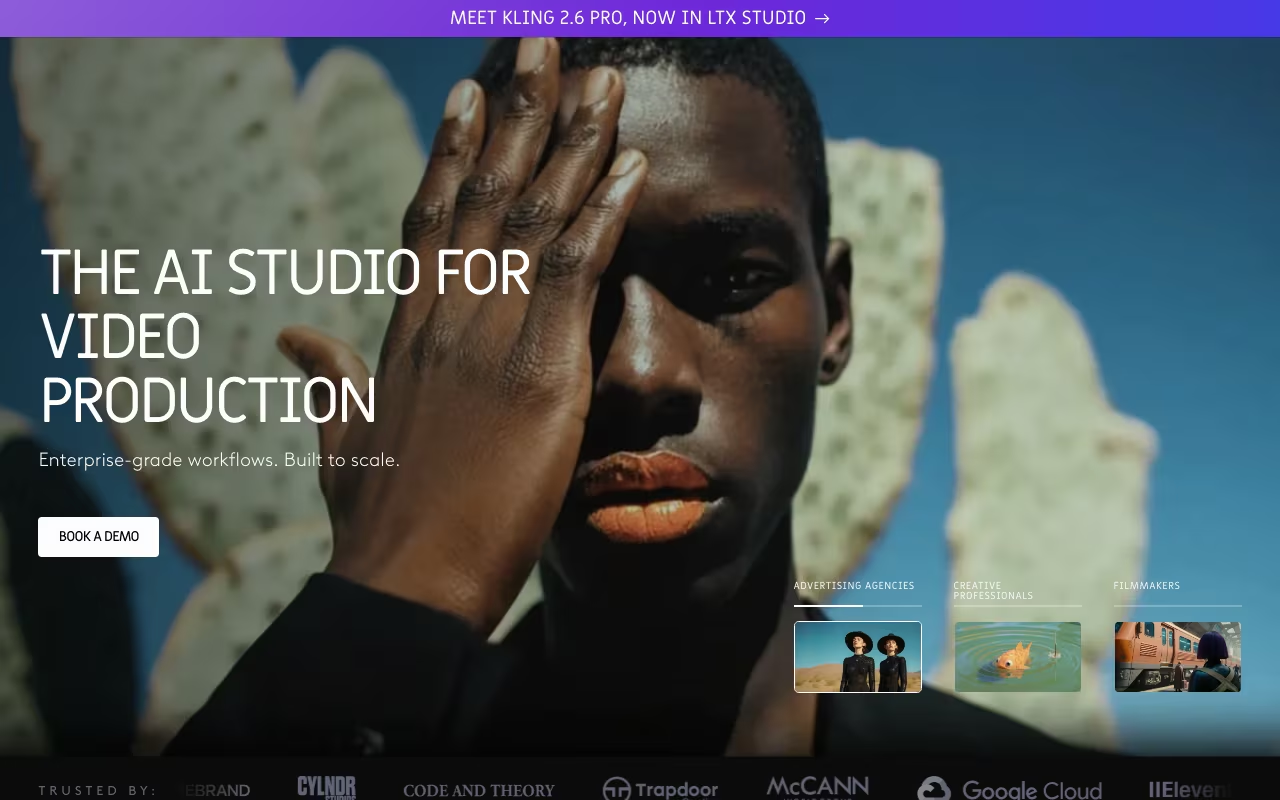
LTX Studio is an end-to-end AI filmmaking platform that converts plain text concepts or complete scripts into professional storyboards, animated shot sequences, and polished pitch decks—all from the browser. Built by Lightricks (the team behind Facetune and Videoleap), it gives solo creators and small production teams access to the kind of pre-visualization pipeline that previously required large studio resources.

The workflow is revolutionary for visual storytellers: drop your concept into a text box, let the system decompose it into individual scenes, adjust characters and camera movements visually, then render animated clips or export a professional PDF pitch deck. It feels less like a prompt-based AI toy and more like having a lightweight pre-production department on demand.

LTX Studio occupies a unique position in the AI video landscape. While tools like Vidu AI focus on finished video production and Arcads AI specializes in ad creative, LTX Studio excels at the planning and visualization stages that precede final production.

Try LTX Studio for FREE

Key Features Explained

AI Storyboard Generator

The core feature that defines LTX Studio. Type a single sentence concept like "A detective investigates a murder in a cyberpunk city" or paste an entire screenplay, and the storyboard generator breaks it into distinct scenes. For each scene, it selects initial camera framing, suggests visual compositions, and generates thumbnail images you can keep or regenerate.

Before committing frames, you can adjust aspect ratios (cinematic 2.35:1, standard 16:9, vertical 9:16), select genre styling (noir, sci-fi, comedy, horror), and set overall mood (tense, uplifting, mysterious). The AI interprets your preferences and reflects them in every generated shot.

Character Casting & Consistency

One of LTX Studio's most impressive capabilities: persistent character profiles. Define a character's age, ethnicity, hairstyle, wardrobe, and facial details once, and the system maintains that exact appearance across every shot they appear in. This solves one of the biggest challenges in AI image generation—consistency.

Swapping a character's wardrobe, expression, or pose is as simple as editing their profile. Need your protagonist in a different outfit for act two? Update the profile and regenerate relevant scenes. For video ad creation with consistent AI actors, see Arcads AI.

Shot Editor and Camera Control

Granular control over every frame. Set keyframes for crane lifts, orbit around subjects in 3D space, execute tracking shots, or sketch new objects directly onto the canvas and watch the AI fill them in contextually. This level of camera control rivals professional pre-viz software.

Motion presets—Scene (subtle environmental movement), Natural (realistic camera drift), and Extreme (dramatic sweeps)—let you dial intensity before committing compute resources. Preview animations in low-resolution before rendering final quality.

Style & Scene Customization

Assign a global visual style to your entire project (cyberpunk, watercolor, photorealistic, anime) or vary looks shot-by-shot for intentional contrast. The Style Reference feature lets you upload images that define your exact visual target—useful for matching existing brand assets or recreating specific aesthetics.

Color grading presets, lighting mood controls (golden hour, harsh noon, moody night), and weather effects (rain, snow, fog) add atmospheric depth without requiring VFX expertise.

Automatic Pitch Deck Generation

Click "Share" and LTX Studio exports a ready-to-send PDF pitch deck containing: project synopsis, cast sheet with character profiles, moodboard images, complete storyboard with shot descriptions, and visual style references. Built specifically for creators securing funding, approval, or collaborators.

This feature alone can save days of manual pitch preparation. Instead of assembling presentations in PowerPoint, you generate them directly from your creative project.

Real-Time Collaboration

Paid tiers enable multi-user workspaces where writers, directors, and designers can work simultaneously on the same project. It functions like Figma for video pre-production—everyone sees changes in real-time, can leave comments on specific shots, and approvals flow through a structured review process.

Try LTX Studio for FREE

Real-World Use Cases

Independent Filmmakers Pre-Visualizing Projects

Before committing budget to production, indie filmmakers use LTX Studio to visualize their scripts shot-by-shot. This helps secure funding, align crew expectations, and identify potential production challenges before cameras roll.

Advertising Agencies Creating Pitch Concepts

Agencies visualize campaign concepts for client presentations without expensive test shoots. Win the account first, then produce—instead of producing speculatively.

Game Studios Planning Cinematics

Video game teams storyboard cutscenes and trailers, testing narrative pacing and visual style before committing to full 3D production.

Content Creators Planning YouTube Videos

Higher-production YouTubers pre-visualize complex video essays or narrative content, ensuring their vision is clear before investing in filming and editing.

Writers Visualizing Novels and Scripts

Authors use LTX Studio to create visual representations of their written work—useful for adaptation pitches, book trailers, or personal creative exploration.

Pricing (2026)

See official pricing for current rates. Uses "Computing Seconds" (CS) as the metering unit.

Free — $0. One-time grant of 800 CS, personal use only. Enough to explore the platform and create a short sample project.

Lite — $15/month. 8,640 CS per month, personal projects, video upscaling, no commercial license.

Standard — $35/month. 28,800 CS per month, access to Veo 2 model, 5 collaborators, commercial license included.

Pro — $125/month. 90,000 CS per month, Veo 2 + Veo 3 access, 10 collaborators, enhanced privacy controls, priority rendering.

Enterprise — Custom pricing. Unlimited CS, custom feature development, SSO integration, private model training on your assets, dedicated support.

Annual billing saves approximately 20% on all paid tiers.

Understanding Computing Seconds

Computing Seconds measure GPU processing time. Different operations consume different amounts:

• Generating a new shot: 30-80 CS depending on complexity

• Simple edits (color, crop): Under 10 CS

• Animation rendering: 50-200 CS depending on length and quality

• Character regeneration: 40-60 CS

The dashboard shows your remaining balance and estimates consumption before each operation.

Pros and Cons

What We Like

Text-to-storyboard generation in minutes, not days

Character consistency across all shots—a major achievement

Granular camera and shot control rivals professional pre-viz tools

Automatic pitch deck export saves hours of presentation work

Real-time collaboration built in for teams

Multiple visual styles from photorealistic to stylized

From Lightricks—a proven creative software company

What Could Be Better

Photorealism can wobble on complex scenes

Steeper learning curve than simpler AI tools

Free tier limited to 800 CS (one-time, not monthly)

Commercial license requires Standard tier ($35/month)

Computing Seconds can be hard to budget initially

Try LTX Studio for FREE

LTX Studio vs. Alternatives

vs. Vidu AI: Vidu AI outputs finished videos with voiceover and music, ready for distribution. LTX Studio focuses on planning, storyboarding, and pre-visualization. Use LTX to plan your project, Vidu to produce final content.

vs. Arcads AI: Arcads creates UGC-style video ads quickly. LTX Studio is for cinematic storyboarding and pre-production. Different use cases entirely.

vs. Hailuo AI: Hailuo generates short video clips with camera control. LTX Studio creates comprehensive storyboards and pitch materials. Hailuo for quick clips, LTX for project planning.

vs. Klap AI: Klap repurposes existing videos into short clips. LTX Studio creates new visual content from concepts. Opposite workflows.

vs. Runway: Runway focuses on video editing, effects, and generation. LTX Studio specializes in the storyboarding-to-pitch pipeline. Runway for post-production, LTX for pre-production.

vs. Midjourney: Midjourney generates individual images. LTX Studio generates sequential, story-driven content with consistent characters and camera control. Much more structured for narrative work.

vs. Traditional Storyboarding: Hiring a storyboard artist costs hundreds to thousands of dollars and takes days. LTX Studio delivers in minutes at a fraction of the cost.

Tips for Best Results

Start with a clear concept: The more specific your initial description, the better the AI interprets your vision. "Noir detective story in rainy city" beats "mystery movie."

Define characters early: Create character profiles before generating scenes. Consistency is easier to maintain from the start than to fix later.

Use reference images: Upload visual references that match your intended style. The AI learns from examples better than abstract descriptions.

Iterate in low quality first: Generate low-res previews to test ideas before committing Computing Seconds to high-quality renders.

Export pitch decks early and often: Use the auto-generated deck to share progress with stakeholders throughout development.

FAQ

What are Computing Seconds?

Computing Seconds are units of GPU processing time that measure how much of LTX Studio's infrastructure you're using. Generating a new shot might consume 50 seconds; a simple color adjustment could be under five. Your dashboard shows remaining balance and estimates consumption.

Can I use LTX Studio outputs commercially?

Yes, but you need at least the Standard plan ($35/month). Free and Lite tiers are strictly for personal, non-commercial use. Standard and above include full commercial rights.

Does it run on mobile?

LTX Studio is web-based and optimized for desktop browsers. Touch interfaces on tablets work for review and approval, but the full creative workflow benefits from mouse precision.

How many collaborators can join a project?

Free and Lite: Solo only. Standard: Up to 5 collaborators. Pro: Up to 10 collaborators. Enterprise: Unlimited, negotiable.

Can I upload my own assets?

Yes. Upload reference images (4 MB limit per file), draw objects directly in the Shot Editor, or use inpainting to add elements to existing frames. Custom asset integration is a core workflow.

How does character consistency work?

You create a character profile with detailed descriptions and reference images. The AI learns that character's appearance and applies it across all shots where they appear. Editing the profile updates future generations.

Final Verdict

LTX Studio fills a gap that no other AI tool quite addresses: the pre-production phase of visual storytelling. If you're a creator who spends significant time blocking scenes, planning shots, and preparing pitch materials, LTX Studio can compress days of work into hours.

The combination of intelligent storyboard generation, consistent character management, granular camera control, and automatic pitch deck export makes it genuinely useful for professionals—not just a novelty. The free tier's 800 Computing Seconds are enough to evaluate whether it fits your workflow. For serious creative work, the Standard tier's commercial license and collaboration features justify the investment.

Try LTX Studio for FREE

Frequently Asked Questions

What is LTX Studio?
Web-based AI studio that turns ideas or scripts into polished storyboards and videos in minutes
Is LTX Studio free to use?
LTX Studio pricing: Pay-per-use computing seconds model
What are the main features of LTX Studio?
LTX Studio is a content creation solution that helps users improve productivity and efficiency. Key features include an intuitive interface, integrations with popular tools, and regular updates.