
Leadpages Review: The Conversion-First Builder Small Businesses Actually Use
In a market crowded with landing page builders, Leadpages has carved out a very specific niche: affordable, conversion-focused page building for solopreneurs and small businesses. Founded in 2012, the platform has grown to serve hundreds of thousands of users, and its pitch is simple. You get unlimited landing pages, pop-ups, and alert bars, all optimized for conversions, at a price that will not make you flinch.
Leadpages is not trying to be everything to everyone. It is not an enterprise tool. It is not an all-in-one marketing suite. It is a landing page builder with a strong conversion optimization engine, solid templates, and enough AI smarts to help non-designers build pages that actually generate leads. For its target audience, it does this remarkably well.
Try Leadpages Free for 14 Days Get started →Key Features
Drag-and-Drop Page Builder
Leadpages offers a section-based drag-and-drop editor. Unlike Instapage's pixel-perfect canvas, Leadpages uses a structured grid system with rows, columns, and widgets. This means less design freedom but faster page building. You pick a template, swap out text and images, adjust colors, and publish. Most users can build a complete landing page in 15 to 30 minutes.
The editor works well for straightforward layouts: hero section, features, testimonials, CTA, footer. If you need highly custom designs with overlapping elements or complex animations, you will find the grid limiting. But for standard marketing pages, it gets the job done efficiently.
Template Library
Leadpages offers over 250 professionally designed templates, filterable by industry, page type, style, and color scheme. The templates are genuinely well-designed and optimized for conversion, not just aesthetics. Each template has been tested and rated for expected performance, so you can start with a design that has a proven track record.
Templates cover landing pages, sales pages, webinar registration, coming soon pages, thank you pages, and full websites. The variety is strong, especially for service businesses, coaches, consultants, and course creators.
Leadmeter: Real-Time Conversion Scoring
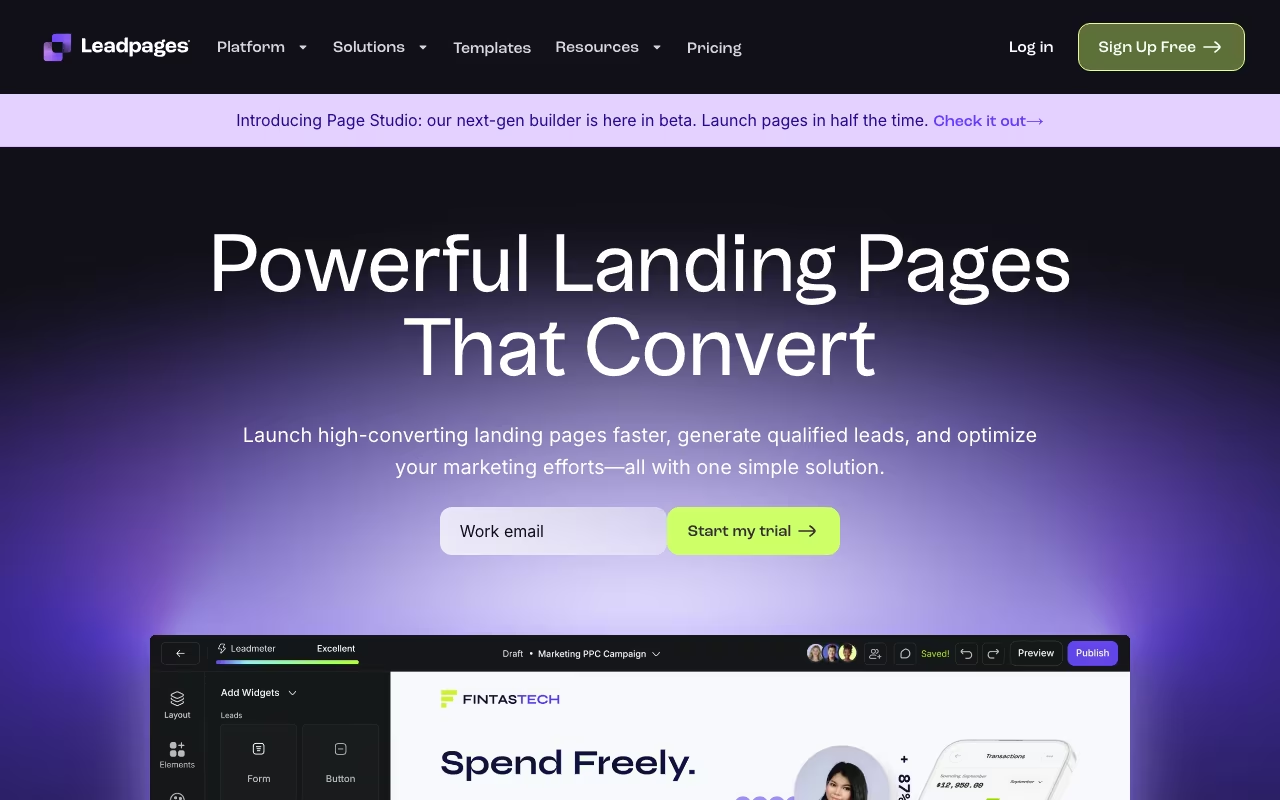
This is Leadpages' standout feature. Leadmeter is a scoring gauge at the top of the editor that grades your page in real time against 14 conversion best practices. It checks button contrast, headline length, form placement, image quality, page speed, mobile responsiveness, and more. As you build, the score updates, and you get specific, actionable suggestions for improvement.
The scoring is based on over a decade of conversion data from the Leadpages platform, so the recommendations are not generic advice. They are drawn from actual performance patterns across hundreds of thousands of pages. For users without CRO expertise, Leadmeter acts like a built-in conversion consultant.
AI Writing and Image Generation
Leadpages now includes AI tools that generate headlines, body copy, CTAs, and even custom images based on text prompts. You describe what you need, and the AI produces multiple variations to choose from. The copy generation is solid for first drafts and especially useful for overcoming blank-page paralysis. The image generation creates stock-quality visuals tailored to your content.
Pop-Ups and Alert Bars
All Leadpages plans include unlimited pop-ups and alert bars, triggered by time delay, scroll depth, exit intent, or button clicks. You can add these to any website (not just Leadpages-hosted pages) using a simple JavaScript snippet. The pop-up builder uses the same drag-and-drop editor as the page builder, so there is no separate tool to learn.
A/B Split Testing
Available on the Pro plan and above, Leadpages' split testing lets you create variants of any page, set traffic allocation percentages, and track conversions in real time. The testing interface is clean and straightforward. You can test headlines, layouts, images, form lengths, and button text. Results show conversion rates and visitor counts with clear winner indicators.
Full Website Builder
Beyond landing pages, Leadpages lets you build complete multi-page websites with navigation, blog-style pages, and custom domains. It is not WordPress, but for simple business websites (5 to 15 pages), it works surprisingly well and keeps everything in one platform.
Leadpages Pricing in 2026
- Standard: $49/month (monthly) or $37/month (annual). Includes unlimited landing pages, pop-ups, alert bars, 1 custom domain, email support, and the full template library. No A/B testing.
- Pro: $99/month (monthly) or $74/month (annual). Adds A/B testing, online sales and payments, 3 custom domains, and priority support.
- Conversion (Advanced): $697/month. Designed for agencies and advanced users. Includes 5 sub-accounts, premium integrations, advanced support, and a dedicated success manager.
All plans include unlimited traffic, unlimited page publishes, and a 14-day free trial. No credit card required for the trial. Annual billing saves 25%.
For comparison, Instapage starts at $99/month with a 15,000 visitor cap. Leadpages' unlimited traffic on the Standard plan at $37/month annual is a significant value advantage, especially for businesses with growing traffic.
Pros
- Exceptional value for money: Unlimited landing pages, traffic, pop-ups, and alert bars starting at $37/month makes Leadpages one of the most affordable conversion platforms available.
- Leadmeter is genuinely useful: Real-time conversion scoring based on actual performance data gives non-experts actionable guidance that measurably improves page performance.
- Fast page building: The template-first approach means most users go from blank canvas to published page in under 30 minutes.
- No traffic caps: Unlike Instapage and Unbounce, Leadpages does not charge more as your traffic grows. One price covers unlimited visitors.
- Solid AI tools included: AI copy generation and image creation are built into the editor at no extra cost, reducing the need for separate tools like Jasper or stock photo subscriptions.
- Complete website builder: The ability to build a full business website (not just landing pages) adds significant versatility for small businesses.
Cons
- Limited design flexibility: The grid-based editor cannot match the pixel-perfect freedom of Instapage or Webflow. Complex layouts and custom designs hit walls quickly.
- Standard plan lacks A/B testing: The most affordable plan excludes split testing, which is a core conversion optimization feature. You need Pro ($74/month annual) to access it.
- Integration gaps: Native integrations do not cover every platform. MailerLite, ConvertKit, and some popular CRMs require Zapier, adding complexity and cost.
- Customer support inconsistency: While many users praise support, others report slow response times and unhelpful bot-first chat experiences.
- Cancellation process needs improvement: Multiple users report confusing cancellation flows, no confirmation emails, and unexpected renewal charges.
- Performance hiccups in the editor: The builder occasionally slows down or lags, especially on pages with many sections or heavy media. This can be frustrating during tight deadlines.
Who Should Use Leadpages
Best for: Solopreneurs and small businesses that need landing pages without enterprise budgets. Course creators, coaches, and consultants who rely on lead generation. Content marketers who want pop-ups and alert bars alongside landing pages. Small businesses that want a simple, all-in-one website plus landing page solution.
Skip it if: You need pixel-perfect design control (choose Instapage or Webflow). You are an agency managing many client accounts (the Conversion plan at $697/month is steep, and client management features are limited). You need advanced CRO features like heatmaps, session recordings, or multivariate testing (use VWO or Optimizely alongside a simpler builder).
Does Leadpages work with WordPress?
Yes. Leadpages offers a WordPress plugin that lets you publish landing pages directly to your WordPress site. You can also use Leadpages pop-ups and alert bars on WordPress pages without any plugin by adding a JavaScript snippet to your site header.
Can I sell products directly through Leadpages?
Yes, but only on the Pro plan and above. Leadpages integrates with Stripe for payment processing, allowing you to sell digital products, services, and event tickets directly from your landing pages. For simple checkout needs, it works well. For full e-commerce (inventory, shipping, variants), you need Shopify or a dedicated platform.
How does Leadpages compare to Unbounce?
Leadpages is more affordable and easier to use, with better templates and the unique Leadmeter feature. Unbounce offers more design flexibility, Smart Traffic (AI-driven traffic optimization), and dynamic text replacement on all plans. Leadpages is ideal for budget-conscious small businesses; Unbounce suits teams with bigger budgets who want AI-powered optimization.
Is there a free version of Leadpages?
No. Leadpages does not offer a free plan. However, there is a 14-day free trial that gives you full access to the plan you choose. No credit card is required to start the trial.
Final Verdict
Leadpages delivers the best value proposition in the landing page builder market. Unlimited pages, unlimited traffic, and conversion-optimized templates starting at $37/month make it accessible to businesses of any size. Leadmeter is a genuine differentiator that helps non-experts build pages that actually convert. The trade-offs are real: limited design flexibility, no A/B testing on the Standard plan, and occasional support frustrations. But for solopreneurs, coaches, consultants, and small businesses that need to generate leads without breaking the bank, Leadpages consistently outperforms on the price-to-performance ratio. It is the landing page builder built for the rest of us.
Try Leadpages Free for 14 Days Get started →