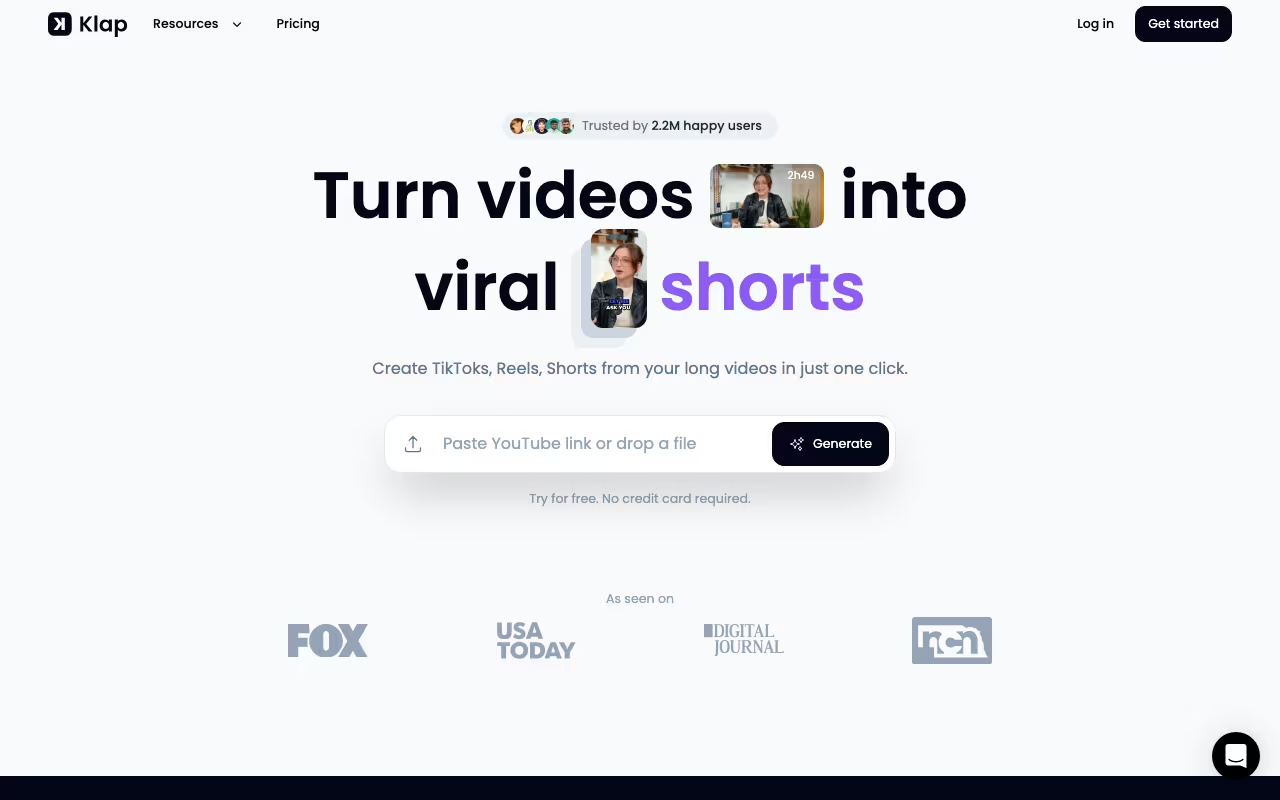
Every content creator faces the same bottleneck: you record a 30-minute podcast, a one-hour webinar, or a 45-minute YouTube video, and then spend hours manually editing it into short clips for TikTok, Instagram Reels, and YouTube Shorts. Klap automates that entire process. Upload a long video, and the AI identifies the best moments, cuts them into vertical clips, adds captions, reframes for mobile, and scores each clip's viral potential. Over 1.5 million creators use it.
Klap is not a full video editor. It does one specific thing (turning long videos into short clips) and focuses entirely on doing that well. If you need transitions, special effects, or multi-track editing, use something else. If you need to repurpose long content into social clips fast, Klap is built exactly for that.
Try Klap AI Get started →How the AI Clipping Works
The AI watches your entire video and identifies distinct topics, high-energy moments, quotable statements, and natural clip boundaries. It then cuts these into standalone short-form clips, typically 15-90 seconds. The detection works well with structured content like interviews and educational videos where topic shifts are clear. It struggles more with abstract or heavily visual content where "best moments" are not dialogue-driven.
For each upload, Klap generates multiple clip options with a virality score. You pick the ones you like, tweak if needed, and export. The AI learns from your selections over time, though the improvement is gradual.
Captions, Reframing, and Branding
Auto-generated captions use speech recognition, then sync captions to audio with word-level highlighting. Multiple caption styles are available (bold, minimal, colorful), and you can customize fonts, sizes, colors, and positioning. The captions are the most polished part of Klap. They genuinely look professional without manual adjustment in most cases.
Smart reframing handles the landscape-to-portrait conversion by tracking the active speaker's face. For talking-head videos with one or two speakers, it works well. For group shots, wide angles, or content with frequent camera movement, it can crop awkwardly. Brand kits let you apply consistent colors, logos, and watermarks across all clips.
B-roll integration is a newer feature that adds stock footage overlays at relevant moments. The results are hit-or-miss: sometimes the AI picks appropriate visuals, sometimes they feel generic. Manual override is available.
Start Clipping Your Videos Get started →Export and Distribution
Clips export in 9:16 (vertical), 1:1 (square), or 16:9 (horizontal) formats. Resolution goes up to 1080p on paid plans. Direct publishing to TikTok, YouTube Shorts, Instagram Reels, and LinkedIn is available, though most creators prefer to download and post manually for more control over timing and captions.
Batch processing on higher plans lets you upload multiple videos and queue them for clipping. For podcast producers or YouTube channels that publish weekly, this turns a multi-hour editing task into a 15-minute review process.
Pricing
Free trial: 3-day free trial on any paid plan with full access. Credit card required. Some sources mention 1 free test video without a subscription. Either way, limited for proper evaluation.
Starter ($29/month, $23/month annual): 10 video uploads per month, 100 clips, 45-minute max video length. HD 1080p export. All caption styles and brand kit features.
Pro ($79/month, $63/month annual): 30 uploads per month, 300 clips, 2-hour max video length. 4K export. AI dubbing in 29 languages. For active channels with higher volume.
Pro+ ($189/month, $151/month annual): 100 uploads per month, 1,000 clips, 3-hour max video length. 4K export. AI dubbing. For agencies and production teams. Custom enterprise pricing available via Discord.
Annual billing saves 20% across all plans.
Klap vs. Opus Clip vs. Vizard
Content Creation tools, published pricing
| Tool | Pricing | Model |
|---|---|---|
| Klap AI | $29/mo (Starter), $79/mo (Pro) | Subscription |
| Livestorm | $99/mo (lowest published recurring price) | Subscription |
| Restream | $19/mo (lowest published recurring price) | Subscription |
| Descript | Free, $15/mo (Creator), $30/mo (Pro) | Freemium |
| ElevenLabs | $5/mo (lowest published recurring price) | Subscription |
| Storylane | $40/mo (lowest published recurring price) | Subscription |
Opus Clip: The closest competitor. Similar AI clipping with a viral score system. Better virality prediction and a more active community sharing templates. Opus Clip's free tier is more generous (3 exports/month vs. Klap's 1 test video). For pure TikTok and YouTube Shorts optimization, Opus Clip has a slight edge in AI quality.
Vizard: More editor-oriented. Stronger manual editing tools and timeline control. Better for creators who want AI to do the initial cut but want to fine-tune extensively. Weaker on auto-generated captions compared to Klap.
Klap: Best balance of automation and caption quality. The caption engine produces the most polished output with minimal adjustment. If your priority is speed over precision, Klap saves more time than Vizard. If viral optimization matters most, Opus Clip has a slight advantage.
Where It Falls Short
- Free tier is too limited (1 video) for proper evaluation
- Reframing struggles with group shots and wide-angle content
- B-roll suggestions are inconsistent in relevance
- The built-in editor is sluggish and lacks precision controls
- No real-time preview during caption editing
- Processing time can be slow during peak hours (15-30 minutes per video)
- Does not handle music-heavy or non-dialogue content well
Our Take
Klap is one of the best AI video clipping tools for creators who produce regular long-form talking-head content and need to maintain a presence on short-form platforms. The caption engine is genuinely excellent, the AI topic detection works well for structured content, and the time savings are real: what used to take 2-3 hours of manual editing now takes 15-20 minutes of review. The limitations are clear: it is built for dialogue-driven video, not visual or music content, and Opus Clip offers slightly better viral optimization. Start with the free test video on your actual content before committing to a plan.
Try Klap AI Get started →