
Last updated: April 2026
We run five newsletters with a combined 550K+ subscribers and have compared Kit against Mailchimp, Beehiiv, MailerLite, Substack, and ActiveCampaign. Kit (formerly ConvertKit) is the one we'd recommend to any solo creator starting a newsletter in 2026, for one reason: it lets you grow to 10,000 subscribers for free while building monetization into the platform from day one.
That free tier is not a teaser. You get unlimited broadcasts, unlimited landing pages, unlimited forms, and the ability to sell digital products. Mailchimp caps its free plan at 500 subscribers. MailerLite at 1,000. Substack is free but takes 10% of paid subscriptions. Kit takes nothing until you choose to upgrade.
Try Kit Free (10K Subscribers) Get started →How the Tag System Changes Everything
Most email platforms use lists. You have a "Newsletter" list, a "Buyers" list, a "Webinar Attendees" list. A subscriber on three lists counts three times. You pay for duplicates.
Kit uses tags instead. One subscriber, multiple tags. Someone who signed up through your blog, bought your course, and attended your webinar is one person with three tags. Your subscriber count stays accurate, and your billing stays honest.
The visual automation builder turns these tags into workflows. A new subscriber can enter a 5-email welcome series, get tagged "interested-course" and moved into a separate 3-email sales sequence after clicking a link to a paid course, then have that sales sequence stop automatically once they buy. In Mailchimp, the same logic would require two separate automations with manual exclusion rules.
You can also trigger automations based on external events via Zapier or Kit's API: someone buys on Gumroad, they get tagged in Kit. Someone completes a Typeform survey, they enter a specific sequence. The tag system makes Kit feel like a CRM for creators, not just an email blaster.
Creator Network: Free Growth That Actually Works
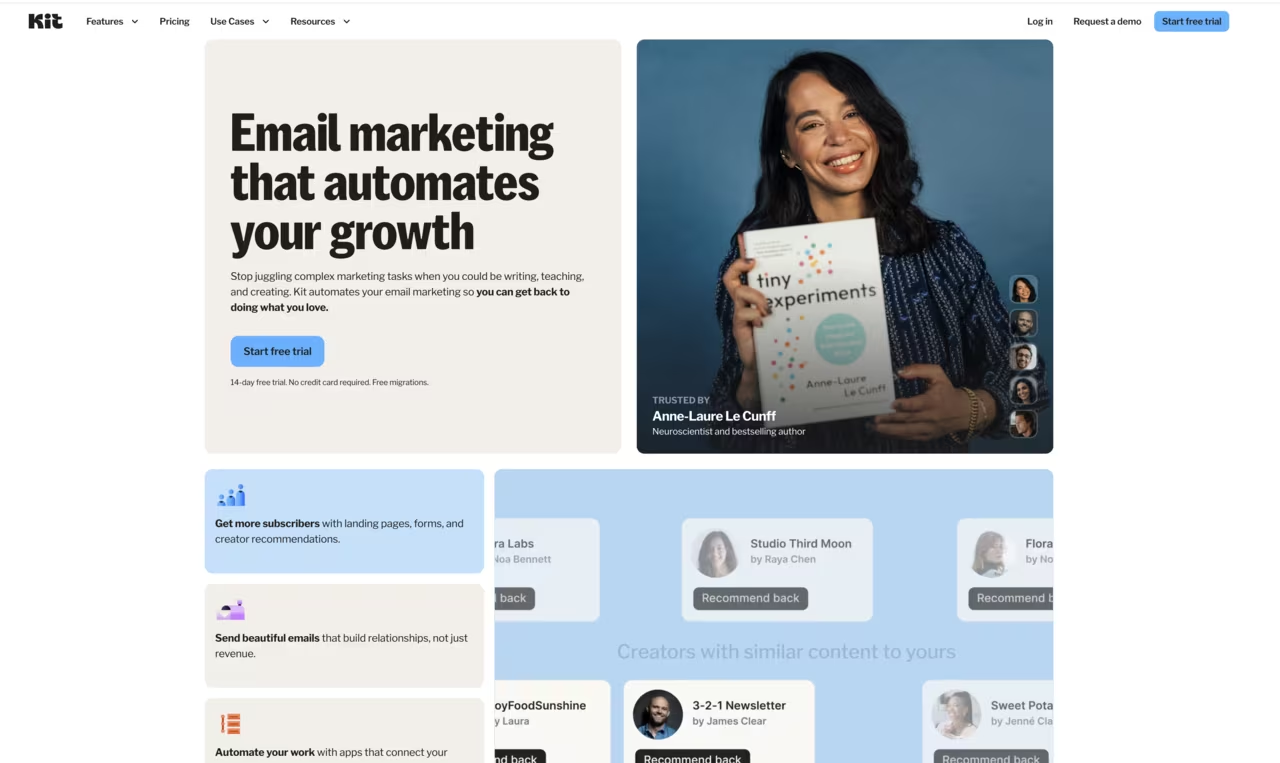
Creator Network is Kit's answer to "how do I grow my newsletter without paying for ads?" The concept: you recommend other creators' newsletters at the bottom of your confirmation page. They recommend yours. Both sides grow organically from warm, interested readers.
I've seen creators add 500-2,000 subscribers per month through Creator Network alone, depending on the niche. It works best when you recommend newsletters that genuinely complement yours. A marketing newsletter recommending a copywriting newsletter. A tech newsletter recommending a productivity newsletter. The quality of subscribers is high because they're already newsletter readers, not random leads from a Facebook ad.
The catch: Creator Network is a separate feature that requires approval. Kit reviews your newsletter before granting access. If you have fewer than 1,000 subscribers or inconsistent sending, you may not qualify immediately.
Monetization Without Extra Tools
Kit's commerce features let you sell digital products (ebooks, templates, courses, presets), run paid newsletter subscriptions, and accept tips. All through Stripe integration with no additional platform fee beyond Stripe's standard 2.9% + $0.30.
The digital product feature handles something like a $29 email template pack cleanly. The checkout page is simple but professional, buyers get automatic delivery, and Kit handles the receipt email. Compare that to wiring up Gumroad ($10/month + 5% fee) or Payhip (5% fee) to your email platform, and the savings add up.
Paid newsletters work similarly. Set a monthly or annual price, Kit handles billing, and paid subscribers get access to subscriber-only emails. For creators experimenting with paid content, this lowers the barrier vs. setting up a separate Substack or Ghost publication.
Start Monetizing with Kit Get started →Where the Email Design Falls Flat
Kit deliberately favors plain-text-style emails. The philosophy: emails that look like they came from a friend, not a marketing department. For many creators, this works. Personal, clean, high deliverability.
But if you need branded HTML emails with multiple columns, header images, product grids, or styled buttons, Kit's editor will frustrate you. There's no full drag-and-drop builder like MailerLite or Mailchimp. You get a text editor with basic formatting (bold, italic, links, images, buttons). That's it.
Custom HTML is possible through code blocks, but then you're writing HTML by hand. For e-commerce brands sending product announcement emails with image grids and "Shop Now" buttons, Kit is the wrong choice. MailerLite ($10/month for the same subscriber count) gives you a proper visual builder.
Pricing and How It Scales
- Newsletter (Free): Up to 10,000 subscribers. Unlimited broadcasts, landing pages, forms, digital product sales. No automations, no integrations, no A/B testing.
- Creator ($33/month at 1,000 subscribers): Visual automations, 70+ third-party integrations (Shopify, WordPress, Zapier, Teachable), subscriber scoring, live chat support.
- Creator Pro ($66/month at 1,000 subscribers): Engagement scoring, deliverability reporting, Facebook custom audiences, newsletter referral system, priority support.
Prices scale with subscriber count. At 5,000 subscribers, Creator costs $66/month and Creator Pro costs $111/month. At 25,000 subscribers, you're looking at $150/month (Creator) or $216/month (Creator Pro). 14-day free trial on paid plans, no credit card required.
For comparison: Beehiiv's Scale plan ($42/month) includes automations and advanced analytics at any subscriber count below 10,000. MailerLite's Advanced plan ($18/month at 1,000 subscribers) includes automations plus a proper email builder. Kit's pricing is competitive at the free tier but gets expensive fast as you scale. Factor this into your decision if you expect to grow past 5,000 subscribers within a year.
Kit vs. the Alternatives
Marketing tools, published pricing
| Tool | Pricing | Model |
|---|---|---|
| Kit | Free (10K subs), $33/mo (Creator), $66/mo (Creator Pro) | Freemium |
| TheTop | $99/mo (lowest published recurring price) | Subscription |
| Hopp for Business | $9/mo (lowest published recurring price) | Subscription |
| POWR | $9.99/mo (lowest published recurring price) | Subscription |
| Roster | $500/mo (lowest published recurring price) | Subscription |
| Recomaze AI | $99/mo (lowest published recurring price) | Subscription |
Kit vs. Beehiiv: Beehiiv is the better pure newsletter platform. Better analytics, better monetization reporting, built-in ad network. Kit is better if you need automations, digital product sales, and course creator integrations (Teachable, Kajabi, Podia).
Kit vs. Mailchimp: Mailchimp has a better email builder and stronger e-commerce integrations (Shopify, WooCommerce). Kit has a better automation builder and a much more generous free tier. If you're a creator, Kit. If you're a store, Mailchimp.
Kit vs. Substack: Substack is simpler (write and publish, that's it) and takes 10% of paid subscriptions. Kit gives you more control, more features, and takes 0% beyond Stripe's fee. Substack if you want zero setup. Kit if you want to build a real business around your newsletter.
Kit vs. MailerLite: MailerLite is cheaper at every subscriber tier and has a better email builder. Kit has Creator Network, a stronger automation builder, and more creator-specific integrations. If budget is your primary constraint, MailerLite wins.
What I'd Use It For (and What I Wouldn't)
Kit is the right pick if you're a blogger, newsletter writer, podcaster, course creator, or solo educator building a direct relationship with your audience. The free-to-10K plan lets you validate your idea before spending a dollar. Creator Network gives you organic growth. Built-in commerce means you can start selling without wiring up external tools.
I would not use Kit for e-commerce email marketing, agency work with multiple client brands, or any situation where you need polished HTML email templates. Those use cases are better served by Mailchimp, Klaviyo, or ActiveCampaign.
Start on the free plan. Grow to a few thousand subscribers. If automations become a bottleneck, upgrade to Creator ($33/month). If you need engagement scoring and deliverability insights, move to Creator Pro. The migration path is clean because everything stays in one platform.
Get Started with Kit Free Get started →