
Last updated: March 2026
Close CRM Review: Built for Sales Teams That Actually Make Calls
Most CRMs try to be everything to everyone. Close doesn't. It's a CRM built specifically for inside sales teams that do high-volume outreach via phone, email, and SMS. If your salespeople spend their day cold calling, following up on leads, and grinding through pipelines, Close is designed to make them faster at exactly that.
Founded in 2013 (originally as Close.io), the platform has earned a loyal following among startups and SMB sales teams who want built-in calling and email without stitching together five different tools. Here's our honest take after putting it through its paces.
Try Close CRM Free for 14 DaysWhat Close Does Differently
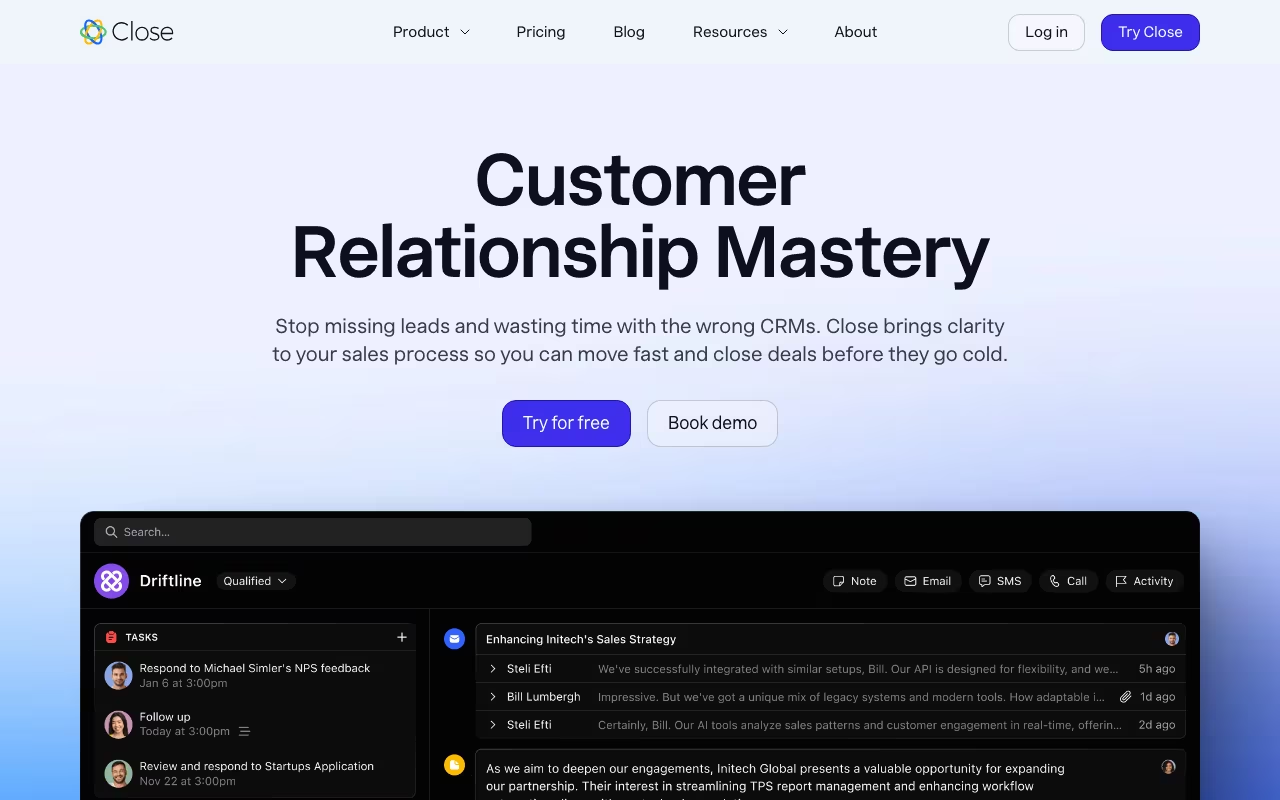
The core philosophy behind Close is reducing the time salespeople spend not selling. Most CRMs require reps to log calls manually, switch to a separate dialer, copy-paste email content, and update records after every interaction. Close eliminates most of that friction by building the communication tools directly into the CRM.
You can make calls, send emails, and text prospects without ever leaving the platform. Every interaction is automatically logged to the lead record. This sounds simple, but in practice, it translates to reps spending more time in conversation and less time doing data entry.
Key Features
Built-In Calling
This is Close's bread and butter. You get a VoIP phone system baked into the CRM. Place calls directly from your browser, record them automatically, drop pre-recorded voicemails with one click, and move to the next lead smoothly. Call quality is solid, and the automatic logging means reps never have to manually note "called John at 2:15 PM."
Power Dialer and Predictive Dialer
The Power Dialer calls leads one at a time from a list, automatically moving to the next number when a call ends. For SDR teams, this alone can increase call volume by 2-3x compared to manual dialing. The Predictive Dialer (available on the Scale plan) goes further, calling multiple numbers simultaneously and connecting reps only when someone picks up. This maximizes talk time for high-volume outbound teams.
Email Sequences
Close supports automated email sequences with customizable templates and scheduling. Two-way sync with Google Workspace and Microsoft 365 means your email activity is always current. You can build multi-step sequences that mix emails and calls, creating structured outreach cadences without a separate tool.
SMS Messaging
Send and receive text messages directly from lead records. For industries where prospects respond better to texts than emails (think real estate, recruiting, local services), this is a valuable channel to have built in.
Smart Views
Smart Views are saved lead filters that act as dynamic call lists. You can create views like "Leads who opened my email but didn't reply in the last 3 days" or "Leads in the demo stage with no activity this week." These views update automatically and help reps prioritize their time without a manager constantly telling them who to call next.
AI Features
Close has been adding AI capabilities steadily. The Call Assistant automatically transcribes and summarizes calls, identifying key topics and action items. AI Email Rewriting helps reps polish their messages. Lead enrichment pulls in company data automatically. These features are practical rather than gimmicky, designed to save a few minutes per interaction rather than replace the salesperson.
Pricing
Close offers four plans, all with per-user pricing:
Solo ($19/user/month, or $9 billed annually): Basic CRM for individuals. Lead management, pipeline view, and calling. Good for solopreneurs who need a simple system.
Essentials ($49/user/month, or $35 billed annually): Unlimited leads, built-in calling, and centralized workflows. The starting point for small teams.
Growth ($109/user/month, or $99 billed annually): Adds automation, Power Dialer, and AI tools. This is where Close really shines for outbound teams.
Scale ($149/user/month, or $139 billed annually): Role-based permissions, Predictive Dialer, lead scoring, and custom reporting. Built for larger teams that need structure and compliance.
Annual billing saves about 35%. There's a 14-day free trial with full access and no credit card required. Close also runs a Startup Program offering up to 60% off the first year for qualifying companies.
What We Like
- Communication tools are native, not bolted on: The calling, email, and SMS features feel like first-class citizens, not afterthoughts. This is Close's biggest advantage over CRMs that rely on third-party integrations for dialing.
- Fast implementation: Close claims to be up to 50% faster to implement than competing CRMs, and that tracks with our experience. The CSV import tool works well, and there's a free one-click migration from other CRMs.
- Clean, focused interface: The UI is minimal and fast. Reps can navigate between leads, make calls, and update records without clicking through layers of menus. Less friction means more selling time.
- Power Dialer is genuinely useful: For outbound teams, the difference between manual dialing and the Power Dialer is dramatic. Reps consistently hit 2-3x more calls per day.
- Strong API and integrations: Zapier, Slack, Zoom, Calendly, and a solid API for custom connections. Close plays well with the rest of your stack.
What Could Be Better
- Not a full-suite CRM: Close is laser-focused on sales. If you need marketing automation, customer support ticketing, or post-sale account management, you'll need additional tools. This is by design, but it means Close isn't a one-platform solution.
- Per-user pricing adds up: At $99-$139/user/month for the plans most teams need, a 10-person sales team is paying $990-$1,390/month. That's competitive with similar tools, but it's not cheap. Teams over 15-20 reps should do the math carefully.
- Power Dialer locked to higher tiers: The Power Dialer, arguably Close's killer feature for outbound teams, requires the Growth plan ($99/user/month). If you're on a tight budget, you're paying for the premium tier to get the feature that makes Close worth choosing.
- Call recording limitations: On lower-tier plans, call recordings may expire after a set period. Teams that need long-term archives for compliance or training should verify retention policies on their specific plan.
- No free plan: Unlike HubSpot or Zoho, there's no free tier. The 14-day trial is generous, but you're committing to a paid plan from day one.
Who Should Use Close
Close is ideal for inside sales teams that prioritize phone outreach. If your reps make 50+ calls a day, Close's native dialer and automatic logging will save them real time. It's particularly strong for startups and SMBs that want a CRM they can set up in a day and start using immediately, without a lengthy implementation project.
It's not the right fit for companies that need a CRM covering marketing, support, and sales in one platform. It's also not ideal for enterprise teams with complex approval workflows, territory management, or deep customization requirements. Those teams should look at Salesforce or HubSpot Enterprise.
Final Verdict
Close is one of the best CRMs for sales teams that live on the phone. The built-in calling, Power Dialer, and automatic activity logging remove friction that slows reps down in other CRMs. The interface is fast and focused, setup is quick, and the AI features add practical value without hype.
The tradeoff is specialization. Close does sales communication extremely well and doesn't try to do much else. If that matches your needs, it's hard to beat. If you need a broader platform, look elsewhere.
Try Close CRM Free for 14 Days