
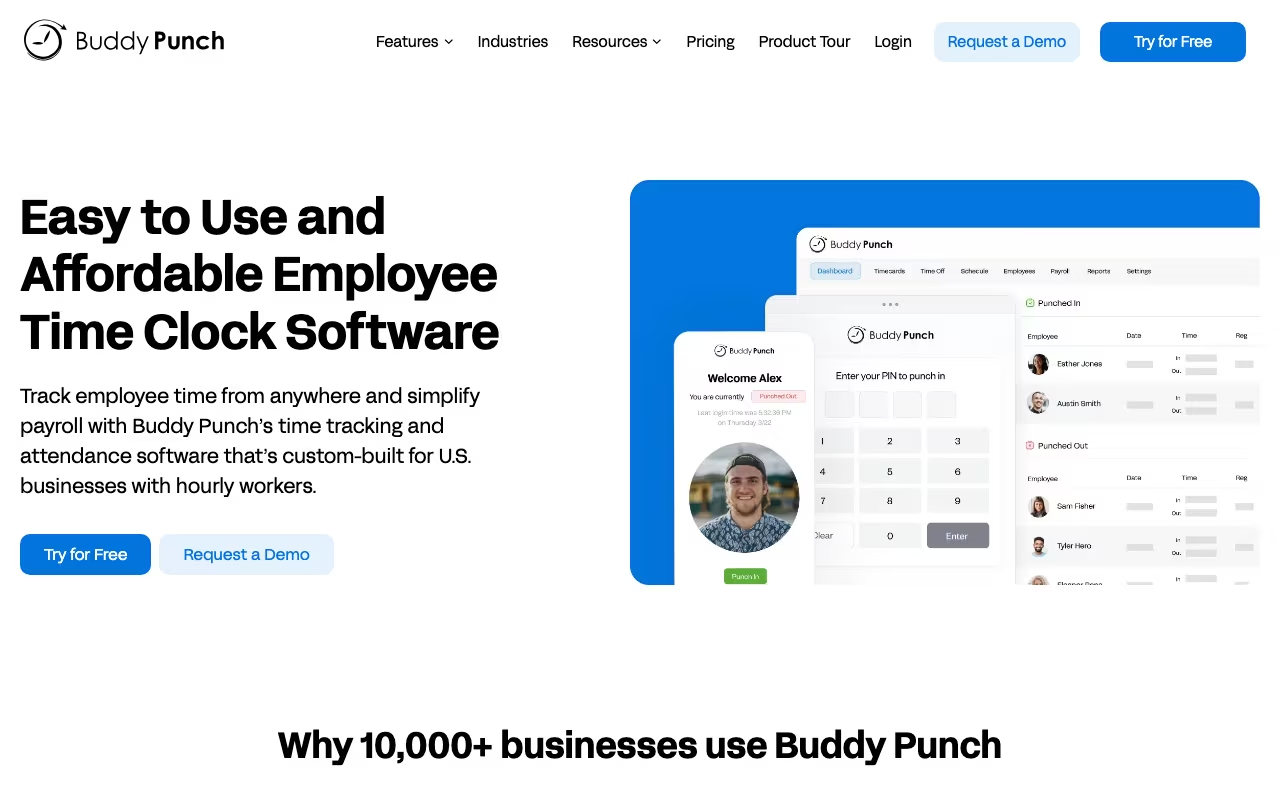
The name says it all. "Buddy punching" is when one employee clocks in for another who isn't there. It costs U.S. employers an estimated $373 million per year. Buddy Punch was built specifically to kill that problem, and it does the job well. GPS verification, facial recognition, geofencing. If someone's not where they should be, the system catches it.
But it's grown into more than a fraud-prevention tool. Scheduling, PTO tracking, overtime calculations, payroll exports. For small and mid-size teams with hourly workers, Buddy Punch handles the full time-tracking workflow without the complexity (or price tag) of enterprise HR platforms.
Try Buddy Punch Free for 14 Days Get started →How Employees Clock In
Three options: web browser, mobile app, or a shared tablet running kiosk mode. Office staff use the web app. Field crews use mobile with GPS. Retail teams use a tablet at the door. Each method logs location data if you enable it, so you get a complete picture of who punched where.
The facial recognition feature is the standout. When enabled, employees snap a photo at punch-in that's compared to their profile picture. No match, no clock-in. I've seen this save managers hours of he-said-she-said disputes. It's optional per employee, so you can enable it for high-risk roles and skip it for office staff.
Geofencing takes it further. You draw a radius around your work sites, and employees can only punch within that zone. Useful for construction crews, cleaning companies, and any business where "working from home" shouldn't mean "punching in from the couch."
Scheduling, PTO, and Overtime
Buddy Punch's scheduling is straightforward. Build shifts, publish them, let employees see what's coming. They can request time off or swap shifts with manager approval. Nothing groundbreaking, but it works and it's integrated with the time tracking so you see planned vs. actual hours side by side.
Overtime calculations are automatic. Daily, weekly, or California-style rules. The system alerts managers when someone's approaching the threshold, which is genuinely useful for controlling labor costs. I've talked to restaurant owners who said this feature alone justified the subscription.
PTO accrual tracking keeps vacation and sick day balances visible to both employees and managers. No more spreadsheets, no more "how many days do I have left?" emails.
Pricing Breakdown
Every plan includes a $19/month base fee regardless of team size. That's worth noting because it changes the math at small scale.
Starter: $4.49/user/month (annual billing) or $5.49 monthly. Core time tracking, mobile app, GPS, basic reporting. Scheduling is an add-on at $1/user/month.
Pro: $5.99/user/month + $19 base. Adds QR code scanning, advanced scheduling, PTO management, and geofencing. Real-time GPS is an extra $2/user.
Enterprise: $10.99/user/month + $19 base. Everything included, plus Buddy Punch Payroll ($6/user + $39 base), extended data retention, and priority support.
For a 10-person team on the Starter plan, you're looking at about $64/month (annual). That's reasonable. For a 3-person team, the $19 base fee makes it $32/month, which is steep per head. Homebase might be a better fit under 5 employees.
Start Your 14-Day Free Trial Get started →Payroll Integrations
Buddy Punch exports directly to QuickBooks, ADP, Paychex, and Gusto. The integrations are clean. Hours, overtime, PTO balances push over without manual entry. If your payroll provider isn't on the list, CSV export covers it. For the Enterprise tier, Buddy Punch runs its own payroll service, which consolidates everything into one platform.
Where It Works / Where It Doesn't
What works well:
- Dead simple for employees. Most people figure it out in under five minutes.
- Facial recognition and geofencing genuinely reduce time theft
- Payroll exports save hours of manual processing each pay period
- Customer support is responsive. Live chat during business hours, and they actually answer.
What doesn't:
- The $19 base fee makes it expensive for very small teams (under 5 people)
- Reporting is basic. You get the essentials but no custom dashboards or labor analytics.
- Project-based job costing is minimal. If you need to track time against client projects, look elsewhere.
- Some features (like advanced scheduling) are web-only, not available in the mobile app
Buddy Punch vs. the Competition
Hr tools, published pricing
| Tool | Pricing | Model |
|---|---|---|
| Buddy Punch | $4.99/user/mo (Standard), $5.99/user/mo (Pro) | Subscription |
| Flocksy | $445/mo (lowest published recurring price) | Subscription |
| Deel | $14/mo (Find talent), $49/mo (Hire contractors), $125/mo (US PEO), $325/mo (Contractor of Record), $599/mo (EOR) | Subscription |
| Employment Hero | $600/mo (lowest published recurring price) | Subscription |
| Deputy | $4.5/mo (lowest published recurring price) | Subscription |
| Jibble | $2.99/mo (lowest published recurring price) | Subscription |
QuickBooks Time (formerly TSheets) has deeper features and better reporting, but costs more and targets larger teams. If you're already on QuickBooks for payroll, it's worth considering.
Homebase is free for basic scheduling and time tracking. If you have under 20 employees at a single location and don't need GPS or facial recognition, Homebase covers the basics at no cost.
Clockify is free time tracking, but it's built for project tracking, not employee timekeeping. Different tool for a different problem.
FAQ
Does facial recognition store biometric data?
Photos are compared to the employee's profile picture at punch time. Buddy Punch states it doesn't store biometric templates permanently, but check your local regulations around employee photo capture.
Is there a minimum team size?
No minimum. But with the $19/month base fee, the per-person cost gets high under 5 employees. Run the math before committing.
Buddy Punch does one thing and does it well: getting accurate time records from hourly employees into your payroll system. The anti-fraud features set it apart from basic time trackers, and the interface is simple enough that your least tech-savvy employee can use it. It won't replace a full HR suite, and the reporting won't impress your CFO. But for straightforward time tracking with accountability built in, it's one of the best options in the $4-11/user range.
Try Buddy Punch Free Get started →