Last updated: May 2026
Rodin AI by Deemos generates 3D models from text or images in roughly 4 seconds, with native quad-mesh topology and 4K PBR textures. It's the AI-3D tool that ByteDance, Amazon, and Unity all use in production. It's also the one that costs the most per polygon and produces the heaviest meshes in the category. This 2026 review covers what Rodin does well versus Meshy, Tripo, and the rest, where it breaks (organic shapes, complex prompts), and whether the Education or Creator plan is the right entry point.
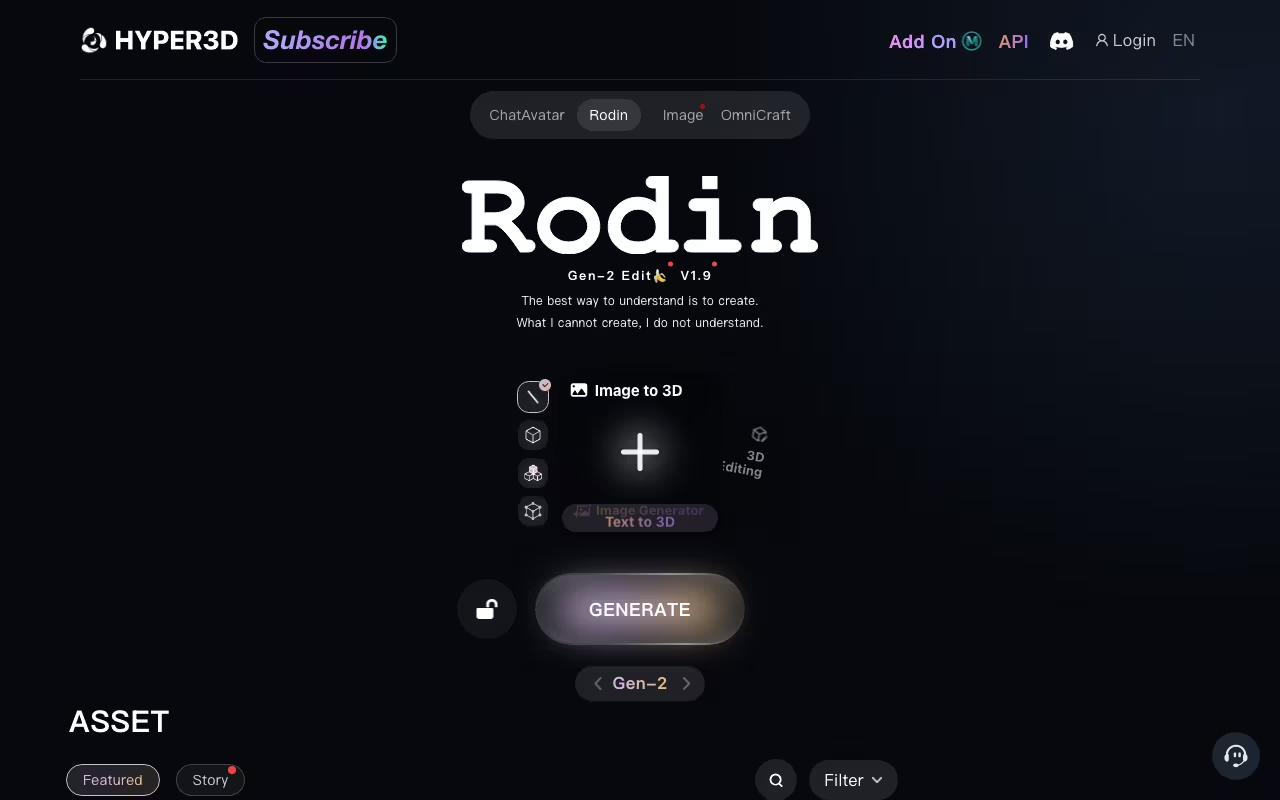
Rodin is built by Deemos Technologies Inc., incubated at Shanghai University of Science and Technology. Gen-2.5 launched in November 2025 and generates models with tens of millions of polygons in about 4 seconds. The product ships with Blender, Unity, and Unreal add-ons, has a hosted API on fal.ai, and includes a sister product (ChatAvatar) for realistic 3D facial assets.
Try Rodin AI Free Get started →What Rodin Actually Generates
Rodin takes three input types: a text prompt ("a medieval helmet with brass rivets"), a single reference image, or multiple reference images that get fused into one model (concat mode stacks them; fuse mode blends them). The output is a textured 3D model in GLB, FBX, OBJ, USDZ, or STL format, with 4K PBR texture maps (albedo, normal, roughness, metallic).
The geometry is quad-mesh by default, at either 18K or 50K face density depending on the tier you select. Quad-mesh matters because it's what game engines and animation rigs actually want; triangle-mesh output from competing tools often needs retopology before it can be used in production. Rodin is one of the few AI 3D tools that delivers quads natively.
The headline benchmark is speed. Gen-2.5 produces high-density models in roughly 4 seconds, which is fast enough to iterate on a prompt while keeping creative flow. Older versions and competing tools take 30 seconds to several minutes for comparable density.
Free Tier and Trial
The free tier gives you 10 credits on signup. Crucially, generation is unlimited (no daily cap), and you only spend credits when you download the model. This is the key UX advantage over Meshy and Tripo, where credits burn on every generation regardless of whether you actually want the result.
Rodin's Gen-2 v2 model costs roughly 40 credits per download, which means the 10 free credits won't get you a single high-density download. You can generate, preview, and iterate for free; you just can't take the model home without paying. For evaluation, that's enough to decide whether Rodin's quality fits your pipeline.
Commercial rights are included on the free tier. Whatever you download, you can use commercially. This is worth flagging because some competitors gate commercial use behind paid plans.
Pricing in 2026
Rodin's pricing is tier-based with credits as the underlying unit:
- Free: 10 credits on signup, pay-per-download, full commercial rights.
- Education: $15/month. 30 credits/month, 66% off credit top-ups, unlimited private models. For students and educators.
- Creator: $20/month. 44% off credit top-ups, unlimited private models, advanced multi-view fusion, more concurrent generations. Most users land here.
- Enterprise: custom pricing. Bulk credit packages, dedicated integration support, API SLA.
Individual model costs work out to $0.50 to $1.50 each depending on complexity. For solo creators producing 5-10 models per week, the Creator plan at $20/month is the right entry point. For production teams or studios, the API + Enterprise tier makes more sense than a per-seat subscription.
See Rodin Pricing See plans →How Rodin Compares: Quality, Topology, Texture
The honest benchmark across the AI-3D space comes from SimInsights, which ran ~40 trials across Rodin, Meshy, and Tripo. Their finding: only about 1 in 10 generations from any tool is "client-ready" without rework. Each tool has a distinct strength.
Rodin wins on textures. The 4K PBR materials are the best in the category. When you generate a leather chair or a brass helmet, the surface materials look right out of the box. Mehul Gupta's Medium comparison reaches the same conclusion: Rodin wins photorealistic textures.
Tripo wins on editability. Tripo's topology is cleaner quads that import nicely into Blender for post-edit. Rodin's quads are functional but heavier; you'll feel the polygon count when you start manipulating the mesh in your DCC tool.
Meshy wins on iteration speed. Meshy is the fastest to generate and the cheapest per model, but the quality bar is lower. Topology is often broken and textures are weaker than Rodin's.
The TL;DR: if you need the best-looking final asset and you'll mostly use it as-is, Rodin. If you'll heavily edit the mesh in Blender, Tripo. If you're doing rapid prototyping and you'll discard most outputs, Meshy.
Where Rodin Breaks
Three specific failure modes show up consistently across user reports and independent reviews:
Organic shapes. Characters and animals are weaker than hard-surface objects (furniture, weapons, architecture). Faces in particular have an uncanny-valley problem that ChatAvatar (Rodin's sister product) was built to solve, so don't use Rodin for character heads. Use ChatAvatar instead.
Complex multi-object prompts. "A medieval wagon with cargo crates and a barrel" gets merged into one mesh in roughly 2 out of 5 generations rather than rendered as separate selectable objects. If you need distinct objects, generate them individually and compose in your DCC.
Inconsistency between runs. The same prompt yields different results across runs. This is true of all AI-3D tools but Rodin's variance is notable. Plan to generate 3-5 takes and pick the best, especially for client-facing work.
One more practical caveat: STL exports for 3D printing often need repair for non-manifold edges. Don't send Rodin's STL straight to a printer without running it through a mesh-repair pass in Meshmixer or Blender's 3D Print Toolbox.
Rodin vs Meshy vs Tripo vs Luma Genie vs Sloyd
Design tools, published pricing
| Tool | Pricing | Model |
|---|---|---|
| Rodin AI | Credits-based 3D model generation | Credits |
| Beautiful.ai | $12/mo (Pro annual), $40/user/mo (Team annual) | Paid |
| Shutterstock | $29/mo (10 images), $79/mo (5 videos), $15/mo (AI Generator), on-demand packs available | Subscription |
| Webydo | From $90/year per site | Subscription |
| SitesGPT | AI website builder, free tier available | Freemium |
| Logome.ai | From $29 per logo package | Pay-per-use |
The AI-3D space has consolidated around five serious tools. Here's the head-to-head:
| Tool | Free tier | Paid (USD) | Best for |
|---|---|---|---|
| Rodin (Hyper3D) | 10 credits, pay-per-download, unlimited generation | $15/mo Education, $20/mo Creator | Best textures + native quad-mesh, hard-surface assets |
| Meshy AI | Free with watermark + cap | $20/mo Pro, $60/mo Max, $90/mo Ent | Rapid iteration, cheapest per model, weaker quality |
| Tripo AI | Free tier with credits | $10/mo Pro, $15.90/mo Professional (3K credits) | Best editability, cleanest quads for Blender post-edit |
| Luma Genie | Free | $0-$100/mo | Stagnant since 2023; check if it suits you before paying |
| Sloyd | Free tier | $15/mo Plus, unlimited (no credits) | Procedural + AI hybrid, predictable output |
Quick decision framework: if you need the best final-quality asset and you're willing to pay for it, Rodin. If you need to iterate fast and don't mind discarding 8 out of 10 outputs, Meshy. If you'll edit the mesh in Blender, Tripo. If you want predictable output without surprise rejections, Sloyd. Luma Genie has been stagnant since 2023; check its current state before paying for it.
Workflow Integrations
Rodin ships with three production-grade plugins:
- Blender add-on (RodinBridge): sold on Gumroad. Generate from inside Blender, import directly into your scene. Critical for production workflows where context-switching kills momentum.
- Unity add-on: official Rodin Bridge for Unity. Works with both URP and HDRP. Generated models drop straight into the project.
- Unreal Engine add-on: Rodin Bridge for UE. Same workflow as Unity, but for UE5 production pipelines.
For API users, fal.ai hosts the Rodin model with batch processing, async generation, and webhook callbacks. The fal.ai integration is the easiest way to build Rodin into a custom pipeline without managing infrastructure.
Who Uses Rodin (and What That Tells You)
Rodin's public customer list includes Amazon, ByteDance, Unity, and Tuozhu (the 3D printing company). The funding rounds tell the same story: 2025 saw Series A and A+ raises totaling tens of millions, with ByteDance, HongShan (Sequoia China), Meituan, and BlueRun Ventures all participating in the November 2025 Angel+ round led by Lanchi Ventures.
What that translates to for you: Rodin is the AI-3D tool the big platforms are betting on. If you're working in a production pipeline that intersects with Unity, Unreal, ByteDance assets, or Amazon's 3D commerce, Rodin is the one your stakeholders are most likely to recognize and trust.
What Creators Like
- 4-second generation at high polygon density. Fast enough to keep creative flow.
- Best-in-class PBR textures: leather, metal, fabric all look right out of the box.
- Native quad-mesh topology: 18K or 50K face density, ready for animation pipelines.
- Pay-per-download model: generate and iterate for free; only spend credits on finals.
- Commercial rights on free tier: rare in the AI-3D space.
- Blender / Unity / Unreal plugins: native integration where 3D artists actually work.
- fal.ai API access: batch + async + webhooks for production pipelines.
- 4K PBR texture maps: albedo, normal, roughness, metallic. Full set.
Where Rodin Falls Short
- Organic shapes (characters, animals): weaker than hard-surface; uncanny-valley faces. Use ChatAvatar for faces, not Rodin.
- Complex multi-object prompts: items merge into one mesh in ~40% of generations.
- Inconsistency between runs: same prompt, different results. Plan for 3-5 takes.
- Heavier meshes than Tripo: functional quads but you'll feel the polycount in your DCC.
- STL repair often needed for 3D printing: non-manifold edges require a clean-up pass.
- Premium pricing for high-volume: API users at scale will pay more than Tripo or Sloyd equivalents.
Who Should Use Rodin (and Who Shouldn't)
Good fit: 3D artists, game devs, and product designers who need the best-looking final asset with proper PBR materials, and who work inside Blender, Unity, or Unreal where Rodin's plugins are first-party. Also a fit for solo creators on the Creator plan ($20/mo) producing 5-10 client-ready assets per week, and for studios needing API access with batch and async generation.
Skip Rodin if: you're generating mostly organic shapes (characters, animals) where Rodin is weakest. Skip it if you need the absolute cheapest per-model cost (Meshy is cheaper). Skip it if you'll heavily edit every mesh in Blender (Tripo's cleaner quads will save you time). Skip it if you only need a few experimental models per month (the free 10 credits won't cover a single high-density download).
Frequently Asked Questions
Is Rodin AI free? Yes, with a 10-credit signup grant and unlimited generation. You only spend credits on downloads, which means you can preview and iterate for free. The 10 credits won't cover a single Gen-2 v2 download (~40 credits), so for finals you'll need to top up or subscribe.
How much does Rodin cost? Education $15/month (30 credits + 66% off top-ups), Creator $20/month (44% off top-ups, advanced fusion), Enterprise custom. Per-model cost works out to $0.50-$1.50 depending on complexity.
What file formats does Rodin export? GLB, FBX, OBJ, USDZ, and STL. GLB is the default and works in most 3D engines. FBX for animation pipelines. USDZ for Apple AR. STL for 3D printing (often needs mesh repair).
Is Rodin's topology good? Native quad-mesh at 18K or 50K face density, which is what professional pipelines actually want. The quads are heavier than Tripo's but cleaner than Meshy's.
Rodin vs Meshy: which is better? Rodin has better textures and topology; Meshy is faster and cheaper. If you need final-quality assets, Rodin. If you're prototyping and discarding most outputs, Meshy.
Rodin vs Tripo? Tripo has cleaner quads for Blender post-edit; Rodin has better textures and faster generation. Choose Tripo if you edit every mesh; Rodin if you use them mostly as-is.
Does Rodin work with Blender / Unity / Unreal? Yes, all three have official Rodin Bridge plugins. Blender via Gumroad, Unity via the Asset Store, Unreal via the marketplace.
Can I use Rodin output commercially? Yes, on all tiers including Free. Commercial rights are included by default.
Our Verdict
Rodin is the AI-3D tool to beat for hard-surface assets with photorealistic textures. The 4-second generation speed at high polygon density, native quad-mesh topology, and 4K PBR textures are best-in-class. The Blender, Unity, and Unreal plugins are first-party and production-ready. The customer list (Amazon, ByteDance, Unity, Tuozhu) tells you which way the industry is betting.
It's not the right tool for every job. For organic shapes (characters, animals), Rodin's uncanny-valley problem makes it worse than dedicated tools like ChatAvatar. For complex multi-object prompts, you'll fight the merge-into-one-mesh failure mode. For users who heavily edit every mesh, Tripo's cleaner quads will save more time than Rodin's better textures gain. For cheapest-per-model prototyping, Meshy is the budget pick.
At $20/month for the Creator plan, Rodin is the right entry point for solo creators producing weekly assets. For studios, the API tier with fal.ai hosting is the right call.
Start Generating 3D Assets with Rodin Get started →