
Last updated: March 2026
BugHerd Review: The Simplest Way to Collect Website Feedback (With a Few Catches)
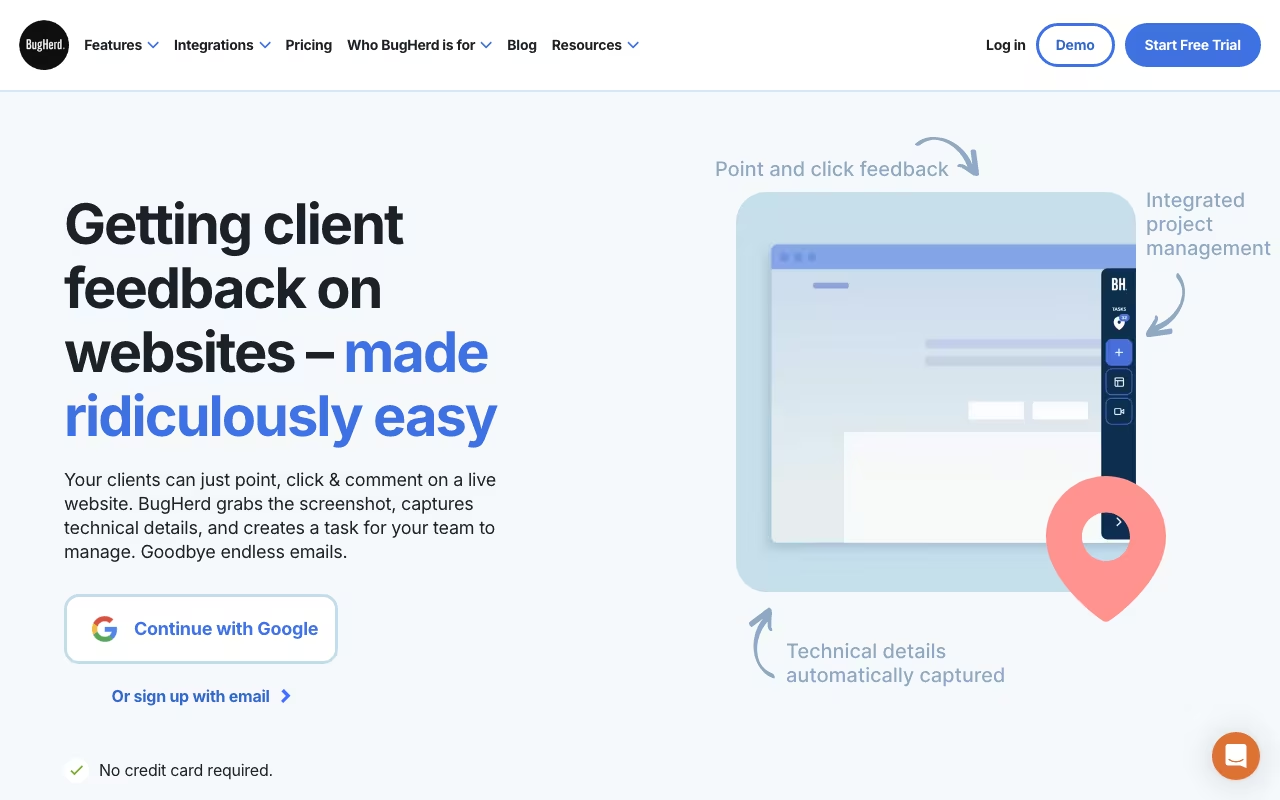
Getting feedback on a website from clients, stakeholders, or QA testers usually turns into a mess of screenshots, long email threads, and vague descriptions like "the thing on the left is broken." BugHerd solves this by letting anyone pin feedback directly onto website elements. Click on a button that looks wrong, type your note, and BugHerd automatically captures a screenshot, browser information, screen size, operating system, and console logs. The developer gets a fully contextualized bug report without asking a single follow-up question.
BugHerd has been around since 2011, and it has built a loyal following among web agencies and development teams. But it is a focused tool, not a full project management platform, and that focus comes with limitations. Here is what you need to know.
Try BugHerdKey Features
Visual Feedback Widget
BugHerd's signature feature is the feedback widget that overlays on your website. Install it via a browser extension or by adding a small JavaScript snippet to your site. Once active, anyone can click on any element on the page and leave a comment. The widget pins the feedback to the exact element, so there is zero ambiguity about what the person is referring to. You can also record a short video of your screen to demonstrate multi-step interactions or complex issues. Each feedback item automatically captures the full technical context: browser type and version, operating system, screen resolution, CSS selector of the targeted element, and JavaScript console logs.
Kanban Task Board
Every piece of feedback becomes a task on BugHerd's built-in Kanban board. The default columns are Backlog, To Do, Doing, and Done, but you can customize them: add, edit, reorder, and delete columns to match your workflow. Tasks can be assigned to team members, tagged with severity levels, and filtered by status, assignee, or page. It is not as full-featured as Jira or Asana, but for managing website-specific bugs and feedback, it covers the essentials without bloat.
Guest Access
This is one of BugHerd's strongest selling points. Clients and stakeholders can leave feedback without creating an account, installing a browser extension, or learning a new tool. You share a guest access link, they open the website, and the feedback widget is already active. All plans include unlimited guests, so you never have to worry about adding one more reviewer to the project. For agencies managing multiple client relationships, this is a significant workflow simplifier.
Automatic Technical Context
Every bug report includes: a screenshot (annotated to highlight the targeted element), the browser name and version, operating system and version, screen resolution, CSS selector path to the element, JavaScript console log errors, and the URL of the page. This metadata is captured automatically, with no effort from the person reporting the bug. It is the difference between "the button doesn't work" and "the submit button on /contact (Chrome 121, macOS 14.3, 1440x900) throws a TypeError in the console."
Integrations
BugHerd integrates with the tools most development teams already use: Jira, Trello, Asana, ClickUp, monday.com, Slack, Microsoft Teams, GitHub, GitLab, Productive, Zendesk, and more. Integrations are available as one-way (BugHerd pushes to the tool) or two-way (status changes sync both directions). For tools not directly supported, Zapier integration fills the gaps. All plans include integrations, though higher-tier plans unlock more advanced sync options.
White Label
Studio plan and above include white-label options: customize the feedback widget with your own branding so clients see your logo and colors instead of BugHerd's. This is a nice touch for agencies that want a polished, branded feedback experience.
Pricing
BugHerd offers four plans, all with a 7-day free trial (no credit card required):
- Standard ($39/month for 5 team members): Unlimited projects, unlimited guests, Kanban board, integrations, and all core features. Good starting point for small teams.
- Studio ($59/month for 10 team members): Everything in Standard plus white-label branding and priority support. Designed for agencies managing client projects.
- Premium ($109/month for 25 team members): Everything in Studio plus advanced permissions and additional integrations. For larger teams and agencies with multiple active projects.
- Deluxe ($189/month for 50 team members): Everything in Premium at the highest scale. For large agencies and development shops.
Annual billing brings prices down slightly (Standard starts at $42/month annually). All plans include unlimited projects and unlimited guests. The pricing is per team member, not per project, which is important to understand. If you have 6 developers but only one active project, you need the Studio plan at minimum.
Pros
- Incredibly easy for non-technical users: Clients and stakeholders can leave detailed, contextualized feedback without any technical knowledge. The "click and comment" interface is self-explanatory.
- Automatic technical metadata: Browser, OS, screen size, console logs, and CSS selectors are captured automatically. This single feature saves developers hours of back-and-forth per project.
- Unlimited guests on all plans: No per-reviewer charges. Add as many clients, stakeholders, and testers as needed.
- Quick setup: Install the browser extension or add the JavaScript snippet and you are running in under 5 minutes. No complex configuration required.
- Video recording: The built-in screen recording feature lets reviewers demonstrate multi-step issues without installing separate screen recording software.
- Solid integrations: Jira, Trello, Asana, ClickUp, GitHub, Slack, and Zapier cover most development workflows. Two-way sync means you can manage tasks in your preferred tool.
Cons
- Limited to website feedback only: BugHerd is built for websites and web applications. It does not support mobile app testing, desktop software, or general project management. If you need a broader feedback tool, look at Userback or Marker.io.
- No feature request tracking or voting: BugHerd is purely a bug reporting and feedback tool. There are no feature request boards, user voting, or product roadmap features. If you need those, you will need a separate tool like Canny or UserJot.
- Per-member pricing friction: The jump from 5 members (Standard at $39) to 10 members (Studio at $59) is manageable, but agencies where team composition varies by project may find themselves constantly bumping up against member limits.
- No mobile app: There is no native mobile app for managing or reviewing BugHerd tasks. You can access the dashboard through a mobile browser, but the experience is not optimized.
- Development pace is slow: Multiple reviewers note that BugHerd's feature updates and UI improvements come infrequently. The core product works well, but do not expect rapid feature additions.
- Bulk management is weak: If a project accumulates hundreds of feedback items, managing them in bulk (reassigning, closing, tagging) is tedious. The interface works best with smaller, active task lists.
Who Should Use BugHerd
Great for: Web development agencies that need clients to review and provide feedback on websites during development. Development teams running QA testing on web applications. Freelance web developers managing client revisions. Marketing teams reviewing landing pages and campaign microsites before launch. Any team where non-technical stakeholders need to report website issues without developer hand-holding.
Skip it if: You need to test mobile apps (BugHerd is web-only). You want a full project management tool (use Jira, Asana, or ClickUp instead). You need feature request tracking with user voting (use Canny or ProductBoard). You have a very large team (50+ members) and need enterprise-grade permissions and audit trails. You need bulk task management for high-volume QA testing (dedicated QA tools like TestRail are better suited).
Frequently Asked Questions
Do clients need to install anything to leave feedback?
No. Clients access the feedback widget through a guest link you share with them. They open the link in their browser, and the BugHerd widget appears on your website. No account creation, no browser extension, no downloads. They click on elements, type their feedback, and submit. It takes less than a minute for first-time users to figure out.
Can I use BugHerd on a staging or localhost site?
Yes. BugHerd works on any URL, including staging environments, password-protected sites, and localhost. For localhost, you install the browser extension which injects the widget regardless of the URL. For staging sites, you can add the JavaScript snippet directly to the page. The widget works on any environment where the site is accessible in a browser.
How does BugHerd compare to Marker.io and Userback?
All three are visual feedback tools, but they differ in focus. BugHerd is the simplest and most focused on website bug tracking with its pin-to-element approach and Kanban board. Marker.io integrates more deeply with project management tools (especially Jira) and supports more annotation types. Userback offers broader feedback collection including surveys, feature requests, and user session recording. If you only need website bug tracking and client feedback, BugHerd is the most simplified option. If you need a more versatile feedback platform, Userback is worth considering.
Is there a limit on the number of projects?
No. All BugHerd plans include unlimited projects. The only limit is team members: Standard supports 5, Studio supports 10, Premium supports 25, and Deluxe supports 50. Guests (clients and external reviewers) are also unlimited across all plans. You can run as many active website projects as you need.
Final Verdict
BugHerd remains the gold standard for collecting website feedback from non-technical stakeholders in 2026. The pin-to-element feedback, automatic technical metadata capture, and unlimited guest access solve a real pain point for web agencies and development teams. The Kanban board is basic but functional, and the integrations with Jira, Trello, Asana, and Slack ensure BugHerd fits into your existing workflow rather than replacing it. The limitations are real: web-only, no feature request tracking, slow development pace, and per-member pricing that can add up for larger teams. But for its specific use case (collecting and managing website bugs and feedback from clients), nothing else is simpler or faster. Start with the 7-day free trial and test it on an active client project to see the workflow in action.
Try BugHerd