-min.avif)
.avif)
.png)
The AI image generation war is heating up. Google launched Nano Banana, and it ripped through the AI landscape like a shockwave. Demos flooded timelines, comparisons popped up overnight, and suddenly the bar for speed, fidelity, and prompt obedience moved up a notch. This forced OpenAI to pause, rethink, and recalibrate its image strategy. The result was ChatGPT Image, a not-so-subtle signal that image generation is no longer a side feature, but a core battleground. We are watching a familiar pattern play out again. One bold launch raises expectations, the incumbent responds, and users win. Faster iteration, sharper visuals, tighter integration. The quiet phase is over. From here on, every image model release is a statement of intent.
In this tutorial, we break down what actually matters between Nano Banana Pro and ChatGPT Image. Where they overlap, where they diverge, and where the differences are big enough to change which tool you should reach for. You will also learn how to build a clean, reusable comparison matrix so you can apply the same framework to any future model matchup without starting from scratch. Not theory. Real prompts, real outputs, and clear takeaways.
By the end of this tutorial, you’ll be able to:
- Create 5 use cases for comparison
- Use similar prompts for all models to generate comparable results
- Generate images with all models
- Review and iterate
Let’s get right into it!
Step 1 - Create 5 use cases for comparison
Figure out which use cases you want to do to compare the models. Here are five use cases we picked:
- Logo for a taco truck
- Website graphic for a couch manufacturer
- Social post for an energy drink brand
- Marketing materials for a travel agency
- Arbitrary prompt of something that would be easy to tell if it’s ‘fake.’
Next, create an outline of the testing rules or rubrics. Here’s what we used:
- Same prompt for each model
- 4 images per model
- Models will be graded 1-5 on
- Creativity: Was each variation noticeably different, subtly different or a carbon copy?
- Utility: Could you use one or more of the variations for the actual use case?
- Quality: Which images look the least like AI slop?
- Prompt consistency: Did it follow the prompt across variations?
Step 2 - Use similar prompts for all models to generate comparable results
Once the rules are laid out, it’s time to generate some images. But first, we need a JSON prompt. Copy the use cases you wrote and feed them into ChatGPT/Gemini or any other model. Ask it to generate prompts structured as JSON for each. Use the following prompt to get started.
Prompt:
Here’s my use cases: [use cases] write me a JSON prompt for each of the 5 use cases. invent a different, fun brand for each use case and for an arbitrary image, do something detailed/easy to see if it's fake, like a crowd of sports at an NBA game. Include instructions to generate 4 variations per prompt in a 4x4 grid.
Example:
Here’s my use cases: [
Logo for a taco truck
Website graphic for a couch manufacturer
Social post for an energy drink brand
Marketing materials for a travel agency
Arbitrary prompt of something that would be easy to tell if it’s ‘fake.’]
Write me a JSON prompt for each of the 5 use cases. Invent a different, fun brand for each use case, and for an arbitrary image, do something detailed/easy to see if it's fake, like a crowd of sports at an NBA game. Include instructions to generate 4 variations per prompt in a 4x4 grid.
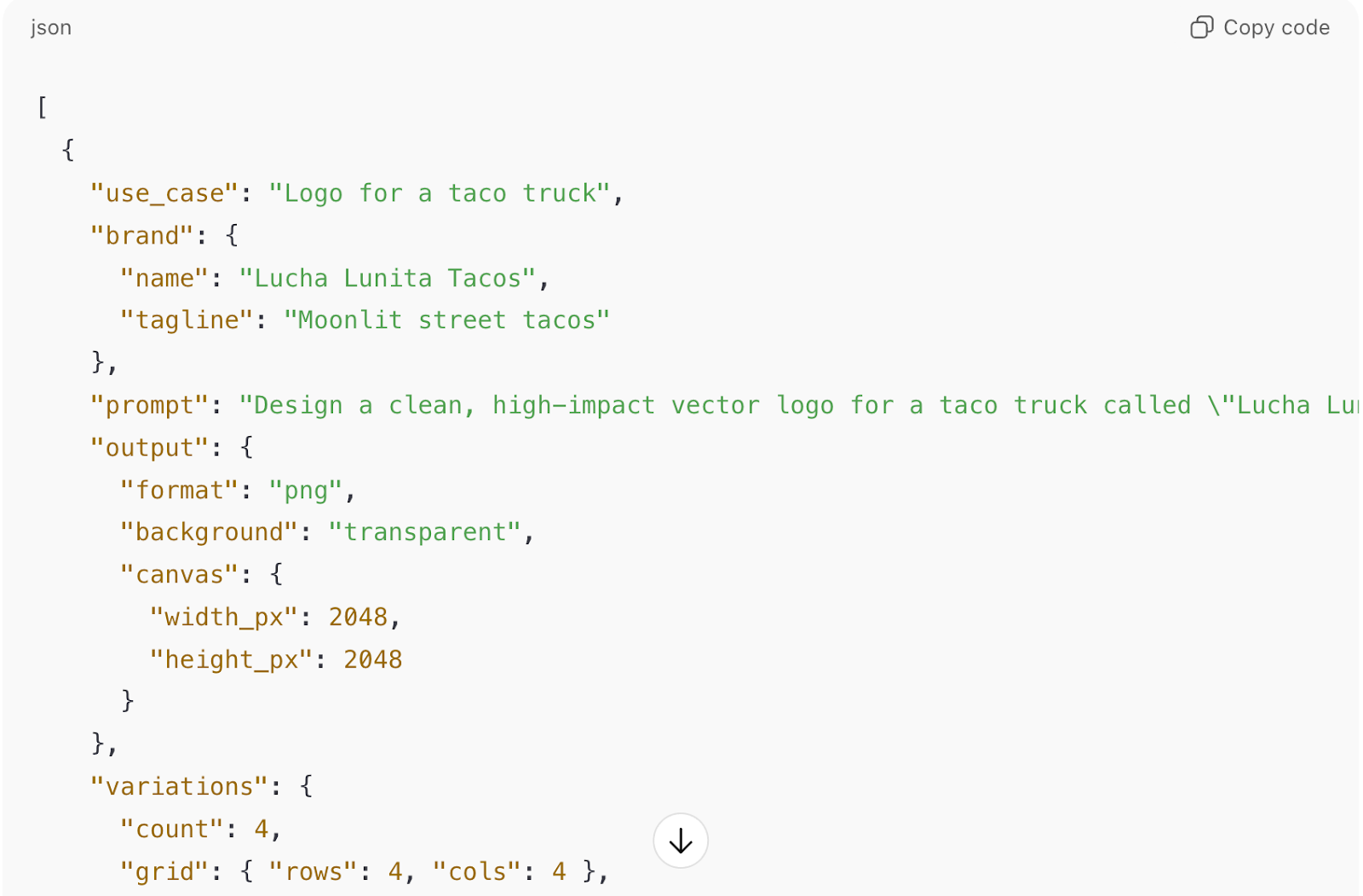
If you want your own brand to be the test case, you can ask LLM to interview you about your brand and write prompts for each use case.
Note this: To save time/tokens, you can instruct LLM to write a prompt that generates 4 variations in a 4x4 grid.
Next, open the ChatGPT image.
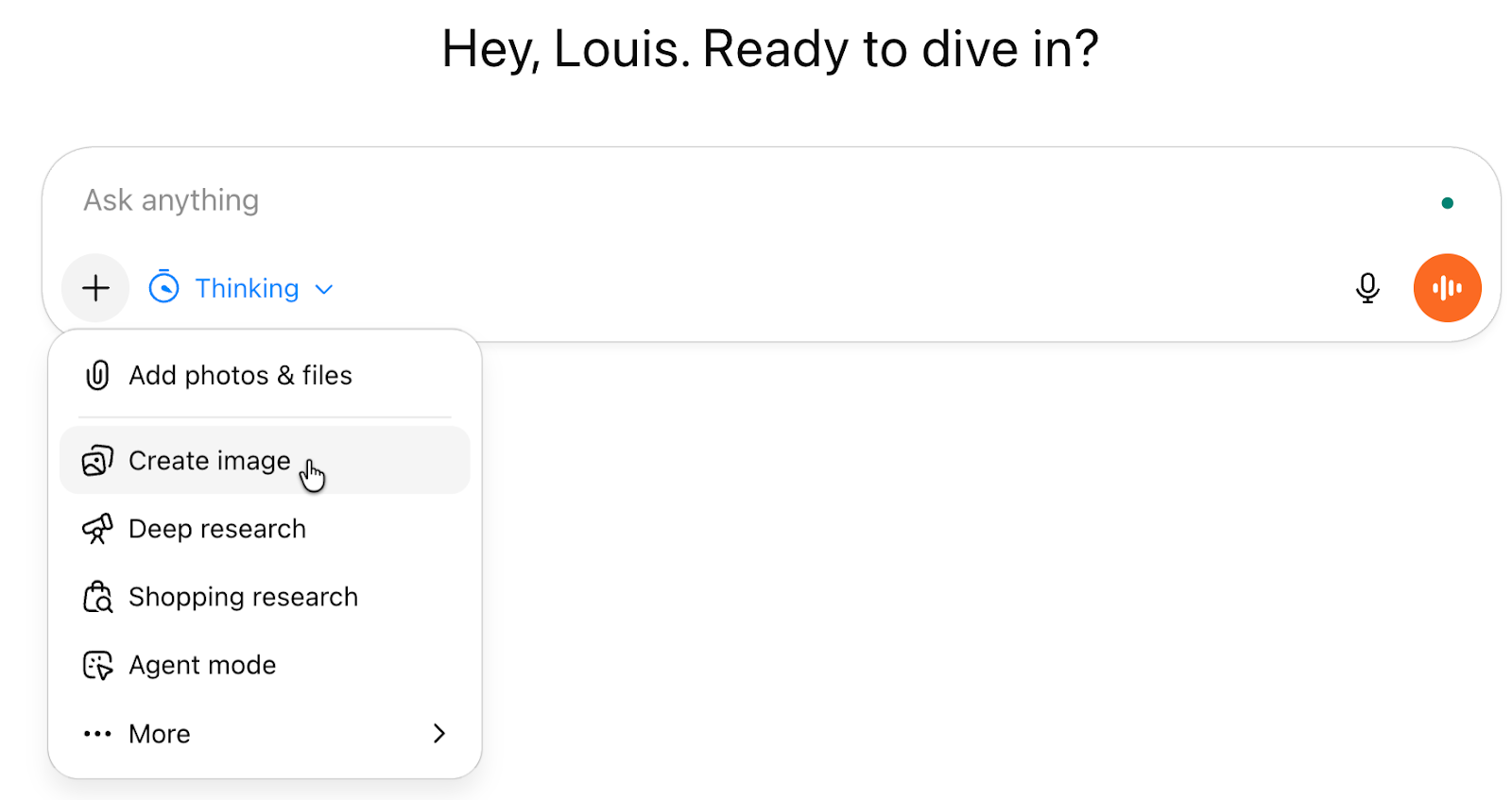
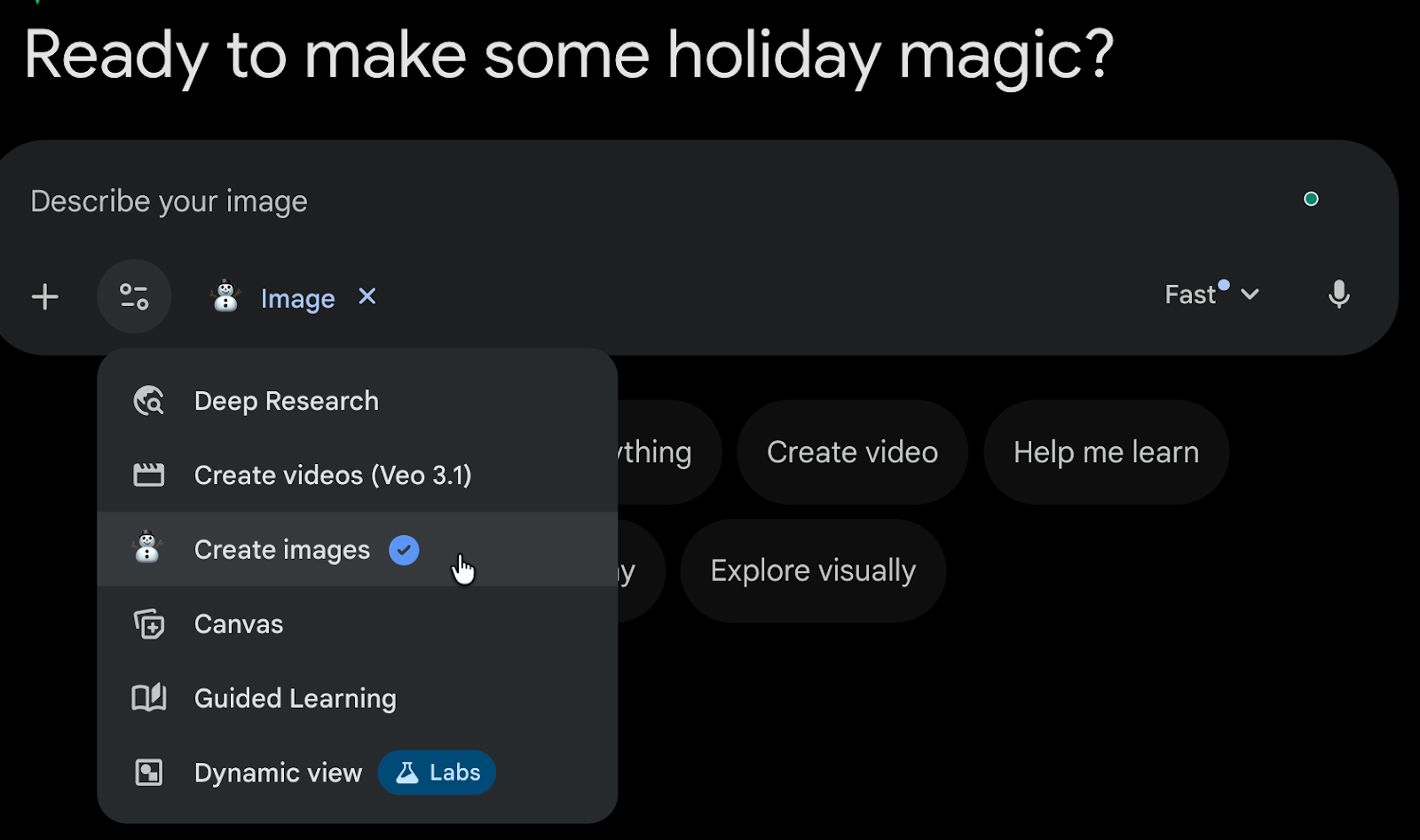
Open Nano Banana in Gemini and select ‘Create Images.’
The stage is set. Let’s generate some incredible images.
Step 3 - Generate images with all models
Generate the 05 use cases across all models to compare the results. Once you have generated all the images, populate the comparison matrix with the prompts, models, images, and overall rating.
Always open a new chat for each use case to ensure the results don’t get mixed up. Rate the outputs based on each criterion.
Copy the prompts you generated and prompt each tool with the same prompts.
In ChatGPT image, prompt the LLM for Taco Truck images.
You must copy the JSON prompt like this.
Prompt:
{
"use_case": "Logo for a taco truck",
"brand": {
"name": "Lucha Lunita Tacos",
"tagline": "Moonlit street tacos"
},
"prompt": "Design a clean, high-impact vector logo for a taco truck called \"Lucha Lunita Tacos\". Concept: a smiling crescent moon wearing a tiny lucha mask, cradling a taco like a trophy. Style: modern mascot mark + simple wordmark. Typography: bold, rounded sans with a subtle handmade feel. Color palette: warm corn-yellow, salsa-red, avocado-green, plus charcoal for outlines. Keep it readable at small sizes, strong silhouette, no gradients, no photo textures. Deliverables should look like a real brand that could be printed on a truck, hats, and stickers. Provide a transparent background version and an optional circular badge lockup (moon + wordmark).",
"output": {
"format": "png",
"background": "transparent",
"canvas": {
"width_px": 2048,
"height_px": 2048
}
},
"variations": {
"count": 4,
"grid": { "rows": 4, "cols": 4 },
"placement_rule": "Row 1 = Variation A (minimal icon + wordmark). Row 2 = Variation B (badge lockup). Row 3 = Variation C (icon-only, thicker outline). Row 4 = Variation D (wordmark-focused with small icon accent).",
"variation_notes": [
"A: flat, ultra-minimal, strong silhouette",
"B: circular badge, truck-sticker friendly",
"C: bolder outlines, more playful expression",
"D: typography-first, small moon-mask icon as accent"
]
},
"negative_prompt": "photorealism, gradients, lens effects, mockups, 3D renders, complex backgrounds, tiny unreadable details, clutter, gibberish text"
}
Paste this prompt in ChatGPT Image and Google Nano Banana. Make sure not to select the ChatGPT thinking model.
ChatGPT Image results
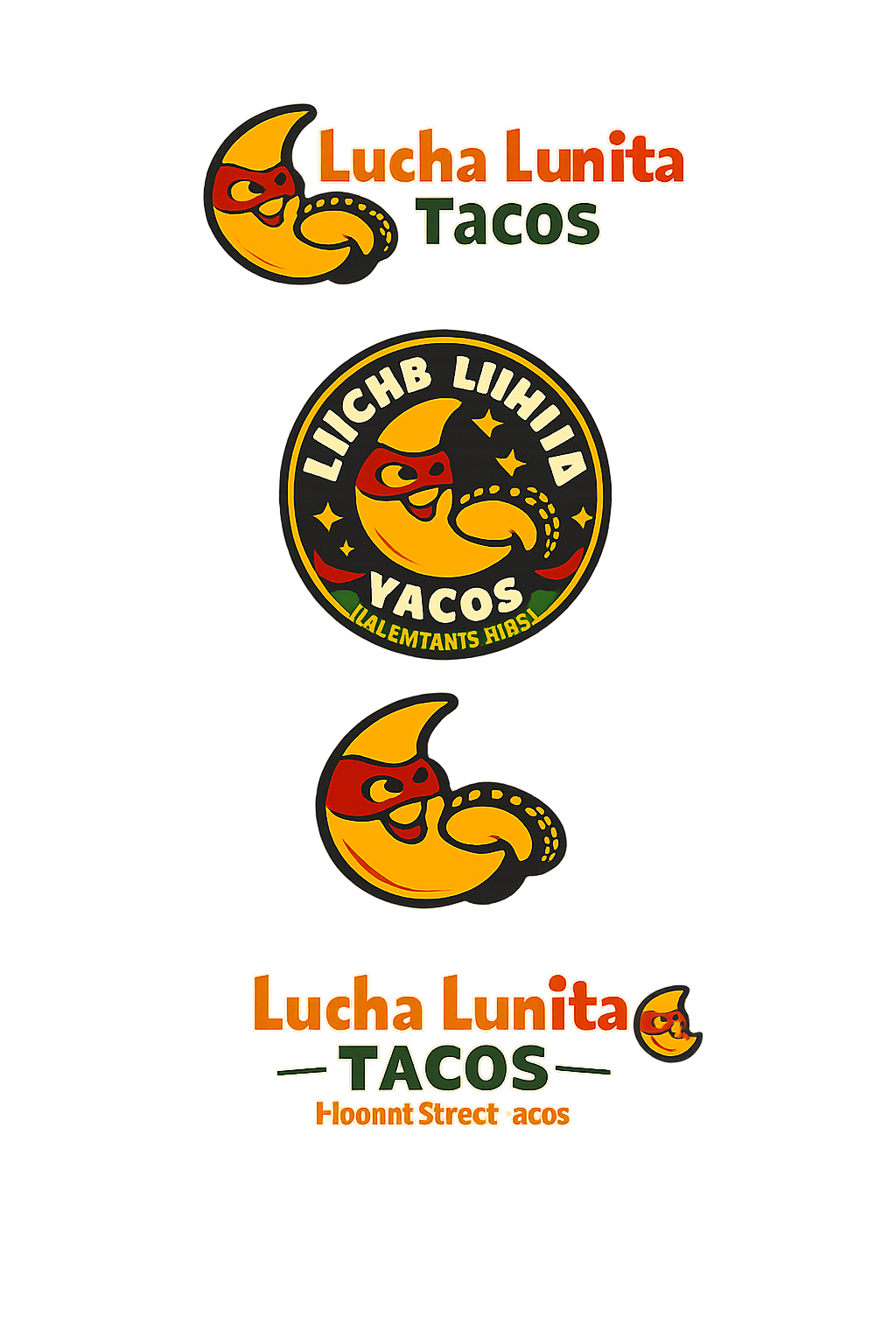
Google Gemini (Nano Banana Pro) results
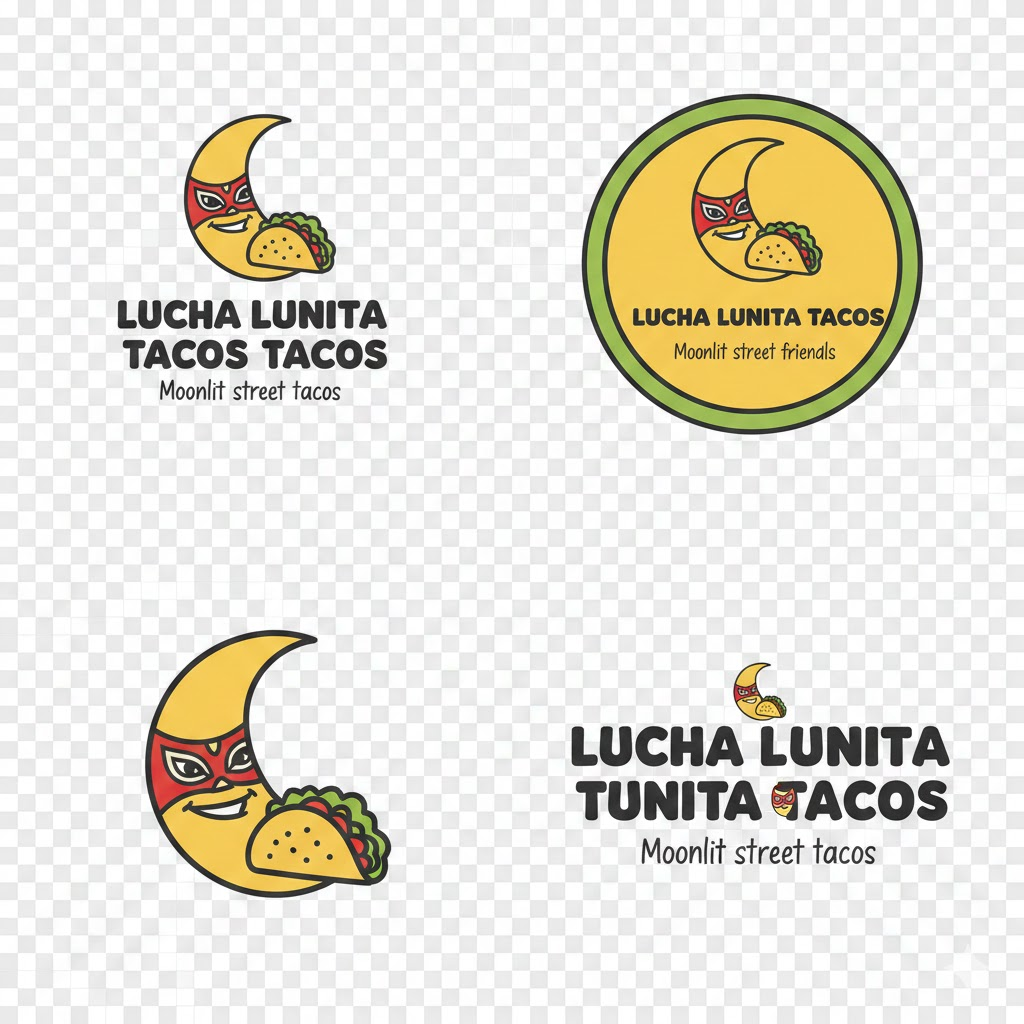
Next, copy the second prompt and paste it into ChatGPT Image and Nano Banana Pro.
Prompt:
{
"use_case": "Website graphic for a couch manufacturer",
"brand": {
"name": "Cloudforge Sofas",
"tagline": "Built like furniture, feels like a cloud"
},
"prompt": "Create a premium website hero graphic for a couch manufacturer called \"Cloudforge Sofas\". Scene: a bright modern living room with soft daylight, a signature modular sofa as the focal point, tasteful decor, and lots of negative space for headline text on the left. The sofa fabric should show realistic weave detail and stitching, with believable cushions and seams—composition: wide, clean, high-end DTC furniture vibe. Add subtle brand cues like a small woven tag that reads \"Cloudforge\" clearly. Make it look like a real product photo used on a homepage. No unrealistic geometry, no warped lines, no fake text."
"output": {
"format": "png",
"background": "solid",
"canvas": {
"width_px": 2048,
"height_px": 2048
}
},
"variations": {
"count": 4,
"grid": { "rows": 4, "cols": 4 },
"placement_rule": "Row 1 = Variation A (warm neutral palette). Row 2 = Variation B (cool minimal palette). Row 3 = Variation C (bold color sofa, neutral room). Row 4 = Variation D (close-up detail crop with space for UI).",
"variation_notes": [
"A: creamy tones, cozy but upscale",
"B: Scandinavian cool, ultra-clean styling",
"C: statement sofa color, restrained background",
"D: texture and stitching close-up, web-banner friendly"
]
},
"negative_prompt": "cartoon, illustration, unrealistic proportions, warped furniture, smeared text, brand logos from real companies, cluttered room, heavy filters"
}
Google Gemini results
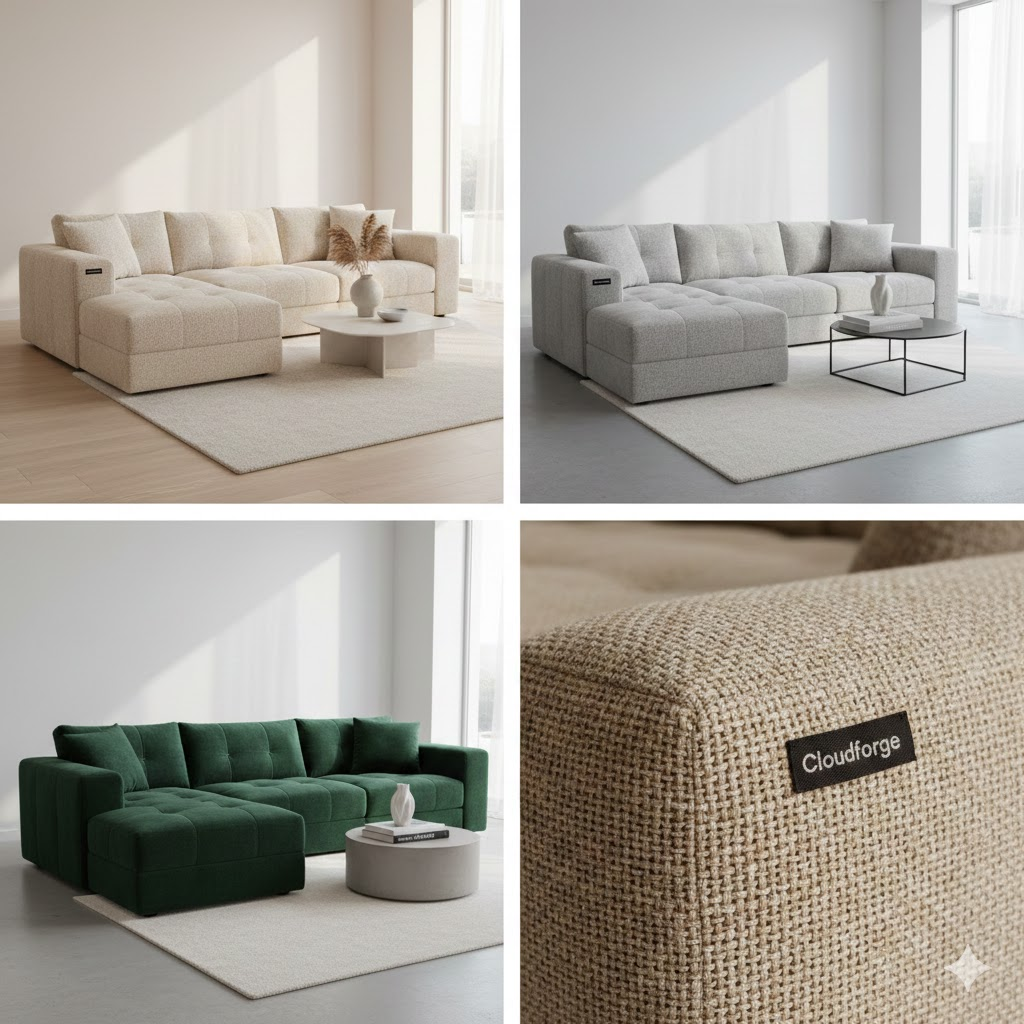
ChatGPT Image results
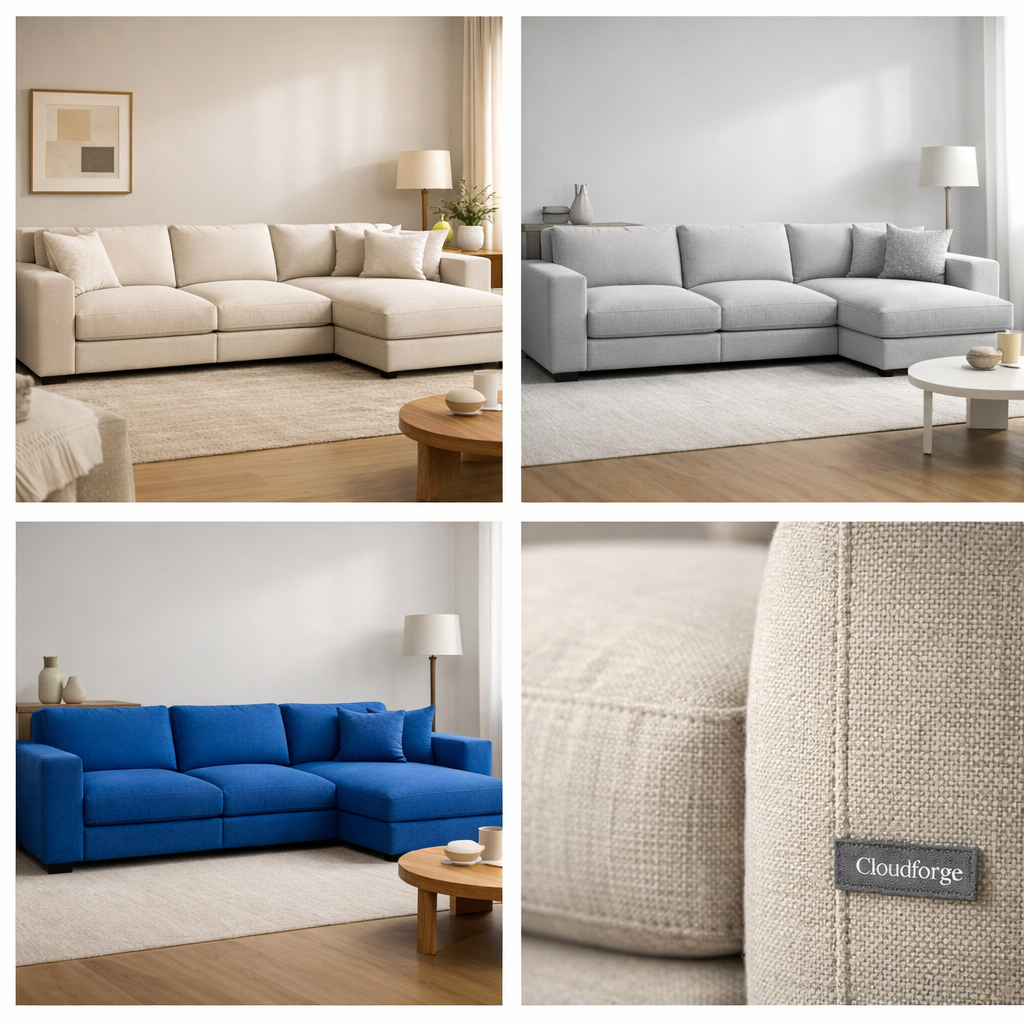
Continue generating images for all 5 use cases. Once you get all the photos, download them and update your comparison matrix.
Let’s generate the third use case - Social post for an energy drink brand. This use case might get us amazing results.
Prompt
{
"use_case": "Social post for an energy drink brand",
"brand": {
"name": "VoltRush",
"tagline": "Crash the limit"
},
"prompt": "Generate a high-energy social media visual for an energy drink brand called \"VoltRush.\" Scene: the can exploding through a bolt of stylized lightning, with dynamic motion blur and electric particles. Bold, aggressive aesthetic designed to stop scrolling. Color palette: electric blue, neon yellow, black, and white highlights. Square format optimized for Instagram. No text overlay beyond the product can.",
"output": {
"format": "png",
"aspect_ratio": "1:1",
"variations": {
"count": 4,
"layout": "4x4 grid"
}
}
}
ChatGPT image results

Google Gemini results
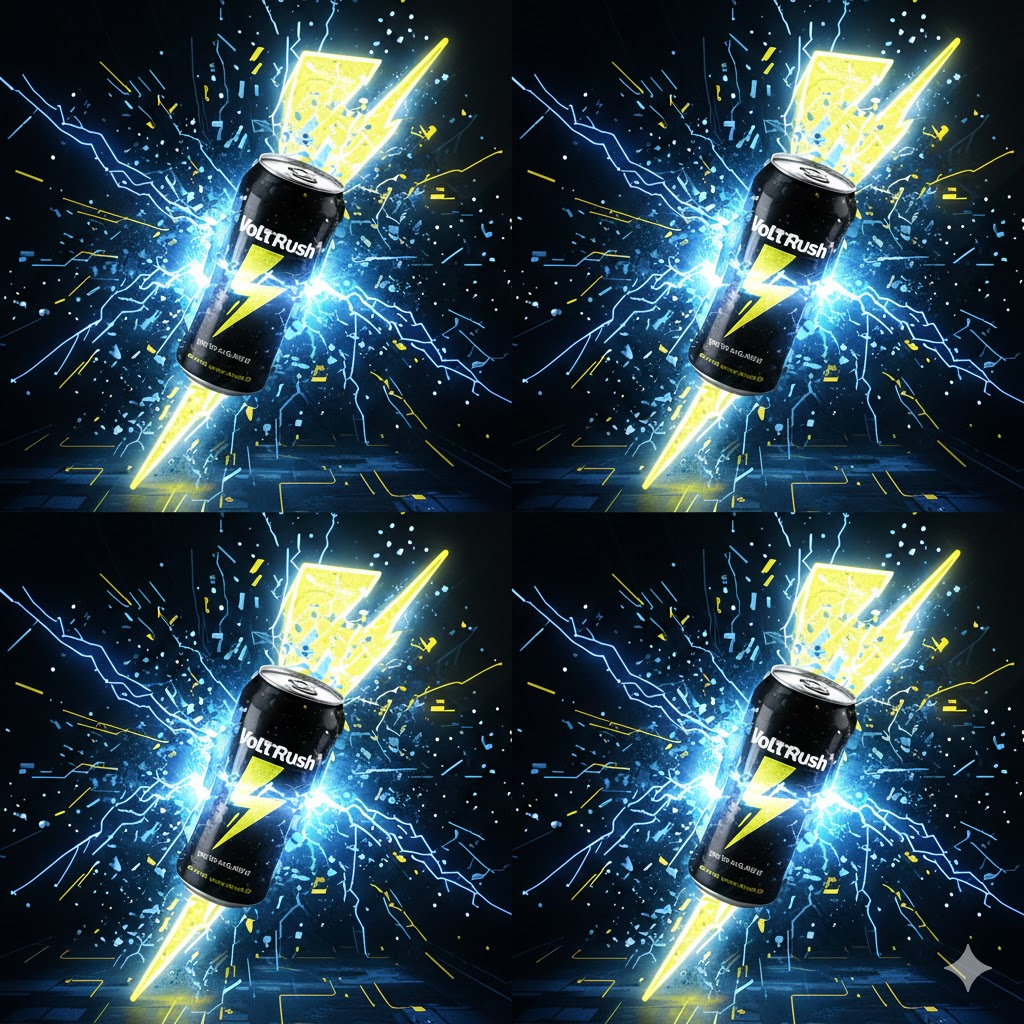
The results are superb. Both image generators created an image for a social post that can rival top brands.
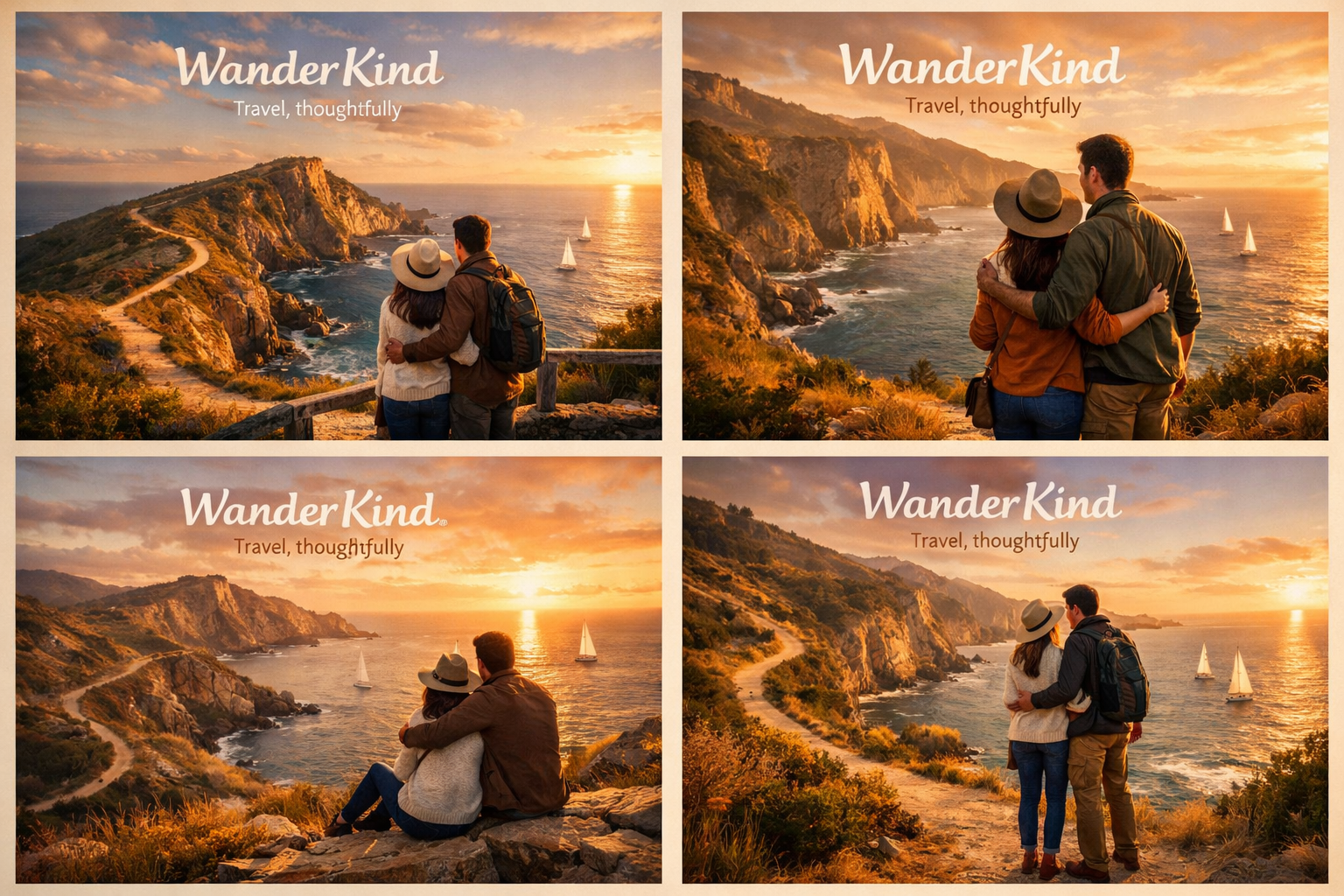
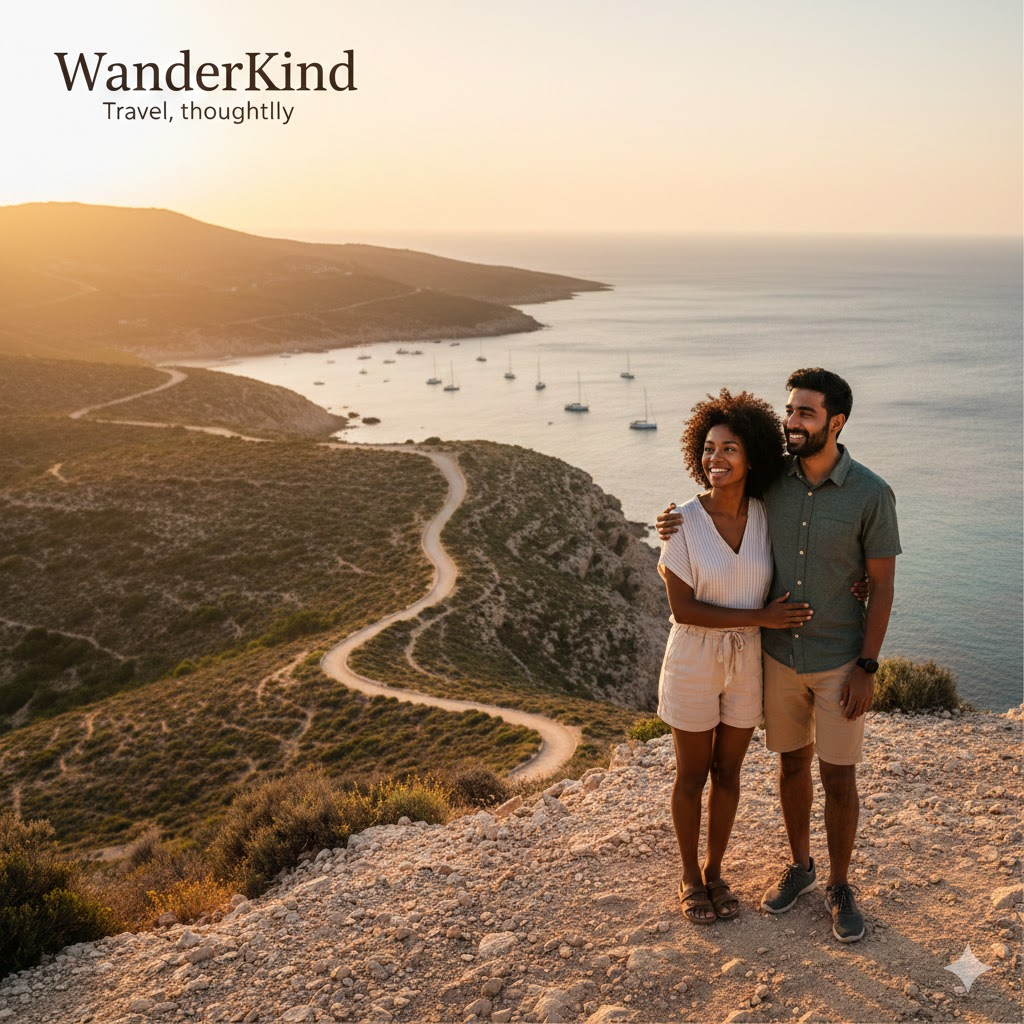
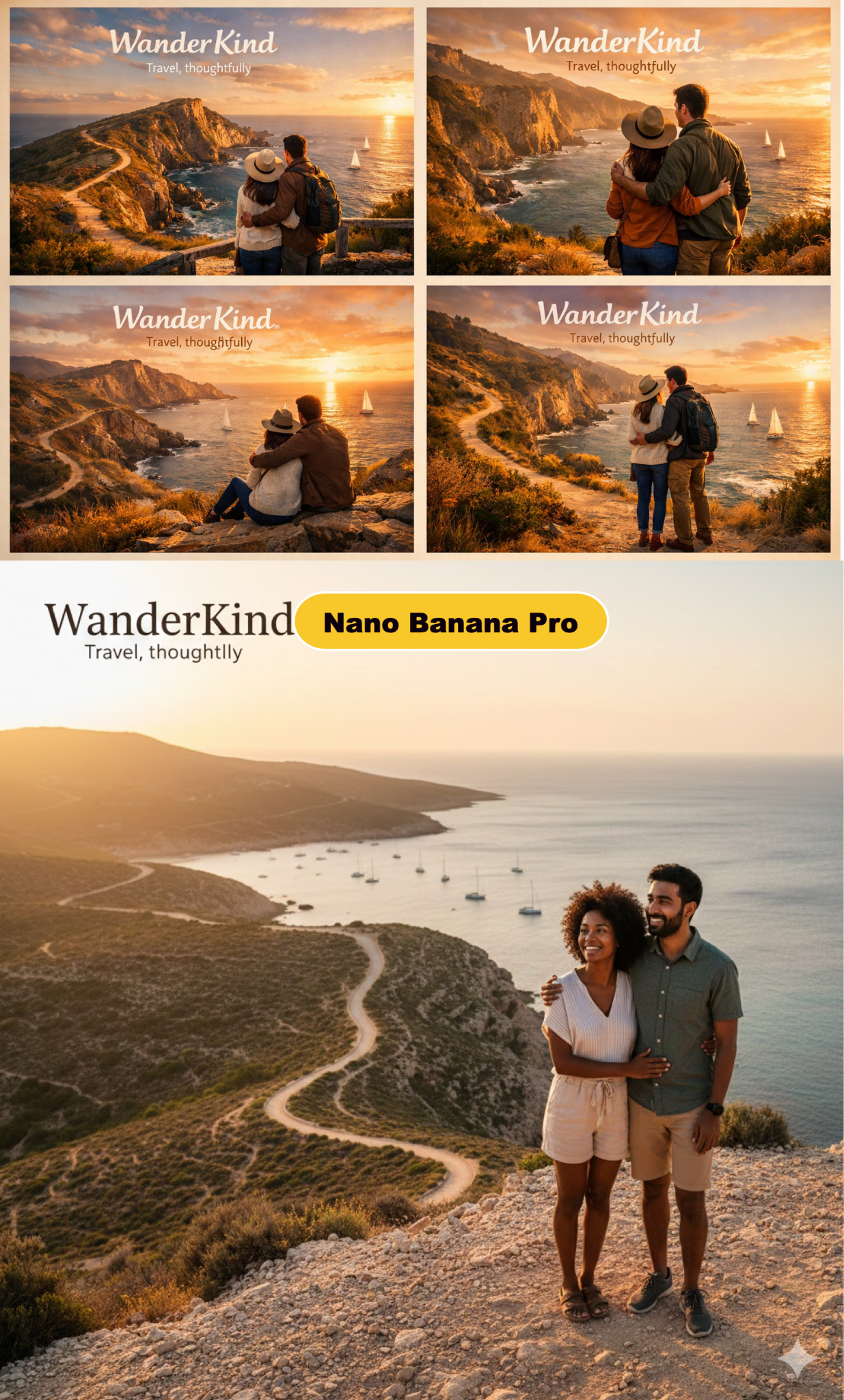
The next use case is about ‘Marketing materials for a travel agency.’ This example might be tricky for Google Gemini. Let’s find out.
Prompt:
{
"use_case": "Marketing materials for a travel agency",
"brand": {
"name": "WanderKind",
"tagline": "Travel, thoughtfully"
},
"prompt": "Design a polished marketing visual for a travel agency called \"WanderKind.\" Scene: a diverse couple overlooking a dramatic coastal cliff at golden hour, with a winding path and distant sailboats. Emphasis on emotion, scale, and authenticity. Natural lighting, cinematic composition, realistic human proportions. Color palette should feel warm and aspirational. Suitable for brochures and landing pages.",
"output": {
"format": "jpg",
"aspect_ratio": "3:2",
"variations": {
"count": 4,
"layout": "4x4 grid"
}
} }
ChatGPT Image results
Google Gemini results
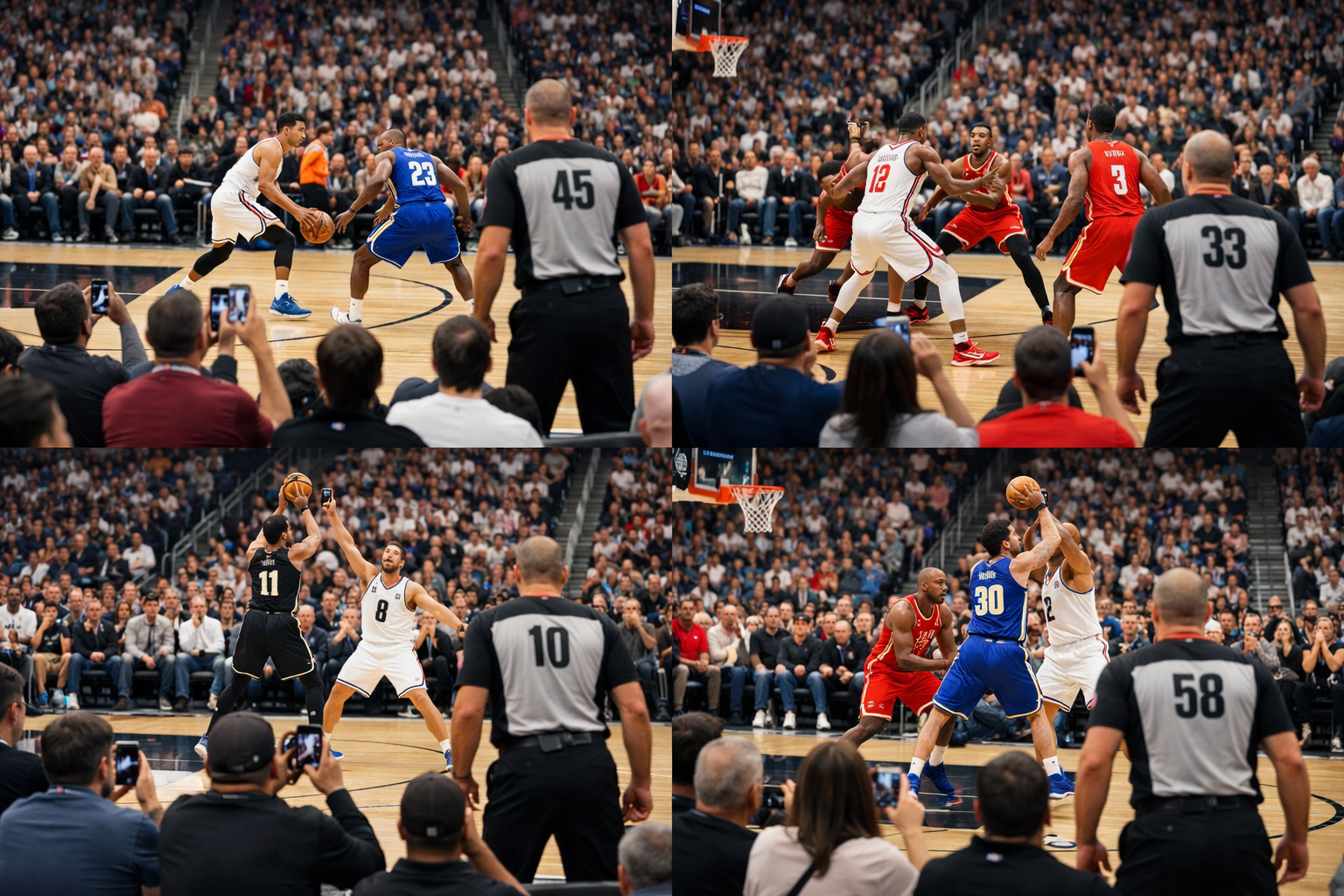
The last use case is somewhat obscure. It’s about generating an Arbitrary prompt of something that would be easy to tell if it’s ‘fake.’
Let’s find out how both models handle this prompt.
Prompt:
{
"use_case": "Arbitrary image that is easy to tell if it is fake",
"brand": {
"name": "Unbranded realism test"
},
"prompt": "Generate an ultra-detailed photorealistic scene of a packed NBA basketball game during live play. The camera angle should be from the lower bowl, courtside perspective. Include hundreds of spectators with varied facial expressions, realistic clothing, phones held up, motion blur in the crowd, referees in correct uniforms, and accurate court markings. Ensure correct player proportions, believable jersey numbers, and natural lighting from arena lights. Any visual inconsistency should be minimized.",
"output": {
"format": "jpg",
"aspect_ratio": "16:9",
"variations": {
"count": 4,
"layout": "4x4 grid"
}
}
}
ChatGPT Image results
Google Gemini results
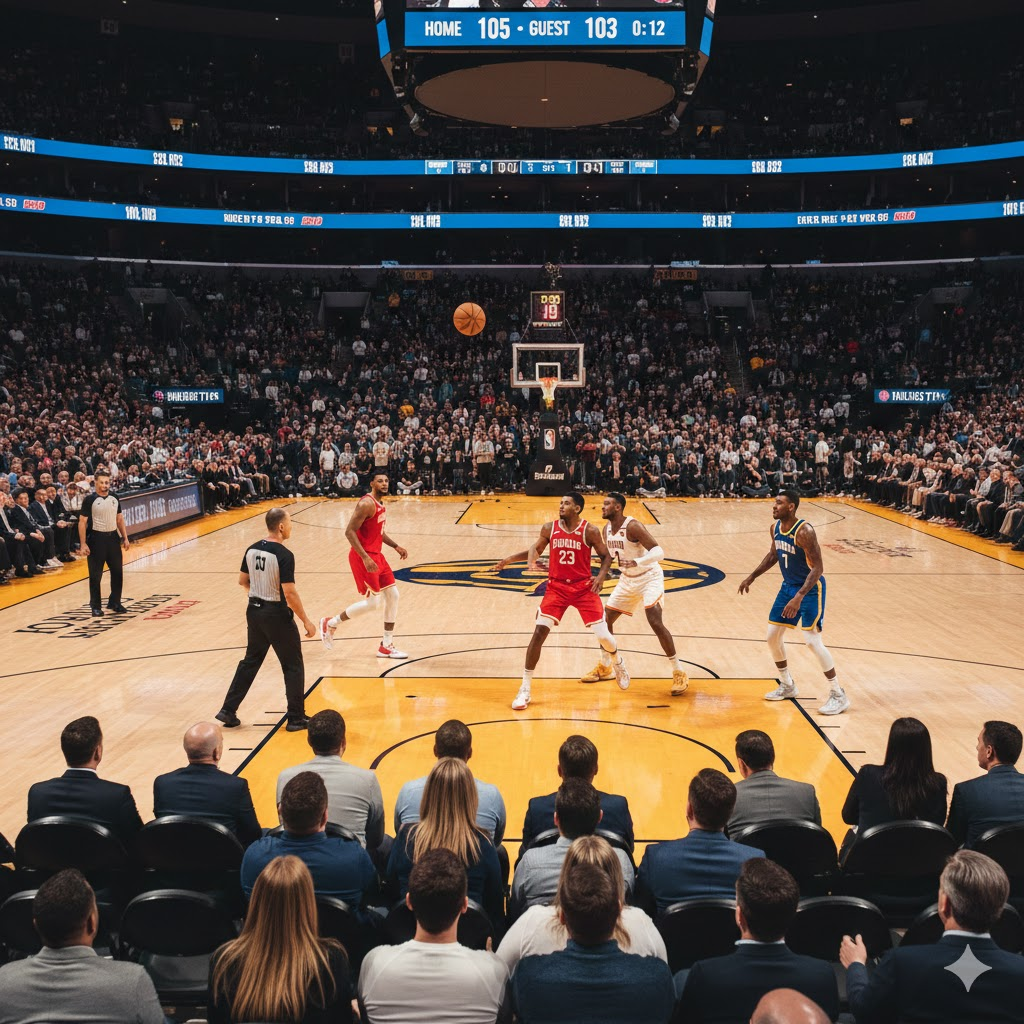
The results from both models are interesting. Let’s analyze them.
Step 4 - Review and iterate
Reviewing the images generated by ChatGPT Image and Google Gemini’s Nano Banana, it’s evident that both models followed the prompt. But one of them is a clear winner in the prompt adherence category.
Prompt adherence
The clear winner in following the prompt to the letter is ChatGPT Image, as it’s evident from the results. The prompt clearly mentioned a 4x4 grid to save time/tokens. Gemini NanoBanana failed to follow the grid part of the prompt.
Quality
The winner in the quality category is ChatGPT Image. The images are clear, crisp and have vibrant colors compared to Nano Banana.
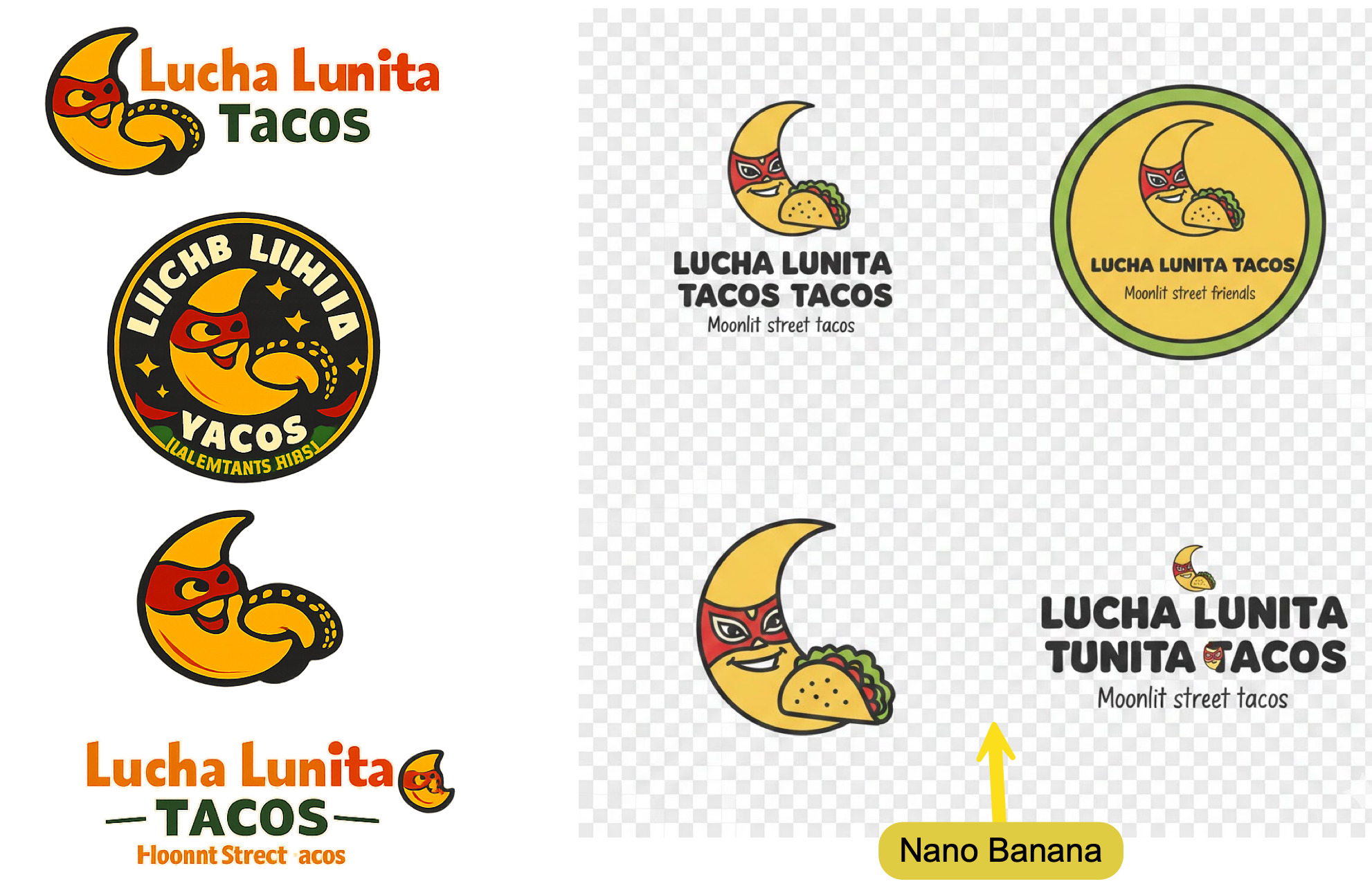
After reviewing all the images carefully, we declare ChatGPT Image as the winner in image generation. ChatGPT’s images were clear and had color depth. They were almost near perfect. Google Nano Banana needs way more work than the ChatGPT image.
That’s it for this tutorial, folks! Test a few of these use cases with your own brand using both ChatGPT image tools and Nano Banana Pro. A good way to start is to ask ChatGPT or Gemini to clarify the task and run a quick interview with you, usually three to five questions. Based on your answers, it will generate one to three image prompt variations. Pick the one that feels right.
In most cases, ask for variations in a 4 by 4 grid so you can compare options side by side. Once something clicks, just have the model generate that single version on its own and refine from there.


.png)
