EOS Software That Actually Feels Modern
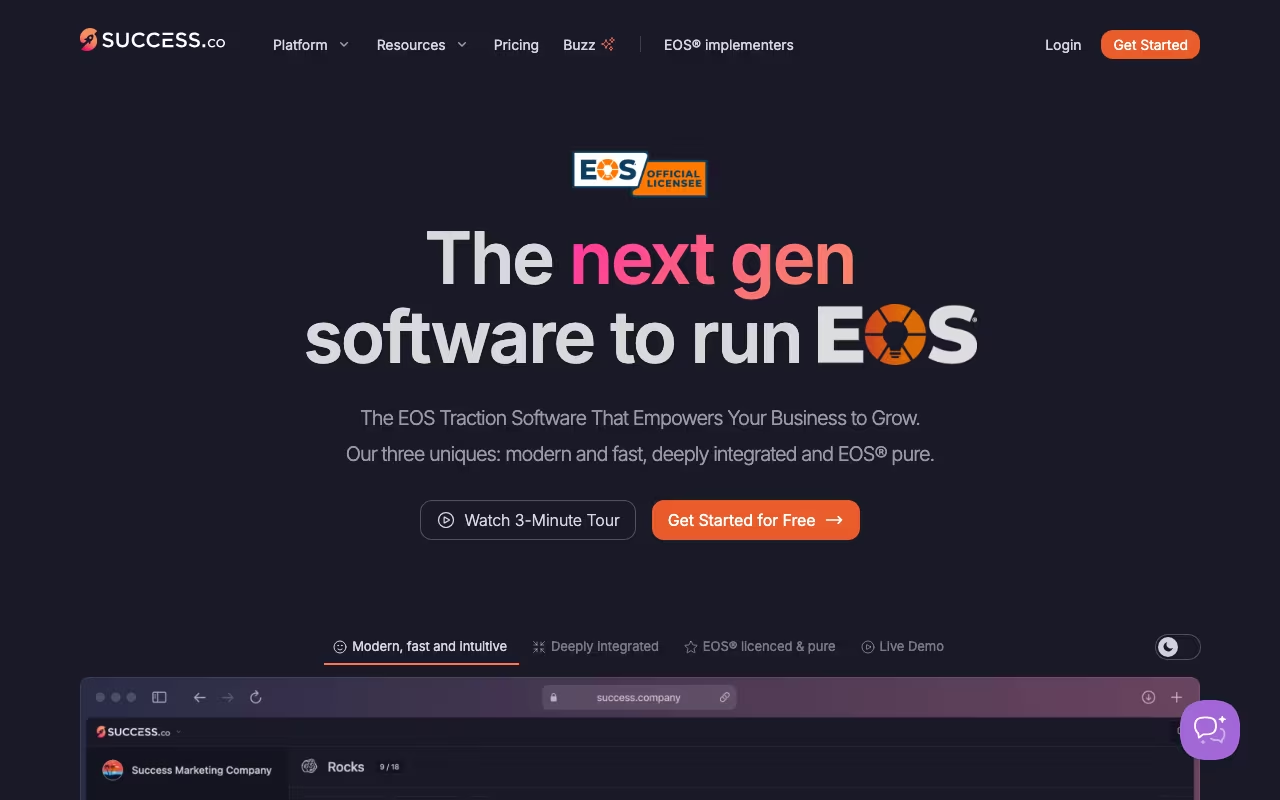
If your company runs on the Entrepreneurial Operating System (EOS), you've probably tried managing your V/TO, Rocks, Scorecards, and Level 10 meetings in spreadsheets. It works until it doesn't. Success.co is purpose-built software for EOS teams that replaces those scattered Google Sheets and Docs with a single platform designed around EOS workflows. The Accountability Chart, Vision/Traction Organizer, Rocks tracking, Issues List, and meeting management all live in one place.
What separates Success.co from the other EOS tools is the user experience. The interface is modern, fast, and genuinely pleasant to use. They built a proprietary engine called BlitzSync that makes every action feel instant and works offline. That offline capability matters more than you'd think for teams doing quarterly planning sessions in conference rooms with spotty WiFi, or for EOS Implementers running sessions at client offices without reliable internet access.
Try Success.co for Your EOS TeamThe EOS Toolbox Inside
The Accountability Chart is the free tier's headline feature. You can build and share your organizational chart with seats, roles, and accountability assignments without paying anything. The free plan also includes the V/TO (Vision/Traction Organizer) and Organizational Checkup. No credit card required, no trial expiration. These three tools alone cover the foundational EOS documents that every team needs, and giving them away for free is a smart move that gets teams into the ecosystem.
The paid plan unlocks the operational tools: Rocks (quarterly priorities), Scorecards (weekly metrics), Issues tracking with IDS methodology, Level 10 meeting management with automatic agenda building, and To-Do tracking. The meeting module is particularly well-designed. It follows the standard Level 10 format (segue, scorecard review, rock review, customer/employee headlines, to-do review, IDS, conclude) and keeps your team on track with timers and structured transitions. After each meeting, action items automatically populate as To-Dos with owners and due dates.
Multi-language support covers teams operating across different regions. Single sign-on through Google and Microsoft reduces friction for enterprise deployments. The integrations connect to Google Calendar for meeting scheduling, and Zapier opens up connections to CRMs, project management tools, and communication platforms.
Pricing Structure
Success.co uses a sliding scale where your cost per user decreases as your team grows. The company doesn't publish exact per-user pricing on their website. Instead, they push you to talk to sales for a custom quote. This is common for B2B SaaS but frustrating when you just want to know what it costs before scheduling a demo call.
Based on third-party sources and comparisons, pricing appears to start in the range of $8-16 per user per month depending on team size, with volume discounts for larger organizations. The free plan is genuinely useful on its own for the Accountability Chart and V/TO. The paid plan is required for Rocks, Scorecards, Issues, and Level 10 meetings, which are the tools you need for weekly execution.
The main competitor is Ninety.io, which starts at $13 per user per month and is also licensed EOS software. EOS One is the official tool from EOS Worldwide itself, adding a first-party competitor to the mix. Strety and Bloom Growth are newer entrants targeting similar customers. All of these tools do roughly the same thing, so the decision often comes down to which interface your team prefers and which EOS Implementer recommends it.
Start Free with the Accountability ChartWhere Success.co Shines and Struggles
The BlitzSync engine genuinely delivers on the performance promise. Page loads and interactions feel immediate rather than sluggish. The offline mode works reliably during planning sessions and syncs when you reconnect. The visual design is cleaner than Ninety.io's interface, which feels more utilitarian. For teams that care about user experience and adoption, that visual polish matters. Tools that feel clunky get abandoned.
The limitation is ecosystem maturity. Ninety.io has been around longer, has more reviews, and has a larger user community. Success.co's review presence on G2 is limited, with only a handful of ratings. Capterra has minimal coverage. This makes it harder for buyers doing due diligence to compare objectively. EOS Implementers who have used both tools tend to have strong preferences, so asking your Implementer which they prefer is often the most efficient way to decide.
The other consideration is feature depth. If your team needs capabilities beyond core EOS tools, like project management, file sharing, or communication features, you'll need to integrate with other platforms. Success.co is laser-focused on EOS and doesn't try to be an all-in-one business platform. That focus keeps the tool simple and fast, but means you'll still use Slack, Asana, or whatever else your team runs alongside it.
Who This Is Built For
Success.co is exclusively for companies running EOS. If you don't know what a V/TO is, what Rocks mean in a business context, or what IDS stands for, this tool isn't for you. It's not a general project management or OKR platform. It's EOS-specific, and it does that one thing well.
For companies with 10-250 employees running EOS with an Implementer, Success.co is worth evaluating alongside Ninety.io and EOS One. Start with the free Accountability Chart to test the interface and decide if your team prefers it over the alternatives. The switching cost between EOS tools is low since the data structure (V/TO, Rocks, Scorecards) is standardized across all of them. Pick the one your team will actually use consistently, because the best EOS software is the one that gets opened every week.
Build Your Free Accountability Chart